Claire Sutton is an Architectural CAD Specialist and Technical Writer at ASTCAD with 10 years of experience in Revit BIM modelling, architectural documentation, and CAD conversion projects across Southeast Queensland and New South Wales. She holds a Bachelor of Architecture (Honours) from Queensland University of Technology and has delivered documentation packages for residential developments, commercial fitouts, and industrial facilities in compliance with the National Construction Code (NCC) and relevant Australian Standards. Claire has managed paper-to-CAD conversion projects at scale — digitising legacy drawing archives for local councils, engineering firms, and property developers — and brings a practitioner's eye to every guide she writes. She is experienced in AutoCAD, Revit, ArchiCAD, and SketchUp, and is a strong advocate for BIM adoption among Australian architectural practices of all sizes.
In the ever-evolving world of architecture, precision, efficiency, and innovation are key. As the demands of modern construction projects grow, so does the need for advanced tools and services that can meet these demands. Enter architectural CAD drafting services – the backbone of contemporary architectural design and construction.
What is CAD Drafting?
(CAD) drafting is the process of creating detailed and precise digital representations of architectural designs. These drawings are used by architects, engineers, and construction professionals to visualize and plan structures before they are built. CAD drafting replaces traditional hand-drawn methods, offering a range of advantages that have revolutionized the field.
Creating initial design concepts and refining them based on client feedback.
Developing detailed plans, sections, and elevations to provide a comprehensive view of the project.
Construction Documentation:
Producing precise construction drawings that guide builders during the construction phase.
Ensuring all necessary details, such as dimensions, materials, and construction techniques, are accurately represented.
3D Modeling and Visualization:
Creating 3D models to help clients and stakeholders visualize the final product.
Utilizing advanced rendering techniques to produce photorealistic images and animations.
Collaboration and Coordination:
Facilitating communication between architects, engineers, contractors, and clients.
Ensuring all project stakeholders have access to the most up-to-date drawings and models.
Benefits of Using Professional Architectural CAD Drafting Services
Accuracy and Precision:
CAD software allows for highly detailed and accurate drawings, reducing the likelihood of errors during construction.
The ability to easily modify and update designs ensures that any changes can be quickly implemented.
Efficiency and Speed:
CAD drafting significantly speeds up the design process compared to traditional methods.
Advanced tools and features enable drafters to complete complex tasks more efficiently.
Cost-Effectiveness:
By identifying and resolving potential issues during the design phase, CAD drafting can help prevent costly mistakes during construction.
Improved accuracy and efficiency also contribute to overall cost savings.
Enhanced Visualization:
3D modeling and visualization provide a realistic view of the project, helping clients make informed decisions.
Virtual walkthroughs and renderings can showcase the design in a way that 2D drawings cannot.
Improved Collaboration:
Digital drawings can be easily shared and accessed by all project stakeholders.
Cloud-based platforms enable real-time collaboration, ensuring everyone is on the same page.
Choosing the Right Architectural CAD Drafting Service
When selecting a provider for architectural CAD drafting services, consider the following factors:
Experience and Expertise:
Look for a firm with a proven track record and extensive experience in architectural drafting.
Check for qualifications, certifications, and testimonials from previous clients.
Technology and Tools:
Ensure the service provider uses the latest CAD software and tools.
Advanced technology can enhance the quality and efficiency of the drafting process.
Portfolio and Samples:
Review the provider’s portfolio to assess the quality and style of their work.
Request samples of previous projects to gauge their capabilities.
Communication and Support:
Effective communication is crucial for successful collaboration.
Choose a provider that offers excellent customer support and is responsive to your needs.
Cost and Value:
Compare pricing structures and ensure you understand what is included in the service.
Consider the overall value and return on investment, rather than just the initial cost.
Conclusion
Architectural CAD drafting services play a vital role in modern architectural design and construction. By leveraging the power of CAD technology, professionals can create precise, efficient, and visually stunning designs that meet the demands of today’s construction industry. Whether you’re an architect, engineer, or builder, partnering with a reliable CAD drafting service can help you bring your vision to life with accuracy and efficiency.
For those seeking top-notch architectural drafting services, look no further than astcad. With a commitment to excellence and a passion for innovation, we are here to support your projects every step of the way. Contact us today to learn more about how our CAD drafting services can benefit your next project.
How can I improve my architectural drafting skills?
Architectural drafting technology refers to the tools, techniques, and processes used to create detailed technical drawings and plans for buildings and other structures. This technology encompasses both traditional methods, like hand drawing, and modern digital methods, such as Computer-Aided Design (CAD). Here are some key components and aspects of architectural drafting technology:u003cbru003eu003cbru003eu003cstrongu003eComputer-Aided Design (CAD)u003c/strongu003e:u003cbru003eu003cstrongu003e2D CADu003c/strongu003e: Software like AutoCAD allows drafters to create precise two-dimensional drawings of floor plans, elevations, and sections.u003cbru003eu003cstrongu003e3D CADu003c/strongu003e: Software like Revit and SketchUp enables the creation of three-dimensional models that provide a more comprehensive view of the design.u003cbru003eu003cstrongu003eBuilding Information Modeling (BIM)u003c/strongu003e:u003cbru003eBIM software, such as Revit, ArchiCAD, and BIM 360, is used for creating intelligent 3D models that integrate detailed information about the building’s components, systems, and materials. This allows for improved collaboration, visualization, and project management.u003cbru003eu003cstrongu003eTraditional Hand Draftingu003c/strongu003e:u003cbru003eAlthough less common today, traditional hand drafting involves drawing plans by hand using tools like pencils, rulers, compasses, and protractors. This method requires a high level of skill and precision.
What is architectural design CAD?
Improving your architectural drafting skills involves a combination of technical proficiency, design understanding, and practical experience. Here are several steps to help you enhance your skills:u003cbru003eu003cbru003eu003cstrongu003e1. Master the Basicsu003c/strongu003eu003cbru003eu003cstrongu003eUnderstand Drawing Conventionsu003c/strongu003e: Learn the standard symbols, line types, and notations used in architectural drafting.u003cbru003eu003cstrongu003eLearn to Read Blueprintsu003c/strongu003e: Familiarize yourself with interpreting existing drawings to understand how to create your own.u003cbru003eu003cstrongu003ePractice Hand Draftingu003c/strongu003e: Although CAD is dominant, understanding hand drafting principles can improve your overall drafting skills.u003cbru003eu003cbru003eu003cstrongu003e2. Gain Proficiency with CAD Softwareu003c/strongu003eu003cbru003eu003cstrongu003eChoose the Right Softwareu003c/strongu003e: Focus on mastering a few key programs such as AutoCAD, Revit, or SketchUp.u003cbru003eu003cstrongu003eTake Online Courses and Tutorialsu003c/strongu003e: Platforms like Coursera, Udemy, and LinkedIn Learning offer courses that cover various aspects of architectural CAD software.u003cbru003eu003cstrongu003ePractice Regularlyu003c/strongu003e: Consistent practice helps solidify your understanding and improves speed and accuracy.u003cbru003eu003cbru003eu003cstrongu003e3. Study Architectural Design Principlesu003c/strongu003eu003cbru003eu003cstrongu003eLearn Design Fundamentalsu003c/strongu003e: Study proportion, scale, balance, and other design principles to enhance the aesthetic quality of your drafts.u003cbru003eu003cstrongu003eUnderstand Building Codes and Regulationsu003c/strongu003e: Knowledge of local building codes ensures your designs are compliant with legal standards.u003cbru003eu003cbru003eu003cstrongu003e4. Analyze and Recreate Existing Plansu003c/strongu003eu003cbru003eu003cstrongu003eReverse Engineer Designsu003c/strongu003e: Take existing architectural plans and try to recreate them. This helps in understanding how professional drafts are constructed.u003cbru003eu003cstrongu003eCompare and Critiqueu003c/strongu003e: Compare your drafts with the originals to identify areas for improvement.u003cbru003eu003cbru003eu003cstrongu003e5. Develop Attention to Detailu003c/strongu003eu003cbru003eu003cstrongu003eFocus on Accuracyu003c/strongu003e: Pay close attention to measurements, annotations, and details. Precision is critical in architectural drafting.u003cbru003eu003cstrongu003eUse Checklistsu003c/strongu003e: Develop checklists for different types of drawings to ensure all necessary elements are included.
How do I start learning architectural drawings?
Learning architectural drawings can be an exciting and rewarding journey. Here are some steps to get you started:u003cbru003eu003cbru003eu003cstrongu003e1. Understand the Basicsu003c/strongu003eu003cbru003eu003cstrongu003eLearn Basic Drawing Skillsu003c/strongu003e: Start with basic drawing techniques, focusing on lines, shapes, and perspectives.u003cbru003eu003cstrongu003eStudy Architectural Terminologyu003c/strongu003e: Familiarize yourself with key terms and concepts in architecture.u003cbru003eu003cbru003eu003cstrongu003e2. Get the Right Toolsu003c/strongu003eu003cbru003eu003cstrongu003eDrawing Toolsu003c/strongu003e: Pencils, erasers, rulers, compasses, and protractors.u003cbru003eu003cstrongu003eCAD Softwareu003c/strongu003e: Familiarize yourself with popular software like AutoCAD, SketchUp, Revit, or ArchiCAD.u003cbru003eu003cbru003eu003cstrongu003e3. Educational Resourcesu003c/strongu003eu003cbru003eu003cstrongu003eBooksu003c/strongu003e:u003cemu003eu0022Architectural Graphicsu0022u003c/emu003e by Francis D.K. Chingu003cbru003eu003cemu003eu0022Drawing for Architectsu0022u003c/emu003e by Julia McMorroughu003cbru003eu003cstrongu003eOnline Coursesu003c/strongu003e: Platforms like Coursera, Udemy, and LinkedIn Learning offer courses on architectural drawing and CAD.u003cbru003eu003cstrongu003eTutorials and Videosu003c/strongu003e: YouTube has many tutorials on architectural drawing techniques and CAD software.u003cbru003eu003cbru003eu003cstrongu003e4. Learn CAD Softwareu003c/strongu003eu003cbru003eu003cstrongu003eBeginner Tutorialsu003c/strongu003e: Start with beginner tutorials on the software you choose. AutoCAD and SketchUp are good starting points.u003cbru003eu003cstrongu003ePractice Projectsu003c/strongu003e: Work on simple projects like floor plans and elevations to get hands-on experience.u003cbru003eu003cbru003eu003cstrongu003e5. Study Architectural Drawingsu003c/strongu003eu003cbru003eu003cstrongu003eAnalyze Existing Drawingsu003c/strongu003e: Look at architectural drawings from books, online resources, and real-life examples to understand different styles and techniques.u003cbru003eu003cstrongu003ePractice Redrawingu003c/strongu003e: Try to replicate existing architectural drawings to improve your skills.u003cbru003eu003cbru003eu003cstrongu003e6. Take a Courseu003c/strongu003eu003cbru003eu003cstrongu003eCommunity Colleges and Universitiesu003c/strongu003e: Many institutions offer courses in architectural drawing and CAD.u003cbru003eu003cstrongu003eWorkshops and Seminarsu003c/strongu003e: Look for workshops or seminars in your area that focus on architectural drawing.u003cbru003eu003cbru003eu003cstrongu003e7. Practice Regularlyu003c/strongu003eu003cbru003eu003cstrongu003eDaily Drawingu003c/strongu003e: Set aside time each day to practice drawing, both by hand and using CAD software.u003cbru003eu003cstrongu003eFeedback and Improvementu003c/strongu003e: Seek feedback from professionals or online communities and continuously work on improving your skills.
Claire has 10 years of experience in Revit BIM modelling, architectural documentation, and CAD conversion projects across Southeast Queensland and NSW. She has delivered NCC-compliant documentation for residential, commercial, and industrial facilities.
In the fast-paced world of engineering and design, the need for efficient and precise drafting services is more crucial than ever. ASTCAD, a cutting-edge Engineering CAD Drafting company, stands at the forefront of innovation, providing unparalleled solutions to meet the demands of modern engineering design. Specializing in Rapid Prototyping Drafting Services, ASTCAD is revolutionizing the industry with its commitment to accuracy, speed, and quality.
Rapid Prototyping Drafting Services
ASTCAD: The Pioneer in Rapid Prototyping Drafting Services: ASTCAD has earned a reputation as a leader in the engineering design domain, with a primary focus on Rapid Prototyping Drafting Services. Leveraging advanced technologies and a team of skilled professionals, ASTCAD ensures that clients receive top-notch drafting services that align with the current trends and demands of the industry.
Cutting-Edge Technology: At the heart of ASTCAD’s success is its dedication to staying ahead of technological advancements. The company employs state-of-the-art CAD software and hardware to facilitate the rapid prototyping process. This not only enhances precision but also accelerates the overall design cycle, allowing clients to bring their concepts to fruition in record time.
Seamless Integration of 3D Printing: In response to the growing demand for rapid prototyping, ASTCAD seamlessly integrates 3D printing technologies into its drafting services. This allows clients to visualize and test their designs in a tangible and realistic manner before moving forward with full-scale production. ASTCAD’s expertise in 3D printing ensures that prototypes are not only accurate but also functional, providing invaluable insights during the design validation phase.
Collaborative Approach to Engineering Design: ASTCAD understands the importance of collaboration in the engineering design process. Through its user-friendly online platform, clients can actively participate in the drafting process, providing feedback and making real-time adjustments. This collaborative approach ensures that the final product meets and exceeds the client’s expectations.
Efficiency and Cost-Effectiveness: Rapid prototyping is not only about speed but also about cost-effectiveness. ASTCAD’s streamlined processes and efficient workflows result in significant cost savings for clients. By minimizing errors and reducing the time required for revisions, ASTCAD ensures that projects are completed within budget constraints, making it an ideal partner for businesses of all sizes.
Adapting to Industry Trends: ASTCAD recognizes the ever-evolving nature of the engineering design industry. The company stays abreast of current trends, incorporating the latest advancements into its services. From generative design algorithms to augmented reality (AR) integration, ASTCAD ensures that its clients benefit from the most innovative solutions available.
Conclusion: In the dynamic landscape of engineering design, ASTCAD stands as a beacon of innovation and reliability. Through its Rapid Prototyping Drafting Services, ASTCAD empowers clients to transform ideas into reality with unprecedented speed and precision. By embracing cutting-edge technologies, fostering collaboration, and adapting to industry trends, ASTCAD continues to shape the future of engineering design. For businesses seeking a partner that combines expertise with forward-thinking solutions, ASTCAD is the name to trust.
What is considered a shop drawing?
A shop drawing is a detailed drawing or set of drawings produced by contractors, subcontractors, manufacturers, or suppliers to illustrate the specific details of prefabricated components, materials, or equipment that will be used in construction or manufacturing. These drawings typically include dimensions, materials, fabrication methods, and other specific information that is necessary for the fabrication or installation of the item. Shop drawings are often created based on the contract documents or design drawings provided by the architect or engineer, and they serve as a means of communication between different parties involved in a construction project to ensure that the final product meets the intended design and specifications
What is the difference between working drawings and shop drawings?
Working drawings and shop drawings serve different purposes in the construction process:u003cbru003eu003cstrongu003eWorking Drawingsu003c/strongu003e:u003cbru003eWorking drawings, also known as construction drawings or design drawings, are produced by architects and engineers during the design phase of a project.u003cbru003eThey provide a comprehensive overview of the entire project, including architectural, structural, mechanical, electrical, and plumbing details.u003cbru003eWorking drawings are used to communicate the design intent to various stakeholders, obtain building permits, and serve as a reference for construction activities.u003cbru003eThey typically include floor plans, elevations, sections, details, specifications, schedules, and other essential information necessary for construction.u003cbru003eu003cstrongu003eShop Drawingsu003c/strongu003e:u003cbru003eShop drawings are created by contractors, subcontractors, manufacturers, or suppliers during the construction phase of a project.u003cbru003eThey provide detailed information about specific components, materials, or equipment that will be fabricated or installed.u003cbru003eShop drawings are more detailed and specialized than working drawings, focusing on the fabrication and installation aspects of the project.u003cbru003eThey include dimensions, materials, fabrication methods, assembly details, and other technical information required for the manufacturing or installation process.u003cbru003eShop drawings are typically based on the information provided in the working drawings but tailored to the specific requirements of fabrication and installation.
Claire has 10 years of experience in Revit BIM modelling, architectural documentation, and CAD conversion projects across Southeast Queensland and NSW. She has delivered NCC-compliant documentation for residential, commercial, and industrial facilities.
Open AutoCAD 2024: Launch AutoCAD 2024 on your computer.
Load DWG File: Open the DWG file you want to convert to DGN by either clicking on “Open” from the File menu or by using the Open command (Ctrl + O).
Export to DGN: Once the DWG file is open, you can export it to a Microstation DGN file format. To do this, follow these steps:
Go to the “File” menu.
Select “Export” > “Other Formats”.
Choose “Microstation DGN (*.dgn)” in the Export dialogue box as the export file type.
Specify the location where you want to save the DGN file and provide a name for it.
Click the “Save” or “Export” button to start the conversion process.
Adjust Export Settings (Optional): Depending on your needs, you may have to adjust export settings such as units, layers, line weights, etc. Make sure to review these settings before exporting if necessary.
Conversion Confirmation: After the export process is complete, you should see a confirmation message indicating that the DWG file has been successfully converted to a DGN file.
Check the DGN File: Once the conversion is finished, you can open the Microstation DGN file in Microstation or any other software that supports this format to verify that the conversion was successful.
Benefits of DWG to DGN
Converting a DWG file to a Microstation DGN file in AutoCAD can offer several benefits, especially if you’re working in an environment where both AutoCAD and Microstation software are used. Here are some of the advantages:
Interoperability: Converting DWG files to DGN format enables interoperability between AutoCAD and Microstation. It allows users of both software platforms to exchange design files seamlessly without losing critical data or formatting.
Collaboration: In multi-disciplinary projects where different teams use AutoCAD and Microstation, converting DWG files to DGN format facilitates collaboration. It ensures that all team members can access and work on design files regardless of the software they use.
Preservation of Design Intent: Converting DWG files to DGN format helps preserve design intent. While both DWG and DGN are widely used CAD formats, they have subtle differences in how they handle certain elements. Converting ensures that the design elements, such as text, dimensions, and annotations, are accurately translated between the two formats.
Compliance: Some projects or organizations may have specific requirements or standards that mandate the use of Microstation DGN files. Converting DWG files to DGN format ensures compliance with these requirements, allowing seamless integration into project workflows.
Access to Microstation Features: By converting DWG files to DGN format, users gain access to Microstation-specific features and capabilities. This can be particularly advantageous for users who need to leverage Microstation’s tools and functionalities for certain tasks or projects.
Quality Assurance: Converting DWG files to DGN format allows users to perform quality assurance checks to ensure that the design elements are accurately preserved during the conversion process. It helps identify and address any discrepancies or issues before finalizing the design.
Long-Term Archiving: DGN files are commonly used for long-term archiving of design data. Converting DWG files to DGN format ensures that the design files remain accessible and usable for future reference, even if software preferences or versions change over time.
Overall, Converting DWG files to Microstation DGN format within AutoCAD presents a multitude of benefits, significantly enhancing interoperability, collaboration, and compliance across different design platforms. By seamlessly translating designs between these formats, teams can bridge the gap between software preferences, fostering smoother communication and project coordination.
This conversion process ensures that design integrity is preserved throughout, minimizing the risk of data loss or corruption. Elements such as layers, line types, and object properties are accurately retained, maintaining the original intent of the design while enabling users to work seamlessly with the converted files in Microstation.
Furthermore, embracing DGN format facilitates compliance with industry standards and regulations, particularly in sectors where Microstation is prevalent or mandated. This ensures that projects adhere to specified guidelines, streamlining approval processes and mitigating potential issues related to format compatibility.
Moreover, converting to DGN format provides access to specific features and functionalities unique to Microstation, unlocking additional capabilities for users and expanding the range of tools available for design and analysis.
In essence, converting DWG files to Microstation DGN format within AutoCAD enhances cross-platform compatibility and reinforces collaboration, compliance, and access to specialized features, ultimately contributing to more efficient and effective design workflows.
How do I import a DWG into MicroStation?
To import a DWG file into MicroStation, follow these steps:u003cbru003eu003cbru003e1- Open MicroStation.u003cbru003e2- Go to the File menu and select Attach.u003cbru003e3- In the Attach Reference dialog box, choose the DWG file you want to import.u003cbru003e4- Adjust the settings according to your requirements.u003cbru003e5- Click OK to import the DWG file into MicroStation.u003cbru003eThat’s it! The DWG file should now be successfully imported into MicroStation.
Is AutoCAD compatible with MicroStation?
Yes, AutoCAD is compatible with MicroStation.u003cbru003eu003cbru003eAutoCAD and MicroStation are both Computer-Aided Design (CAD) software applications commonly used in the architecture, engineering, and construction industries. While they serve similar purposes, they are developed by different companies and have different file formats.u003cbru003eu003cbru003eu003cstrongu003eHowever, there are ways to make them compatible with each other to some extent. For example:u003c/strongu003eu003cbru003eu003cstrongu003eFile Conversionu003c/strongu003e: Both AutoCAD and MicroStation support various file formats for import and export. You can typically convert files between the two formats using intermediate formats like DXF (Drawing Exchange Format) or DWG (AutoCAD Drawing Database) for AutoCAD, and DGN (MicroStation Design File) for MicroStation.u003cbru003eu003cstrongu003eThird-Party Toolsu003c/strongu003e: There are third-party tools available that specialize in translating files between different CAD formats. These tools can often provide more seamless conversions than using built-in import/export functions.u003cbru003eu003cstrongu003eInteroperability Pluginsu003c/strongu003e: Some software developers create plugins or add-ons specifically designed to enhance interoperability between AutoCAD and MicroStation. These can streamline the process of working with files between the two platforms.
Claire has 10 years of experience in Revit BIM modelling, architectural documentation, and CAD conversion projects across Southeast Queensland and NSW. She has delivered NCC-compliant documentation for residential, commercial, and industrial facilities.
Drafting services play a crucial role in the innovation and progress of energy infrastructure. The energy sector is constantly evolving, with a growing emphasis on sustainability, efficiency, and the integration of renewable energy sources. Here’s how drafting services contribute to the advancements in energy infrastructure:
Energy Infrastructure
Design Precision:
Drafting services provide precise and detailed technical drawings and plans for energy infrastructure projects. This precision is essential for the efficient design and construction of power plants, transmission lines, and other energy facilities.
Integration of Renewable Energy:
As the world transitions towards cleaner and more sustainable energy sources, drafting services are instrumental in integrating renewable energy technologies. This includes drafting plans for solar farms, wind turbine layouts, and other green energy projects.
3D Modeling and Visualization:
Advanced drafting services utilize 3D modeling and visualization tools to create lifelike representations of energy infrastructure projects. This aids in better understanding and communication among stakeholders, leading to more informed decision-making.
Efficient Space Utilization:
Drafting services help optimize the use of available space, whether it’s for a new power plant or the layout of a solar array. Efficient space utilization is critical for maximizing energy output and minimizing environmental impact.
Safety and Compliance:
Drafting services ensure that energy infrastructure projects adhere to safety regulations and industry standards. Accurate drafting helps identify potential hazards and allows for the incorporation of safety features into the design.
Smart Grids and Digital Infrastructure:
With the advent of smart grids and digital infrastructure, drafting services are adapting to incorporate the latest technologies. This includes drafting plans for the installation of sensors, communication networks, and other components that make energy systems more intelligent and responsive.
Cost Optimization:
Detailed drafting allows for better cost estimation and management throughout the project lifecycle. This is crucial in the energy sector, where large-scale projects require careful budgeting to ensure financial viability.
Adaptability to Emerging Technologies:
Drafting services need to stay abreast of emerging technologies in the energy sector, such as energy storage systems and advanced grid management. This adaptability ensures that infrastructure designs can accommodate future technological advancements.
Environmental Considerations:
As environmental concerns become more pronounced, drafting services play a key role in incorporating sustainable practices into energy infrastructure projects. This includes designing facilities that minimize environmental impact and adhere to eco-friendly standards.
Collaboration and Communication:
Drafting services facilitate collaboration among various stakeholders, including engineers, architects, environmental experts, and policymakers. Clear and comprehensive drawings enhance communication and understanding among team members, fostering a collaborative approach to energy infrastructure development.
Energy and Utilities Drafting Services
Energy and utilities drafting services involve creating technical drawings, plans, and diagrams related to the design, construction, and maintenance of energy and utility infrastructure. These services play a crucial role in the planning and execution of projects in the energy and utilities sector, which includes areas such as power generation, transmission and distribution, renewable energy, water supply, and wastewater treatment. Here are some key aspects of energy and utilities drafting services:
Design and Planning:
Drafting services are involved in creating detailed design plans for energy and utility projects. This includes drawings of power plants, substations, transmission lines, pipelines, and other infrastructure components.
Drafters work closely with engineers and project managers to translate conceptual designs into detailed technical drawings that can be used for construction and implementation.
CAD (Computer-Aided Design):
Computer-Aided Design (CAD) software is commonly used in energy and utilities drafting services. CAD tools allow drafters to create precise and detailed drawings, including 2D plans and 3D models.
CAD software also facilitates the incorporation of changes and updates to designs, ensuring that the documentation remains accurate and up-to-date throughout the project lifecycle.
Regulatory Compliance:
Energy and utility projects often need to adhere to strict regulatory standards and guidelines. Drafting services ensure that the design documentation complies with all relevant regulations and industry standards.
Construction Documentation:
Drafters create construction documentation, including detailed drawings and specifications that contractors use during the construction phase. This helps ensure that the project is built according to the approved design.
As-Built Drawings:
As the project progresses, drafters may be involved in creating as-built drawings, which document the actual dimensions and locations of infrastructure components as they are built. These drawings are essential for future maintenance and upgrades.
GIS (Geographic Information System) Mapping:
Some energy and utility drafting services involve GIS mapping to create spatial representations of infrastructure. GIS is valuable for managing and analyzing geospatial data related to utility networks.
Renewable Energy Projects:
Drafting services play a vital role in the planning and design of renewable energy projects, such as solar and wind farms. This includes layout design, equipment placement, and electrical interconnections.
Subsurface Utility Engineering (SUE):
In utilities projects, especially those involving excavation or drilling, drafting services may be involved in Subsurface Utility Engineering to map and document the location of underground utilities.
Energy and utilities drafting services contribute to the overall success and efficiency of projects by providing accurate and detailed documentation that supports the various stages of a project, from initial design to construction and maintenance. These services help ensure that infrastructure is designed, built, and operated safely and effectively.
What is the meaning of energy and utilities?u003cbru003e
Energy and utilities refer to essential services that power our daily lives and enable various functions within society:u003cbru003eu003cstrongu003eEnergyu003c/strongu003e: Energy is the capacity to do work. It exists in various forms such as kinetic energy (energy of motion), potential energy (energy stored in an object due to its position), thermal energy (heat energy), chemical energy (energy stored in chemical bonds), electrical energy, and more. In the context of utilities, energy typically refers to electricity, natural gas, and sometimes other sources like oil or renewable energy sources such as solar or wind power.u003cbru003eu003cstrongu003eUtilitiesu003c/strongu003e: Utilities are services that are necessary for daily life, including energy provision (electricity, gas, etc.), water supply, sewage treatment, and waste management. Utilities are often provided by public or private entities and are essential for the functioning of households, businesses, and industries. Utilities infrastructure includes power plants, electrical grids, water treatment plants, pipelines, and distribution networks.
What are the key activities of the energy environment and utilities industry?u003cbru003e
u003cstrongu003eThe energy, environment, and utilities industry encompasses a wide range of activities related to the generation, transmission, distribution, and consumption of energy, as well as efforts to protect the environment and manage resources sustainably. Key activities within this industry include:u003c/strongu003eu003cbru003eu003cbru003eu003cstrongu003eEnergy Generationu003c/strongu003e: This involves producing electricity and other forms of energy through various means such as fossil fuels (coal, oil, natural gas), renewable sources (solar, wind, hydroelectric, geothermal), and nuclear power.u003cbru003eu003cstrongu003eEnergy Transmission and Distributionu003c/strongu003e: Once energy is generated, it needs to be transported from power plants to end-users through transmission lines and distributed via local grids to homes, businesses, and industries.u003cbru003eu003cstrongu003eEnergy Retailing and Salesu003c/strongu003e: Companies in this sector sell energy to end-users, including residential, commercial, and industrial customers. They often offer services like billing, customer support, and energy efficiency programs.u003cbru003eu003cstrongu003eUtilities Infrastructure Development and Maintenanceu003c/strongu003e: This involves building, upgrading, and maintaining the infrastructure necessary for energy transmission and distribution, such as power lines, substations, transformers, and meters.u003cbru003eu003cstrongu003eEnvironmental Protection and Sustainabilityu003c/strongu003e: Companies in this sector focus on mitigating environmental impacts associated with energy production and consumption. This includes efforts to reduce carbon emissions, promote renewable energy adoption, implement energy efficiency measures, and comply with environmental regulations.u003cbru003eu003cstrongu003eResource Management and Conservationu003c/strongu003e: Activities in this area involve managing natural resources such as water, land, and minerals in a sustainable manner. This includes efforts to conserve resources, minimize waste generation, and protect ecosystems.u003cbru003eu003cstrongu003eResearch and Development (Ru0026amp;D)u003c/strongu003e: Ru0026amp;D efforts in the energy, environment, and utilities industry focus on developing innovative technologies and solutions to improve energy efficiency, reduce environmental impacts, and enhance the sustainability of energy systems.u003cbru003eu003cstrongu003eRegulatory Compliance and Policy Advocacyu003c/strongu003e: Companies in this sector must comply with various regulations and policies related to energy production, environmental protection, and resource management. They may also engage in advocacy efforts to shape government policies and regulations.u003cbru003eu003cstrongu003eEmergency Response and Disaster Recoveryu003c/strongu003e: Utilities are responsible for responding to emergencies such as power outages, natural disasters, and environmental incidents. This involves restoring services quickly and safely, as well as implementing measures to prevent future disruptions.
Claire has 10 years of experience in Revit BIM modelling, architectural documentation, and CAD conversion projects across Southeast Queensland and NSW. She has delivered NCC-compliant documentation for residential, commercial, and industrial facilities.
Converting DWG (AutoCAD Drawing) files to DGN (MicroStation Design) files is a common task in the engineering and design industry. Both DWG and DGN are popular formats used by different design software. To convert DWG to DGN, you can follow these steps:
Using AutoCAD:
AutoCAD, a popular CAD software, can export DWG files to the DGN format.
Open the DWG file in AutoCAD.
Go to the “File” menu and select “Save As.”
In the “Save As” dialog box, choose “MicroStation DGN (*.dgn)” from the “Save as type” drop-down menu.
Specify the location where you want to save the DGN file and provide a name for it.
Click the “Save” button to start the conversion process.
Using Bentley MicroStation:
Bentley MicroStation is a software commonly used for working with DGN files.
Open Bentley MicroStation.
Go to the “File” menu and select “Open” to locate and open the DWG file you want to convert.
After opening the DWG file, go to the “File” menu again and select “Save As.”
In the “Save As” dialog box, choose the “DWG” format as the “Save as type.”
Specify the location and name for the converted DGN file.
Alternatively, you can use online file conversion services to convert DWG to DGN. There are several websites that offer this service. Here’s a generic process you can follow:
Go to a reliable online file converter website that supports DWG to DGN conversion.
Upload the DWG file from your computer.
Choose “DGN” as the output format.
Start the conversion process. The website will process your file and generate the DGN file for download.
Keep in mind that online converters may have file size limitations and could potentially compromise the security of sensitive files. Therefore, if you’re working with confidential or large files, it’s recommended to use the desktop versions of AutoCAD or MicroStation.
Always check the integrity of the converted file to ensure that the conversion process hasn’t resulted in any loss of data or formatting issues. Additionally, it’s a good practice to make a backup of your original DWG file before conversion, so you can revert to it if needed.
Convert DWG to DGN
Converting DWG (AutoCAD Drawing) files to DGN (MicroStation Design) files can offer several benefits, especially when working with different CAD software or sharing data across different platforms. Here are some advantages of converting DWG to DGN:
Interoperability: DWG and DGN are two different file formats used by two popular CAD software, AutoCAD (DWG) and MicroStation (DGN). Converting between these formats allows users from different design disciplines or organizations to collaborate more effectively, as they can work on the same project using their preferred CAD software.
Data Sharing: Converting DWG to DGN enables seamless data sharing between AutoCAD and MicroStation users without any loss of data or formatting issues. It ensures that the design information is accurately transferred, reducing the need for rework and potential errors that can occur when manually recreating drawings.
Compliance with Project Requirements: Sometimes, specific projects or organizations may have requirements to use a particular CAD software. Converting DWG to DGN allows you to comply with these requirements, ensuring a smooth workflow and adherence to project guidelines.
Access to MicroStation Features: By converting DWG to DGN, you gain access to the unique features and functionalities of MicroStation. This may include advanced design tools, rendering capabilities, or specialized workflows that are not available in AutoCAD.
Preservation of Drawing Integrity: Converting between file formats can sometimes result in data loss or corruption. However, if done using reliable conversion tools, the integrity of the drawing data can be preserved, maintaining accuracy and consistency throughout the process.
Legacy Data Conversion: In cases where legacy data is stored in DWG format but needs to be used in MicroStation, converting DWG to DGN is a practical way to bring older drawings into the current design environment.
Reduced File Size: DGN files generally tend to have smaller file sizes compared to equivalent DWG files. This can be beneficial for file storage, transfer, and overall project management, particularly when dealing with large-scale projects.
Standardization: If an organization standardizes on using a specific CAD software (e.g., MicroStation), converting DWG to DGN helps maintain a consistent CAD environment and streamlines the training process for employees.
Cross-Platform Compatibility: DGN files can be opened and viewed by various CAD software that supports the MicroStation format, making it easier to share designs with stakeholders who might not have access to AutoCAD.
Benefits of Convert DWG to DGN
Converting DWG (AutoCAD drawing) files to DGN (MicroStation design) files can offer several benefits, especially when working in a mixed CAD environment or collaborating with stakeholders using different software platforms. Here are some of the benefits of converting DWG to DGN:
Interoperability: DWG and DGN are two widely used CAD formats, and converting between them enables seamless data exchange between AutoCAD and MicroStation users. It ensures that both teams can work together efficiently without worrying about compatibility issues.
Collaborative Projects: Converting DWG to DGN allows different teams or organizations using different CAD platforms to work on the same project. This is particularly useful in large-scale infrastructure projects involving multiple stakeholders.
Cross-platform Support: By converting DWG to DGN, you can leverage the unique features and tools available in both AutoCAD and MicroStation, making it easier to utilize the strengths of each software in a single project.
Data Transformation: In some cases, data from DWG files may need to be transformed or adapted to fit specific requirements in a MicroStation environment. Converting the files to DGN provides an opportunity to customize and optimize the data for MicroStation use.
Enhanced Data Integrity: Converting DWG to DGN ensures that the information and geometry in the drawing files remain accurate and intact during the transfer. This minimizes the risk of data loss or corruption.
Standards Compliance: Some organizations or industries may have specific CAD standards that require files to be in the DGN format. By converting DWG to DGN, you can ensure compliance with these standards.
Access to MicroStation Features: MicroStation has unique features and capabilities that are not available in AutoCAD. By converting DWG to DGN, you can take advantage of these features, which may enhance the design process and improve overall productivity.
Version Control: If multiple versions of the same drawing exist in both DWG and DGN formats, converting them to a single format simplifies version control and reduces confusion during the review and revision processes.
How do I save a CAD file as a DGN?u003cbru003e
To save a CAD file as a DGN (Design) file, you typically need to use software that supports both CAD and DGN formats. Here’s a general guide using AutoCAD, one of the most common CAD software:u003cbru003eu003cbru003eu003cstrongu003eOpen your CAD fileu003c/strongu003e: Launch AutoCAD and open the CAD file you want to convert to DGN.u003cbru003eu003cstrongu003eAccess the Export optionsu003c/strongu003e: Go to the u0022Fileu0022 menu and select u0022Exportu0022 or u0022Save As.u0022 The exact location of this option might vary depending on the version of AutoCAD you are using.u003cbru003eu003cstrongu003eChoose DGN formatu003c/strongu003e: In the export/save dialog box, look for the format options. Select u0022DGNu0022 as the file format you want to save/export to.u003cbru003eu003cstrongu003eConfigure export settingsu003c/strongu003e: Some export dialogs may offer additional settings such as file version, layer options, or scale. Adjust these settings according to your requirements.u003cbru003eu003cstrongu003eSpecify file name and locationu003c/strongu003e: Choose where you want to save the DGN file on your computer and give it a suitable name.u003cbru003eu003cstrongu003eExport/save the fileu003c/strongu003e: Once you have configured the settings and chosen the destination, click u0022Saveu0022 or u0022Exportu0022 to convert and save the CAD file as a DGN file.u003cbru003eu003cstrongu003eVerify the conversionu003c/strongu003e: After the process is complete, you can open the DGN file in software that supports that format to verify that the conversion was successful.
What is an industrial construction?
u003cbru003eIndustrial construction refers to the process of designing, building, and maintaining structures that are used for industrial purposes, such as manufacturing plants, refineries, warehouses, power plants, and factories. These structures are typically large-scale and are designed to facilitate specific industrial processes or operations. Industrial construction projects often require specialized expertise in areas such as engineering, architecture, materials science, and safety regulations to ensure that the facilities meet industry standards and regulatory requirements.
Claire has 10 years of experience in Revit BIM modelling, architectural documentation, and CAD conversion projects across Southeast Queensland and NSW. She has delivered NCC-compliant documentation for residential, commercial, and industrial facilities.
It is how one can use CAD or computer-aided design software to create technical drawings and designs. The software’s major aim is to use 2D or 3D tools to create the perfect presentation of models, objects, buildings, machines and even other products. Who can use the same?
Usually, designers, engineers, architects, and other professionals want to use this to get technical drawings precisely and in a time-effective manner. You can use the software to create designs and choose to modify and add new dimensions to the same. Is that all?
You can use the software to generate bills and, at the same time, assemble the final product very easily. The benefits of CAD are far-reaching, and some of the most common ones are cost efficiency, time-saving, accuracy, and productivity!
What Does One Mean By Conversion Of CAD?
In simplest terms, this uses CAD software and transforms older drawings into completely new digital versions. You save them into CAD files so that they are easily accessible. One generally digitalises the entire painting using specialised software, making it more technical. You can use CAD software for 2D drawings, 3D models, and technical documentation.
For the conversion, you will first need to scan the paper document and then use CAD software, where you manually draw the entire picture. Sometimes, one can make use of the raster to vector technology. This ensures you can get the digital version right from the scanned copy. It usually uses tracing the lines and shapes in the image and then creating a vector-based CAD file.
The conversion process is extremely important across various sectors like manufacturing, architecture, and engineering. These are important in all those sectors where you need to get rid of the older drawings and transform them into more digital versions. It is also extremely easy to handle the document and share the digital version among the other members of the team. CAD conversion has a lot of amazing benefits, including increased accuracy and efficiency, accessibility to important documents and similar others.
The CAD conversion is the best way to create accurate and precise drawings. It allows you to get the most precise measurements and reduces the chances of making mistakes. It will enhance the quality of your end product.
2. Time Effective
The CAD conversion process is also a great way to save time. It is much less than the time you originally needed to create such precise and detailed technical drawings. It can automatically help you to enhance the production process and increase the productivity manifold.
3. Cost Effective
You can reduce the cost, which comes with manual handling and is often quite a bit. This usually includes indispensable expenditures like the cost of physical materials, labour charges, and the chances of going through a rework if there is any potential damage.
4. Better Visualisation
When we talk about CAD conversion, the given end product is a much enhanced 3D version that helps you get the perfect model. It will help you get the designs to life and allow the clients to better understand what the product will look like.
5. Enhanced Collaboration
And finally, this can help you to enhance the levels of collaboration as well between the difficult members of the team. You can easily share the digital drawings, which will be preserved in the process. You will also not need to meet physically for any kind of meeting or review and can conduct the same online.Conclusion The CAD conversion process offers many amazing advantages and makes the drawings precise and detailed. It is one of the effective and cost-efficient ways to render desired production. The process is best for those who want to finish technical drawings in a relatively shorter period.
What is the CAD drafting process?u003cbru003e
u003cstrongu003eThe CAD drafting process refers to the creation of technical drawings using Computer-Aided Design (CAD) software. Here’s a general outline of the process:u003c/strongu003eu003cbru003eu003cstrongu003eGather Requirementsu003c/strongu003e: Understand the requirements of the project, including dimensions, materials, tolerances, and any specific standards or regulations that need to be followed.u003cbru003eu003cstrongu003eCreate Sketches or Conceptual Drawingsu003c/strongu003e: Before diving into CAD software, many drafters start with hand-drawn sketches or conceptual drawings to explore design ideas and layout possibilities.u003cbru003eu003cstrongu003eStart CAD Softwareu003c/strongu003e: Open the CAD software and set up the drawing environment according to the project requirements, including units of measurement, grid settings, and layers.u003cbru003eu003cstrongu003eCreate Basic Geometryu003c/strongu003e: Use tools within the CAD software to create basic geometric shapes such as lines, arcs, circles, and rectangles. These shapes form the foundation of the drawing.u003cbru003eu003cstrongu003eConstruct Objectsu003c/strongu003e: Use the basic geometric shapes to construct more complex objects by combining, intersecting, or subtracting shapes. This involves using tools like trim, extend, fillet, and chamfer.u003cbru003eu003cstrongu003eAdd Dimensions and Constraintsu003c/strongu003e: Dimension the drawing by adding linear, angular, and radial dimensions to define the size and location of objects. Constraints may also be applied to maintain relationships between objects.u003cbru003eu003cstrongu003eApply Annotations and Textu003c/strongu003e: Add text, labels, symbols, and other annotations to provide additional information about the drawing, such as part numbers, materials, or assembly instructions.u003cbru003eu003cstrongu003eDetailing and Section Viewsu003c/strongu003e: Create detailed views and section cuts to provide a closer look at specific areas of the drawing, showing internal features or hidden components.u003cbru003eu003cstrongu003eCheck for Errorsu003c/strongu003e: Perform checks to ensure the drawing is accurate and meets the specified requirements. This may involve verifying dimensions, tolerances, and adherence to standards.u003cbru003eu003cstrongu003eFinalize and Saveu003c/strongu003e: Once the drawing is complete and error-free, finalize it by arranging the layout, adding a title block, and saving it in the appropriate file format.
What are the three types of drafting?u003cbru003e
u003cstrongu003eThe three types of drafting commonly referred to are:u003c/strongu003eu003cbru003eu003cstrongu003eTechnical Draftingu003c/strongu003e: This type of drafting involves creating detailed drawings based on specific dimensions, measurements, and technical specifications. It’s commonly used in engineering, architecture, and manufacturing to communicate design ideas and specifications.u003cbru003eu003cstrongu003eArtistic Draftingu003c/strongu003e: Also known as freehand drawing, this type of drafting involves creating drawings or sketches by hand without the use of drafting tools like rulers or protractors. It’s often used in art, illustration, and conceptual design.u003cbru003eu003cstrongu003eComputer-Aided Drafting (CAD)u003c/strongu003e: CAD drafting involves using specialized software to create precise and detailed drawings on a computer. CAD software allows for greater efficiency, accuracy, and flexibility compared to traditional drafting methods. It’s widely used in various industries such as architecture, engineering, and product design.
Claire has 10 years of experience in Revit BIM modelling, architectural documentation, and CAD conversion projects across Southeast Queensland and NSW. She has delivered NCC-compliant documentation for residential, commercial, and industrial facilities.
“Architectural design and drafting Services” is a broad term that includes both the technical and creative parts of the field. It means understanding building materials and shapes and designing and making buildings. Architects usually plan their work to fit both the inside and outside of a building. Still, designs can be deadly when they go against what people want and what is expected of them.
Through architectural design services, the client’s ideas come to life. The first step in these services is building planning and design. Engineers tend to care more about how things work than architects do. When people use architectural design services, they can write down their creative ideas. To succeed in this field, you’ll need to know how to use computers, understand the law, understand how engineering works, and follow building codes.
Reasons Why Good Architecture Is Crucial
Structures inside the built environment significantly affect the built environment as a whole. When putting up a new building, it’s important to think about how it will work, how long it will last, how it will look, and how it will affect the neighborhood. The best-quality architecture will amaze and shock people with its unique and stylish design. Homes and neighborhoods that make people feel good will always be in demand. Living in a dull, boring place is a surefire way to kill your ideas and creativity.
Instances when Architectural Plans Can Be Used:
Dimensional Modeling in Building Design
Floor plans, wall sections, elevations, lighting plans, furniture designs, foundation diagrams, and roof sections are all referred to by this term.
Proficient 3D Modeling for Buildings
It can make exterior 3D models, interior 3D models, cross-sections, and fixture assemblies. Similarly, landscape architects employ it in their design processes.
Rendering in Three Dimensions for Buildings
It can produce 3D-rendered images of the outside, inside, on furniture, and off of products.
Animation and Exploration in Three Dimensions
Exterior and interior tours, as well as conceptual and industrial tours, are all part of the package.
A building plan is just a set of instructions for how to build something well. Such ideas can come from a thorough look at the site, research into the history and culture of the area where you want to build, or an analysis of how different technologies and techniques could be used to meet a wide range of practical needs.
Want to make your dream house a real place to live? Or maybe you have a great plan for making your office better? With the help of experts, all of your hopes and dreams for the infrastructure can come true. These people are trained architects who can put what you have in mind on paper.
Look online for architectural design firms with a form for entering your home’s basic plan or details like the rooms, the balcony, the style, and anything else you’d like to include. Astcad is a place where you can get Architectural Design Services. They offer 2D drawings and 3D images made on a computer with CAD software.
What is architectural drafting?
Drafters make house plans under the direction of architects, who describe the layout and materials used inside and the driveways, garden beds, fences, and roof types for the outside. These are plans for a house or another building.
Architects and engineers used to draw by hand with pencils, rulers, and protractors. Now, almost all drawings are made with a computer-aided design (CAD) program.
Architectural Design and Drafting Services
The computer-assisted design uses a computer to make a technical picture of a thing or building in three dimensions. This is more efficient and accurate than traditional drawing methods. The electronic version has more information and more options. Architectural Drafting Service uses CAD and ArchiCAD to make most of its plans and designs.
What are architectural drafting services?
Architectural drafting services involve the creation of detailed technical drawings and plans for architectural projects. These services are typically provided by architectural drafters or firms specializing in architectural drafting.u003cbru003eu003cbru003eu003cstrongu003eHere are some key aspects of architectural drafting services:u003c/strongu003eu003cbru003eu003cbru003eu003cstrongu003eDrafting Architectural Plansu003c/strongu003e: Architectural drafters create detailed plans, elevations, sections, and other technical drawings based on the designs provided by architects or architectural designers. These drawings serve as a roadmap for construction, showing dimensions, materials, and other specifications.u003cbru003eu003cstrongu003eCAD Draftingu003c/strongu003e: Computer-aided design (CAD) software is commonly used in architectural drafting to create precise and accurate drawings. CAD allows drafters to efficiently produce and modify drawings, as well as generate 3D models and visualizations.u003cbru003eu003cstrongu003eConversion of Design Conceptsu003c/strongu003e: Architectural drafters often work with architects to translate their design concepts into technical drawings that can be used for construction. This may involve refining sketches or conceptual drawings into detailed architectural plans.u003cbru003eu003cstrongu003eDetailing and Documentationu003c/strongu003e: Architectural drafters add specific details to drawings, such as building components, structural elements, electrical layouts, plumbing systems, and other relevant information. These details ensure that the construction process proceeds smoothly and according to the intended design.u003cbru003eu003cstrongu003eCollaboration with Design Teamu003c/strongu003e: Architectural drafters collaborate closely with architects, engineers, interior designers, and other members of the design team to ensure that the drawings accurately reflect the project requirements and design intent.u003cbru003eu003cstrongu003eCode Complianceu003c/strongu003e: Architectural drafters ensure that the drawings comply with local building codes, regulations, and zoning requirements. This includes incorporating necessary information for permits and approvals.
What is architecture and drafting?u003cbru003e
u003cstrongu003eArchitecture and drafting are closely related fields within the broader realm of the construction and design industry. Here’s a breakdown of each:u003c/strongu003eu003cbru003eu003cbru003eu003cstrongu003eArchitectureu003c/strongu003e: Architecture encompasses the planning, design, and construction of buildings and other structures. Architects are professionals trained in the art and science of designing buildings that are functional, aesthetically pleasing, and structurally sound. They consider factors such as the purpose of the building, its location, environmental impact, building codes and regulations, and the needs and preferences of the people who will use the space. Architects typically lead the design process, working closely with clients, engineers, and other stakeholders to develop conceptual designs, create detailed plans and drawings, and oversee the construction of the project.u003cbru003eu003cbru003eu003cstrongu003eDraftingu003c/strongu003e: Drafting, also known as technical drawing or drafting, is the process of creating detailed and accurate drawings, plans, and diagrams that communicate the specifications and details of a design. Drafters use specialized software such as computer-aided design (CAD) programs to create technical drawings that show the dimensions, materials, and other essential information needed for construction or manufacturing. Drafting is a critical aspect of the design and construction process, as it provides the detailed documentation necessary for builders, fabricators, and contractors to execute the design accurately.
Claire has 10 years of experience in Revit BIM modelling, architectural documentation, and CAD conversion projects across Southeast Queensland and NSW. She has delivered NCC-compliant documentation for residential, commercial, and industrial facilities.
The term drafter commonly refers to a man or woman who is employed in the drafting profession. Other general-purpose titles include draftsperson, design drafter, drafting technician, engineering drafter, CADD operator, and CADD technician. A job title can also be discipline or task specific. For example, a cad drafter who works for a civil engineering firm is a civil drafter, civil engineering drafter, construction drafter, or civil CADD technician. Several industries and most engineering and architectural related fields require drafters.
According to the Australian Department of Labor, most drafters work in the following industries:
Professional, scientific, and technical services.
Manufacturing
Construction
Administrative and support services.
Drafters prepare technical drawings and plans used by production and construction workers to build everything from microchips to skyscrapers. Drafters’ drawings provide visual guidelines and show how to construct a product or structure. Drawings include technical details and specify dimensions, materials, and procedures. Drafters fill in technical details using drawings, rough sketches, specifications, and calculations made by engineers, surveyors, architects, or scientists. For example, many drafters use their knowledge of standardized building techniques to draw Notice edit the details of structures.
Most drafters use CADD systems to prepare drawings. Accordingly, some drafters may be referred to as CADD operators. With CADD systems, drafters can create and store drawings electronically so that they can be viewed, printed, or programmed directly into automated manufacturing systems. CADD systems also permit drafters to prepare variations of a design quickly. Although drafters use CADD extensively, they still need knowledge of traditional drafting techniques in order to fully understand and explain concepts. Some use their understanding of engineering and manufacturing theory and standards to draw the parts of a machine; they determine design elements, such as the numbers and kinds of fasteners needed to assemble the machine. Drafters use technical handbooks, tables, calculators, and computers to complete their work.
Drafting fields
Drafting is a broad occupation. There are many drafting fields and several drafting or related occupations within each fi eld. The most common drafting fields include architecture, civil and electrical engineering, electronics, mechanical engineering, and industrial process-pipe drafting.
Drafting, in general, has one basic description, but specific drafting areas have unique conceptual and skill characteristics. Drafters perform general duties described under the title of drafter in all drafting disciplines. Most drafters rely on knowledge of engineering or architectural principles, mathematical formulas, physical laws, and manufacturing or construction processes and limitations.
Drafters typically work from analyzes, standards, specifi cations, sketches, engineering drawings, models, prototypes, verbal instructions, ideas, and related design data. Drafters then perform discipline and project specific tasks that require certain knowledge and skill. For example, an automotive design drafter requires knowledge of automotive vehicle design and manufacturing.
Drafters often create a variety of drawings even though they may be employed in a certain fi eld or focus on a specific product. For example, an architectural drafter may be involved in preparing structural, electrical, plumbing, and civil drawings.
A mechanical drafter may participate in simulation and analysis studies and create electronic drawings and technical illustrations. Drafters often work with a team, individuals of the same discipline, and others related to a specific project. For example, architectural drafters typically work with architects, architectural designers, and related architecture, engineering, and construction professionals.
Aeronautical Cad Drafter
Aeronautical drafting is a specialization of mechanical drafting. Aeronautical drafters may create CADD models and drawings of aeroplanes, missiles, spacecraft, and components and related equipment, such as launch mechanisms.
Architectural Cad Drafter
Architectural drafters prepare CADD models and drawings of the architectural and structural features of a building. The figure is an example of an architectural elevation. The figure shows examples of architectural details. Architectural drafters rely on knowledge of building materials, codes, construction methods, and engineering practices. Architectural drafters work from specifications, sketches, and rough drafts. Architectural drafters may specialize in a type of building, such as residential or commercial, or construction material, such as reinforced concrete, masonry, steel, or timber.
Automotive Design Cad Drafter
Automotive design drafting is a specialization of mechanical drafting. Automotive design drafters develop working layouts and master drawings of automotive vehicle components, assemblies, and systems.
Casting, Forging, and Mold Cad Drafter
Casting, forging, and mould drafting is a specialization of mechanical drafting. Casting, forging, and mould drafters create CADD models and drawings for castings, forgings, and modelled parts. Castings, forgings, and moulded parts require special knowledge and attention to die and mould design, shrinkage allowances, and various other factors such as corner radii.
Civil Cad Drafter
Civil drafters prepare CADD models and drawings used in construction or civil engineering projects, such as highways, bridges, pipelines, flood-control projects, and water and sewage systems. The figure shows an example of a civil subdivision plan. Civil drafters create topographical and relief maps, and plot maps and charts showing profiles and cross-sections, indicating the relation of topographical contours and elevations to buildings, retaining walls, tunnels, overhead power lines, and other structures.
Civil drafters prepare detailed drawings of structures and installations, such as roads, culverts, fresh-water supplies, sewage-disposal systems, dikes, wharves, and breakwaters.
Civil drafters also compute the volume of the tonnage of excavations and fills and prepare graphs and hauling diagrams used in earthmoving operations. Civil drafters may accompany survey crew in field to locate grading markers or to collect data required for revision of construction drawings. A topographical drafter is a civil drafter who specializes in drafting and modifying topographical maps from surveying notes and aerial photographs.
Cartographic Cad Drafter
A cartographic drafter, also known as a cartographer, draws maps of geographical areas to show natural and constructed features, political boundaries, and other features. Cartographers collect, analyze, and interpret geographic information provided by geodetic surveys, aerial photographs, and satellite data. Cartographers research, study and prepare maps and other spatial data in digital or graphic form for legal, social, political, educational, and design purposes. Cartographers may also work with and develop a geographic information system (GIS).
Commercial Cad Drafter
Commercial drafting is a specialization of architectural drafting. A commercial drafter, also known as a facilities drafter, is responsible for laying out the location of buildings, planning the arrangements of offices, large rooms, store buildings, and factories, and drawing charts, forms, and records. A commercial drafter may also create 3-D rendered models.
Directional Survey Cad Drafter
Direction survey drafting is a specialization of civil drafting. Directional survey drafters plot oil- or gas-well boreholes from photographic subsurface survey recordings and other data. Directional survey drafters compute and represent diameter, depth, degree, and direction of inclination, location of equipment, and other dimensions and characteristics of boreholes.
Electrical Cad Drafter
Electrical drafters generate CADD models and drawings of electrical equipment, wiring diagrams, circuit board assembly diagrams, and layout drawings used by construction crews and repairers who erect, install, and repair electrical equipment and wiring in communications centres, power plants, industrial establishments, commercial and domestic buildings, and electrical distribution systems. An electric-cable diagrammer is an electrical drafter who specializes in preparing detail cable layout and diagrams for cable installation.
Electronic Cad Drafter
Electronic drafters produce CADD models and drawings, such as wiring diagrams, layout drawings, mechanical detail drawings, and drawings of intermediate and final assemblies that are used in manufacturing, assembling, installing, and repairing electronic devices and components, printed circuit boards, and equipment. Electronic drafters examine electronic schematics and supporting documents received from design engineering departments to develop, compute, and verify specifications in drafting data, such as configuration of parts, dimensions, and tolerances.
Geological Cad Drafter
Geological drafters draw maps, diagrams, profiles, cross-sections, directional surveys, and subsurface formations to represent geological or geophysical stratigraphy and locations of gas and oil deposits. Geological drafters correlate and interpret data obtained from topographical surveys, well logs, and geophysical prospecting reports and use special symbols to denote geological and geophysical formations or oil field installations.
Geophysical Cad Drafter
Geophysical drafters draw subsurface contours in rock formations from data obtained by geophysical prospecting. Geophysical drafters plot maps and diagrams from computations based on recordings of seismographs, gravity meters, magnetometers, and other petroleum-prospecting instruments and from prospecting and surveying field notes. Geophysical drafters some- times receive a title such as a seismograph drafter, according to a specific method of prospecting.
Heating, Ventilating, and Air-Conditioning Cad Drafter
Heating, ventilating, and air-conditioning drafters generally work for an HVAC engineering firm developing contract documents from engineering schematics. HVAC drafting may involve light design work in sizing and routing systems to conform to the allotted space with the building structure, as well as calculating heat loss and heat gain for buildings for use in determining equipment specifications. HVAC drafting may also involve trade-to-trade coordination on an elemental level.
A refrigeration drafterspecializes in drawing plans for the installation of refrigeration equipment. A detail drafter, or detailer, works for an HVAC contractor developing 3-D models, detailed shop and installation drawings, performing trade-to-trade coordination to a finished degree and developing fabrication cut sheets. Detailers can also be involved in download to or input into a sheet metal fabrication software program.
Industrial Process-Pipe Cad Drafter
An industrial process-pipe drafter-also known as an industrial pipe drafter, a piping drafter, and a pipeline drafter– prepares CADD models and drawings used in the layout, construction, and operation of oil and gas fields, refineries, chemical plants, and process piping systems.
Industrial process-pipe drafters develop detail drawings for the construction of equipment and structures, such as drilling derricks, compressor stations, and gasoline plants; frame, steel, and masonry buildings; piping manifolds and pipeline systems; and for the manufacture, fabrication, and assembly of machines and machine parts.
Industrial process-pipe drafters prepare maps to represent geological stratigraphy, pipeline systems, and oil and gas locations, using field survey notes, geological and geophysical prospecting data, and aerial photographs.
An oil and gas drafter is an industrial process-pipe drafter who specializes in oil and gas industrial pipe drafting.
Landscape Cad Drafter
Landscape drafters prepare CADD models and drawings from rough sketches or other data provided by landscape architects. Landscape drafters may prepare separate detailed site plans, grading and drainage plans, lighting plans, paving plans, irrigation plans, planting plans, and drawings and details of garden structures. Landscape drafters may build models of proposed landscape construction and prepare coloured drawings for presentation to clients.
Mechanical Cad Drafter
The manufacturing industry uses mechanical drafting, its name derived from mechanisms. The construction industry also uses mechanical drafting, but the term refers to drafting HVAC systems, which is the mechanical portion of an architectural project.
In general, mechanical drafting is the core of the engineering drafting industry. The terms engineering drawing and engineering drafting used throughout all drafting disciplines.
A mechanical drafter, also known as an engineering drafter, is a drafter associated with mechanical drafting for the manufacturing industry.
Mechanical drafters create CADD models and drawings of machinery and mechanical devices, indicating dimensions and tolerances, fastening and joining methods, and other engineering data and requirements. Mechanical drafters draw multiple-view part, assembly, subassembly, and layout drawings as required for manufacture and repair of machines and equipment. The figure shows an example of a part drawing.
Marine Cad Drafter
Marine drafting is a specialization of mechanical and structural drafting. Marine drafters develop CADD models and drawings of structural and mechanical features of ships, docks, and other marine structures and equipment.
Patent Cad Drafter
Patent drafters prepare clear and accurate drawings of varied sorts of mechanical devices for use of a patent lawyer in obtaining patent rights. The “Patents” section toward the end of this chapter provides additional information on patents and patent drawings.
Photogrammetrist
Photogrammetrists analyze source data and prepare mosaic prints, contour-map profi le sheets, and related cartographic materials that require technical mastery of photogrammetric techniques and principles.
Photogrammetrists prepare original maps, charts, and drawings from aerial photographs and survey data and apply standard mathematical formulas and photogrammetric techniques to identify, scale, and orient geodetic points, estimations, and other planimetric or topographic features and cartographic detail.
Photogrammetrists graphically represent aerial photographic detail, such as contour points, hydrography, topography, and cultural features, using precision stereo plotting apparatus or drafting instruments.
Photogrammetrists revise existing maps and charts and correct maps in various states of compilation. Photogrammetrists also prepare rubber, plastic, or plaster 3-D relief models.
Plumbing Cad Drafter
A plumbing drafter, also known as a pipe drafter, specializes in CADD models and drawings for installing plumbing and piping equipment in residential, commercial, and industrial settings. Commercial and industrial piping relate closely to industrial process-pipe drafting.
Structural Cad Drafter
Structural drafters create CADD models and drawings for structures that use reinforcing steel, concrete, masonry, wood, and other structural materials. Structural drafters produce plans and details of foundations, building frame, floor and roof framing, and other structural elements.
A detail drafter, or detailer, works for a structural contractor developing 3-D models, detailed shop drawings, and installation drawings, performing trade-to-trade coordination to a finished degree, and developing fabrication drawings. Detailers may also be involved in downloading to or inputting into a structural component fabrication software.
Technical Illustrator
Technical illustrators layout and draw illustrations for reproduction in reference works, brochures, and technical manuals dealing with assembly, installation, operation, maintenance, and repair of machines, tools, and equipment.
Technical illustrators prepare drawings from blueprints, design mockups, and photographs by methods and techniques suited to specified reproduction process or final use, photo-offset, and projection transparencies, using drafting and optical equipment.
Technical illustrators create schematic, perspective, axonometric, orthographic, and oblique-angle views to depict functions, relationships, and assembly sequences of parts and assemblies such as gears, engines, and instruments.
Technical illustrators also create rendered drawings and 3-D models, and they may draw cartoons and caricatures to illustrate operation, maintenance, and safety manuals and posters.
Tool-and-Die Design Cad Drafter
Tool-and-die design drafting is a specialization of mechanical drafting. Tool-and-die design drafters prepare CADD models and detailed drawing plans for manufacturing tools, usually following designs and specifications indicated by tool designers.
Education and qualifications
The design and drafting profession can provide a rewarding career for people who enjoy detailed work and have a mechanical aptitude and ability to visualize. Math and communication skills are also important. The following information describes education and qualification requirements for an entry-level drafting position.
High school courses in mathematics, science, computer technology, design, computer graphics, and drafting are useful for people considering a drafting career. However, employers in the drafting industry prefer applicants who have at least two years of postsecondary training in a drafting program that provides strong technical skills and considerable experience with CADD systems.
Employers are most interested in applicants with a strong background in fundamental drafting principles;well-developed drafting skills; knowledge of drafting standards, mathematics, science, and engineering technology; a solid background in CADD techniques; and the ability to apply their knowledge to a broader range of responsibilities. Future students should contact prospective employers to ask which schools they prefer and contact schools to ask for information about the kinds of jobs their graduates have, the type and condition of instructional facilities and equipment available, and teacher qualifications.
Many technical institutes, community colleges, and some four-year colleges and universities offer drafting programs. Technical institutes offer intensive technical training, but they provide a less general education than do community colleges Technical institutes may award either certificates or diplomas and programs can vary considerably in length and in the types of courses offered.
Many technical institutes offer two-year associate degree programs. Community colleges offer programs similar to those in technical institutes but include more classes in drafting theory and also often require general education classes. After completing a two-year associate degree program, graduates may obtain jobs as drafters or continue their education in a related field at a four-year college. Most four-year colleges do not offer training in drafting, but they do offer classes in engineering, architecture, and mathematics that are useful for obtaining a job as a drafter. Technical training obtained in the armed forces can also apply in civilian drafting jobs. Some additional training may be necessary, depending on the technical area or military specialty.
Mechanical drafting-the type of drafting done for the manufacturing industry-offers the fundamental standards involved in the design and drafting profession. However, there are a variety of design and drafting discipline categories. Training differs somewhat within the drafting specialties, although the basics, such as mathematics, are similar. In an electronics drafting program, for example, students learn how to show electronic components and circuits in drawings. In architectural drafting, students learn the technical specifi cations of buildings.
Some educational programs provide training in specifi c disciplines, whereas others provide diversifi ed training in several areas. The opportunity to experience more than one discipline allows you to find an industry that you prefer.
General Qualifications and Certification
Mechanical ability and visual aptitude are important for drafters. Prospective drafters should be able to perform detailed work accurately. Artistic ability is helpful in some specialized fields, as is knowledge of manufacturing and construction methods. In addition, future drafters should have good interpersonal skills because they work closely with engineers, surveyors, architects, and other professionals and sometimes with customers.
Advancement
Opportunities for advancement for drafters are excellent, although dependent on the advancement possibilities of a specific employer. Advancement also depends on your skill, initiative, ability, product knowledge, attitude, ability to communicate, continued education, and enthusiasm.
Entry-level or junior drafters usually do routine work under close supervision. After gaining experience, drafters may become intermediate drafters and progress to more difficult work with less supervision. At the intermediate level, drafters may need to exercise more judgment and perform calculations when preparing and modifying drawings. Drafters may eventually advance to senior drafter, designer, or supervisor.
An entry-level drafting position may not be in your chosen field, but you should be able to find employment in your desired area with experience and an open job market. Opportunities are available that allow people to expand career potential into related areas such as tool design and cartography. Many people who enter the drafting industry begin to move up quickly into the design, checking, purchasing, estimating, and management.
Many employers pay for continuing education. Additional education for advancement usually includes increased levels of mathematics, pre-engineering, engineering, software, and advanced drafting. Appropriate college degrees may allow drafters to go on to become engineering technicians, engineers, or architects. Drafting has traditionally been an excellent way of designing, engineering, and management.
Drafting job opportunities
Drafting job opportunities, which include all possible drafting employers, fluctuate with national and local economies. Employment as a drafter remains tied to industries that are sensitive to cyclical changes in the economy, primarily construction and manufacturing.
A slowdown or speedup in construction and manufacturing nationally affects the number of drafting jobs available. The economic effect on drafting job opportunities also occurs at the local level or with specific industries. For example, construction may be strong in one part of the country and slow in another, so the demand for drafters in those localities is strong or slow accordingly.
Fewer drafters are required when large manufacturers, such as automobiles, experience poor sales. More drafters are required when industries such as high-tech expand. In addition, a growing number of drafters should continue to find employment on a temporary or contract basis as more companies turn to the employment services industry to meet their changing needs.
Local demands also generally control the types of drafting jobs available. Each local area usually has a need for more of one type of drafting skill than another. In general, metropolitan areas where manufacturing is strong offer more mechanical drafting jobs than rural areas, which typically offer more civil or structural drafting jobs than other disciplines. Drafting curriculums in different geographical areas usually specialize in the fields of drafting that help fill local employment needs.
A broader range of opportunities exists in many local areas because of the flexibility of electronic data transfer, making it possible to complete tasks worldwide. Some drafting programs offer a broad-based education so graduates can have versatile employment opportunities. When selecting a school, research curriculum, placement potential, and local demand. Talk to representatives of local industries for an evaluation of the drafting curriculum.
Searching for a drafting position
Entry-level drafting positions require you to be prepared to meet the needs and demands of the industry. Entry into the drafting career marketplace depends on your training and ability and on the market demand. Your training, skills, and personal presentation are especially important in a poor economic environment, and these can make the difference in finding an employment opportunity.
A two-year, postsecondary degree in drafting can also provide a big advantage when seeking a position in the drafting industry. Programs of this type normally have a quality cross-section of training in design and drafting, math, and communication skills. Two-year, postsecondary drafting programs often have a job- preparation and placement services to aid their graduates.
Many of these schools have direct industry contacts that help promote hiring opportunities. Training programs also often have cooperative work experience (CWE) or internships in which their students work in the industry for a designated period while completing degree requirements.
These positions allow a company to determine if the student is a possible candidate for full-time employment and provide the student with valuable on-the-job experience to include on a résumé. Even if you do not go to work for the company where you do CWE or an internship, you can get a letter of recommendation for your portfolio.
When the local economy is doing well and drafting job opportunities are plentiful, it may be possible to find a job with less than a two-year college degree. If you want to find entry-level employment in a job market of this type, you can take intensive training in CADD practices. The actual amount of training required depends on how well you do and whether you can match an employer who is willing to hire with your level of training. Many people have entered the industry in this manner, although you would be well advised to continue schooling toward a degree while you are working.
Job-Seeking Strategy
The following are some points to consider when you are ready to seek employment:
Get your résumé in Take a résumé-preparation course or get some help from your instructors or a career counsellor. Your résumé must be quality and professional representation of you. When an employer has many résumés, the best stands out.
Write an application or cover letter. You can receive help with an application or cover letter from the same people who help with your résumé. Write a professional and clear application letter that is short, to the point, and lists the reasons why you would be an asset to the company.
Prepare a portfolio. Your portfolio should contain examples of school and industry drawings that you have Neatly organize the drawings and select examples that help you target the specific industry discipline that you are seek- ing. For example, include mechanical models and drawings if you are interviewing with a company in the manufacturing industry. Display architectural models and drawings if you are interviewing with an architect or building designer. Include letters of recommendation from employers and instructors with your portfolio.
Register with the department, school, and state employment service. Watch the employment ads in local newspapers and check out Internet employment sites.
Make a realistic decision about the type of place where you want to work and the salary and benefits you really think you should Base these decisions on sound judgment. Your instructors should have this information for the local job market. Do not make salary your first issue when seeking a career position. The starting salary is often just the beginning of many companies. Consider advancement potential. A drafting technology position often is a stepping- stone to many opportunities, such as design, engineering, and management.
Research prospective companies to learn about their business or The Internet is a good place to seek information because most companies have a Web site. This type of research can help you during an interview.
Be prepared when you get First impressions are critical. You must look your best and present yourself well. Always be on time or early. Relax as much as you can. Answer questions clearly and to the point, but with enough detail to demonstrate that you know what you are talking about. It is often unwise to talk too much. Show off your portfolio. Be prepared to take a CADD test or demonstrate your skills.
Ask intelligent questions about the company during an interview because you need to decide if you want to work, For example, you may not want to work for a company that has no standards, poor working conditions, and pirated software. You might prefer to work for a company that has professional standards and CADD systems, a pleasant work environment, and advancement possibilities.
Respond quickly to job The employment marketplace is often very competitive. You need to be prepared and move quickly. Follow whatever instructions an employer gives for you to apply. Sometimes employers want you to go in person to fill out an application, and sometimes they want you to e-mail, fax, or mail a résumé. Either way, you can include your application letter and résumé. Sometimes employers want you to call for a preinterview screening.
In an active economy, it is common to get more than one If you get an offer from a company, take it if you have no doubts. However, if you are uncertain, ask for 24 or 48 hours to make a decision. If you get more than one offer, weigh the options carefully. There are advantages and disadvantages to every possibility. Make a list of the advantages and disadvantages of each company for careful consideration.
Employment Opportunities on the Internet
The Internet is a valuable place to seek employment. There are hundreds of Web sites available to help you prepare for and find a job. Many Web sites allow you to apply for jobs and post your resume for possible employers.
Some employers screen applicants over the Internet. The only caution is that any Internet-displayed personal information is available for anyone to read. However, some Web sites such as www.seek.com.au provide a safe place to post your résumé for only employers to review. You should always confirm that the terms of the agreement provide you with a safe place to search for employment.
Drafting salaries and working conditions
Salaries in drafting professions are comparable to salaries of other professions with equal educational requirements. Employment benefits vary according to each employer. However, most employers offer vacation and health insurance coverage, and some include dental, life, and disability insurance.
A CAD (Computer-Aided Design) drafter, also known as a CAD technician or CAD operator, is a professional who uses computer software to create technical drawings, plans, and schematics for various engineering and design projects. CAD drafters play a crucial role in industries such as architecture, engineering, manufacturing, and construction.u003cbru003eTheir primary responsibility is to translate the ideas, sketches, and specifications provided by engineers, architects, or designers into detailed and accurate digital drawings. These drawings serve as the blueprint for the construction or manufacturing of products, buildings, machinery, or infrastructure.u003cbru003eCAD drafters need to have a strong understanding of drafting principles, technical standards, and the specific CAD software used in their industry. They must also possess good problem-solving skills and attention to detail to ensure the accuracy and completeness of their drawings. Additionally, CAD drafters often collaborate closely with engineers, architects, and other professionals throughout the design and development process to ensure that the final product meets the desired specifications and requirements.
Do you need a degree for CAD drafting?u003cbru003e
While a degree is not always required to become a CAD drafter, it can significantly enhance your prospects and opportunities within the field. Many CAD drafters have at least an associate degree in drafting technology, engineering, or a related field. Some employers may prefer candidates with a bachelor’s degree, especially for more specialized or advanced positions.u003cbru003eu003cbru003eHowever, it’s worth noting that practical experience and proficiency with CAD software are often equally important to employers. Therefore, individuals who have received vocational training, completed certificate programs, or gained relevant experience through internships or on-the-job training can also pursue careers in CAD drafting.u003cbru003eu003cbru003eUltimately, the specific education and training requirements for CAD drafting positions may vary depending on the employer, industry, and level of specialization. Still, a combination of formal education, practical experience, and proficiency with CAD software is typically beneficial for success in this field.
Claire has 10 years of experience in Revit BIM modelling, architectural documentation, and CAD conversion projects across Southeast Queensland and NSW. She has delivered NCC-compliant documentation for residential, commercial, and industrial facilities.
When you make the decision to build a new home, there are a lot of things to consider:
Neighbourhood
Accessibility
Land or Area
Budget / Capital
No matter where you end up, perhaps the most important decision you make is that who will be the architect. If you haven’t worked with one before, you may wonder whether your project really requires an architect, most especially if it will be your personal residence.
How to Hire the Right Architect
Hiring an architect is critical for any building project to be successful. The architect is the source of the outcome, and he or she will handle a number of duties. Among them, helping clients explore what appeals to them aesthetically and what they require functionally, coordinating teams of design, engineering and construction professionals and sorting through the maze of building codes and zoning requirements to ensure projects are built the way they were planned.
Some people thought they could design their dream home on their own. And in the end they will just find that it’s a big mistake..
The professional architect is the one who has the proper education, training, experience, and vision to guide us through the entire design and construction process;
help us define what we want to build,
help us get the most for our construction.
Should be a “Problem Solver”
That is what architects are trained to do, solving problems in creative ways. With their broad knowledge of design and construction, architects can show alternative options we might never think of on our own.
Professional interpreters of client’s dreams, visions, and objectives
Explorers of all possibilities
Studying and responding to the site and its environment
Home Design Translators that will exceed expectations
Should be a “Finance Specialist” (building construction)
An architect pays for his own way through the
lot selection,
design,
construction documents,
bidding and negotiation,
the construction phase of a custom residence project.
An architect’s input can save the owner’s money and/or add value to the project.
Because a well-conceived project can be built more efficiently and economically. Architects plan projects with us. As your ideas evolve, changes can be made on paper, much less expensively than when construction is going on. Though 3D Architectural Renderings also make it easier for the contractor to accurately price and build the project.
How to Hire the Right Architect
Energy-efficient buildings can save money on fuel bills down the road. An architect can design a building to maximize heating from the sun and let in natural light, thus reducing heating, cooling, and electric bills over time.
Can work with the budget and help us select the appropriate materials and workmanship at a fair price. Architects develop the drawings and specifications to help us get bids for construction that are based on our requirements.
Can help us choose materials and finishes that are durable as well as saving on frequent maintenance and replacement costs. Architects work to stay abreast of advances in roofing, brickwork, floor tiling, paint finishes, etc. Their familiarity with the full range of materials enables them to suggest the appropriate materials for the project.
Good design sells. A well-designed house has a higher resale value. A well-designed store draws customers. A well-designed work environment attracts employees and increases productivity.
Architects are like Machines = Easy Life
The building is a long process that is often messy and disruptive, particularly if you are living or working in the space under construction. They have an all the ideas that will make us contented on the design they offered. The architect looks out on our interests and they try to find ways to make that process go smoothly.
ASTCAD provide excellent service for CAD Design and Drafting. Contact Us for more info.
How do I choose the right architect?
Choosing the right architect is crucial for the success of your project, whether it’s designing a new home, renovating an existing one, or planning a commercial building. Here are some steps to help you select the right architect:u003cbru003eu003cstrongu003eDefine Your Needsu003c/strongu003e: Before you start searching for an architect, clarify your project requirements. Consider the type of building you want, your budget, timeline, desired style, and any specific features or requirements.u003cbru003eu003cstrongu003eResearch Architectsu003c/strongu003e: Look for architects who have experience and expertise in projects similar to yours. You can start by asking for recommendations from friends, family, or colleagues who have worked with architects before. Additionally, you can search online directories, review websites, or professional organizations such as the American Institute of Architects (AIA) to find qualified architects in your area.u003cbru003eu003cstrongu003eReview Portfoliosu003c/strongu003e: Once you have a list of potential architects, review their portfolios to see examples of their past work. Pay attention to the style, quality, and diversity of their designs. This will help you assess whether their design aesthetic aligns with your vision for your project.u003cbru003eu003cstrongu003eCheck Credentials and Experienceu003c/strongu003e: Verify the architect’s credentials, such as their education, licensure, and professional affiliations. It’s also essential to consider their experience level and track record of successfully completed projects. Look for architects who have a reputation for delivering high-quality work and meeting client expectations.u003cbru003eu003cstrongu003eMeet and Interview Candidatesu003c/strongu003e: Schedule meetings or interviews with your top architect candidates to discuss your project in detail. Use this opportunity to ask questions about their approach to design, project management process, communication style, and fees. Pay attention to how well they listen to your needs and whether you feel comfortable communicating with them.u003cbru003eu003cstrongu003eEvaluate Compatibilityu003c/strongu003e: Consider the architect’s personality, communication style, and compatibility with your own preferences and working style. Since you’ll be collaborating closely throughout the design and construction process, it’s essential to choose someone you can trust and communicate effectively with.u003cbru003eu003cstrongu003eCheck Referencesu003c/strongu003e: Ask the architect for references from past clients and follow up with them to inquire about their experience working with the architect. This can provide valuable insights into the architect’s professionalism, communication, reliability, and ability to deliver results.u003cbru003eu003cstrongu003eReview Contracts and Feesu003c/strongu003e: Before making a final decision, carefully review the architect’s contract, including the scope of services, fee structure, and any additional expenses. Make sure you understand the terms and conditions outlined in the contract before signing.
Why do you hire an architect?
Hiring an architect offers numerous benefits throughout the design and construction process:u003cbru003eu003cstrongu003eDesign Expertiseu003c/strongu003e: Architects are trained professionals with expertise in spatial design, aesthetics, and functionality. They can translate your ideas and requirements into creative and innovative design solutions that maximize the potential of your space.u003cbru003eu003cstrongu003eProblem Solvingu003c/strongu003e: Architects are skilled problem solvers who can anticipate challenges and find solutions to complex design issues. Whether it’s navigating zoning regulations, optimizing energy efficiency, or addressing structural concerns, architects can help overcome obstacles and ensure your project’s success.u003cbru003eu003cstrongu003eCode Complianceu003c/strongu003e: Architects have a thorough understanding of building codes, regulations, and permitting requirements. They can ensure that your project complies with all applicable codes and standards, helping you avoid costly delays or legal issues down the line.u003cbru003eu003cstrongu003eCost Managementu003c/strongu003e: Architects can help you establish a realistic budget for your project and identify cost-saving opportunities without compromising on quality or design integrity. They can also assist in obtaining competitive bids from contractors and managing construction costs throughout the project.u003cbru003eu003cstrongu003eQuality Assuranceu003c/strongu003e: Architects act as advocates for their clients, overseeing the construction process to ensure that the project is built according to the approved design and specifications. They can conduct site visits, review contractor work, and address any issues that arise during construction to maintain quality and consistency.u003cbru003eu003cstrongu003eCreative Visionu003c/strongu003e: Architects bring a fresh perspective and creative vision to your project, exploring design possibilities and incorporating innovative ideas that you may not have considered on your own. They can help you achieve a unique and personalized design that reflects your style and preferences.u003cbru003eu003cstrongu003eCoordination and Collaborationu003c/strongu003e: Architects serve as liaisons between you, the client, and other members of the project team, including engineers, contractors, and interior designers. They facilitate communication, coordinate workflow, and ensure that everyone is working towards the same goals, fostering a collaborative and cohesive project environment.u003cbru003eu003cstrongu003eValue Enhancementu003c/strongu003e: Investing in the services of an architect can enhance the long-term value of your property by creating a well-designed, functional, and aesthetically pleasing space. A thoughtfully designed building can improve usability, marketability, and resale value, making it a worthwhile investment in the future.
Claire has 10 years of experience in Revit BIM modelling, architectural documentation, and CAD conversion projects across Southeast Queensland and NSW. She has delivered NCC-compliant documentation for residential, commercial, and industrial facilities.
Imagine being able to walk through your new home or office building, go into every room, try out different colors on the walls or make changes to the design – before it’s even built. It sounds pretty amazing, and it is. That is the world of CAD (Computer-Aided Design) drafting.
Not too long ago you would find the designer or architect bent over a drafting table using a pencil, ruler and eraser, slowly drafting every detail by hand. Today’s designers use sleek, super-fast computers and CAD software systems that can quickly and perfectly create, edit, then display finished projects in breathtaking 3-D computer renderings.
There are other software systems with similar acronyms, but they are essentially the same application with subtle differences in function. Two of these other systems, CADD (Computer-Aided Design and Drafting) and CAID (Computer-Aided Industrial Design) are the most commonly used.
From the minute you get up in the morning, almost everything you will see or touch or use during the day had its beginnings as a CAD drafting project on a computer somewhere. Your car and every part in it, your electronics, furniture, your home and office, even your deodorant jar and the packages your food comes in were more than likely drafted using CAD.
The History of CAD
Like most great inventions, CAD drafting had humble beginnings, but the potential was immediately apparent. Software companies and thousands of dedicated developers and programmers saw that potential and have worked tirelessly for over 30 years now to develop and bring CAD drafting programs to where they are today. The results have been no less than spectacular.
The initial developments that led to today’s CAD programs were first carried out in the early 1960’s and 1970’s in the aerospace and automotive industries. Both industries were independently developing the first CAD systems. Most people agree that the real breakout point was the development of SKETCHPAD at MIT in 1963. The main feature of SKETCHPAD was that it allowed the designer to work with the program by drawing on the monitor with a light pen. This was essentially the first GUI (Graphical User Interface) and is the most
The first programs were only available to large corporations in the automotive, aerospace and electronics industries. These were the only companies that could afford the expensive computers and computing power needed to do the calculations needed to run the programs. The leaders in developing these first programs were GM, Lockheed and Renault.
The first CAD programs in the 1970’s were only capable of creating 2D drawings similar to the hand-drafted drawings of the time. But even those first simple programs were changing the face of manufacturing and construction design. The programs quickly evolved over the years as computer processing speed and power and graphics capabilities increased. In the 1980’s the next major step toward modern CAD was achieved with the advent of the ability to do 3D solid modeling.
In 1981 two solid modeling packages were released- Romulus by (ShapeData) and Uni-Solid by (Unigraphics). In 1982 John Walker founded Autodesk which developed one of the most famous 2D CAD programs, AutoCAD. In the late 1980’s and early 1990’s the solid modeling kernels for rendering 3D designs were integrated into the new CAD programs for the first time.
As computing prices came down, so did the potential and the promise of CAD drafting for smaller companies. This now made it possible for any company to afford a high-quality CAD design program. The 1990’s saw the release of some of the most popular mid-range packages. SolidWorks was released in 1995, SolidEdge was released in 1996, and IronCAD was released in 1998.
Different Types of CAD SystemsMost CAD computer workstations are Windows-based PCs with some running on Unix and a few on Linux machines. Usually no special hardware is needed except for a high-end OpenGL Graphics card for renderings. Also, more is always better when it comes to computing power. A machine with dual-processors and massive amounts of RAM is needed for maximum performance on complex projects.
CAD systems can be separated into three different types: 2D drafting systems like AutoCAD LT (also known as Autocad “Light”); 3D solid feature modelers like Architectural Desktop, Chief Architect, ArchiCAD, Alibre Design, VariCAD SolidWorks and SolidEdge; and high-end 3D hybrid systems like Pro/ENGINEER and NX (Unigraphics).
The human interface is usually a mouse but a trackball or pen and tablet can also be used. The model can be manipulated and viewed from different perspectives and angles. On some systems you can even use stereoscopic glasses for viewing in true 3D.Today there are many low-end 2D systems available and even a number of free and open source programs. All these programs provide an ease of design not possible with hand drafting on a traditional drawing sheet. For example, in 2D drafting a wall in a house would be drawn as 2 parallel lines spaced a certain distance apart, say, 6 inches. To insert a door into the wall, you would follow a process similar to manual drafting- you would first erase part of the wall, then draw in the lines representing a door. In 2D, each line is inserted manually into the design. The end design has no mass properties and you can’t add features such as holes, etc. directly.
With a basic (low-end) 3D modeling program, to draw that same wall you would not have to draw individual lines- instead, you would click on an icon for the ‘draw wall’ command and use your mouse (or trackball) to specify the length and location. To insert a door, you simply specify the size and location of the door- the software automatically erases that portion of the wall where the door goes. Over the course of designing an entire house or building, tools such as these can save countless hours. You can then use the solid model to generate views of the project from any viewpoint or angle- something that 2D programs cannot do.
3D parametric solid modeling represents the high end of CAD. With 3D parametric solid modeling programs such as Alibre Design, Solid Works and Solid Edge, the designer must use what is called ‘design intent’. This means that the design has to be thought of as a real world representation of the object. You are able or unable to make changes to the object the same way you would make them to a real world object. Therefore, parametric solids require the designer to think ahead and consider his actions carefully.
The top-end systems include the ability to add more organic aesthetics and features to the design, such as photorealistic colors and surface textures. Surface modeling combined with solid modeling is used to create most day-to-day products for consumers.The CAD designer should be forward-looking as he designs and the objective should be to make future work on the design as easy as possible. This means the designer needs to have a firm understanding of the system being used. A little extra attention and careful planning in design now can save a lot of grief later.
In the late 1980’s the advent of affordable CAD programs that ran on desktop computers led to downsizing in the drafting departments of many small- to mid-sized companies. Typically one CAD operator could replace three to five drafters using traditional drafting techniques. Also many engineers opted to do their own drafting work which eliminated the need for dedicated drafters.This phenomenon was also reflected in other areas of the typical office. As word processors, databases, spreadsheets, etc. became the norm, many jobs were eliminated as multiple functions across several jobs could now be done by one person on a single computer.
The adoption of the CAD studio, or as it is also called ‘paper-less studio’, in design schools was met with major resistance. Teachers were afraid that designing and sketching on a computer screen could not duplicate the artistry of traditional sketching on a drafting pad. Also, many teachers were worried that students would be hired, not for their design skills, but for their software and computer skills. Today CAD is recognized as an essential design tool and is taught across the board in architecture schools.It is interesting to note that not all architects have joined the CAD bandwagon. Australian architect Glenn Murcutt, winner of the 2002 Pritzker Architecture Prize, has a small office with minimal CAD capability.
Different CAD Industries
CAD drafting is now used in all phases of design across all industries. Specific industries have developed specialized applications of CAD systems. Below are some of the main industries using CAD and their related CAD applications.
The AEC (Architecture, Engineering and Construction) Industry
Residential and Commercial Architecture & Design
Landscape Architecture
Structural Engineering
Construction
Civil Engineering
Mapping and Surveying
Highways and Roads
Water and Sewer Systems
Factory Layout
Industrial Plant Design
Aerospace
Automotive
Machinery
Consumer Goods
Shipbuilding
Biomechanical Systems
Electronic and Electrical (ECAD)
Digital Circuit Design
Fashion Design
Computer Graphic Animation (CGA)
CAD Drafting Today
One of the major advantages – and one of the biggest payoffs – of CAD drafting today, is the reduction in design time and therefore the amount of money it can save on a project. In manufacturing, CAD drafting helps keep design costs down which translates into cost savings for the consumer.
In residential or commercial design the amount of time saved can be enormous. As an example, let’s say you are looking for a designer or architect to design your home. The designer can create a design: (a) from scratch based on your idea or concept; (b) from photos of actual houses; or (c) based on a previous design which can be easily modified in CAD.
CAD design companies will typically have many different home or building designs available to choose from. It is easy for a client to look through the designs then select one they like. They can use the design as-is or easily customize it to their own tastes. Clients can even take design elements from different projects and combine them to create an entirely new home or building. The possibilities are endless.
Making small changes to a CAD design- for instance, moving walls, windows or even whole rooms- typically takes minutes or hours, not days. This would have been a huge and very expensive task in the days before CAD drafting.
There are many CAD design companies that can serve your residential or commercial design needs and many of them offer complete project management as well as design and drafting of the project.
CAD drafting will no doubt continue to evolve and become more powerful, and remain, next to the computer, as one of the most important technological developments of our age.
ASTCAD provide excellent service for CAD Design and Drafting. Contact Us for more info
Claire has 10 years of experience in Revit BIM modelling, architectural documentation, and CAD conversion projects across Southeast Queensland and NSW. She has delivered NCC-compliant documentation for residential, commercial, and industrial facilities.






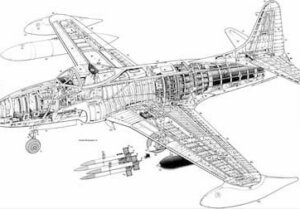 Aeronautical drafting is a specialization of mechanical drafting. Aeronautical drafters may create CADD models and drawings of aeroplanes, missiles, spacecraft, and components and related equipment, such as launch mechanisms.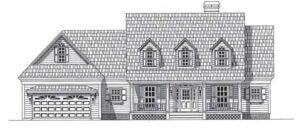
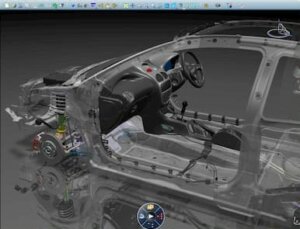
 Casting, forging, and mould drafting is a specialization of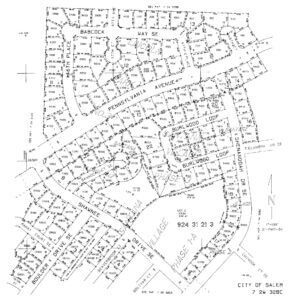
 A cartographic drafter, also known as a cartographer, draws maps of geographical areas to show natural and constructed features, political boundaries, and other features. Cartographers collect, analyze, and interpret geographic information provided by geodetic surveys, aerial photographs, and satellite data. Cartographers research, study and prepare maps and other spatial data in digital or graphic form for legal, social, political, educational, and design purposes. Cartographers may also work with and develop a geographic information system (GIS).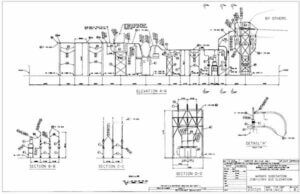
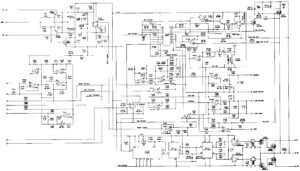 Electronic drafters produce CADD models and drawings, such as wiring diagrams, layout drawings, mechanical detail drawings, and drawings of intermediate and final assemblies that are used in manufacturing, assembling, installing, and repairing electronic devices and components, printed circuit boards, and equipment. Electronic drafters examine electronic schematics and supporting documents received from design engineering departments to develop, compute, and verify specifications in drafting data, such as configuration of parts, dimensions, and tolerances.
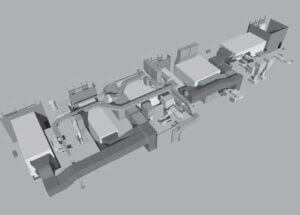 Heating, ventilating, and air-conditioning drafters generally work for an
 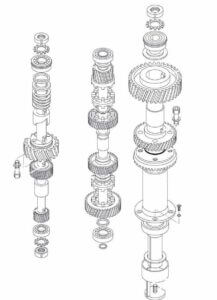 The manufacturing industry uses
 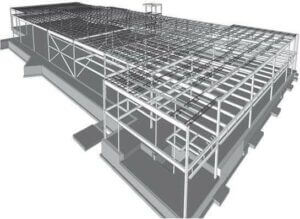 Structural drafters create CADD models and drawings for structures that use reinforcing steel, concrete, masonry, wood, and other structural materials. Structural drafters produce plans and details of foundations, building frame, floor and roof framing, and other structural elements.
 Drafting job opportunities, which include all possible drafting employers, fluctuate with national and local economies. Employment as a drafter remains tied to industries that are sensitive to cyclical changes in the economy, primarily construction and manufacturing.
 A two-year, postsecondary degree in drafting can also provide a big advantage when seeking a position in the drafting industry. Programs of this type normally have a quality cross-section of training in design and drafting, math, and communication skills. Two-year, postsecondary drafting programs often have a job- preparation and placement services to aid their graduates.