Cloud Based CAD

Cloud Service Based CAD

What is Cloud Based CAD? In a simplistic sense, it means that instead of having CAD software resident locally on CAD workstations or on local network servers, cloud-based solutions enable CAD software to be loaded and run remotely, and to be accessible on the internet to an approved CAD professional.

Before answering the question “How Quickly is Cloud Based CAD being adopted?”, it is useful to know whether there are incentives for CAD organizations to be interested in cloud-based CAD.

  • Is cloud-based computing a novelty, or does it provide benefits such as cost savings, improved productivity, and protection of intellectual property?
  • Are there disadvantages or drawbacks which should be considered before using cloud-based CAD, instead of locally based CAD?

Cloud Based CAD

Answers to these two questions will make it easier to interpret and understand existing data regarding adoption rates for cloud-based CAD. Specifically:

  • Is cloud-based CAD growing, shrinking, or at a standstill?
  • If cloud-based CAD is growing, will it continue to grow? If it is not growing, why is that the case?
  • If cloud-based CAD will grow, at what projected rate?

What Benefits and Drawbacks Does Cloud-based CAD Provide?

Some of the benefits of using cloud-based CAD are:

  • Reduced capital expenditure, because it reduces the need to purchase and maintain workstations
  • Reduced cost of licensing CAD software on individual workstations
  • Global access to CAD software, and elimination of the need to co-locate CAD personnel
  • Increased productivity and collaboration
  • Provision for data backup and recovery, and certain levels of security
  • Reduced energy usage and reduced carbon emissions

Some of the drawbacks are:

  • The risk of security breaches and the danger of losing sensitive business data to hackers
  • Availability issues due to downtime or system outages
  • Inadequate internet bandwidth for certain mission-critical projects
  • Loss of control over company data, and the risk of entrusting protection of company data to an external organization
  • The potential for hacker intrusion and theft of sensitive, classified data

Is There Resistance To Adopting Cloud-based CAD?

The benefits of cloud based CAD seem compelling from a business viewpoint, even if there are some drawbacks. However, it appears from published reports that the current adoption rate of cloud-based CAD is probably between 20% and 30%. Although many businesses are seriously considering the adoption of cloud-based computing, either they have done so in a limited way, or they have not taken the plunge.

Since cloud-based computing provides many benefits, what reasons or concerns are delaying or resisting adoption of the service?

The three top concerns are:

  • Security (61%)
  • System Integration challenges (46%),
  • Information governance (35%).

This probably means that although many CAD organizations are carefully evaluating cloud-based offerings from many vendors, the organizations are in no hurry to adopt cloud-based CAD. This makes sense, because the potential for security breaches, the potential for hackers to steal sensitive company design data, and system performance issues are too risky to be taken lightly.

Until the drawbacks of cloud-based computing are resolved or eliminated, it makes sense for CAD organizations to:

  • Maintain software applications which handle sensitive company data on their own firewalled local servers,
  • Use cloud-based computing for handling data which does not require security clearance,
  • Use a combination of privately-maintained cloud computing together with locally-based computing (hybrid cloud computing).

It is necessary to define three main categories of cloud computing:

  1. Public cloud computing provides both computing resources and data management to the general public. The service is provided either freely or on a pay-per-usage model. This type of service is useful when security is not a major issue.
  2. Private cloud computing appeals to large enterprise organizations which have sensitive data, and require high levels of data protection and security clearance.
  3. Hybrid cloud computing uses the best of both public and private cloud computing. This is a good choice for CAD organizations which want to “test the water” before diving into fully-fledged cloud computing.

What Does Existing Data Say About Adoption Rates Of Cloud-based CAD?

The adoption rate for cloud-based computing depends on the type of software application. Although many types of cloud-based services are available, there are three main types:

  • SaaS (Software as a Service) or “on-demand” software migrates easily to the cloud, because security issues are minimal. Clients usually access SaaS with web browsers. The adoption rate is about 49%.

    Examples of SaaS are Google Apps, Microsoft Office 365, Twitter, Flickr, Dropbox, and Facebook.
  • PaaS (Platform as a Service) provides a computing platform on which software applications can be developed and deployed. Because PaaS provides a virtualized computing environment, software developers can focus on writing software without being concerned with attendant OS-driven tasks. The adoption rate is about 18%.

    Examples of PaaS are AWS (Amazon Web Services) Beanstalk, Google App Engine, Heroku, and Red Hat’s OpenShift.
  • IaaS (Infrastructure as a Service) provides scalable computing resources in a virtualized environment, and it manages cloud-enabled data.  Because IaaS clients have control over SaaS and PaaS clients, IaaS is the most likely candidate to be adopted by CAD organizations.

    IaaS could be used to develop applications for SaaS and PaaS environments. The adoption rate is about 28%.

    Examples of IaaS are Windows Azure, Rackspace, CloudSigma, HPCloud and Softlayer.

Is It Likely That The Adoption Rate Of Cloud-based CAD Will Grow?

A report by Cisco reveals that by 2018,

  • 31% of cloud workloads will use public cloud service,
  • 69% of cloud workloads will use private cloud service.

Furthermore,

  • 59% of cloud workloads will use SaaS, an increase of 41% from 2013,
  • 28% of cloud workloads will use IaaS, a decrease of 44% from 2013,
  • 13% of cloud workloads will use PaaS, a decrease of 15% from 2013.

If these projections hold true, the adoption rate of cloud-based CAD should either remain the same or decrease. Any more growth in the adoption of cloud-based CAD will probably occur as IaaS, within the realm of either private or hybrid cloud computing.

Is there a cloud for AutoCAD?

Yes, AutoCAD has options for cloud-based storage and collaboration. Autodesk, the company behind AutoCAD, offers a service called u0022AutoCAD Web and Mobileu0022 which allows you to access your AutoCAD files online through a web browser or a mobile app. This service also integrates with cloud storage providers such as Autodesk’s own cloud storage solution, Autodesk Drive, as well as other popular platforms like Google Drive, Dropbox, and OneDrive. With these cloud integrations, you can store your AutoCAD files in the cloud and access them from anywhere with an internet connection.

Is there a online CAD program?

u003cstrongu003eYes, there are several online CAD (Computer-Aided Design) programs available. Some of the notable ones include:u003c/strongu003eu003cbru003eu003cstrongu003eAutoCAD Web Appu003c/strongu003e: This is the online version of the popular AutoCAD software by Autodesk. It allows you to create, view, edit, and share CAD drawings directly in your web browser.u003cbru003eu003cstrongu003eSketchUp Freeu003c/strongu003e: SketchUp is a widely used 3D modeling software, and it offers a free web-based version called SketchUp Free. It’s intuitive and user-friendly, suitable for both beginners and professionals.u003cbru003eu003cstrongu003eOnshapeu003c/strongu003e: Onshape is a cloud-based CAD platform that allows collaborative design in real-time. It offers professional-grade CAD capabilities accessible from any device with an internet connection.u003cbru003eu003cstrongu003eFusion 360u003c/strongu003e: While Fusion 360 is primarily a desktop application, it also offers cloud-based collaboration and storage features. You can access your designs online and collaborate with team members in real-time.u003cbru003eu003cstrongu003eTinkercadu003c/strongu003e: Tinkercad is a free, web-based 3D design and modeling tool developed by Autodesk. It’s geared towards beginners and educators, making it easy to create simple 3D models without prior CAD experience.
JH

James Hartley

Senior Mechanical Engineer · BEng (Mechanical), UQ · Member, Engineers Australia · ASTCAD, Brisbane

James has 14 years of hands-on experience delivering CAD design, structural drafting, and engineering documentation across Australia’s mining, oil & gas, and manufacturing sectors. He specialises in SolidWorks, Autodesk Inventor, and AutoCAD for complex multi-discipline projects.

More articles by James Hartley →
CAD Software and Entrepreneur

A new trend is developing in the CAD industry, led by Dassault Systems. The CAD vendor makes the Solidworks software suite accessible to startups, nonprofit organizations, and business incubators. It provides the same opportunities that lead by leading CAD companies, making it easier for startups and entrepreneurs to implement designs quickly. It helps in managing essential phases of product development.

To clarify, the CAD software and Entrepreneur provides the capability to implement essential phases of product design. It includes:

  • Concept Phase: The idea for a product is well-defined.
  • Feasibility Phase: Marketing, engineering and manufacturing studies determine its feasibility with product development and whether the product is marketable.
  • Development Phase: Engineering designs lead to creating product prototypes along with testing reveals. It’s designed to add robust products that function reliably.
  • Production Phase: Manufacturing and tooling facilities come with the online manufacturer of the product placed in the marketplace.
  • Product Support Phase: Supplies, Marketing, Distribution, and Sales departments that support establishing a footprint in the market to get the product.

Let’s understand in depth how and why Dassault Systems can lead CAD software providers by making CAD software freely available as a development tool for the entrepreneur. Topics covered are:

  • What’s the primary purpose of the incentive to offer free CAD software?
  • In what ways does the CAD software provide help to the entrepreneur?
  • Is there any success story that relates to the entrepreneurial program?

What is the main purpose behind the incentive to provide free CAD software and entrepreneur?

The primary purpose behind CAD software is to offer an easy process for hardware startups. Bootstrap startups that do not have enough funds to develop with getting products to market.

Dassault Systems comes with “free access” that licensed versions of their software suite available with establishing engineering institutions. It mainly uses software in the early stages of product development to save startup companies. It comes with significant design and production expenses that help businesses grow globally. The software suite enables entrepreneurs to solve product design issues by performing simulations, managing data and addressing environmental impact issues. Autodesk is one such tool that allows new businesses or startups to use the software freely.

In what ways does the CAD software support the entrepreneur?

Dassault Systems, Autodesk, and CAD companies use the below software offerings:

Startup and bootstrap programs have a better chance to bring their product ideas to fruition.

The time to market is shortened tools with accelerating design and manufacturing cycles. It saves production time and costs.

The tool is used without cost, and it becomes easier to create the next generation of entrepreneurs.

Features provided by the Solidworks software suite include:

3D design enables the entrepreneur to visualise design concepts with building functionality, safety and durability in designs. Simulation offers virtualisation of product designs under real-world performance conditions, including loadings and environmental conditions.

Incorporate electrical designs in product intent:

  • Product data management makes design data, drawings, parts, and files available with authorising project personnel.
  • Adding Technical communication to product details.
  • It comes with a remarkable and laudable rich set of features covering the CAD software suite available freely to entrepreneurs.

Are there success stories related to entrepreneurial programs?

It’s worth mentioning a few startups, small companies, incubators, and nonprofit organisations that benefit from CAD-sponsored entrepreneurial programs. It has used the entrepreneurial program that accelerates startup assistance over 100 companies. The incubator’s services include world-class mentorship, a support system from a motivated community, fellow entrepreneurs, training, media and marketing resources, free office space and funding opportunities. It comes with eligibility needs covering startup and early-stage.

The Copenhagen Wheel uses the entrepreneurial program to transform a bicycle into a clever electric hybrid. It multiplies pedalling power where the system captures energy during braking or downhill motion. When the rider pedals hard, it goes uphill. A downloadable software application enables the rider to customise the performance of the bicycle system.

Goldie Blox uses the entrepreneurial program that encourages and mould young girls into young inventors. One excellent way that Goldie Blox helps is by moulding the future engineers by providing role models that interesting, smart and relatable models. It motivates young girls to become inventors at an early age by building bundles from which the girls create innovative objects.

Nomiku uses the entrepreneurial program to design a device that cooks food at the right temperature and pressure. This device helps cook food in a sealed, airtight bag immersed in a water bath controlled at an optimum temperature. To date, Nomiku has raised over $1.3 million, and the original version of the product has sold 7,000 homes. The company rapidly expanded and offered recipes from a well-known chef.

  1. Design and Engineering Services: Entrepreneurs offering design or engineering services can utilize CAD software to create precise and detailed designs. They can develop 2D or 3D models of products, structures, or components, incorporating accurate measurements, geometric details, and design specifications. CAD software provides a platform for entrepreneurs to visualize and communicate their design concepts effectively to clients, stakeholders, or manufacturing partners.
  2. Prototyping and Product Development: CAD software enables entrepreneurs to design and prototype their products virtually before moving to physical production. They can create 3D models, test different design iterations, evaluate performance, and identify potential improvements or issues. This iterative process helps entrepreneurs refine their product designs, enhance functionality, and reduce the risk of costly errors during manufacturing.
  3. Customization and Client Solutions: CAD software empowers entrepreneurs to provide customized design solutions for their clients. They can tailor the design to meet specific client requirements, incorporating custom features, dimensions, or aesthetic elements. CAD software allows entrepreneurs to quickly modify and adapt designs based on client feedback, ensuring client satisfaction and delivering personalized solutions.
  4. Collaboration and Communication: CAD software facilitates collaboration between entrepreneurs, their team members, and clients. They can share design files, collaborate in real-time, and receive feedback or input from stakeholders. This improves communication, reduces errors or misunderstandings, and ensures alignment between the entrepreneur and their clients throughout the design process.
  5. Manufacturing and Production Support: For entrepreneurs involved in manufacturing or production processes, CAD software integrates with computer-aided manufacturing (CAM) tools, enabling seamless data transfer for automated production processes. CAD models can be used to generate manufacturing instructions, toolpaths, and specifications, streamlining the production workflow and reducing errors.
  6. Documentation and Archiving: CAD software allows entrepreneurs to create comprehensive design documentation, including detailed drawings, parts lists, and assembly instructions. This documentation is crucial for maintaining accurate records, ensuring quality control, and facilitating future modifications or improvements to the design. CAD software provides a centralized platform for archiving design data, making it easily accessible for future reference.
  7. Scalability and Growth: CAD software is scalable, allowing entrepreneurs to expand their design capabilities as their business grows. They can invest in advanced CAD tools and features to handle more complex designs, collaborate with larger teams, or take on projects with greater complexity. This scalability enables entrepreneurs to meet the evolving needs of their clients and seize new opportunities.

Conclusions

The CAD software development program supports startups and entrepreneurs to succeed remarkably. The program offers help to make it easier to train future designers and innovators by adding the functionalities you asked for.

What are the advantages of using CAD in a business?

u003cstrongu003eUsing Computer-Aided Design (CAD) software offers numerous advantages to businesses across various industries:u003c/strongu003eu003cbru003eu003cstrongu003eIncreased Efficiencyu003c/strongu003e: CAD software enables faster design iterations and modifications compared to traditional drafting methods, reducing the time required to develop new products or designs.u003cbru003eu003cstrongu003eAccuracyu003c/strongu003e: CAD systems provide precise measurements and geometric calculations, minimizing errors and ensuring designs meet specified requirements.u003cbru003eu003cstrongu003eCost Reductionu003c/strongu003e: By streamlining the design process, CAD software helps reduce material waste and rework costs associated with errors, ultimately lowering overall project expenses.u003cbru003eu003cstrongu003eImproved Collaborationu003c/strongu003e: CAD allows multiple team members to work on the same project simultaneously, facilitating collaboration and reducing communication barriers between designers, engineers, and other stakeholders.u003cbru003eu003cstrongu003eEnhanced Visualizationu003c/strongu003e: CAD software enables designers to create detailed 3D models, providing a better understanding of the final product’s appearance, functionality, and ergonomics.u003cbru003eu003cstrongu003eBetter Documentationu003c/strongu003e: CAD systems generate accurate and comprehensive documentation, including drawings, bills of materials, and manufacturing specifications, which are essential for manufacturing, assembly, and quality control processes.u003cbru003eu003cstrongu003eSimulation and Analysisu003c/strongu003e: Many CAD tools include simulation and analysis features, allowing designers to test product performance, structural integrity, and other factors before manufacturing, thereby reducing the risk of costly errors and ensuring product reliability.u003cbru003eu003cstrongu003eFlexibility and Adaptabilityu003c/strongu003e: CAD designs are easily modifiable, allowing businesses to quickly respond to changes in market demands, customer preferences, or engineering requirements.u003cbru003eu003cstrongu003eIntegration with Manufacturing Technologiesu003c/strongu003e: CAD software can interface with various manufacturing technologies such as computer numerical control (CNC) machining, additive manufacturing (3D printing), and computer-aided manufacturing (CAM) systems, facilitating seamless transition from design to production.u003cbru003eu003cstrongu003eCompetitive Advantageu003c/strongu003e: Adopting CAD technology can provide businesses with a competitive edge by enabling faster time-to-market, higher-quality products, and more innovative designs compared to competitors still using traditional drafting methods.

How to start business with AutoCAD?

u003cstrongu003eStarting a business centered around AutoCAD involves several steps:u003c/strongu003eu003cbru003eu003cstrongu003eIdentify Your Nicheu003c/strongu003e: Determine the specific industry or market segment you want to serve with your AutoCAD services. This could include architectural design, mechanical engineering, interior design, landscaping, or other fields.u003cbru003eu003cstrongu003eDevelop Your Skillsu003c/strongu003e: Ensure you have a strong understanding of AutoCAD software and its features. Consider taking formal training courses or obtaining certifications to enhance your proficiency.u003cbru003eu003cstrongu003eCreate a Business Planu003c/strongu003e: Outline your business goals, target market, services offered, pricing structure, marketing strategies, and financial projections in a comprehensive business plan. This plan will serve as a roadmap for your business and help attract potential investors or lenders if needed.u003cbru003eu003cstrongu003eSet Up Your Workspaceu003c/strongu003e: Establish a dedicated workspace equipped with the necessary hardware and software for running AutoCAD efficiently. Ensure you have a powerful computer with sufficient RAM and processing power to handle complex design tasks.u003cbru003eu003cstrongu003eObtain Licenses and Softwareu003c/strongu003e: Purchase the necessary licenses for AutoCAD software or subscribe to Autodesk’s AutoCAD subscription service. Ensure you are using legitimate software to avoid legal issues.u003cbru003eu003cstrongu003eBuild Your Portfoliou003c/strongu003e: Create a portfolio showcasing your past AutoCAD projects and designs. Highlight your skills, expertise, and the quality of your work to attract potential clients.u003cbru003eu003cstrongu003eMarket Your Servicesu003c/strongu003e: Develop a marketing strategy to promote your AutoCAD services to your target audience. Utilize online platforms such as your website, social media, and online marketplaces to showcase your portfolio and reach potential clients. Consider networking with professionals in your industry and attending relevant events or trade shows.u003cbru003eu003cstrongu003eProvide Exceptional Serviceu003c/strongu003e: Deliver high-quality designs and excellent customer service to build a positive reputation and foster long-term relationships with clients. Ensure you meet deadlines, communicate effectively, and address any client concerns promptly.u003cbru003eu003cstrongu003eStay Updatedu003c/strongu003e: Keep abreast of the latest developments and updates in AutoCAD software and related technologies. Continuously improve your skills and stay updated on industry trends to remain competitive in the market.u003cbru003eu003cstrongu003eScale Your Businessu003c/strongu003e: As your business grows, consider expanding your service offerings, hiring additional staff, or collaborating with other professionals to take on larger projects and meet increasing client demands. Continuously evaluate and adapt your business strategies to achieve long-term success.


JH

James Hartley

Senior Mechanical Engineer · BEng (Mechanical), UQ · Member, Engineers Australia · ASTCAD, Brisbane

James has 14 years of hands-on experience delivering CAD design, structural drafting, and engineering documentation across Australia’s mining, oil & gas, and manufacturing sectors. He specialises in SolidWorks, Autodesk Inventor, and AutoCAD for complex multi-discipline projects.

More articles by James Hartley →
Mobile CAD Computing

When the PC (Personal Computer) was introduced in the late 1970s to early 1980s, the computing world witnessed progressive miniaturization of the PC into smartphones, laptops, and tablets that recently added to computerized watches. It comes with the availability of the internet along with cloud computing, which helps reduce computing power on individual computing devices.

Mobile CAD Computing

Additionally, packing computing power in a computing device access the computing power provided by servers, including distributed computing environment. Let’s say a consumer desktop or laptop isn’t suitable to run 3D CAD software. As CAD operations add complex computational procedures, it needs high performance using dedicated processors. Therefore, CAD workstations provide high-performance computational power adding snappy information that exchanges the networks in a cloud-based computing environment. A CAD engineer carries their workstation to meetings, design reviews, and business trips. All it requires is the mobility Mobile CAD Computing device, including:

  • Get performance compares to that of a CAD workstation
  • Get adequate graphics display size and resolution
  • Get a power adapter adding necessary attachments packed into a bag transported over reasonably long walking distances.

The mobile CAD computing device is referred to as a mobile CAD workstation. To get an answer, understand the following questions:

  • What are the capabilities of a typical mobile CAD workstation?
  • What is a mobile CAD workstation that performs well traditional workstation?
  • What are the advantages and disadvantages of using mobile CAD workstations?
  • What are the capabilities of a typical mobile CAD workstation?

Mobile CAD workstations available from CAD vendors covers high-performance mobile CAD workstation, including attributes:

  • It adds a lightweight, portable workstation that covers low voltage CPU, adding long battery life.
  • It should have a high-performance GPU (Graphics Processing Unit), including a high-resolution graphics display.
  • It uses a high-capacity drive and DVD drive and covers USB ports.
  • It uses an impractical list that adds popular mobile CAD workstations. 

The features add a high-performance mobile CAD workstation. The Lenovo ThinkPad 541 offer a mobile CAD workstation along with providing these features:

  • It comes with 5.57 pounds, uses 1-inch thickness, and comes with 6+ hours of battery life.
  • It primarily uses the 4th generation i7 Extreme CPU and optional NVidia Quadra K2100M GPU. It also comes with 32 MB RAM.
  • It uses 15.6-inch and 2880 x 120 high-resolution displays.
  • It uses 500 GB hard drive storage for improved performance.
  • It uses USB ports and an SD card reader.
  • It provides HDMI video output.
  • How does a mobile cad workstation perform as well as a traditional workstation?

The CAD analysts use the total CAD workstation market that comprises mobile and desktop workstations that continues to grow. Mobile CAD workstations come with the overall market. It adds mobile workstation sales that remain steady with 25% of the total workstation market.

A survey conducted by an industry research firm found that it grows mobile CAD workstations. This interest comes with declining desk-side PCs, consumers-class notebooks and workstations. Also, it finds several mobile CAD workstations that are used primarily for creating and editing CAD drawings. It uses accessing data and CAD drawings. Nevertheless, demands for mobile CAD workstations are expected to show strong growth in the next few years.

Before PCs became popular in the 1980s, most CAD workstations were RISC-based systems such as DEC Alpha, MIPS, PowerPC, and SPARC. Afterwards, CAD workstations used operating systems such as Microsoft Windows, GNU/Linux distributions, Apple Mac OS X, and Oracle Solaris. 

The features of a top-end high-performance CAD workstation include the following:

  • High-performance processors from 4 to 18 cores, with base clock, speed up to 3.5 MHz, 2.5 MB core of last level cache, and DDR4 registered DIMM support for up to 32 GB of RAM.
  • Graphics GPU with up to 12 GB of memory as in the NVidiaQuadro K6000 graphics card. A high-performance GPU is necessary for 3D animations and rendering. Investing in a high-performance processor for everyday CAD design work is more productive.
  • Up to 24-inch LED display with a minimum high-level resolution of 1280 x 720. Typically, a top-performance workstation supports multiple displays.
  • SSDs (Solid State Drives) instead of hard drives, or a combination of SSDs and hard drives.
  • It points virtualisedCAD workstations that add a more productive CAD development environment. It relies on cloud computing, adding hardware virtualization. Virtualized workstations add cost-effectiveness in terms of hardware maintenance and upgrade cycles. It comes with a mobile CAD workstation which cannot compete with a top-end CAD workstation in terms of performance. It uses good economic sense by using a mobile workstation in that cloud-based distributed computing environment. It comes in an atmosphere of virtualized workstations.

What are the main advantages and disadvantages of using mobile CAD workstations?

A mobile CAD workstation cannot match the performance of a top-end high-performance desktop CAD workstation. However, interest is growing in mobile CAD workstations, while interest is declining for desk-side PCs, workstations, and consumer-class notebooks. Mobile CAD workstations offer an advantage over unmatched traditional CAD workstations. It’s worthwhile to list a few benefits. Along with a mobile workstation, it offers complimentary performance with a desktop CAD workstation that provides mobility.

Getting a mobile CAD workstation used for project managers and executives comes with a primary interest in viewing, accessing, data and reviewing CAD drawings rather than creating them. The mobile CAD workstation is mainly used in field operations, adding CAD engineers that require to access and view data and CAD drawings.

What is CAD in computing?

In computing, CAD stands for Computer-Aided Design. CAD refers to the use of computer software and systems to assist in the creation, modification, analysis, or optimization of designs, typically in engineering, architecture, and manufacturing industries. CAD software allows designers and engineers to create precise and detailed drawings, models, and plans in a digital format.u003cbru003eu003cbru003eu003cstrongu003eKey features and capabilities of CAD software include:u003c/strongu003eu003cbru003eu003cstrongu003e2D Drafting:u003c/strongu003e CAD software enables the creation of 2D drawings, plans, and schematics with precise measurements and annotations.u003cbru003eu003cstrongu003e3D Modeling:u003c/strongu003e CAD software supports the creation of three-dimensional models of objects, buildings, or mechanical components. These models can be manipulated, viewed from different angles, and analyzed for various purposes.u003cbru003eu003cstrongu003eParametric Design:u003c/strongu003e Many CAD tools offer parametric modeling capabilities, allowing designers to define parameters and constraints that govern the behavior and dimensions of the model. This facilitates iterative design processes and ensures design consistency.u003cbru003eu003cstrongu003eVisualization:u003c/strongu003e CAD software often includes rendering capabilities to generate realistic images or animations of designs. Visualization tools help stakeholders, clients, or project teams better understand the proposed designs.u003cbru003eu003cstrongu003eSimulation and Analysis:u003c/strongu003e Some CAD software integrates simulation and analysis tools for testing the performance, structural integrity, or functionality of designs under different conditions.u003cbru003eu003cstrongu003eCollaboration:u003c/strongu003e CAD systems may include features for collaboration and version control, enabling multiple users to work on the same project simultaneously and track changes made to designs.

What is mobile CAD?

Mobile CAD refers to computer-aided design (CAD) software applications that are specifically designed to run on mobile devices such as smartphones and tablets. These mobile CAD apps allow users to create, view, edit, and share CAD drawings and models directly from their portable devices, offering flexibility and convenience for professionals who need to work on-the-go or in the field.u003cbru003eu003cstrongu003eKey features and capabilities of mobile CAD apps include:u003c/strongu003eu003cbru003eu003cstrongu003eDrawing and Modeling:u003c/strongu003e Mobile CAD apps provide tools for creating both 2D drawings and 3D models directly on the mobile device. Users can sketch, draw, and manipulate geometric shapes, lines, and curves using touch gestures.u003cbru003eu003cstrongu003eEditing and Modification:u003c/strongu003e Users can edit and modify existing CAD drawings and models, including changing dimensions, adding annotations, and applying transformations such as scaling, rotating, and mirroring.u003cbru003eu003cstrongu003eFile Compatibility:u003c/strongu003e Mobile CAD apps support compatibility with standard CAD file formats such as DWG, DXF, and STL, allowing users to import and export drawings and models between mobile devices and desktop CAD software seamlessly.u003cbru003eu003cstrongu003eCollaboration:u003c/strongu003e Some mobile CAD apps include collaboration features that enable users to share drawings and models with colleagues or clients, collaborate in real-time, and provide feedback or annotations.u003cbru003eu003cstrongu003eIntegration with Cloud Services:u003c/strongu003e Many mobile CAD apps integrate with cloud storage services such as Dropbox, Google Drive, or OneDrive, allowing users to store, access, and synchronize CAD files across multiple devices and platforms.u003cbru003eu003cstrongu003eOn-Site Use:u003c/strongu003e Mobile CAD apps are particularly useful for professionals who need to work on-site, such as architects, engineers, construction managers, and surveyors. They can access and review CAD drawings and models directly at the project location, without the need for a desktop computer.


JH

James Hartley

Senior Mechanical Engineer · BEng (Mechanical), UQ · Member, Engineers Australia · ASTCAD, Brisbane

James has 14 years of hands-on experience delivering CAD design, structural drafting, and engineering documentation across Australia’s mining, oil & gas, and manufacturing sectors. He specialises in SolidWorks, Autodesk Inventor, and AutoCAD for complex multi-discipline projects.

More articles by James Hartley →
Virtual Prototyping Reality?

Lot of manufacturing organizations support reducing TTM (Time to Market). It helps to optimize product designs to maximize reality and get optimum performance. A typical product design cycle refers to PLM (Product Lifecycle Management), which comes with phases that include:

  • Tooling Design
  • Conceptual Design
  • Detailed Design and Validation
  • Product Build and Assembly
  • Manufacturing planning and implementation
  • Reliability Testing

It adds essential phases covering the preliminary phases of PLM, which are costly and time-consuming. In a typical PLM, physical prototypes and end products are tested and produced for reality, performance and functionality. It usually takes a lot of design and manufacturing iterations to make acceptable test results before launching the product. Many reasons cover the preliminary phases of PLM that are costly and time-consuming. Virtual Prototyping emerged as a promising method to create virtual rather than physical prototypes. It tests with simulation software that develops into a mature technology that offers tremendous benefits to manufacturing organizations.

  • To understand Virtual Prototyping, answer a few questions given below:
  • How CAD technology included in Virtual Prototyping?
  • To what extent does Virtual Prototyping use?
  • What benefits does Virtual Prototyping offer? 

How is CAD technology involved in virtual prototyping?

The goal of Virtual Prototyping to use engineering simulation software that predicts the performance and reliability of product assemblies manufactured. Virtual Prototyping referred to as Systems Performance Modelling. It predicts the reality and performance that simulates software, adding complex and challenging tasks. To understand how components of a product deform individually under loadings, it deformed the assembly into a product.

It understands how the material properties of parts degrade with product life. The material properties degrade with low to high-temperature changes. It comes with chemical reactions in a corrosive environment. It supports an understanding of the nature of loadings. Let’s say cyclical loadings occur to wind forces, ocean wave forces and earthquakes. A product is subjected to vibrational forces created by neighbouring machinery.

It helps in understanding the manufacturing defects initiated with growth and propagation. It adds failure modes of parts that influence the performance of the entire assembly regarding reliability. Apart from these, it adds factors to be considered, including governmental regulations, manufacturing techniques and environmental issues for building a product. The main CAD-related tools mainly utilised Virtual Prototyping, which covers 3D CAD design and simulation tools, along with CAE analysis. These tools use designing parts that are well-known for static or dynamic loadings. It can perform crash simulations, including finite element analyses.

However, simulating the performance and reliability of an assembled product requires more sophisticated software that integrates the capabilities of these CAD tools. The main goal is Systems Performance Modelling and Virtual Prototyping.

Implementing successful simulation software predicts the reliability and performance of a product, making it possible to examine different design alternatives. It commits to specific product intent. If there’s Virtual Prototyping achievable, it benefits manufacturing organisations with ease. It points to the availability of Additive Manufacturing or 3D printing. It utilised to validate simulation software developed for Virtual Prototyping and more.

To what extent is virtual prototyping used?

As Virtual Prototyping sounds, it’s used by specific organisations that make good progress in implementing the technology. It’s worthwhile to look at what’s been accomplished.

Mazda® use a Virtual Prototyping solution named CoMET from Synopsys®. It helps reduce the number of tests on actual automobiles to verify ECUs (Engine Control Units) and HIL (Hardware-in-the-loop) test equipment.

HIL offers simulation techniques that quickly test and develop embedded systems for automotive computer systems. Mazda credits the Virtual Prototyping tool that accelerates ECU development at lowering cost. Another company that benefits from Virtual Prototyping is Ford®.

If we talk about Optitex®, it’s an apparel manufacturer that uses a robust set of virtual fabric simulation software to create, view and edit accurate apparel patterns before putting them on the market. The virtual software offers the company a shorter time to market. It adds improved innovation and customer satisfaction. Let’s say the design parameters include fitting, pulls, buttons, zippers, pleats, buckles, seam finishes, repeats, and more parameters that manipulate a virtual environment. Another apparel manufacturer adds benefitting from virtual Prototyping is Tukatech®.

What benefits does virtual prototyping provide?

Although many benefits that Virtual Prototyping provides have been mentioned, it will be used to summarise the most important benefits. Virtual Prototyping performs repeatable tests on a virtualised product under conditions that are difficult to create. Virtual Prototyping performs design modifications on a virtualised product, testing the product and optimised design, which is cost-effective, robust, and reliable.

Virtual Prototyping makes it possible to test and virtualise products against failure modes adding effects, different loadings types, and other operating conditions like low or high temperatures. It’s used for customers who misuse products, adding corrosive environments.

Virtual Prototyping Reality?

Virtual Prototyping shortens the product design time by making it easy to introduce new products with less time to market. It offers better customer satisfaction by increasing product presence in the market. CAD/CAM software systems are integral to Virtual Prototyping or Systems Modelling software. It adds availability to 3D printing, using certain types of Virtual Prototyping simulation software that validate and develop with 3D-printed models.

What is virtual reality prototyping?

Virtual reality (VR) prototyping involves using virtual reality technology to create and test prototypes of products, environments, or experiences. Instead of building physical prototypes, which can be time-consuming and expensive, VR allows designers and developers to create digital simulations that users can interact with in a virtual environment.u003cbru003eu003cbru003eIn VR prototyping, designers can create 3D models of their designs and place them within a virtual space. Users can then put on a VR headset and interact with these virtual prototypes as if they were real. This allows designers to test different design ideas, gather feedback from users, and iterate on their designs much more quickly and efficiently than traditional prototyping methods.u003cbru003eu003cbru003eVR prototyping is particularly useful for industries such as architecture, automotive design, product design, and video game development, where being able to visualize and interact with a design in 3D can greatly enhance the design process. It can also be used for creating virtual prototypes of user interfaces, allowing designers to test the usability of their designs in a more immersive way.

What are the techniques used in virtual prototyping?

Virtual prototyping is a method used in product development to create and evaluate a digital representation of a product before it is physically built. Several techniques are employed in virtual prototyping to simulate various aspects of the product’s behavior, performance, and characteristics. Here are some common techniques:u003cbru003eu003cstrongu003eComputer-Aided Design (CAD)u003c/strongu003e: CAD software is used to create detailed 3D models of the product’s geometry. These models serve as the basis for further analysis and simulations.u003cbru003eu003cstrongu003eFinite Element Analysis (FEA)u003c/strongu003e: FEA is a numerical technique used to analyze how structures and materials behave under different conditions, such as stress, heat, and vibration. It helps predict how the product will perform under various loads and environments.u003cbru003eu003cstrongu003eComputational Fluid Dynamics (CFD)u003c/strongu003e: CFD simulates the behavior of fluids (liquids and gases) and their interaction with solid surfaces. It is used to analyze airflow, heat transfer, and other fluid-related phenomena within or around the product.u003cbru003eu003cstrongu003eMultibody Dynamics (MBD)u003c/strongu003e: MBD simulates the motion and interaction of multiple interconnected rigid or flexible bodies. It helps understand the mechanical behavior of complex systems, such as machinery and vehicles.u003cbru003eu003cstrongu003eVirtual Reality (VR)u003c/strongu003e: VR technologies allow designers and engineers to immerse themselves in a virtual environment where they can interact with and manipulate digital prototypes in real-time. This enables better visualization and evaluation of the product’s design and functionality.u003cbru003eu003cstrongu003eSimulation Softwareu003c/strongu003e: Various specialized simulation software packages are available for specific industries and applications, such as automotive, aerospace, electronics, and healthcare. These software tools simulate specific aspects of the product, such as electromagnetic behavior, thermal performance, and structural integrity.u003cbru003eu003cstrongu003eOptimization Algorithmsu003c/strongu003e: Optimization algorithms are used to automatically search for the best design parameters that meet specified performance criteria. They help optimize the product’s design for factors like weight, cost, strength, and efficiency.u003cbru003eu003cstrongu003ePrototyping Platformsu003c/strongu003e: Virtual prototyping platforms provide integrated environments where designers and engineers can collaborate, iterate, and validate their designs using a combination of simulation, visualization, and analysis tools.


JH

James Hartley

Senior Mechanical Engineer · BEng (Mechanical), UQ · Member, Engineers Australia · ASTCAD, Brisbane

James has 14 years of hands-on experience delivering CAD design, structural drafting, and engineering documentation across Australia’s mining, oil & gas, and manufacturing sectors. He specialises in SolidWorks, Autodesk Inventor, and AutoCAD for complex multi-discipline projects.

More articles by James Hartley →
Cad Design

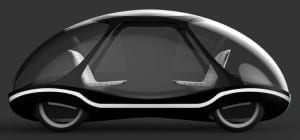
If you think the idea of having driverless cars on the roads seems dangerous and utopian, think again, because the idea is quickly becoming reality. Actually, we have been using certain features of driverless cars for some time. Until recently, automobiles did not have cruise control, automatic and antilock braking, temperature sensors, GPS technology, or road sensing technology. That has all changed.[/fusion_text][fusion_text]The autopilot system for air travel has been available for a long time, and the maturity and reliability of the technology continue to improve. If automatic piloting of complex aircraft in busy airspaces is acceptable, why should driverless cars not be acceptable?

Car Cad Designs

A partial list of technologies required to create driverless cars are the following:

  • Onboard computer technology,
  • Onboard telemetry (radar and laser sensors),
  • Anti-lock and automatic braking systems,
  • Adaptive cruise control,
  • GPS and sensor technology,
  • Traction and stability control,
  • Automatic engine control,
  • Computerized navigational system.

This article focuses on CAD-related technologies which could be involved in building driverless cars. Specifically, the article discusses how the following technologies (which involve CAD design) will affect driverless cars:

  • The role of sensors, GPS technology, and video cameras for driverless cars,
  • Leading players in the development of driverless cars,
  • Benefits which driverless cars will provide,
  • Problems which driverless cars could create.

The role of sensors, GPS technology, and video cameras for driverless cars

The following technologies will help implement driverless car technology while providing collision avoidance and traffic safety:

  • Video cameras will detect traffic lights, read road signs, keep track of neighbouring vehicles, and look out for pedestrians, pets and other obstacles.
  • LIDAR (Laser Illuminating Detection and Ranging) sensors will detect edges of roads and identify lane markings by bouncing light pulses off the car’s surroundings.
  • Ultrasonic non-contact sensors in the wheels will detect the position of curbs and neighbouring vehicles during parking.
  • GPS technology will use the location of the vehicle to determine routing, speed limits and to provide navigational guidance.
  • Onboard telemetry will enable cars to communicate with one another, and with traffic monitoring and control systems.
  • The onboard computer will analyze all monitored and measured data in order to make navigational decisions regarding steering, acceleration or deceleration, and braking.

Leading players in the development of driverless cars

It is not within the scope of this article to list the names and accomplishments of all leading players in driverless car technology. It will suffice to highlight two significant accomplishments. Israel’s Mobileye® made news recently when its driverless vehicle supplied by Delphi Automotive traversed a 3,000-mile journey from San Francisco to Manhattan in 9 days. Before this accomplishment, the driverless vehicle had been successfully operated in Los Angeles and Las Vegas. The driverless vehicle could detect cyclists, debris on the road, curbs, barriers, construction zones, traffic lights, and road signs.
Mobileye expects to offer 237 driverless car models by the end of 2016.
Deals to use the technology have already been made with BMW, Chrysler, Ford, General Motors, Nissan, Peugeot, Volvo and Tesla. Truck manufacturers MAN SE, Scania, and IVECO have also made deals to use the technology.
In 2014, Google unveiled the technology named “Google Chauffeur” for piloting autonomous or driverless cars. Google’s technology neither uses a steering wheel nor a brake pedal.
Automotive companies which have signed on to use Google’s technology include Toyota Prius, Audi TT, and Lexus RX450h. Google’s robotic car uses a LIDAR system which generates a detailed local map of its environment. The generated map is combined with high-resolution maps of the world in order to produce data models that the computer uses to pilot the vehicle.
Google’s driverless vehicles have been tested in the San Francisco area, and they have logged about 700,000 miles (1.1 million km) of accident-free driving. Google plans to make its driverless cars publicly available by 2020.

Benefits which driverless cars will provide

In order to enjoy the benefits that driverless cars will provide, it is necessary for legislative bodies to pass or modify traffic laws. In the United States, the District of Columbia and four states have already passed laws that permit the operation of driverless cars. Many other state legislatures are discussing the passage of similar laws.

Predictably, the public will initially be sceptical about operating driverless cars, until the following benefits become evident.

  • There will be a significant reduction in vehicle collisions, injuries caused by automobile accidents, and loss of life. Consequently, the cost of insuring motor vehicles will be lower.
  • There will be less need for individual driving licenses and driving skills.
  • Senior citizens, teenagers, and handicapped people will have the mobility that they do not now have.
  • A businessman or woman could work or play (read the newspaper or a book, watch TV, eat or drink) instead of focusing on driving to work. The need for police officers to arrest motorists for DUI, which is a leading cause of traffic deaths, will be gone.
  • Law enforcement will have more manpower to fight crime instead of enforcing traffic laws.

Problems which driverless cars could create

It should not come as a surprise that whenever new technology is introduced to benefit mankind, criminal minds will find ways to misuse the technology for personal profit or to cause mischief. What problems could arise?

  • Criminals will hack into onboard computer systems in order to steal automobiles.
  • Terrorists will hack into traffic control systems and into car computer systems in order to create accidents, traffic jams, or chaos.

Law enforcement will need the training to fight these new types of traffic crime. The use of the internet, GPS, and drone technology could become useful instruments for enforcing traffic safety.

Conclusions

Driving as we know it is about to change in a dramatic way. Although many technical problems remain to be solved, the use of driverless vehicles should accelerate rapidly by the year 2020.

Initially, driverless cars will be expensive. When the costs of these vehicles come down, almost everyone (including senior citizens, children, drunk drivers, and even blind people) will have the privilege of using driverless cars without endangering the lives of the public or themselves.


JH

James Hartley

Senior Mechanical Engineer · BEng (Mechanical), UQ · Member, Engineers Australia · ASTCAD, Brisbane

James has 14 years of hands-on experience delivering CAD design, structural drafting, and engineering documentation across Australia’s mining, oil & gas, and manufacturing sectors. He specialises in SolidWorks, Autodesk Inventor, and AutoCAD for complex multi-discipline projects.

More articles by James Hartley →
CAD Design

The majority of people born before the 1900 year haven’t lived past 50 years of age. In the 20th century, life expectancy increased dramatically. Today, the life expectancy is over 80 years in several developed countries.

For over 85 years, people have been estimated to comprise about 8% of the total world population. Furthermore, the cost of health care continues to rise, and expect a large number of health care that could stress the health care systems of several nations.

Although it’s welcome news that increases life expectancy, living to a good old age. There won’t be any means without a good quality of life. Old, diseased or disabled poor senior citizens create burdens for home and caregivers. It increases the health care cost and insurance for the entire population.

The one way to maintain a good quality of life for the elderly is to find efficient and inexpensive methods to monitor their health. Doing so makes it take preventive measures to combat diseases and treat diseases and ailments before it becomes difficult and expensive to handle.

The following adds a partial list of steps that have been taken to increase life expectancy:

  • It reduces the transmission of infectious and parasitic diseases.
  • They immunize against polio, smallpox, measles, and major childhood diseases.
  • Supports improving living conditions by offering clean water and nutritious diets.
  • It offers health awareness and education to minimise exposure and other health risks. It includes toxic substances, alcohol, smoking, poor diet, with lack of exercise.
  • It includes funding the developmentof advanced drugs to fight and treat diseases.
  • It provides health monitoring, injury control and health management.

The last item, “offer health monitoring, health management and injury control”, uses modern CAD-related technology that forms wearable medical devices and focuses on this article.

In the article, we’ll get answer these questions:

  • What are wearable medical devices?
  • In what ways are wearable used in medical devices CAD-related?
  • Which wearable medical devices are commonly used?
  • What trends are likely to use wearable medical devices? 

What are Wearable Medical Devices CAD Design?

Wearable medical devices are biosensors attached to the body to monitor physiological data. It usually uses remote or wireless communication. As these devices are wearable, they provide 24/7 medical data to physicians that help to deliver easy health care.

Examples:

  • A small shirt worn by athletes to measure heart rate offers vital physiological data that is analyzed and used for training.
  • A pulse oximeter is mainly worn on a finger to measure pulse rate and blood oxygen saturation reliably.
  • Wearable blood pressure monitors the arm’s worn to measure blood pressure and heart rate.

In what ways are wearable medical devices CAD design-related?

One essential role that CAD technology plays in creating wearable medical devices includes Additive Manufacturing or 3D printing wearable items. Let’s say a Swedish company, Decomed Design, works with CAD engineers, designers, IT professionals, and physicians to create stylish 3D printed wearable medical devices called an Akufeel bracelet.

The bracelet comes with an anti-nausea device worn on the wrist. The device offers pressure to an acupressure point from the inside of the wrist to relieve nausea symptoms. It could arise due to pregnancy, motion sickness, the flu, side effects of medication, etc.

With the stylish nature of the bracelet, the wearer could be happy to add adornment to their attire while enjoying an improved life quality.

Additive Manufacturing mainly creates wearable medical devices in shoes, vests, hearing aids, implants, prosthetics, and more. 

Which wearable medical devices are in most commonly used?

The majority of easy to design wearable medical devices could measure activity and exercise. It includes calorie-burn rate, heart rate, blood pressure, or distance walked. Also, wearable computers, smartwatches, and smart clothing provide measurements. One needs to have an interest in building sophisticated wearable medical devices. These devices help monitor complicated physiological functions such as brain activity, EKG, glucose levels, hydration, oxygen level, temperature, sleep, and several other vital functions. The scope of this article provides an exhaustive list of wearable medical devices. It’s worthwhile to name a few of them.

Zephyr® manufactures a bio-data logger called Zephyr BioHarness, which monitors posture, activity, breathing, and ECG. It can transmit data within a 10-meter range, which is helpful for Remote Patient Monitoring. The Medtronic® manufactures cover FDA approved CGM (Continuous Glucose Monitor) and a diabetes management system that includes an insulin pump. Additionally, Omron® manufactures an FDA-approved pain relief device for the lower back, arm, leg, or foot. 

What trends are likely for the use of wearable medical devices?

A breakthrough wearable device offer emerges controlling diabetes. It helps in research work performed at UC San Diego’s Center for Wearable Sensors. The researchers develop wearable medical devices that work by measuring chemical markers. It includes potassium or lactic acid levels present in sweat or saliva.

The wearable blood glucose level monitors the devices that extract interstitial fluid below the skin to the surface. There’s no penetration of the skin to measure blood glucose levels.

Expect regulatory bodies, including FDA and establish well-defined guidelines on the manufacture. It uses wearable medical devices. Wearable medical devices come with a failure mode caused by chemical reactions between the device and the skin, poor wireless communication, battery safety, or electric shocks.

Failure mechanisms become well understood. It covers reliable and wearable medical devices. It is manufactured with predictable and dependable lifetimes. Its data transmission protocols and device reliability become robust, patient care with depending heavily on the use of wearable medical devices. Thus, healthcare costs reduce fewer patients confined to hospital beds.


JH

James Hartley

Senior Mechanical Engineer · BEng (Mechanical), UQ · Member, Engineers Australia · ASTCAD, Brisbane

James has 14 years of hands-on experience delivering CAD design, structural drafting, and engineering documentation across Australia’s mining, oil & gas, and manufacturing sectors. He specialises in SolidWorks, Autodesk Inventor, and AutoCAD for complex multi-discipline projects.

More articles by James Hartley →
CAD Innovations in Rapid Prototyping

Rapid Prototyping offer advanced ability to design and fabricate models. Along with using proof-of-principle prototypes. Whereas in some cases, it uses functional components. Also, it adds well-established Additive Processes, whereby plastic parts are mostly built layer by layer directly from a 3D CAD model. Some of the standard techniques include:

Stereo Lithography (SLA)

Selective Laser Sintering (SLS)

Direct Metal Laser Sintering (DMLS)

Fused Deposition Modelling (FDM)

The Polyjet Process

Computer Numeric Control (CNC) machinery mainly uses a well-known subtractive process and uses machines, billets and other desired parts. Whereas on the other hand, it uses rapid prototyping processes that cover Injection Moulding and Casting. It uses master moulds that inject cast plastic or any other urethane parts.

Several methods, techniques, and approaches are used that add rapid prototyping parts. It includes components that are developed each year. Some of the most exciting developments are shown below:

(CAD Innovations in Rapid Prototyping) FORD’S F3T RAPID STAMPING PROCESS

Ford Motor Company mainly uses sheet metal parts that assemble vehicles and develop world-renowned sheet metal fabrication. The process that takes a new design from a CAD model to a prototype can be time-consuming.

The latency increases the design iteration time, makes it highly cumbersome and excellent off prototypes and test-fit new designs. Recently, ford created a new rapid process, which they call the Ford Freeform Fabrication Technology (F3T). It’s a part of a three-year, $7.04 M, U.S. The department of Energy-funded effort mainly uses next-generation manufacturing and energy-efficient processes. The new short-run stamping technology offers low costs with fewer delivery times for low-quantity run sheet metal parts.

The process mostly begins with a CAD model, which creates a Computer Numeric Control (CNC) tool path and works similar to the path. It is used by a 3D printer with generating the part. It directs position with keeping in-depth dual-arm robot. It holds tools in both arms as the process sheets into shape. Additionally, it allows prototypes and small production that run cost-effectively with shorter lead times. The customization comes with viable design cost iterations, and it offers drastically reduced change. The short-run stamping process is used with bigger applications in various industries.

(CAD Innovations in Rapid Prototyping) LARGE-SCALE 3D PRINTERS

It’s a kind of exciting area of innovation used in rapid prototyping. It uses 3D printers for building models and working prototypes which were impossible until now. The 3D printers are capable of printing vehicles and provide tiny houses. The researchers at the Oak Ridge National Laboratory and Cincinnati Incorporated developed a printer capable of using Additive Processes by building the Stratis Car. The machine, named Big Area Additive Manufacturing (BAAM), makes a volume of 7′ x 13′ x 3′ along with a deposition rate of 40 lbs/hr against BAAM’s rate of 40 lbs/hr. The system supports to combines 3D printing along with CNC routing with the largest high-quality 3D printing. Also, the second generation of this technology, referred to as Bertha, feature a volume of 8′ x 20′ x 6′ and a 100 lbs/hr deposition rate.

The other researchers develop technologies that revolutionize the housing industry by using Additive Manufacturing and building structures. Massimo Moretti devoted his time by applying 3D printer technologies and providing rapid prototype solutions. It caters to the housing crisis in developing countries across the world.

Additionally, the project is known for the World’s Advanced Saving Project (WASP). It mimics the construction method of the Mud Dauber Wasp building its nest. The primary goal of the technology is to build houses that add no cost by using materials. They are readily available on-site in third-world countries.

The complete system is designed with two people that assemble a 3D printer within 2 hours. The researchers at Winsun New Materials allow China to spend USD 3.2M over 12 years by developing an enormous 3D printer.

The printer measures a whopping 6.6m tall, 10m wide and 150m long. The houses print layer by layer using a mixture of cement and glass fibres. It helps to create a solid composite structure. Recently, Winsun proved that it built ten houses of 200 square meters in size using recycled construction and industrial waste in less than a few hours at the cost of only $4,800 each. 

3D printed jet engines

The scope of 3D printing has been confined to housing. It has extended to jet engines, which are extremely difficult to build, including many intricate parts machined from many features with high tolerances for a seamless assembly.

The researchers at the Monash Centre comes with an Additive Manufacturing. Australia has produced the first 3D printed jet engine. It is based on an auxiliary powered gas turbine engine from Safran, a French aerospace firm. The Monash Centre mainly uses Concept Laser’s X line 1000R 3D printer. A state-of-the-art industrial printer fabricates components from metal powder by using sizes up to 60cm x 40cm x 50cm.

Whatever your proof-of-principle prototype requires. It is a suitable rapid prototype method that exists by adding CAD model and material/finish selection that the Software delivers. STP files enable customers by bringing ideas to life. We at Australian Design and Drafting help individuals and companies alike in this endeavour. The possibilities come endless as the technology becomes more viable and extends large sheet metals.


JH

James Hartley

Senior Mechanical Engineer · BEng (Mechanical), UQ · Member, Engineers Australia · ASTCAD, Brisbane

James has 14 years of hands-on experience delivering CAD design, structural drafting, and engineering documentation across Australia’s mining, oil & gas, and manufacturing sectors. He specialises in SolidWorks, Autodesk Inventor, and AutoCAD for complex multi-discipline projects.

More articles by James Hartley →
3D print

3D print for using beer – Design and Drafting Service

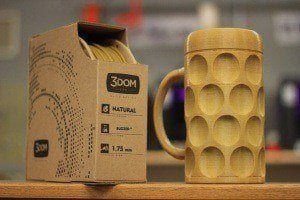
When talking about 3D print, they are not just the machines progressing and evolving, but it comes with the materials used to print the products. One of the best US companies named 3Dom is specialises in offering eco-friendly printing filaments.

It came up with a way to 3D print and use a material made from beer waste. They named it Buzzed. It consists of the leftover hops and barley. They have added filament to it, which is a visible grain, so the colour you get can print inconsistently. It includes the quirkiness of the material along with it.

3D print for best using beer 

3Dom said, “One does not require any particular 3D printer to use Buzzed, instead use a machine that is capable of printing Polylactic acid (PLA)”. One can try a 3D printer that’s available on the market. Buzzed mostly uses beer leftovers to create exceptional 3D printing materials. They use the filament in a unique way with giving a finished print. Additionally, the filament helps produce rich golden colour products and provide a noticeable natural grain.

Beer aficionados and enthusiasts alike are constantly seeking new ways to elevate their drinking experience. Enter 3D printing, a technology that’s revolutionizing industries across the board, including the world of beer. From customized accessories to innovative brewing tools, 3D printing opens up a realm of possibilities for beer lovers. Let’s explore how this cutting-edge technology can enhance your enjoyment of the beloved brew.

  1. Personalized Beer Accessories: Imagine sipping your favorite craft beer from a personalized, 3D-printed beer mug or stein, perfectly tailored to your grip and style. With 3D printing, you can design and create unique drinking vessels that reflect your personality and enhance your enjoyment of every sip. From intricate designs to ergonomic handles, the options are limitless, allowing you to elevate your beer-drinking experience like never before.
  2. Custom Tap Handles: For homebrewers and beer enthusiasts who take pride in their craft, custom tap handles are a must-have accessory. With 3D printing, you can design and produce tap handles that showcase your brand or favorite brew in stunning detail. Whether you prefer a classic design or something more whimsical, 3D printing enables you to bring your vision to life and add a touch of flair to your home bar or kegerator setup.
  3. Innovative Brewing Tools: Beyond just accessories, 3D printing offers practical solutions for enhancing the brewing process itself. From fermenter accessories to kegging equipment, 3D-printed components can streamline operations and improve the quality of your homemade brews. Need a custom hop infuser or a specialized bottle capper? With 3D printing, you can prototype and produce these tools with ease, allowing you to experiment and innovate in your brewing endeavors.
  4. Beer-inspired Art and Decor: For beer enthusiasts who appreciate the aesthetic side of brewing, 3D printing offers endless opportunities for creating beer-inspired art and decor. From sculptures and wall art to intricate beer-themed trinkets, 3D printing allows you to bring your favorite brews to life in stunning detail. Whether you’re decorating your home bar or looking for unique gifts for fellow beer lovers, 3D-printed creations add a touch of craftsmanship and creativity to any space.

Which type of 3D printing is best?

The u0022bestu0022 type of 3D printing depends on various factors such as the specific application, materials needed, desired resolution, budget, and personal preferences. Here are some popular types of 3D printing and their typical applications:u003cbru003eFused Deposition Modeling (FDM): FDM is one of the most common types of 3D printing. It’s versatile, affordable, and suitable for rapid prototyping, hobbyist projects, and functional parts. FDM printers extrude thermoplastic filaments layer by layer to build the object.u003cbru003eStereolithography (SLA): SLA uses a UV laser to solidify liquid resin into layers, resulting in high-resolution prints with smooth surface finishes. SLA is ideal for detailed prototypes, jewelry, dental models, and other applications requiring high precision.u003cbru003eSelective Laser Sintering (SLS): SLS printers use a laser to sinter powdered material, such as nylon or metal, into solid layers. SLS is suitable for producing strong, functional parts with complex geometries. It’s often used in aerospace, automotive, and medical industries.u003cbru003eDigital Light Processing (DLP): DLP is similar to SLA but uses a digital light projector to cure entire layers of resin simultaneously. DLP printers are faster than SLA and offer high resolution, making them suitable for applications like jewelry, dental appliances, and investment casting patterns.u003cbru003eBinder Jetting: Binder jetting deposits binding agent onto powdered material layer by layer to create objects. It’s often used for producing full-color prototypes, sand casting molds, and metal parts with complex geometries.u003cbru003eMaterial Jetting: Material jetting deposits droplets of photopolymer onto a build platform and cures them with UV light. Material jetting offers high resolution and can print multiple materials simultaneously, making it suitable for creating detailed models, prototypes, and dental applications.

What is the strongest 3D printable material?

The strength of 3D-printed parts depends on various factors such as the printing technology, material used, design of the part, and post-processing techniques. Several materials are known for their strength in 3D printing:u003cbru003eu003cstrongu003eNylon (Polyamide)u003c/strongu003e: Nylon is a popular choice for 3D printing due to its strength, flexibility, and impact resistance. It’s commonly used in Fused Deposition Modeling (FDM) and Selective Laser Sintering (SLS) processes.u003cbru003eu003cstrongu003ePolycarbonate (PC)u003c/strongu003e: Polycarbonate is known for its high strength, toughness, and heat resistance, making it suitable for functional prototypes and end-use parts in demanding applications. It’s often used in FDM and Stereolithography (SLA) processes.u003cbru003eu003cstrongu003eUltem (PEI)u003c/strongu003e: Ultem, also known as Polyetherimide (PEI), is an engineering thermoplastic with excellent strength, heat resistance, and chemical resistance. It’s commonly used in aerospace, automotive, and medical applications and is available for FDM printing.u003cbru003eu003cstrongu003eMetal Alloys (e.g., Titanium, Stainless Steel)u003c/strongu003e: Metal 3D printing processes like Selective Laser Melting (SLM) or Electron Beam Melting (EBM) can produce parts using metal alloys such as titanium, stainless steel, and aluminum. These materials offer exceptional strength, hardness, and durability, making them suitable for aerospace, automotive, and medical applications where high-performance metal parts are required.u003cbru003eu003cstrongu003eCarbon Fiber Reinforced Polymersu003c/strongu003e: Some filaments for FDM printing are reinforced with carbon fibers, enhancing their strength, stiffness, and heat resistance. Carbon fiber reinforced materials are popular for producing lightweight yet strong parts for automotive, aerospace, and sports equipment applications.u003cbru003eu003cstrongu003eHigh-Performance Resinsu003c/strongu003e: Some photopolymer resins used in SLA and DLP printing are formulated for high strength and durability. These resins are suitable for producing detailed, high-resolution parts with excellent mechanical properties.


JH

James Hartley

Senior Mechanical Engineer · BEng (Mechanical), UQ · Member, Engineers Australia · ASTCAD, Brisbane

James has 14 years of hands-on experience delivering CAD design, structural drafting, and engineering documentation across Australia’s mining, oil & gas, and manufacturing sectors. He specialises in SolidWorks, Autodesk Inventor, and AutoCAD for complex multi-discipline projects.

More articles by James Hartley →
3D Printing

3D printing technology uses the latest “ultra-cool” movement. Ever since we heard about 3D printing, we remember the small 3D printers. It began to imagine how the world would look if 3D printing became such a common procedure as paper printing.

There’s a world full of home-made toys, dishes, utensils, and lots more. What if 3D printing offer excellent solution with solve the issue of shelter around the globe. What if there could provide a feasible solution to a 3D print houses?

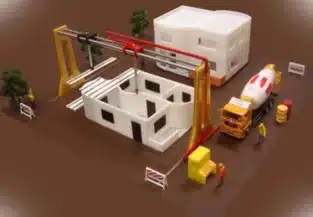
The idea of ContourCrafting comes when CEO offer a very insightful TED talk. The Professor Behrokh Khoshnevis, from the University of Southern California, is the man that have built this awesome concept. In simple words, he wants to make a 3D printer within 20 hours. The vast 3D home builder creates the entire building, from the foundation, floor, ceiling, and plumbing. At the beginning, we thought it could build the main block of the building.

The 3D printer from ContourCrafting is far more crafted than this. It would build houses in such a way that you’d only require to put the windows and the doors in the cutouts. The vast construction robot left this. Maybe one wouldn’t like living in such a home built by a gigantic 3D printer.

But almost 1 billion people don’t have stable shelter. Therefore, do you think, they’ll think twice before moving in? It can be an immediate and most urgent use for 3D printed home. But I can imagine that the rest of us, or those with money, can print their own house in less than one day.

Inspiring 3D printers that will reshape the construction

Right from the start, we were confused that how to build big buildings with hundreds of flats? How are they going to achieve that? But the CountourCrafting guys created the model of a 3D printer. It’s building that capable of designing everything. And something that surprised was some 3D printer capable of climbing and finishing the printing to a next level.

The technology seems very impressive and can build more advanced buildings using advanced designs. We use a perfectly calculated geometry using the strong material. The house-building with 3D printers can replicate historic or progressive buildings. How cool, isn’t it.

It does sounds excellent on paper, but what’s the reality…

Behrokh Khosnevis says, this technology is far more secure and safe than current construction methods. He said that the 10,000 workers die each year in the USA and 400,000 get injured during construction. But with 3D construction printers, we could eliminate and decrease lot of the time that require to build a house. There are drawbacks that we can’t ignore. Let’s discuss them.

3D printing house to build in 20 hours!

Imagine how many jobs get lost if the technology were become mainstreams. We have a team that supports a civilization and rely on the technology. Thus, with being more automated, it manually runs using this technology. Few houses are built using this concept, but it will not gain mass appeal as the government requires to keep the population employed. But again, the same thing happened when the Industrial Revolution began.

The people were afraid that they would lose jobs as technological devices were there to take tasks from humans. But when we look behind, we see that humanity has found a place for everybody. It can be an issue for the moment, but imagine that by 2050 or beyond 3D printed homes not be just a “cool concept”. Instead, it could be something ordinary. The appearance of the Web won’t kill jobs, it could change the world. The 3D printing won’t kill construction, it can reshape in near future.

What a brave new world it could be?

The technology is excited that it wants to be a part of it. One can see 3D printed houses around and people living in them. One can see huge 3D printers outside the towns. There could be building from the ground homes for everybody. Let’s imagine using this technology, one can build houses on other planets as well. Get connected, if you’re looking for a leading Australian design and drafting service company, here we are to help you solve your problem.

Is 3D printed house strong?

The strength of a 3D-printed house depends on various factors such as the materials used, the printing technology, the design, and the structural integrity. Generally, 3D-printed houses can be quite strong and durable if they are designed and constructed properly. Many construction companies are exploring the use of high-strength materials like concrete, composite materials, and even advanced polymers for 3D printing homes. Additionally, the ability to create intricate geometries and customized designs through 3D printing can sometimes result in structures that are more robust than traditional construction methods. However, it’s essential to ensure that the printing process is carefully controlled and monitored to maintain quality and structural integrity. Overall, with the right materials and techniques, 3D-printed houses can indeed be strong and reliable.

What are the disadvantages of 3D printed houses?

u003cstrongu003eWhile 3D printed houses offer numerous advantages, they also come with some disadvantages:u003c/strongu003eu003cbru003eu003cstrongu003eLimited Materialsu003c/strongu003e: Currently, most 3D printed houses are constructed using materials like concrete or synthetic materials, which may not be as environmentally friendly as traditional building materials like wood or brick.u003cbru003eu003cstrongu003eLimited Design Flexibilityu003c/strongu003e: While 3D printing allows for innovative designs, it can also limit the architectural freedom compared to traditional construction methods. Intricate designs or non-standard shapes may be challenging to achieve.u003cbru003eu003cstrongu003eQuality Control Challengesu003c/strongu003e: Ensuring the structural integrity and quality of a 3D printed house can be challenging, especially if the printing process encounters errors or inconsistencies. Quality control measures need to be robust to guarantee the safety and longevity of the structure.u003cbru003eu003cstrongu003eDependency on Technologyu003c/strongu003e: 3D printing technology is still evolving, and reliance on it for construction means being dependent on the advancements and reliability of this technology. Technical glitches or failures in the printing process can lead to delays and added costs.u003cbru003eu003cstrongu003eRegulatory Hurdlesu003c/strongu003e: Building codes and regulations often lag behind technological advancements. Incorporating 3D printed houses into existing regulatory frameworks may require significant adaptation and approval processes, which can be time-consuming and cumbersome.u003cbru003eu003cstrongu003eScalability Challengesu003c/strongu003e: While 3D printing has the potential to revolutionize construction, scaling up the technology for mass adoption on a large scale presents logistical and infrastructure challenges. The current scale of 3D printing is limited, and widespread adoption would require significant investment and infrastructure development.u003cbru003eu003cstrongu003eSkilled Labor Requirementu003c/strongu003e: Despite automation in the printing process, skilled labor is still required for setup, maintenance, and finishing work. Ensuring an adequate workforce with the necessary skills to operate and maintain 3D printing equipment can be a challenge.u003cbru003eu003cstrongu003ePerception and Trustu003c/strongu003e: Acceptance of 3D printed houses among consumers, builders, and regulators may be hindered by skepticism or distrust regarding the durability, safety, and longevity of these structures. Building confidence in the technology and its capabilities is crucial for widespread adoption.u003cbru003eu003cstrongu003eCost Considerationsu003c/strongu003e: While 3D printing has the potential to reduce construction costs in the long run, initial setup costs, including investment in printing equipment and infrastructure, may be substantial. Additionally, the cost-effectiveness of 3D printing may vary depending on factors such as project size, location, and material availability.


JH

James Hartley

Senior Mechanical Engineer · BEng (Mechanical), UQ · Member, Engineers Australia · ASTCAD, Brisbane

James has 14 years of hands-on experience delivering CAD design, structural drafting, and engineering documentation across Australia’s mining, oil & gas, and manufacturing sectors. He specialises in SolidWorks, Autodesk Inventor, and AutoCAD for complex multi-discipline projects.

More articles by James Hartley →
3D Printer

3D Printer has made things possible where the sky is just the limit. The 3D Printer is now capable of printing objects as long as 100 feet, 20 feet wide and 10 feet high. A big guy up to 12 meters was built out of the object. He mainly uses the local material that uses less energy as required and makes a house almost zero cost. It offers quick and inexpensive relief to the affected areas in the future. Due to which the rapid population growth and a surge satisfied housing demand.

With increasing material manufacturing on Earth, it uses planets that rapidly build houses and tightening budgets that are very interesting viewpoints. In space, it provides us with a lot of design flexibility with a unique and highly functional unit. It cannot be assembled with other building methods and make a way out.

The world’s largest 3D printer

On this planet, 3D printing houses have become more common. The United Nations predicts that the world’s future will add almost 100,000 new homes a day within five years. Compared with other houses that are cheap and fast building, they are developed for earthquakes, cyclones, floods, and other natural disasters to recover quickly. In case of emergency costs, energy and material restrictions are very large, so people never need unusual sources of inspiration.

We can say that no one can do better than potter wasps. It methodically comes with countless layers of mud covering layers, eventually forming nest-like pottery. For its part, the industrious insects may be the world’s smallest and the most environmentally-friendly 3D printers.

One of the widest Italian engineering company manufacture varieties of WASP 3D printers. In the current plan, they build a shelter for human habitation. Additionally, the company exhibit a 4.5-meter printer that can handle simple and highly flexible material, including mud, clay or other natural fibres. Now, the company is at the peak to create 3D printers. And the 12 meters high 3D Printer is called the Big Delta.

The company pass-through 3D printing houses and provide health assistance with affected areas covering the walls of houses repellents. Since 3D printing, such as a house in shape, size and material selection are very resilient. They have the potential to meet the needs of developing countries with affected areas. WASP has represented the southern coast of Sardinia Iglesias town which has the least interest in the Big Delta. In recent times, they have used Printer built out of housing units. Using the large Printer, one can accelerate innovation with prototype development in various sectors and achieve their dreams. What are your plans about designing something with a 3D Printer? Let’s connect and discuss your idea in brief.

Which is the largest 3D printer?

The title of the largest printer in the world can vary depending on different criteria such as print size, application, or technology. However, if we’re talking about large-format printers used for things like billboards, banners, or building wraps, one of the largest models available is the EFI VUTEk 5r+. It’s capable of printing on substrates up to 5 meters wide, making it suitable for producing exceptionally large graphics.u003cbru003eFor industrial printing, particularly in fields like construction or aerospace, large-scale 3D printers like the BigRep ONE or the Titan Robotics Atlas can also be considered some of the largest printers in the world due to their ability to create objects with significant dimensions.

What is the largest thing ever 3D printed?

the u0022BAAMu0022 (Big Area Additive Manufacturing) 3D printer, developed by Cincinnati Incorporated and Oak Ridge National Laboratory, holds the record for printing some of the largest objects. This printer is capable of printing objects as large as a car or even a house. For example, in 2014, they printed a car using this technology. However, specific records can change as technology advances, so there may be even larger objects printed since then.


JH

James Hartley

Senior Mechanical Engineer · BEng (Mechanical), UQ · Member, Engineers Australia · ASTCAD, Brisbane

James has 14 years of hands-on experience delivering CAD design, structural drafting, and engineering documentation across Australia’s mining, oil & gas, and manufacturing sectors. He specialises in SolidWorks, Autodesk Inventor, and AutoCAD for complex multi-discipline projects.

More articles by James Hartley →
Get a free quote — 1800 287 223