3D Scanning Digital Model Formats

3D Scanning Digital Model Formats – The Many Flavors of 3D CAD.

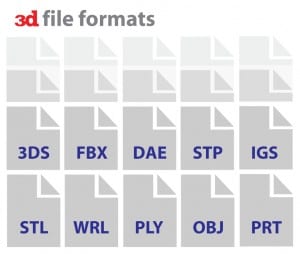
We would like to take a little pause here and discuss things you can do with a CAD model. It led to questions like how to use the OBJ file and how it’s different from an STL? Can an IGES and a STEP file be used for the same thing? We call the “Flavours” of CAD that provide the shortlist to help clear some details.

VARIOUS CAD FLAVORS:

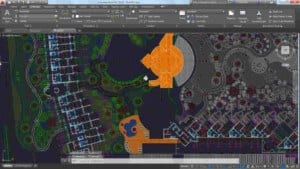
  • DWG – This is a native AutoCAD drawing file
  • ASCII (or ASC) – an X, Y, Z point cloud file in ASCII text format.
  • IGES – “Initial Graphics Exchange Specification” – a neutral format for exchanging CAD data between many different software programs
  • DXF – “Drawing Interchange File” – a neutral version of a DWG file
  • OBJ – an open data format that represents the vertices of polygons
  • SLDPRT – a native CAD format for SolidWorks
  • PRT – a native CAD formatfor Pro/ENGINEER and NX
  • STEP – “Standard for the Exchange of Product model data” (ISO 10303), an advanced neutral format for exchanging CAD data between many software programs.
  • STL – “Standard Tessellation Language” – a polygonal model format similar to OBJ and several others
  • WRL (VRML) – “Virtual Reality Modelling Language,” a polygonal file similar to OBJ, STL and several others and can include colour
  • X_T – a semi-neutral CAD format
  • Wikipedia maintains a list of CAD file formats that interest List of File Formats adding Computer-aided design.

NEUTRAL FORMATS:

  • From the above 0..list, one can notice neutral CAD formats that come with specifically IGES and STEP formats. The two formats create a neutral exchange of 3D CAD data across different CAD packages.
  • IGES created in 1979 along with the group of users, and it supports the Department of Defence (DoD) and NIST with exchanging data with ease. Since the late ’80s’80s, the DoD has offered Digital Project Manufacturing Data (PMI) with deliverables in IGES format.
  • STEP offer ISO standard released in 1994 with becoming a “successor” to IGES. At the same time, using it with not replace the IGES format.

EXTRA FLAVORS:

While the above examples, it comes with the standard across CAD packages. It uses industries like Architecture. 3D modelling mainly uses computer graphics with their packages and file types. We like to think of these as extra flavours, like CAD dessert.

3D Graphics – 3D graphics formats generally work based on the package. Few popular graphics programs come with 3D +Studio Max, Lightwave and Maya. Few popular gaming companies, including Blizzard Entertainment and other film studios, often develop their in-house formats. However, many consumer 3D graphics packages can import OBJ files.

3D Scanning Digital Model Formats

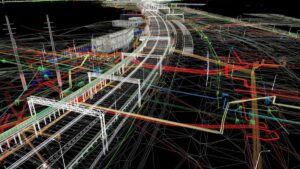
3D Modelling for Architecture: It comes with a new modelling style for facilities, such as buildings and processing plants, which are developing rapidly. The CAD software contains a relational database component to store metadata for the design entities, such as the style and make of windows or doors or the schedule of the I-beams and piping. The new class of software called BIM mainly uses building information modelling to combine facilities management into the database concept.

By checking the above examples, it’s just a tiny taste that comes with the “flavours” of CAD. But they are the most common files used. Hopefully, this will help to get a better understanding. If you have any queries, ask for a 3D service provider and contact us at info@astcad.com.au.

What is the 3D Scanning Service?

3D scanning service is a process of capturing the physical shape and appearance of real-world objects or environments and converting them into digital 3D models. It involves using specialized hardware such as 3D scanners to collect data points from the surface of an object or a scene. These data points are then processed using software to generate a detailed 3D representation that can be manipulated, analyzed, or used for various applications.

The applications of 3D scanning services are diverse and span across industries such as manufacturing, engineering, architecture, healthcare, entertainment, and cultural heritage preservation. Some common uses include:

Reverse engineering: Creating digital models of existing physical objects for design modification, replication, or analysis.
Quality control: Inspecting manufactured parts for defects or deviations from specifications.
Digital archiving: Preserving historical artifacts, artworks, or archaeological findings in a digital format.
Virtual reality and augmented reality: Generating 3D assets for immersive experiences and simulations.
Customization: Tailoring products or services based on individual body scans or measurements.
Forensic analysis: Documenting crime scenes or accidents for investigation and reconstruction purposes.

What are the different types of 3D scanning?

There are several different types of 3D scanning technologies, each with its own advantages, limitations, and applications. Here are some of the main types:

Laser Triangulation (Active): This method involves projecting a laser onto the object being scanned and using a camera to capture the deformation of the laser line as it interacts with the surface. By triangulating the position of the laser points, a 3D model can be generated. It’s commonly used for high-precision scanning of small to medium-sized objects.
Structured Light (Active): Similar to laser triangulation, structured light scanning projects a pattern of light onto the object and uses cameras to capture how the pattern deforms on the surface. By analyzing these deformations, the scanner can determine the object’s shape and texture. It’s often used for capturing detailed surface textures and colors.
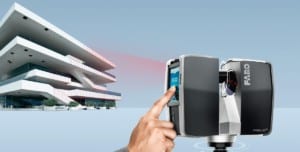
Time-of-Flight (Active): Time-of-flight scanners emit bursts of light and measure the time it takes for the light to return to the sensor, calculating the distance to each point on the surface. This method is effective for scanning large objects or environments and is commonly used in applications such as architectural scanning or topographic mapping.
Photogrammetry (Passive): Photogrammetry involves taking multiple photographs of an object or scene from different angles and using software to analyze the images and reconstruct the 3D geometry. It’s a versatile and cost-effective method that can be used with standard cameras, drones, or even smartphones. However, it requires good lighting conditions and may struggle with reflective or transparent surfaces.
Contact (Touch Probe): Contact scanning involves physically probing the surface of an object with a mechanical or electronic probe. The probe measures the position of points on the surface and sends the data to a computer for reconstruction. This method is highly accurate but may be slower and more invasive than non-contact methods.
X-ray and CT scanning: X-ray and computed tomography (CT) scanning are used for capturing the internal structure of objects, such as medical imaging or inspecting the integrity of manufactured parts. These methods are particularly useful for non-destructive testing and inspection.
Downstream Applications

Downstream Applications for 3D Data

What to do with a 3D model? Practically anything! Today, in this world that’s increasingly digital, most industries now utilize 3D files in some fashion. It shows up in many different places lately.

At this point, you have your 3D model from your scanned original part. It modelled digitally into a polygon format with reverse-engineered CAD format. Based on your needs, one can do things like adding 3D data that might thought of yet with covering different downstream applications used for 3D data file.

Downstream applications fall into the followings categories:

  • Re-Engineering/Design
  • Documentation/Archival
  • Industry-specific Applications
  • Visualization/Animation
  • Inspection/Analysis
  • Replication/Reproduction 

DOCUMENTATION/ARCHIVAL

As your part or object, the laser scanned and modelled adding digital “backup” of the object. Scan data for archival purposes mainly used for a number of industries covering Aerospace, Consumer Products, Architecture and Museum/Fine Art. We at Australian Design and Drafting services, offer scanned objects that specifically used for the purpose of creating a digital document.

The digital model mainly used for:

  • Protecting accidental part loss, used for almost insurance policy.
  • It provides you working with “virtual” blueprint in order to recreate, rebuild, or remanufacture.
  • It gives ability to start from a base model with creating something new without requiring to start from scratch. 

RE-ENGINEERING/DESIGN

The Reverse Engineering process used as an application that mainly work as Aerospace/Defence and Industrial Design industries. With using a Reverse Engineered model, one makes engineering and design changes in object adding a variety of ways and use it for specific types of analysis including:

  • Use various model for FEA and similar analyses
  • Add or subtract design features into current existing part or object
  • It uses base model to design new piece or object.

INSPECTION/ANALYSIS

It uses process, adding inspection 3D data particularly for any types of manufacturing. Use advanced laser scanning adding reverse engineering tools and techniques, Direct Dimensions that inspect and analyze your object or part in a variety of method:

  • Compare scan part that adds “nominal” or intended design model.
  • Compare a scanned object with 2D drawing dimensions.
  • Compare a scanned with another scanned object.

REPLICATION/REPRODUCTION

The replication offers early and essential uses for a 3D file. It uses 3D printing process, adding digital file that creates physical part. It adds laser scanned with reverse engineered part. It uses virtually limitless options for replicating that object. It’s used for:

  • Restoration
  • Manufacturing Prototypes
  • Scaling in either direction
  • Making Products 

VISUALIZATION/ANIMATION

The app falls into the realm advertising and entertainment adding museum presentations, with adding legal cases, with high-quality training simulations using for 3D model visualizations and animations.

Direct 3Dview to your object used as create online 3D catalogue using proof of concept.

Faces scan a person for animations, mass personalization, avatars, consumer products, adding simulation programs.

  • Animation – The recent people scan, objects, and structures uses to create commercials, music videos, films, and video games.
  • Rendering – It comes with high-quality 2D renderings that uses 3D models for marketing purposes. The structures and viewpoints offer legal cases that provide eyewitness accounts.

INDUSTRY-SPECIFIC APPLICATIONS

  • There are various types of industries that utilise previously listed applications, there adds few 3D model apps along with specific design including:
bim 3d scanning
  • Museum Research/Fine Art: investigative scanning for provenance and comparative research
3d scanning bim

Same 3D Data, Many Different Uses: Repurpose!

Often, with just a little bit of extra work, you can create different, valuable deliverables with the same basic scan data or 3D model. Some examples are:

  • A consumer products company has an object scanned so that it can be prototyped. What they might not know is that with a little tweaking of the model they can also gather the measurements needed to create perfectly fitting packaging and also creating photorealistic models for subsequent advertising or a virtual catalogue.
  • An aerospace company has a cockpit scanned for human factors analysis. If enough data was initially collected, that same data could be used to help create training simulations.
  • A major museum has a sculpture in its collection that is rapidly deteriorating and they want to scan it for documentation. That data could be used to create high-quality mini replications to be sold in the gift shop or for research (possibly comparing it to similar castings by the same artist).

The Sky is the Limit!

The above examples are just a drop in the bucket when it comes to uses for 3D models. If you have a possible application that you think a 3D model would work for, you should just ask your 3D service provider if it can or has been done. If they are anything like us, they will either have already done it (or tried it) or be so intrigued by your application that they are willing to give it a shot! And if you can’t do it yet, check back often; new applications and methods are being invented every day.

The world of 3D imaging, modelling, and engineering continues to grow at such an incredible rate that older applications are always being improved upon and new ones are always being dreamed up.

3D Scanning Inspection Analysis

Inspection/Analysis – Comparison to CAD

We move on to downstream applications for 3D models. Before we jump, we need to talk about one more application for scan data. Here we’ll cover how this data can be utilized for quality inspection.

Essential Terminology

  • CMM – A mechanical device, Coordinate Measuring Machine with 3D coordinates. Either touch probe is based or non-contact, portable or stationary, or motorized or manual.
  • Laser Tracker – The laser beam locates a reflective target against the measured object. The beam reflects the tracker by calculating the distance and angle of the location of the target. Later the Laser trackers come with a great option to get accuracy over more extensive measurement ranges.
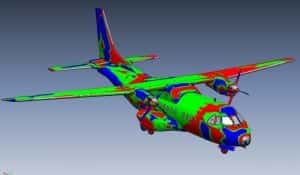
  • Color Map: It’s a graphical display for visualising dimensional differences between the measured object shapes. It’s a nominal CAD model to map colour spectrum by indicating location and magnitude.

A HISTORY LESSON

We think the 3D scanning industry comes with something new, where the first 3D digitisers, Coordinate Measuring Machines (CMMs), were built in the 1960s. It’s the entire purpose of development that perform dimensional inspections. In the last few years, checks have been made with the most common uses for 3D scanning and digitising systems.

The engineers at the then-Martin, Marietta, became aware of a company making articulating arms for medical measurements. Later, they began working with the company to develop a portable CMM for inspections in the aerospace industry.

3d Scanning Inspection Analysis

After creating portable CMM, the options for 3D measurement and inspection exploded. The laser scanners added to the movable arms and Laser Trackers were quickly developed. Talking about a few years, portable scan arms have offered standard measurement solutions in major manufacturing firms. It comes from aerospace to automotive and power generation to medical. 

TYPES OF INSPECTIONS

  • It comes with different types of inspections utilising 3D technologies:
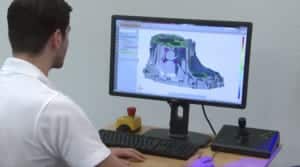
  • It’s one fastest and most informative type of inspection called Dimensional Deviation. The CADto Part Inspection covers a typical process Scan Arm. The scan data is compared to the original CAD model, offering a software package showing deviations by a colour map. A variation offer Dimensional Deviation is the Virtual Assembly Analysis. With reference points, the interface datums come with the capability of adding a virtual environment, simulating and identifying how parts fit together in real-world assembly.
  • We use the part’s assembly characteristics that apply the mating constraints during assembly. It’s called “reference point fit”, which adds control part movement in each control point. The analysis offer collision in a real-world scenario done virtually.
  • It measured the process of being machined. It comes with On-Machine Inspection that allows essential characteristics to be measured and changes the tool to be created. It is typically done using a Portable CMM with probe and scanner. The laser tracker depends on the size of the object that’s being machined.
  • Similar to on-machine inspections, it uses real-time inspections for Installation Alignment. It uses significant equipment for laser trackers, PCMM, and more. It offers comprehensive assessments for First Article Inspection (FAI). It involves thoroughly inspecting a physical part against the production drawing dimensions. The typical process comes with portable CMM. 

GETTING STARTED

The products take 3D measured data from the portable arms and scanners and perform the inspection analysis. Each capability performs two main inspection types: discreet point dimensional inspection and dense point cloud comparison analysis. The comprehensive capabilities come with GD&T or special case analyses. It’s specialised in certain areas that use multi-scanner integration. It supports the customer in understanding the strengths of each package relative to using specific applications and company requirements. If we perform the project for someone as a service, it’s known as the best software for inspection. Contact us to get more specific packages.

  • CAM 2 Measure X (by Faro)
  • InnovMetric PolyWorks Inspector
  • Geomagic Qualify
  • Verisurf
  • Rapidform XOV

What you do with your data: inspect, model digitally and reverse engineering. Contact Australian Design & Drafting Services to know more about information.

Can my phone do 3D scanning?

Yes, your phone can perform basic 3D scanning using certain apps that leverage photogrammetry techniques. Photogrammetry works by taking multiple photographs of an object or scene from different angles and then using software to analyze these images and reconstruct the 3D geometry.

There are several apps available for both iOS and Android devices that allow you to capture 3D models using your phone’s camera. Some popular examples include:

Qlone: This app allows you to scan objects using your phone’s camera and built-in AR technology. It provides real-time feedback during the scanning process and offers tools for refining and exporting the resulting 3D model.
3D Scanner App by Laan Labs: This app uses photogrammetry to create 3D models from your phone’s camera. It provides an intuitive interface and supports various export formats for sharing or further editing.
Canvas by Occipital: Canvas is a professional-grade scanning app designed for interior spaces. It allows you to capture 3D models of rooms and environments by walking around with your phone and taking photos from different viewpoints.
Capture by Matterport: Matterport’s Capture app is another professional-grade solution for creating 3D models of spaces and environments. It offers features such as automatic alignment and stitching of photos to generate accurate 3D reconstructions.

What are the basics of 3D scanning?

3D scanning is the process of capturing the shape and appearance of real-world objects or environments to create digital 3D models. Here are the basics of how it works:

Capture: The process begins with capturing data from the real world. This is done using a 3D scanner, which can be a handheld device, a stationary scanner, or even a smartphone equipped with 3D scanning software. The scanner emits various types of energy (like light or lasers) onto the object being scanned and measures how it reflects or reacts to that energy.
Data Acquisition: As the scanner emits energy onto the object, it records the distance to various points on the object’s surface. This data is collected as a point cloud, which is a set of data points in a 3D coordinate system representing the external surface of the object.
Point Cloud Processing: The point cloud data is then processed to remove any noise or artifacts and to align multiple scans if necessary. This step involves cleaning up the data and optimizing it for further processing.
Mesh Generation: Once the point cloud is cleaned up, it can be used to generate a mesh. A mesh is a collection of vertices, edges, and faces that define the surface geometry of the object. There are different algorithms and techniques for mesh generation, and the choice often depends on the specific application and desired level of detail.
Texture Mapping (optional): In some cases, the 3D scanner may also capture color information along with the geometry. This color data can be mapped onto the mesh to create a textured 3D model, which more closely resembles the appearance of the real-world object.
Post-Processing: After the 3D model is generated, it may undergo further post-processing to refine the geometry, improve texture quality, or optimize the model for specific applications. This can include smoothing the mesh, reducing polygon count, or adding additional details.
Exporting: Finally, the completed 3D model can be exported in various file formats for use in different software applications or for 3D printing, visualization, animation, virtual reality, or other purposes.

3D SCANNING REVERSE ENGINEERING

Converting Raw Point Clouds into CAD Formats:

FILES BROUGHT INTO PARAMETRIC MODELERS

Processing 3D data into polygonal models and dumb solids adds a simple mesh file for geometry features that enables to redesign process. It categorised the processing of collected data into two main categories: reverse engineering and Digital Modelling. Digital Modelling uses these simpler model formats that we call Reverse Engineering.

  • Reverse Engineering:It’s the process of measuring and creating a CAD model of an object that reflects how the object designed initially been.
  • Design Intent:The intended design comes with an in-built physical object where the manufactured part varies from its original intended design. The imperfections can be identified, well-analysed, and corrected using reverse engineering.
  • As-Built:The modelling captures the physical shape of an object that actually comes with its imperfections.

WHEN SHOULD ONE REQUEST A PARAMETRIC MODEL VS. THE SIMPLER RAPID NURBS OR POLYGONAL MESH MODEL?

When any project falls into the category of Reverse Engineering, is it opposed to Digital Modelling? Why one should opt for Reverse Engineering, which sounds time-consuming, requires additional processing, and is probably more expensive?

Our recommendation depends on many factors that include shapes such as organic vs. geo metrics to get desired file output. If you’re seeking to make a Rapid Prototype of a hand-carved chair seat, then doing digital modelling can be an excellent option for you. If you scan an aeroplane that creates an accurate model for CFD analysis, you need a model for flow analysis. It comes with an engine casing to redesign and spend the time and effort required to create a fully reversed engineered model.

The desired file output is the main difference between Digital Modelling and Reverse Engineering. People select Digital Modelling for using the file, Rapid Prototyping or visualisation purposes. One needs to redesign purposes for importing models into analysis programs that choose Reverse Engineer, which brings files into parametric modelling software. It essentially adds four types of models.

A Rapid NURBS starts with adding a polygonal model. The NURBS surfaces can be wrapped over the polygonal mesh. The wrapped surface model works more smoothly than a polygonal model with no regular geometric features. This type of NURBS model brought into parametric modellers, which we call dumb.

The bridge between Digital Modelling and Reverse Engineering is called Hybrid Model. Where a hybrid model and polygonal model convert into a rapid NURBS surface model that uses traditional solid modelling techniques. It’s used to add basic geometric features to cover holes & edges, adding complex organic contours.

The Hybrid model steps up fully Rapid NURBS for both time and effort. It is not as time-consuming and comes with an entirely reverse engineered parametric model. Unlike the Rapid NURBS, which wraps around a polygonal frame, the hybrid dumb solid contains geometric features, including holes, planes, and radii, adding features with no parametric history. While an entirely reverse engineered Parametric Model offer fully functional features that allow complete redesign. The models are built from scratch, making them perfect for the reverse engineering of legacy parts and redesigns.

DESIGN INTENT OR AS-BUILT?

When choosing a reverse engineer part, deciding if the part is reverse engineered as-built with its design intent is essential. It comes with physical production parts that are fractions of millimetres and worn down a bit from the original fabrication. It’s necessary to clarify the end use of the data by discussing your project with a reverse engineering firm.

THE REVERSE ENGINEERING ADVANTAGE

It comes with the fine line between Digital Modelling and Reverse Engineering. Both methods come with a valid solution to 3D problems. Few advantages of Reverse Engineering include:

Parametric Modelling Packages covering solid modelling CAD software

Parametric Models feature tree that can editable.

Few other Rapid NURBS dumb solids, reverse engineered models contain geometric features covering planes and radii that make the models a better fit to measure and design.

Reverse engineered models come with excellent analysis software for CFD and FEA.

GETTING STARTED

Direct Dimensions include:

  • Geomagic
  • Image ware
  • Innovmetric PolyWorks
  • Rapidform

The CAD packages frequently cover AutoCAD, CATIA, SolidWorks, Siemens NX, ProEngineer, and Rhino3D.

WHAT ELSE CAN I DO WITH A MODEL?

Now that you know about Digital Modelling and Reverse Engineering, you may feel like you don’t need anything else to create 3D models. If you want to make use of the 3D model, Contact Australian Design & Drafting Services to resolve your query.

What is the Reverse Engineering?

Reverse engineering is the process of analyzing a product or system to understand its design, functionality, and operation. This is typically done by disassembling or deconstructing the product to uncover its internal components, structure, and logic. Reverse engineering can be applied to various fields including software, hardware, mechanical systems, and even biological systems.

In software, reverse engineering involves examining a compiled program’s code to understand its algorithms, protocols, and data structures. This can be useful for understanding how a program works, fixing bugs, or creating interoperable systems.

In hardware, reverse engineering might involve dismantling a device to understand its circuitry, components, and manufacturing processes. This can be useful for understanding how a device functions, replicating it, or improving upon its design.

Reverse engineering is often used for competitive analysis, product improvement, compatibility testing, and ensuring interoperability between different systems. However, it’s important to note that reverse engineering may involve legal and ethical considerations, particularly when it comes to intellectual property rights and proprietary information.

What are the 5 steps of reverse engineering?

The process of reverse engineering typically involves several key steps:

Initial Analysis: This step involves gathering information about the product or system to be reverse engineered. This may include studying its specifications, functionality, and behavior. Understanding the purpose and goals of reverse engineering is crucial in this phase.

Decompilation or Disassembly: In this step, the product or system is broken down into its individual components or parts. For software, this may involve decompiling the code to understand its structure and logic. For hardware, it may involve disassembling the physical components to examine their design and functionality.

Understanding Functionality: Once the product or system has been decompiled or disassembled, the next step is to analyze its functionality. This involves identifying how the components interact with each other and how they contribute to the overall operation of the system.

Documentation and Analysis: During this step, the findings from the reverse engineering process are documented. This documentation may include diagrams, flowcharts, or written descriptions of the system’s architecture, algorithms, and protocols. Analysis of the system’s strengths, weaknesses, and potential improvements may also be performed.

Reconstruction or Replication: Depending on the goals of the reverse engineering process, the final step may involve reconstructing or replicating the product or system. This could involve creating a new version of the software or hardware based on the insights gained from the reverse engineering process. Alternatively, it could involve creating interoperable systems or developing improvements or modifications to the original product.

Digital Modeling

Converting Raw Point Clouds into CAD Formats

You’ve read your overview, figured out how to collect data, and now that you have this data, what do you do with it?

As you learned in Chapter Two, Direct Dimensions breaks data collection into two common methods: Laser Scanning and Digitizing. We also categorize the processing of the collected data into two main categories: Digital Modeling and Reverse Engineering. In this chapter, we’ll tell you what you need to know about Digital Modeling.


Digital Modeling: the process of creating a computer model of an object that exactly replicates the form of the object. Laser scanners are used to capture the 3D data of the object, and this data is transferred to the computer where it is aligned, edited and finalized as a complete 3D model.


Polygonal Models and Dumb Solids

So, when does something fall into the category of Digital Modeling as opposed to Reverse Engineering? At DDI it generally depends on a couple of factors: shape (organic vs. geometric) and desired file output. As a general rule of thumb, organic shapes tend to fall into the Digital Modeling category, as do polygonal models (STL Files) and Rapid NURBS Dumb Solids.

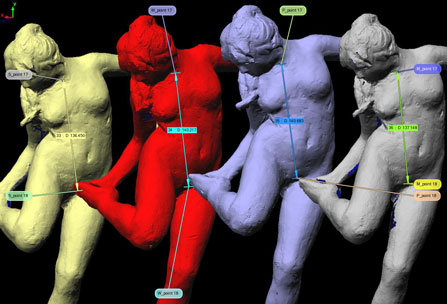
A Polygonal Model is a faceted (or tessellated) model consisting of many triangles. Facets are formed by connecting points within the point cloud. STL files can be used for visualization, rapid prototyping, design, milling, and analysis software.

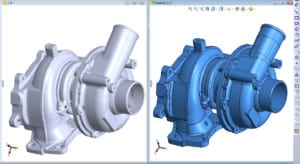
A Rapid NURBS ‘Dumb’ Solid (usually in IGS format) starts with the polygonal model. NURBS surfaces are wrapped over the polygonal wireframe. This wrapped surface model is smoother than a polygonal model. The NURBS model can be brought into parametric modellers such as SolidWorks (albeit with no parametric history – which is why we call it dumb).

The bridge between Digital Modeling and Reverse Engineering is the hybrid Model. A Hybrid model is a polygonal model that has been converted in a rapid NURBS surface model and then also uses traditional solid modelling techniques. It is commonly used when basic geometric features, such as holes & edges, blend with complex organic contours, such as a machined casting.

Do Reverse Engineering and Digital Modeling ever Overlap?

In addition to Hybrid Models, there are instances when it is appropriate to use both Digital Modeling and Reverse Engineering techniques. For example, when collecting data of a large object (such as a plane) for Reverse Engineering, it is necessary to use a laser scanner to capture the massive amounts of surface data. The data output from a laser scanner is a point cloud, but point clouds cannot be brought into any CAD packages. Before the data can be transferred into CAD it must be digitally modelled into either a polygonal model or a Rapid NURBS dumb solid.

The Digital Modeling Advantage

There can be a fine line between Digital Modeling and Reverse Engineering and sometimes both methods can be a valid solution to 3D problems. Some advantages of Digital Modeling are:

  • Digital Modeling generally offers a faster and more cost-effective solution.
  • It presents a great solution for creating solid models when an object has organic contours.
  • Offers excellent dimensional accuracy and can be utilized for comparative analysis.
  • While it is true that Rapid NURBS Dumb Solid models do not have parametric history, they can be utilized as a base for design work and Boolean functions are possible.
  • Unlike raw point clouds, Digital Models can be visualized in rendering software as a solid object, which is great for seeing the overall shape and contour of the model.

Getting Started

In Chapter Two we discussed data collection and various brands of scanners and digitizers that we use on a daily basis. Don’t worry! We won’t leave you hanging on what software packages we recommend for digital modelling. We use the following packages every day at DDI (in alphabetical order):

  • Geomagic Shape Studio: Polygonal and NURBS modelling and point cloud to CAD comparison. Geomagic can automatically generate an accurate digital model from any physical part.
  • PolyWorks Modeler: Polygonal modelling and point cloud to CAD comparison. PolyWorks can process large point clouds over 100 million points and easily integrates with all standard digitizers and articulating arms.
  • Rapidform: Third generation point processing software for creating native parametric “design-intent” CAD models directly from scan data. At Direct Dimensions, we often use Rapidform in Hybrid Modeling but it also has a great Rapid NURBS function.

Tackling Reverse Engineering

Now that you know a bit more about what we call Digital Modeling and why it can be a great option, you are ready to tackle Reverse Engineering in next post.

Engineering and digital modeling play crucial roles in various industries, ranging from architecture and construction to product design and manufacturing. Here’s some information on these topics:

Engineering: Engineering is the application of scientific and mathematical principles to design, develop, and analyze structures, machines, systems, and processes. It encompasses several disciplines, including civil, mechanical, electrical, chemical, and aerospace engineering, among others. Engineers utilize their expertise to solve complex problems and create innovative solutions.

Key areas within engineering include:

  1. Structural Engineering: Focuses on the design and analysis of structures to ensure they are safe, durable, and capable of withstanding loads and environmental conditions.
  2. Mechanical Engineering: Involves the design and development of mechanical systems and devices, such as engines, machines, and tools.
  3. Electrical Engineering: Deals with the study and application of electricity, electronics, and electromagnetism. It includes areas such as power generation and distribution, electronics, and telecommunications.
  4. Chemical Engineering: Concerned with the design and operation of chemical processes, including the production of chemicals, pharmaceuticals, fuels, and materials.

Digital Modeling: Digital modeling refers to the creation of virtual 3D representations of physical objects, structures, or systems using computer software. It enables engineers, designers, and architects to visualize and simulate their concepts before moving to physical production, thus saving time and resources. Some key aspects of digital modeling include:

  1. Computer-Aided Design (CAD): CAD software allows engineers and designers to create precise 2D and 3D models of products or structures. It offers tools for modeling, simulation, analysis, and documentation.
  2. Finite Element Analysis (FEA): FEA is a numerical technique used to analyze the behavior of structures or systems under various conditions. It helps engineers assess factors like stress, strain, and deformation to ensure the design’s integrity.
  3. Computational Fluid Dynamics (CFD): CFD is a simulation technique used to analyze fluid flow and heat transfer. It finds applications in areas such as aerodynamics, HVAC system design, and fluid flow optimization.
  4. Building Information Modeling (BIM): BIM is a collaborative approach to digital modeling specifically used in architecture, engineering, and construction. It integrates various aspects of a building project, including design, construction, and operation, into a centralized digital model.

Digital modeling tools enable engineers to iterate designs, detect potential issues, and optimize performance without physical prototyping. They enhance productivity, facilitate communication between team members, and support data-driven decision-making throughout the engineering process.

Contact Australian Design & Drafting Services for more information..

What is the digital modeling?

Digital modeling refers to the process of creating virtual representations of physical objects or systems using computer software. It is commonly used across various industries such as architecture, engineering, product design, animation, and video game development. Digital models can range from simple 2D sketches to complex 3D simulations.

In digital modeling, designers or artists use specialized software tools to construct, manipulate, and visualize digital representations of real-world objects or abstract concepts. These models can be highly detailed and accurate, allowing designers to explore different designs, simulate behaviors, and test various scenarios before committing to physical prototypes or production.

Digital modeling often involves techniques such as:

3D Modeling: Creating three-dimensional representations of objects or scenes. This can involve modeling individual components, sculpting shapes, or using procedural techniques to generate complex geometry.
Rendering: Generating realistic images or animations of digital models by simulating lighting, materials, and textures. Rendering can help visualize how a design will appear in different environments or under various conditions.
Simulation: Using digital models to simulate physical behaviors such as motion, stress, fluid dynamics, or electromagnetic interactions. This allows designers to analyze the performance of their designs and identify potential issues or optimizations.
Animation: Bringing digital models to life through movement and interaction. Animation techniques can be used for entertainment purposes, visualization of processes, or demonstration of concepts.
Virtual Reality (VR) and Augmented Reality (AR): Integrating digital models into immersive virtual or augmented environments. This enables users to interact with and experience digital content in a more immersive and engaging way.

What is meant by digital fabrication?

Digital fabrication refers to the process of using computer-controlled machinery and software to create physical objects from digital designs. It encompasses various technologies such as 3D printing, CNC (Computer Numerical Control) machining, laser cutting, and robotic assembly.

In digital fabrication, the design of an object is typically created using computer-aided design (CAD) software, which allows precise control over the dimensions, shapes, and other parameters of the object. This digital design is then translated into instructions for the fabrication equipment, which follows them to construct the physical object layer by layer, cut out shapes from materials, or perform other necessary actions.

Digital fabrication enables the rapid prototyping of designs, customization of products, and efficient manufacturing processes, as it eliminates many of the traditional constraints associated with conventional manufacturing methods. It is widely used in various industries, including aerospace, automotive, architecture, healthcare, and consumer goods.

3D Scanning Data Collection

Now that you have a basic idea about how 3D scanning and modelling work, let’s really get started. Before you can have a 3D model, you must have 3D data to create that model. Let’s start there…

So, what are the ways that 3D data can be collected?

There are multiple ways to collect 3D data but two of the most common methods (and the two most frequently used by ASTCAD) are laser scanning and digitizing.

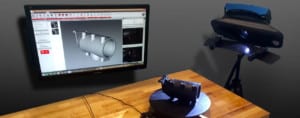
During laser scanning, a laser line is passed over the surface of an object in order to record three-dimensional information. The surface data is captured by a camera sensor mounted in the laser scanner which records accurate dense 3D points in space, allowing for very accurate data without ever touching the object.

Laser scanners can be broken down further into types such as laser line, patch, and spherical. The FARO ScanArm, the FARO LS, the Surphaser, Konica Minolta Vivid 9i and Range 7 are some examples of laser scanners that we often use at Direct Dimensions.

3D Scanning Data Collection

The second major method is digitizing, which is a contact-based form of 3D data collection. This is generally done by touching a probe to various points on the surface of the object to record 3D information. Using a point or ball probe allows the user to collect individual 3D data points of an object in space rather than large swathes of points at a time, like laser scanning. This method of data collection is generally more accurate for defining the geometric form of an object rather than organic freeform shapes. Digitizing is especially useful for industrial reverse engineering applications when precision is the most important factor. Stationary CMM’s (coordinate measurement machine), portable CMM arms, and the FARO Laser Tracker are all examples of digitizers that we often use at Direct Dimensions.

Other methods of collecting 3D data include white light scanning, CT scanning and photo image-based systems. These technologies are being utilized more frequently in the field of 3D scanning and new applications are being discovered every day.

To be digitized or laser scanned?

A general “rule” is that scanning is better for organic shapes and digitizing is most accurate for geometric shapes. In general, laser scanning is also used for higher-volume work (larger objects like cars, planes, and buildings). Laser scanning is also a great option for people who need 3D data of an object but would prefer that the object not be touched, such as for documentation of important artifacts.

Digitizing is often used for our engineering projects and first article inspections, in instances where precise measurements are required for geometrically-shaped subjects. This includes objects that have defined lines and planes and curved shapes, like spheres and cylinders.

This doesn’t mean that you can never laser scan a part with many geometric features or that you can’t digitize a plane (an entire plane can be digitized, believe us – we’ve done it!) or even a sculpture. These are just rules of thumb.

Utilizing multiple methods of Data Collection

There are projects when it is more cost and time effective to use multiple methods of data collection. A good example is a cast part with geometric machined features. You might need a 3D model of the entire part but really need incredible accuracy on the machined features while the freeform cast surface itself is not as important. In such a case it can be much more effective to laser scan the entire part and then digitize the geometric features. The data can be combined during the modelling phase (more on that in the following chapters).

Additional Scanning Information

Because you are trying to collect the most accurate data possible, there are a few more things to keep in mind before you run out and start scanning everything in sight.

  • Bright light sources in the area, including the sun, can really mess up your scan data. At Direct Dimensions, if we are laser scanning an object outdoors we prefer to do it at night if able. Light can reflect off of your scanning object and create “noisy” data. This brings us to:
  • Very reflective materials generally do not scan well. This can be avoided with a light coating of white powder spray (or anything that dulls the reflectivity). There are also some scanner manufacturers who are actively working to solve this problem.
  • Fixturing: whether you are laser scanning or digitizing, it important that your scan object will not move while you are collecting data. The tiniest motion will cause inaccurate data.
  • If you need hard to reach/impossible to see internal data, you should consider CT scanning or destructive slicing, both can be great ways to augment your data. (more on those later).

Moving on to 3D modelling

Now that you have a good idea of what you need to collect data, you are ready to learn all about the various ways the data can be modelled. Chapters three through five will cover, 3D Modeling, Reverse Engineering, and Inspection Analysis.

Contact Australian Design & Drafting Services for more information.

What are the methods of data collection?

Data collection methods vary depending on the type of data being collected, the research objectives, and the resources available. Here are some common methods:
Surveys and Questionnaires: Surveys involve asking a series of questions to a sample of respondents. They can be conducted through paper forms, online platforms, telephone interviews, or face-to-face interviews.
Interviews: Interviews involve direct interaction between the researcher and the respondent. They can be structured (with a predetermined set of questions), semi-structured (with some flexibility in questioning), or unstructured (open-ended discussions).
Observation: This method involves systematically observing and recording behaviors, events, or activities as they occur in their natural setting. Observations can be participant (the researcher actively participates) or non-participant (the researcher remains separate from the activity).
Experiments: Experiments involve manipulating one or more variables to observe the effect on another variable. They are often conducted in controlled environments to establish cause-and-effect relationships.
Secondary Data Analysis: Researchers analyze data that were collected by others for a different purpose. This can include sources like government statistics, organizational records, or previously conducted research.
Focus Groups: Focus groups involve bringing together a small group of individuals to discuss a specific topic guided by a moderator. This method allows for in-depth exploration of attitudes, opinions, and perceptions.
Document Analysis: Researchers analyze documents such as texts, reports, articles, and historical records to extract relevant information.
Ethnography: Ethnographic research involves immersing oneself in the culture or context being studied to gain a deep understanding of the behaviors, beliefs, and social dynamics.
Diaries and Logs: Participants record their activities, thoughts, or experiences over a specified period, providing insights into their daily lives or specific events.
Social Media Monitoring: Researchers analyze data from social media platforms to understand trends, opinions, and behaviors of individuals or groups.

What is data collection format?

The data collection format refers to the structure or template used to gather and organize data during the data collection process. The format outlines how data will be collected, recorded, and stored, ensuring consistency and accuracy. Depending on the research methodology and objectives, data collection formats can vary widely. Here are some common formats:

Structured Surveys and Questionnaires: These formats consist of predefined questions with fixed response options. Respondents are typically asked to select their answers from multiple-choice options, Likert scales, or yes/no responses. Structured formats are efficient for collecting quantitative data and facilitating analysis.

Semi-Structured Interviews: In semi-structured interviews, researchers have a predetermined set of questions but also allow flexibility for probing and exploring topics in more depth. The format provides a balance between standardization and flexibility, allowing for richer qualitative data collection.

Unstructured Interviews: Unstructured interviews have no predetermined set of questions, allowing for open-ended discussions and free-flowing conversation. Researchers rely on active listening and follow-up inquiries to delve into topics of interest. Unstructured formats are suitable for exploratory research or when a deep understanding of participants’ perspectives is desired.

Observation Protocols: Observation protocols outline the specific behaviors, events, or phenomena to be observed and recorded during observational studies. They include guidelines for documenting observations, such as timestamps, descriptions, and contextual details. Observation protocols ensure consistency and objectivity in data collection.

Experimental Designs: Experimental formats include protocols for manipulating independent variables, measuring dependent variables, and controlling extraneous variables during experimental research. They specify procedures for randomization, treatment administration, data collection, and statistical analysis.

Focus Group Guides: Focus group guides outline the topics, questions, and discussion prompts to be covered during focus group sessions. They structure the flow of the discussion and ensure that all relevant issues are addressed. Focus group guides may include opening questions, transition points, and closing reflections.

Data Collection Instruments: Data collection instruments encompass various tools and materials used to collect data, such as surveys, questionnaires, interview guides, observation forms, checklists, and rating scales. They may include instructions for administration, response options, and data recording procedures.

Digital Data Collection Tools: With advancements in technology, digital data collection formats have become increasingly common. These include online surveys, mobile data collection apps, electronic diaries, and sensor-based data collection systems. Digital formats offer advantages such as real-time data capture, automated data processing, and remote data collection capabilities.

3d scanning process 3d model

With passing time, we meet many people who find our work interesting as we use 3D scanning technologies. We at Australian Design and Drafting Service company offer easy 3D scanning that helps the user to discover the ways to provide cutting-edge technologies.

3D Scanning topics we use here:

Chapter 1: The 3D Scanning Basics and Digital Modelling

Chapter 2: Different Methods for Data Collection

Chapter 3: Digital Modelling – Converting Raw Point Clouds into CAD Formats

Chapter 4: Reverse Engineering – To Design-Intent CAD Models

Chapter 5: Inspection / Analysis – To Compare with CAD

Chapter 6: Downstream the Main Applications for 3D Data Basics

Chapter 7: Digital Model Formats – Several Flavours of 3D CAD

Chapter 8: Using 3D Data for Visualisation

Chapter 9: Rapid Prototyping – To Make Physical Objects from Scan Data

Chapter 10: The Future – To Scan Desktop and other Manufacturing

THE BASICS

WHAT IS 3D MODEL, AND HOW DO YOU GET IT?

A 3D model comes with a digital representation of a physical object. If your object wants digital form, then use the direct dimensions that take physical objects and use advanced 3D scanning equipment to capture and transform them into 3D digital models.

We have an excellent team that processes the raw data gathered during a 3D scan into a digital model. We use different methods for collecting this data, including laser scanning and other digitising. A 3D model is incredibly versatile. Therefore, connect to know the 3D scanning basic.

WHY DO I NEED A 3D MODEL?

3D models are mainly used for several purposes, including animation or visualisation. One can make changes in design to form a new product. They perform a dimensional and comparative analysis of an object or even an FEA and CFD analysis. The team help to archive the purposes by accurately recording the state or form of an object.

They are used to repair the damage done to an object digitally. It reproduces the object in its proper form. They practice rapid prototyping and milling technologies. There are no limits on what can be done when something has been captured in 3D. In short, the technologies allow the physical object to be recreated into a 3D digital format.

WHEN? WHERE? HOW LARGE? WHAT ARE THE LIMITATIONS?

We capture objects indoors or outdoors, during the day or at night, using the technologies. As the sky is the limit, we know how large the technology can capture the smallest objects. Few of our equipment is portable, so we can come to your facility and encourage you to ship your items to our lab. On the large side, the Direct Dimensions scan the entire aeroplanes, historical monuments, stubs and ships, and tracts of land with large interior spaces like buildings.

We’ve scanned the mid-size objects such as spacesuits, countless consumer products and other artwork. We’ve done tiny, finely-detailed items, including coins, medical devices, and other dental appliances. Along with this, we capture fingerprints and skin textures. The bottom line offers the tools to scan it, and it’s most likely to use them.

WHAT’S NEXT? Now that we all understand the basics, we can scan and use the 3D data by learning more about the various methods for data collection! Looking for any 3D scanning work? Do contact us for more information.

What are 3D modeling services?

3D modeling services involve the creation of three-dimensional digital representations of objects, characters, environments, or concepts. These services are typically offered by professionals or companies specializing in computer-generated imagery (CGI) and design. Here are some key aspects of 3D modeling services:

Modeling: This is the core process of creating a 3D model using specialized software. Modelers manipulate digital vertices, edges, and polygons to sculpt and shape objects in three-dimensional space. They can create anything from simple geometric shapes to intricate characters or realistic environments.

Texturing: Texturing involves adding surface details and colors to 3D models to make them appear realistic or stylized. Texture artists apply images or procedural techniques to simulate materials such as wood, metal, fabric, or skin.

Rendering: Rendering is the process of generating 2D images or animations from 3D models. Rendering software calculates lighting, shadows, reflections, and other visual effects to produce the final output. High-quality rendering can make a 3D model look lifelike and immersive.

Who needs 3D services?

Many industries and individuals can benefit from 3D services. Here are some examples:

Architecture and Real Estate: Architects use 3D modeling to visualize and plan buildings before construction. Real estate agents use 3D virtual tours to showcase properties to potential buyers.
Manufacturing: Manufacturers use 3D printing for prototyping and rapid product development. It allows them to iterate designs quickly and reduce time to market.
Entertainment: The film, animation, and gaming industries heavily rely on 3D graphics for creating immersive worlds, characters, and special effects.
Healthcare: Surgeons use 3D printing to create patient-specific models for surgical planning and training. Dentists use it for creating dental implants and orthodontic devices.
Education: 3D models and simulations enhance learning experiences in various fields, from biology to engineering. They help students visualize complex concepts in a more tangible way.
Marketing and Advertising: Marketers use 3D rendering for creating product visualizations and advertisements. It allows them to showcase products from different angles and in various environments.
Fashion and Retail: Fashion designers use 3D modeling to create digital prototypes of clothing and accessories, reducing the need for physical samples. Online retailers use 3D product visualization to improve the shopping experience.
Engineering and Construction: Engineers use 3D modeling for designing machinery, infrastructure, and industrial plants. Construction companies use Building Information Modeling (BIM) for better project management and coordination.
Gaming and Virtual Reality (VR): Game developers use 3D modeling and animation to create immersive gaming experiences. VR applications also heavily rely on 3D graphics for creating realistic virtual environments.
Cultural Heritage Preservation: Museums and cultural institutions use 3D scanning and modeling to preserve and digitize artifacts and historical sites.

Visual Accuracy

The new release of AutoCAD 2016 features certain significant improvements. These improvements include a more comprehensive canvas, richer design context, and intelligent tools such as Smart Dimensioning, Coordination Model, Enhanced PDFs, and Stunning Visual Experience.

Autocad New feature Visual Accuracy

AutoCAD software tools are known worldwide for providing 2D and 3D design features, documentation and collaboration processes for any design task. Furthermore, the software tools enable designers to share their work with one another by using TrustedDWG® technology.

The purpose of this article is to:

  • Look briefly at the new features present in the newest AutoCAD release,
  • Identify significant changes between the newest and previous software releases,
  • Determine the impact of Visual Accuracy and other major benefits which the newest release of AutoCAD provides.

What New Features are Present in the Autocad 2016 Newest Release?

  • With Smart Dimensioning, appropriate measurements are created automatically, based on the drawing context. Bypassing the cursor over a selected object, the designer gets a preview of the dimension before creating it. For example, by selecting and holding a cursor over the cross-section of a duct, modified inner and outer diameters can be previewed before they are created.
  • The Coordination Model makes it possible to attach and view Navisworks® and BIM 360 Glue models directly inside AutoCAD. This makes it possible to import architectural design data created by Navisworks or to import a building design project into AutoCAD. The ability to merge design data between AutoCAD and BIM models provides the framework for KBE (Knowledge-Based Engineering), and for maintaining concurrency and synergy between product design teams.
  • The Enhanced PDFs feature makes it possible to quickly create smarter, smaller and powerful PDF files which are text searchable.
  • The Visual Experience feature enables the engineer to see design details with certain visual enhancements such as Line Fading. True curves are used instead of line segments for image rendering. For example, a circle is created as a continuous curve rather than several straight line segments. Instead of performing several Undo operations, a Command preview enables the designer to see the results of a command before committing to it. Large selection sets are easier to copy or move.
  • The designer is able to customize his/her design environment and systems settings and to prevent unwanted changes from being made.

In What Areas Are There Significant Software Changes?

The following list highlights significant software changes between AutoCAD 2016 (newest release) and previous versions of AutoCAD.

In terms of User Interaction, AutoCAD 2016 provides:

  • The Help Find tool, Improved graphics, Command preview, and resizable viewports are improved in AutoCAD 2016 and AutoCAD 2015.
  • The Move/Copy feature has been boosted in AutoCAD 2016 over previous versions.

In terms of the Design Interface, AutoCAD 2016 provides:

  • Center of polygon object snap
  • High-fidelity lines and curves
  • Coordination model
  • Point cloud dynamic UCS (Unified Computing System) and geometry extraction

In terms of Documentation, AutoCAD 2016 provides:

  • Revision Cloud enhancements
  • Smart dimensioning
  • PDF enhancements and optimized file output
  • The searchable text and hyperlink support in exported PDFs
  • Simplified, powerful rendering
  • Overriding of Xref (External Reference File in a cloud system) layer properties

What Major Benefits does the Newest Release of Autocad Provide?

The previous section of this article mentioned significant software improvements between AutoCAD 2016 and previous versions. It may be informative to look more closely at what some of these software improvements mean.

Coordination Models enable design data from Navisworks and BIM360 models (NWC, NWD) to be attached directly into AutoCAD. This feature supports the collaborative and synergistic product development model available in BIM. This feature also supports KBE (Knowledge-Based Engineering) and Expert Systems, which is important for retaining in-house design expertise and knowledge.

Smart dimensioning speeds up design work, because many “Undo” commands can be avoided by using the Preview feature in the new software release. Instead of establishing a dimension for an object and undoing it in order to create a new dimension, the object can be selected with the cursor, previewed or “hovered over”, before establishing the dimension.

The “Snap to geometric centre” feature enables the designer to snap to the centre of closed regular or irregular polylines.

Improvements to the drawing canvas dramatically improve the visual accuracy seen on screen. Although the human visual system can interpret a series of jagged line segments as an integrated smooth curve, it is much better to represent smooth curves and arcs with true curves. Doing so creates graphic objects with true fidelity and visual acuity, and creates a much better viewing experience.

A number of preset rendering options have been introduced, such as “Coffee-Break Quality”. Image-based lighting has been introduced to improve visual rendering.

The “UI finder” utility makes it easy to find just about anything in AutoCAD’s UI, including entries on the application menu and the status bar.

PDF enhancements create smaller files (about half the size of previous PDFs). The PDFs are generated quicker, and they permit text search and selection, even with multibyte and Unicode characters. Furthermore, SHX fonts (which have the source text added as a comment) are supported. Hyperlinks are maintained, whether they are embedded URLs or links between drawing content.

The System Variable Monitor (Sysvar) protects the design engineer from having his established or preset environment from being altered. In a multi-tasking environment, it is likely that an impolite application may alter sysvar settings, but fail to reset them to their previous settings after the application has completed its tasks.

Conclusion

Although this article sounds as if it is focused on sales or marketing, its purpose is to keep the CAD engineer aware of improved software features (such as improved visual accuracy in AutoCAD 2016) which become available in new CAD software releases.

The CAD engineer works in a fast-paced environment in which technological progress should be expected. In order to stay current and not to become obsolete, it is necessary for the CAD engineer to be aware of improved capabilities in new software releases.

Australian Design & Drafting Services provide excellent Autocad service for CAD Design and Drafting. Contact Us for more info

CAD, Drafting, CAD drafting, CAD software

Imagine being able to walk through your new home or office building, go into every room, try out different colors on the walls or make changes to the design – before it’s even built. It sounds pretty amazing, and it is. That is the world of CAD (Computer-Aided Design) drafting.

Not too long ago you would find the designer or architect bent over a drafting table using a pencil, ruler and eraser, slowly drafting every detail by hand. Today’s designers use sleek, super-fast computers and CAD software systems that can quickly and perfectly create, edit, then display finished projects in breathtaking 3-D computer renderings.

There are other software systems with similar acronyms, but they are essentially the same application with subtle differences in function. Two of these other systems, CADD (Computer-Aided Design and Drafting) and CAID (Computer-Aided Industrial Design) are the most commonly used.

From the minute you get up in the morning, almost everything you will see or touch or use during the day had its beginnings as a CAD drafting project on a computer somewhere. Your car and every part in it, your electronics, furniture, your home and office, even your deodorant jar and the packages your food comes in were more than likely drafted using CAD.

The History of CAD

Like most great inventions, CAD drafting had humble beginnings, but the potential was immediately apparent. Software companies and thousands of dedicated developers and programmers saw that potential and have worked tirelessly for over 30 years now to develop and bring CAD drafting programs to where they are today. The results have been no less than spectacular.

The initial developments that led to today’s CAD programs were first carried out in the early 1960’s and 1970’s in the aerospace and automotive industries. Both industries were independently developing the first CAD systems. Most people agree that the real breakout point was the development of SKETCHPAD at MIT in 1963. The main feature of SKETCHPAD was that it allowed the designer to work with the program by drawing on the monitor with a light pen. This was essentially the first GUI (Graphical User Interface) and is the most

The first programs were only available to large corporations in the automotive, aerospace and electronics industries. These were the only companies that could afford the expensive computers and computing power needed to do the calculations needed to run the programs. The leaders in developing these first programs were GM, Lockheed and Renault.

The first CAD programs in the 1970’s were only capable of creating 2D drawings similar to the hand-drafted drawings of the time. But even those first simple programs were changing the face of manufacturing and construction design. The programs quickly evolved over the years as computer processing speed and power and graphics capabilities increased. In the 1980’s the next major step toward modern CAD was achieved with the advent of the ability to do 3D solid modeling.

In 1981 two solid modeling packages were released- Romulus by (ShapeData) and Uni-Solid by (Unigraphics). In 1982 John Walker founded Autodesk which developed one of the most famous 2D CAD programs, AutoCAD. In the late 1980’s and early 1990’s the solid modeling kernels for rendering 3D designs were integrated into the new CAD programs for the first time. As computing prices came down, so did the potential and the promise of CAD drafting for smaller companies. This now made it possible for any company to afford a high-quality CAD design program. The 1990’s saw the release of some of the most popular mid-range packages. SolidWorks was released in 1995, SolidEdge was released in 1996, and IronCAD was released in 1998.
Different Types of CAD SystemsMost CAD computer workstations are Windows-based PCs with some running on Unix and a few on Linux machines. Usually no special hardware is needed except for a high-end OpenGL Graphics card for renderings. Also, more is always better when it comes to computing power. A machine with dual-processors and massive amounts of RAM is needed for maximum performance on complex projects.

CAD systems can be separated into three different types: 2D drafting systems like AutoCAD LT (also known as Autocad “Light”); 3D solid feature modelers like Architectural Desktop, Chief Architect, ArchiCAD, Alibre Design, VariCAD SolidWorks and SolidEdge; and high-end 3D hybrid systems like Pro/ENGINEER and NX (Unigraphics).

The human interface is usually a mouse but a trackball or pen and tablet can also be used. The model can be manipulated and viewed from different perspectives and angles. On some systems you can even use stereoscopic glasses for viewing in true 3D.Today there are many low-end 2D systems available and even a number of free and open source programs. All these programs provide an ease of design not possible with hand drafting on a traditional drawing sheet. For example, in 2D drafting a wall in a house would be drawn as 2 parallel lines spaced a certain distance apart, say, 6 inches. To insert a door into the wall, you would follow a process similar to manual drafting- you would first erase part of the wall, then draw in the lines representing a door. In 2D, each line is inserted manually into the design. The end design has no mass properties and you can’t add features such as holes, etc. directly.

With a basic (low-end) 3D modeling program, to draw that same wall you would not have to draw individual lines- instead, you would click on an icon for the ‘draw wall’ command and use your mouse (or trackball) to specify the length and location. To insert a door, you simply specify the size and location of the door- the software automatically erases that portion of the wall where the door goes. Over the course of designing an entire house or building, tools such as these can save countless hours. You can then use the solid model to generate views of the project from any viewpoint or angle- something that 2D programs cannot do.

3D parametric solid modeling represents the high end of CAD. With 3D parametric solid modeling programs such as Alibre Design, Solid Works and Solid Edge, the designer must use what is called ‘design intent’. This means that the design has to be thought of as a real world representation of the object. You are able or unable to make changes to the object the same way you would make them to a real world object. Therefore, parametric solids require the designer to think ahead and consider his actions carefully.

The top-end systems include the ability to add more organic aesthetics and features to the design, such as photorealistic colors and surface textures. Surface modeling combined with solid modeling is used to create most day-to-day products for consumers.The CAD designer should be forward-looking as he designs and the objective should be to make future work on the design as easy as possible. This means the designer needs to have a firm understanding of the system being used. A little extra attention and careful planning in design now can save a lot of grief later.

In the late 1980’s the advent of affordable CAD programs that ran on desktop computers led to downsizing in the drafting departments of many small- to mid-sized companies. Typically one CAD operator could replace three to five drafters using traditional drafting techniques. Also many engineers opted to do their own drafting work which eliminated the need for dedicated drafters.This phenomenon was also reflected in other areas of the typical office. As word processors, databases, spreadsheets, etc. became the norm, many jobs were eliminated as multiple functions across several jobs could now be done by one person on a single computer.

The adoption of the CAD studio, or as it is also called ‘paper-less studio’, in design schools was met with major resistance. Teachers were afraid that designing and sketching on a computer screen could not duplicate the artistry of traditional sketching on a drafting pad. Also, many teachers were worried that students would be hired, not for their design skills, but for their software and computer skills. Today CAD is recognized as an essential design tool and is taught across the board in architecture schools.It is interesting to note that not all architects have joined the CAD bandwagon. Australian architect Glenn Murcutt, winner of the 2002 Pritzker Architecture Prize, has a small office with minimal CAD capability.

Different CAD Industries

CAD drafting is now used in all phases of design across all industries. Specific industries have developed specialized applications of CAD systems. Below are some of the main industries using CAD and their related CAD applications.
The AEC (Architecture, Engineering and Construction) Industry

  • Residential and Commercial Architecture & Design
  • Landscape Architecture
  • Structural Engineering
  • Construction
  • Civil Engineering
  • Mapping and Surveying
  • Highways and Roads
  • Water and Sewer Systems
  • Factory Layout
  • Industrial Plant Design
  • Aerospace
  • Automotive
  • Machinery
  • Consumer Goods
  • Shipbuilding
  • Biomechanical Systems
  • Electronic and Electrical (ECAD)
  • Digital Circuit Design
  • Fashion Design
  • Computer Graphic Animation (CGA)

CAD Drafting Today

One of the major advantages – and one of the biggest payoffs – of CAD drafting today, is the reduction in design time and therefore the amount of money it can save on a project. In manufacturing, CAD drafting helps keep design costs down which translates into cost savings for the consumer.

In residential or commercial design the amount of time saved can be enormous. As an example, let’s say you are looking for a designer or architect to design your home. The designer can create a design: (a) from scratch based on your idea or concept; (b) from photos of actual houses; or (c) based on a previous design which can be easily modified in CAD.

CAD design companies will typically have many different home or building designs available to choose from. It is easy for a client to look through the designs then select one they like. They can use the design as-is or easily customize it to their own tastes. Clients can even take design elements from different projects and combine them to create an entirely new home or building. The possibilities are endless.

Making small changes to a CAD design- for instance, moving walls, windows or even whole rooms- typically takes minutes or hours, not days. This would have been a huge and very expensive task in the days before CAD drafting.

There are many CAD design companies that can serve your residential or commercial design needs and many of them offer complete project management as well as design and drafting of the project.

CAD drafting will no doubt continue to evolve and become more powerful, and remain, next to the computer, as one of the most important technological developments of our age. Australian Design & Drafting Services provide excellent service for CAD Design and  Drafting. Contact Us for more info

Drafting Services

How CAD Technology benefits from Dynamic Modeling

Alexander Pope, in the 17th century, coined the phrase “A little knowledge is a dangerous thing”. This phrase holds true in many cases, because a small amount of knowledge could lead to overconfidence. An overconfident person is likely to make decisions hastily without taking all facts into account.

What does this phrase have to do with Computer Aided Design? A CAD engineer who is trained primarily to use CAD software tools, but who lacks sound theoretical training, fits this phrase in many respects. Such a CAD engineer who has successfully solved many routine design problems with CAD tools could become overconfident in his/her design skills.

The time will come when this overconfident engineer, who lacks adequate theoretical training, models a non-routine problem incorrectly and misinterprets the results. Consequently, an incorrect design for a product is implemented. Unless the design error is caught and fixed, the launched product will be an accident waiting to happen. Failure of a poorly-designed product could cost a company a lot of time, money, and loss of reputation.

Many CAD and engineering organizations are aware of such dangers, and they include Dynamic Modeling into their product design cycles. Doing so provides “checks and balances” before a design materializes into a product.

This article examines the roles that Dynamic Modeling plays in CAD-driven product design.

Specifically, the article tries to answer these questions:

  • What is Dynamic Modeling, and is it needed for all product designs?
  • Are all CAD engineers qualified to perform CAD enabled dynamic modeling?
  • What are the benefits of Dynamic Modeling?
  • How is Dynamic Modeling being used?

What Is Dynamic Modeling and Is It Needed for all Product Designs?

Dynamic modeling simulates the behavior of an object over time. In engineering, dynamic models are described in terms of causal loops or feedback and control systems.

The causal loop captures the structural makeup or components that comprise a complex system or product, and the interactions between them. Computer models are built to simulate how the system responds to time-varying states and external loads, and how the system responds over time.

Dynamic modeling is not restricted to time-variant behavior of physical structures, but it is also used for artificial intelligence, economics, psychology, political science, and many other disciplines.

Not all products require dynamic modeling. For example, stationary objects such as statues are not subjected often to time varying externals loads such as wind forces or earthquakes. Therefore, static models suffice for determining their structural integrity.

Examples of good candidates for dynamic modeling are:

  • Bridges, which experience variable loadings, wind forces, and perhaps earthquakes.
  • Offshore oil production platforms, which are subjected to ocean waves, wind, and current loadings.
  • Automobiles, which are subjected to shock loadings and aerodynamic forces.
  • Buildings and structures in earthquake-prone areas, because they endure seismic loadings. 

Are all CAD Engineers Qualified to Perform CAD Enabled Modeling?

Not all CAD engineers have the skills to perform dynamic modeling adequately. CAD software tools which provide its capabilities will incorporate them as FEA, CFD, and other software packages. The CAD engineer who has not taken advanced courses in Solid Mechanics, Fluid Mechanics, Feedback and Control Systems, Vibration Analysis, Random Mechanics, and similar courses may lack sufficient theoretical skills to adequately model and interpret non-routine design problems with CAD software.

Dynamic modeling which is performed incorrectly could produce design errors with disastrous consequences, if the errors:

  • Are not detected and corrected by peers,
  • Are not detected during design reviews,
  • Are not detected during the prototyping and testing phase.

Once a poorly designed product is launched, the consequences could mean applying fixes in the field, having a product recall, or withdrawing a product. None of these options is desirable, because it creates customer dissatisfaction, possible lawsuits, loss of income, and loss of reputation.

What are the Benefits of Dynamic Modeling?

If properly performed, Dynamic Modeling can reveal design flaws that may not show up readily during the prototyping and testing phases of the product design cycle.

Unique benefits that dynamic modeling provides include:

  • Identifying interactions between subsystems of a complex product which may be too expensive to create during physical prototyping and testing,
  • Identifying potential failure modes which should be tested in physical prototypes, before hard tooling,
  • Simulating dynamic loadings which may be difficult to create during actual testing,
  • Identifying functional limitations on the use of a product.

Although some complex systems may be difficult to model accurately, it provides extra product performance data from virtual prototypes. Testing and validation of data obtained from virtual prototypes within physical prototypes should create a robust and reliable design.

How is Dynamic Modeling being used?

A few examples should clarify the benefits that Dynamic Modeling brings to CAD design work.

  • Engineers at NIST (National Institute of Standards and Technology) are building a horizontal smokestack computer model called the Scale-Model Smokestack Simulator. The Dynamic Model will predict the amount of carbon dioxide coming out of smokestacks with 1% accuracy, compared with current measurement accuracy of 10 to 20%. This Dynamic Model will make it easier to address the problem of CO2 emissions which the EPA is concerned about.
  • The University of Le Havre uses Dynamic Modeling to efficiently calculate optimized mold measurements for a ship hull.
  • SolidWorks provides modeling software within their CAD offerings for all types of industrial robot movements. The software also translates code from one robot to another, and can import models from major CAD systems.
  • It is being used extensively to study the impact of Self Driving vehicles on traffic flow.

Conclusions

When it is used effectively and correctly, creates virtual product prototypes that can identify failure modes and functional limitations of a design at an early stage.

When dynamic modeling is used together with Additive Manufacturing (or 3D printing) for physical product prototyping, the design cycle could be significantly shortened. Consequently, reliable and cost effective products will be launched, and the cost saving will benefit both the product manufacturer and the consumer.

Australian Design & Drafting Services provide excellent service for CAD Design and  Drafting. Contact Us for more info

Get a free quote — 1800 287 223