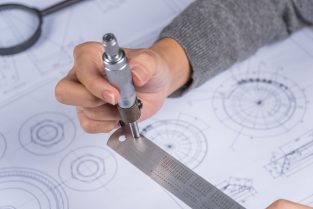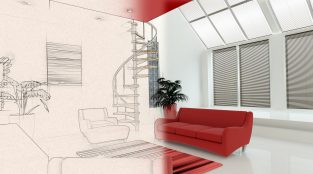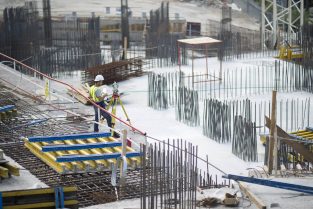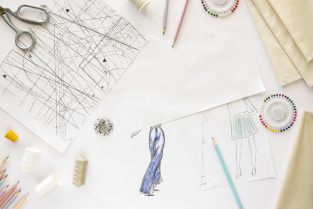
Structural Steel Shop Drawings

Are you planning to take a dive into the construction industry? If yes, and you are an artist, the structural steel shop industry can be the best fit for you. Structural steel shop drawings are in high demand in the construction market and play a crucial role in constructing steel structures.

However, making a well-organized structural steel shop drawing can be daunting. So, we have given you a guide to structural steel shop drawings to help you develop the best one.

Understand structural steel shop drawings

Purpose: Structural steel shop drawings form a roadmap for contractors, erectors, and fabricators. It acts as a guide towards appropriate dimensions, connections, and specifications of the steel components to be employed in the building or the structure.

Hence, the purpose of structural steel shop drawings is to communicate strongly between the design team and the fabrication or erection team. Else how, who would give life to your design into physical steel components.

Components: You must know the basic components used in the construction industry to inculcate them in your drawings. Beams, columns, trusses, braces, connections, anchor belts, etc., are essential components of structural steel shop drawings.

Standards and codes: Abiding by the regulations and standards set by the construction industry is an important factor, and it must reflect in the structural steel shop drawings.

The standards are set keeping in mind the integrity of the structures. Hence, you must know the local building codes and industry compliances before approaching your drawing.

Key elements in structural steel shop drawings

Now that you know what purpose a structural steel shop drawing serves, you must equip yourself with the key elements to be included.

General notes: Adding general notes to structural steel shop drawings facilitates communication between the design and the construction team. It conveys important information about the project, materials, fabrication, quality standards, and other special instructions, thus forming a key element in structural steel shop drawings.

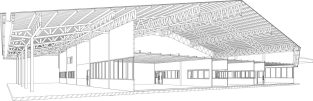
Elevation and section views give your steel shop drawings a structural view. Elevation and section views show the relationships and connections between the vertical and horizontal arrangement of the steel components.

Plan views: Besides the horizontal and vertical arrangement of steel structures, your drawings must have a plan view. It refers to how various steel elements are located, including their sizes and dimensions.

Details and connections: Now comes the part where you connect different steel structure elements to ensure proper assembly. Different details showing connections between the steel components are bolts, welds, and fasteners.

Bill of materials: Last but not least, you must include the bill of materials associated with your structural steel shop drawings. It assists the resource management team in providing the constructors with the right quantity of materials with the proper size and specifications, thus streamlining the overall project.

Creating structural steel shop drawings

It is time to finally get your hands dirty and create structural steel shop drawings. However, there are some points you must keep in mind to come up with a structural steel shop drawing that serves the purpose well.

Collaboration: Remember that you can not create a structural steel shop drawing alone. A healthy collaboration with other teams of the construction project is essential. Hence, you must ensure you are on the same page with the design team, including the fabricators and erectors.

Design intent interpretation: Your drawings must convey the design intent to other departments. This includes the fabricators and erectors, as they will implement the design.

Coordinating with other trades: Coordinating with other trades is as important as collaborating with the construction team. It must be planned considering other trades, such as mechanical, plumbing, electrical, etc. This helps you avoid clashes and integrate the plan swiftly.

Accuracy and detail: Paying attention to details is familiar; you must implement them in your structural steel shop drawings. It ensures the accuracy and precision of your drawings, incorporating the tolerances, measurements, and clear labelling of various components.

Reviewing structural steel shop drawings

Once you finish your drawing, you must review it before you let it out. You must verify several factors to ensure the structural steel shop drawing maintains the integrity of structures and buildings.

Compliance: When your structural steel shop drawing is ready with all your dedication and effort, you want it to be safe from being thrown in the trash for not complying with the legal standards. Hence, reviewing your drawing and checking if it abides by all the specifications, codes, and standards is always best.

Constructability: Your structural drawings are only useful if they can be implemented practically. Hence, you must review it for constructability, considering the factors such as access, sequencing, and practicality during fabrication and erection.

Coordination: As mentioned in the previous section, coordination with other trades is necessary. So, if there are any clashes or interferences, they should be addressed to maintain the integrity of the structure.

Accuracy and completeness: Lastly, ensuring your structural steel shop drawing is complete, accurate, and in proper flow with the other project requirements is necessary.

Structural steel shop drawings are detailed drawings prepared by structural steel fabricators based on the structural design drawings provided by the structural engineer. These drawings provide specific information about the fabrication and installation of steel components in a construction project. Here are some key points about structural steel shop drawings:

  1. Purpose: The main purpose of structural steel shop drawings is to provide precise details and instructions to the fabricators regarding the production of steel elements, such as beams, columns, trusses, connections, and other components. These drawings act as a roadmap for fabricators to ensure accurate manufacturing and assembly.
  2. Content: Shop drawings typically include a range of information, such as dimensions, material specifications, member sizes, welding details, connection types, bolt sizes, and other relevant data. They may also include assembly instructions, erection sequencing, and any additional requirements specific to the project.
  3. Compliance: Structural steel shop drawings must comply with the design intent of the structural engineer’s drawings, applicable codes and standards, and any project-specific requirements. They are reviewed and approved by the engineer or other relevant stakeholders to ensure accuracy and adherence to the design.
  4. Coordination: Shop drawings facilitate coordination between different trades involved in the construction project. They provide valuable information to architects, engineers, contractors, and other stakeholders, enabling them to visualize the steel elements and plan their work accordingly. Shop drawings also help identify clashes or conflicts with other building components, allowing for timely resolutions.
  5. Fabrication Process: Fabricators use the shop drawings to procure the necessary steel materials, cut and shape the components, assemble them, and prepare them for delivery to the construction site. The drawings act as a guide throughout the fabrication process, ensuring that the finished products align with the design intent.
  6. Detailing Software: Structural steel shop drawings are typically created using specialized computer-aided design (CAD) software, such as AutoCAD or Tekla Structures. These software tools allow for precise modeling of steel components, generation of detailed drawings, and the creation of accurate bills of materials.

It’s important to note that the responsibility for the accuracy and completeness of shop drawings lies with the fabricator, while the structural engineer remains responsible for the overall design and structural integrity of the project. Effective communication and collaboration between the engineer, fabricator, and other project stakeholders are crucial for the successful production and installation of structural steel components.

Conclusion

Structural steel shop drawings act as the bible for construction projects, containing all essential elements to ensure proper fabrication and erection of the steel structures. However, there are many factors you must consider while making a steel shop drawing to give rise to a grand structure with a streamlined project. Hence, you can follow this guide on a great creative journey.

What are structural steel shop drawings?u003cbru003e

Structural steel shop drawings are detailed drawings created by steel fabricators or drafters to guide the fabrication and installation of structural steel components in construction projects. These drawings provide precise information about the dimensions, shapes, materials, and connections of each steel element, such as beams, columns, braces, and trusses.u003cbru003eu003cbru003eu003cstrongu003eKey components typically included in structural steel shop drawings are:u003c/strongu003eu003cbru003eu003cstrongu003eElevation Drawings:u003c/strongu003e Show the front, side, or end views of the steel members, indicating their size, shape, and location.u003cbru003eu003cstrongu003ePlan Drawings:u003c/strongu003e Provide a top-down view of the steel structure, detailing the layout of beams, columns, and other elements.u003cbru003eu003cstrongu003eDetail Drawings:u003c/strongu003e Focus on specific connections, joints, or other intricate parts of the steel structure, providing detailed information for fabrication and installation.u003cbru003eu003cstrongu003eMaterial Lists:u003c/strongu003e Include lists of materials needed for fabrication, such as types and sizes of steel sections, bolts, welds, and other components.u003cbru003eu003cstrongu003eDimensional Information:u003c/strongu003e Precisely specify dimensions, tolerances, and other important measurements to ensure proper fit and alignment during fabrication and construction.u003cbru003eu003cstrongu003eWelding Symbols:u003c/strongu003e Indicate the location, type, and size of welds required to join steel members together.

What is steel structure drawing?

A steel structure drawing is a detailed technical illustration or diagram that depicts the design and specifications of a steel structure. These drawings are typically created by architects, structural engineers, or draftsmen and serve as a blueprint for constructing steel buildings, bridges, towers, or other structures.u003cbru003eu003cbru003eu003cstrongu003eSteel structure drawings include various elements such as:u003c/strongu003eu003cbru003eu003cstrongu003eOverall Layout:u003c/strongu003e This provides an overview of the entire structure, showing its dimensions, placement, and orientation.u003cbru003eu003cstrongu003eFoundation Details:u003c/strongu003e These drawings depict the foundation design, including the type of foundation, its dimensions, reinforcement details, and connection points with the steel structure.u003cbru003eu003cstrongu003eFramework:u003c/strongu003e The framework drawings show the arrangement and configuration of steel beams, columns, braces, and other structural elements. This includes details such as member sizes, connections, and welding specifications.u003cbru003eu003cstrongu003eConnections:u003c/strongu003e Detailed drawings of connections between structural members, including welds, bolts, or other fastening methods, are crucial to ensure the stability and strength of the structure.u003cbru003eu003cstrongu003eStairs, Platforms, and Accesses:u003c/strongu003e If applicable, drawings for stairs, platforms, ladders, and other access components are included to facilitate movement within the structure.u003cbru003eu003cstrongu003eMaterial Specifications:u003c/strongu003e Specifications for the type and grade of steel, as well as any other materials used in the structure, are often included in these drawings.u003cbru003eu003cstrongu003eLoads and Forces:u003c/strongu003e Information about the expected loads, forces, and stresses that the structure will need to withstand is also documented, guiding the design and construction process.


JH

James Hartley

Senior Mechanical Engineer · BEng (Mechanical), UQ · Member, Engineers Australia · ASTCAD, Brisbane

James has 14 years of hands-on experience delivering CAD design, structural drafting, and engineering documentation across Australia’s mining, oil & gas, and manufacturing sectors. He specialises in SolidWorks, Autodesk Inventor, and AutoCAD for complex multi-discipline projects.

More articles by James Hartley →
Australian cad design Industry

The CAD industry is evolving at a fast pace in today’s scenario. It should not surprise you as we all know the benefits of Computer Aided Design over old-school methods. You could not agree more about architectural drawings; the Australian CAD design industry seems to excel at it.

Australian cad design Industry

While the Australian CAD design industry has its charm, it is not without challenges. So, let us dig deeper and find out how to overcome the Australian CAD design industry challenges.

Technological advancements

Like any other industry, CAD design keeps bringing something new with continuous technological advancements. While it is a boon to the Australian CAD design industry in handling architectural projects smartly, it may also be difficult to cope with.

The employees may not be skilled with the latest technologies, thus creating a knowledge gap. However, it is not a challenge that cannot be overcome. Hence, organizations must prioritise employee training and equip them with the skillset and knowledge of the latest software and tools in the CAD design industry.

Cost and competition

Competition is another challenge the Australian CAD industry faces. Many companies offer CAD solutions for architectural drawings and structural designs, thus creating competition. However, clients are desperate to seek cost-effective and specialised services.

Hence, the best way to overcome this challenge is to stand out. Companies can streamline and optimise their CAD solution to enhance efficiency and reduce costs. Moreover, specialised services and expertise in specific niches can give an upper hand to tackle the competition.

Intellectual property protection

Security issues never go out of date. It is also true for the CAD industry in Australia. Companies struggle to protect their intellectual property and maintain client data confidentiality.

Hence, companies should tighten their security features by providing only limited access to data, adopting encryption, and signing non-disclosure agreements. This goes all the way towards safeguarding sensitive information.

Collaboration and communication

Collaboration is an essential element in dealing with architectural projects. Moreover, effective communication is informative in interacting with clients, stakeholders, engineers, architects, etc.

But it might be challenging for companies to instil these qualities in their employees. However, many project management tools help streamline project collaboration and enhance communication skills to approach clients smartly.

Quality assurance

High-quality projects are in demand when we talk about the Australian CAD industry. However, maintaining quality and minimizing errors throughout architectural drawings and designs can be daunting.

Hence, to tackle the challenges associated with quality assurance, you can utilize design validation tools and conduct regular design reviews. This helps you eliminate design errors and develop high-quality designs using CAD.

Talent retention and recruitment

Creating a strong team is important in the CAD design industry. However, companies may need to help recruit employees with an advanced skill set and high experience. Moreover, employee retention may also be a challenge in case of an uncooperative work environment.

Hence, companies must offer competitive salaries and incentives to retain talented employees. Moreover, investing in freshers’ personal and professional growth can improve their skillset, ultimately contributing to the CAD design industry.

Sustainability and Environmental Concerns

Environmental protection is a concern in every industry, including the Australian CAD design sector. Many construction materials harm the environment. However, companies can use sustainable methods to overcome environmental challenges.

Such practices include eco-friendly and energy-efficient elements in CAD designs. This can help the Australian CAD design industry to abide by environmental laws.

Regulatory compliance

Like any industry, the Australian CAD design field is not without regulatory compliance. There are many regulations CAD companies must abide by, such as building codes, safety standards, and intellectual property laws.

However, not all companies can keep track of all laws and regulations, which might land them in trouble. Hence, the only way to tackle this challenge is for companies to invest in training associated with regulatory compliance. This helps create awareness among employees and follow protocols set by the government.

Overcoming Challenges in the Australian cad design Industry

The Australian CAD (Computer-Aided Design) industry, like any other industry, faces its own set of challenges. Overcoming these challenges requires a combination of innovation, adaptation, and strategic planning. Here are some key challenges faced by the Australian CAD design industry and potential strategies to overcome them:

  1. Technological Advancements and Training: CAD software and technologies are constantly evolving. It can be challenging for designers to keep up with the latest tools and techniques. Investing in regular training and upskilling programs for CAD professionals is essential. Industry associations and educational institutions can play a role in providing relevant workshops, courses, and certifications to ensure designers are equipped with the latest skills.
  2. Global Competition: With the rise of remote work and global collaboration, Australian CAD designers face competition from around the world. To compete effectively, focus on specialization and offering unique expertise in specific niches. Collaborative platforms and freelance networks can also help Australian designers connect with international clients and projects.
  3. Cost-Effectiveness: Running a CAD design business can be expensive due to software licenses, hardware, and infrastructure costs. Embracing cloud-based CAD solutions can help reduce initial investment and ongoing maintenance costs. Additionally, exploring outsourcing options for non-core tasks or collaborating with cost-effective offshore partners can help manage expenses.
  4. Intellectual Property Protection: Protecting intellectual property (IP) rights can be challenging, especially in a digital environment. Developing clear contracts and agreements with clients that outline ownership and usage rights of CAD designs is crucial. Legal counsel can provide guidance on drafting robust contracts that protect designers’ interests.
  5. Regulatory Compliance: CAD designs in certain industries, such as construction and manufacturing, need to adhere to strict regulations and standards. Staying informed about industry-specific guidelines and ensuring designs meet compliance requirements is essential. Collaborating closely with regulatory bodies and staying updated on changes can help prevent costly delays or redesigns.
  6. Data Security: CAD designs often contain sensitive and confidential information. Implementing robust cybersecurity measures, such as encryption, secure file sharing protocols, and regular software updates, can help protect against data breaches and unauthorized access.
  7. Sustainability and Environmental Considerations: As sustainability becomes a key focus globally, integrating environmentally friendly design practices into CAD workflows is crucial. This could involve using materials with lower environmental impact, optimizing designs for energy efficiency, and exploring sustainable manufacturing processes.
  8. Client Communication and Expectations: Clear communication with clients throughout the design process is vital to ensure their needs are met and expectations are managed. Regular updates, prototypes, and interactive design reviews can help clients visualize the final product and provide feedback early in the process, reducing the likelihood of costly revisions later.
  9. Infrastructure and Connectivity: Access to reliable high-speed internet and technology infrastructure is essential for CAD designers, especially those working remotely. Advocating for improved infrastructure in collaboration with local governments and industry associations can help address this challenge.
  10. Innovation and Differentiation: Staying innovative and offering unique design solutions is key to standing out in a competitive market. Encouraging a culture of creativity and continuous improvement within design teams can foster new ideas and approaches.

Conclusion 

The Australian CAD industry is blooming with every passing day. But many challenges prevent it from flourishing at the expected rate. However, proper training, education, and effective management tools can help companies overcome the challenges and grow towards a revolutionary CAD industry.

How is CAD used in the design industry?u003cbru003e

u003cstrongu003eComputer-Aided Design (CAD) revolutionized the design industry by providing powerful tools for creating, modifying, analyzing, and optimizing designs. Here’s how CAD is used in the design industry:u003c/strongu003eu003cbru003eu003cbru003eu003cstrongu003eConceptualization and Visualizationu003c/strongu003e: CAD software allows designers to create detailed 2D and 3D models of their concepts. This helps in visualizing the final product or structure before actual production begins.u003cbru003eu003cstrongu003ePrecision and Accuracyu003c/strongu003e: CAD enables precise measurements and calculations, ensuring that designs meet exact specifications. This is crucial in industries such as architecture, engineering, and manufacturing where accuracy is paramount.u003cbru003eu003cstrongu003eIterative Design Processu003c/strongu003e: CAD facilitates an iterative design process, where designers can quickly make changes to their models based on feedback and testing. This accelerates the design cycle and helps in refining the final product.u003cbru003eu003cstrongu003eCollaboration and Communicationu003c/strongu003e: CAD software allows multiple designers to work on the same project simultaneously, even if they are located in different geographic locations. This promotes collaboration and streamlines communication among team members.u003cbru003eu003cstrongu003eSimulation and Analysisu003c/strongu003e: CAD software often includes simulation and analysis tools that help designers evaluate the performance of their designs under different conditions. This includes stress analysis, fluid dynamics, thermal analysis, and more.u003cbru003eu003cstrongu003ePrototyping and Manufacturingu003c/strongu003e: CAD models can be used to create prototypes through various methods such as 3D printing, CNC machining, or rapid prototyping. Once the design is finalized, CAD models serve as the basis for manufacturing processes, ensuring that the end product matches the original design specifications.u003cbru003eu003cstrongu003eDocumentation and Documentationu003c/strongu003e: CAD software generates detailed documentation including drawings, specifications, bill of materials (BOM), and assembly instructions. This documentation is essential for communicating design intent to stakeholders, suppliers, and manufacturers.

What industry is CAD in?u003cbru003e

CAD (Computer-Aided Design) sits at the heart of Australia’s engineering, architecture, manufacturing, and construction sectors. At ASTCAD, we specialise in helping Australian firms leverage CAD technology to streamline their design processes, whether you’re working on commercial buildings, infrastructure projects, or manufacturing components. Our expertise spans residential and industrial drafting, ensuring your designs meet Australian building codes and standards while optimising efficiency and cost-effectiveness across your projects.


JH

James Hartley

Senior Mechanical Engineer · BEng (Mechanical), UQ · Member, Engineers Australia · ASTCAD, Brisbane

James has 14 years of hands-on experience delivering CAD design, structural drafting, and engineering documentation across Australia’s mining, oil & gas, and manufacturing sectors. He specialises in SolidWorks, Autodesk Inventor, and AutoCAD for complex multi-discipline projects.

More articles by James Hartley →
3D Product Modeling Service

Did you know you can use a computer to create a digital representation of a product? This process is known as a 3D product modelling service and is quite convenient. The usage of this technology can be seen across tons of industries like manufacturing and product design, engineering, and architecture. How does it help? It ensures you can get the most accurate visualization of the entire product and make sense of the intricate details. We have tried to discuss some of the most important factors of this process:

Software

Usually, there are multiple software choices available, and these include Autodesk Fusion 360, SketchUp, Blender and SolidWorks. All these are quite good options for 3D product modelling software. Why so? They allow the designers to incorporate all the promising components of 3D product modelling like dimensions, materials and even textures.

Benefits

The benefits of it are also quite far-reaching for manufacturers, designers, and engineers. Why? It saves you a lot of time for prototypes and also gives you more accurate options. This is probably one of the most efficient ways of making a design with high levels of precision.

Process

The process of creating a 3D model is usually complex. The first thing you need to do is create a 3D photo that should come from the 2D drawing or photograph of the model. Then the model goes through many revisions to ensure there is no error and one can produce the ultimate precise representation.

Applications

You will be able to use the 3D model very easily across different platforms. These include architecture, product design, engineering and sometimes even manufacturing. Sometimes they can be used for virtual testing as well as simulations. You can also use them for visualisation and creating a prototype of products!

Output

And finally, we come to the output of the product modelling. You can use it for many instances like 2D drawing, creating 3D printing as well as photorealistic rendering that you can use for marketing and advertising purposes.

Creating a three-dimensional representation of a physical product and that too digitally is known as a 3D product modelling service. The idea is very simple – you take a 2D product and convert it into a 3D project. This can be used for different instances like visualization, design, manufacturing, prototypes, and marketing.

Usually, you need to use computer-aided design software to create these models. The designer must incorporate dimensions, textures, and materials to create the virtual model. One can actually visualise the model from any angle. Then it has to go through different revisions until you can finally adjust it and make it the best version of the physical image of the product.

When you use this method, it is a given that you will be able to make use of it across various instances. This includes product design, engineering, architecture and manufacturing too. You can use it for photorealistic rendering, marketing, and rendering requirements.

3D Product Modeling Service for industries

A 3D Product Modeling Service for industries involves creating three-dimensional digital representations of physical objects or products using specialized software and techniques. This service is particularly beneficial for various industries, including manufacturing, architecture, interior design, e-commerce, advertising, gaming, and more. Here’s an overview of what this service entails and its potential benefits:

Service Overview: A 3D Product Modeling Service offers the following key features:

  1. Accurate Representation: Skilled 3D modelers create accurate and detailed digital models of physical products, capturing their shape, texture, color, and other intricate details.
  2. Customization: The service can be tailored to meet the specific needs and requirements of each industry. Models can be created from scratch or based on existing designs, blueprints, or photographs.
  3. Prototyping and Visualization: 3D models help visualize products during the design and development stages, allowing businesses to identify potential design flaws, make improvements, and iterate quickly.
  4. Marketing and Advertising: 3D models are valuable for creating high-quality visual content for marketing materials, presentations, and advertisements. They can be used to showcase products from various angles, highlight features, and demonstrate functionality.
  5. Virtual Reality (VR) and Augmented Reality (AR): 3D models can be integrated into VR and AR experiences, allowing potential clients to interact with products virtually and make informed decisions.
  6. Reduced Costs and Time: Creating physical prototypes can be time-consuming and expensive. 3D modeling reduces the need for physical prototyping, saving time and resources.
  7. Global Collaboration: 3D models can be easily shared and accessed online, facilitating collaboration among teams located in different geographic locations.

Benefits for Industries:

  1. Manufacturing: 3D models assist in designing, prototyping, and testing products before manufacturing, reducing errors and ensuring efficient production processes.
  2. Architecture and Interior Design: Architects and designers can use 3D models to visualize and present building designs and interior spaces to clients, helping them make informed decisions.
  3. E-commerce: High-quality 3D product visuals enhance online shopping experiences by providing customers with a realistic representation of products, potentially leading to increased sales.
  4. Advertising and Media: 3D models are valuable assets for creating eye-catching visuals in advertisements, video games, animations, and other media.
  5. Healthcare: Medical equipment and devices can be modeled and visualized in 3D for research, training, and educational purposes.
  6. Automotive and Aerospace: 3D models aid in designing and testing vehicle prototypes and components.
  7. Fashion and Jewelry: Designers can create virtual prototypes of clothing, accessories, and jewelry items before production.

To start a 3D Product Modeling Service, you’ll need skilled 3D modelers proficient in software like Blender, Autodesk Maya, or SolidWorks, depending on the industry. You’ll also need hardware capable of handling the demands of 3D rendering. Marketing your service to various industries, showcasing your portfolio, and demonstrating the benefits of 3D modeling will be crucial for attracting clients.

Conclusion

The concept of 3D product modelling is extremely important and useful for designers. It can help you create the perfect product representation, which could be used for different segments, like reducing the time required for any product, physical prototyping, and effective testing.


JH

James Hartley

Senior Mechanical Engineer · BEng (Mechanical), UQ · Member, Engineers Australia · ASTCAD, Brisbane

James has 14 years of hands-on experience delivering CAD design, structural drafting, and engineering documentation across Australia’s mining, oil & gas, and manufacturing sectors. He specialises in SolidWorks, Autodesk Inventor, and AutoCAD for complex multi-discipline projects.

More articles by James Hartley →
Sheet Metal Design Services

This is one of the most important branches of mechanical engineering and is usually used for different segments like metal components and parts using sheet metal. What is sheet metal? It is an extremely thin piece of metal and usually flat as well. You can roll it out and bend it in different forms, shapes, or sizes.

Sheet Metal Design Services

Using sheet metal is usually seen in creating customised products for different machines. This completely depends on the needs of the clients. Some of the services include :

CAD Modeling and Design

The sheet metal design starts with the CAD modelling and design of the desired part. You will need to use specific software that is accurate and can help you to create the design with such high levels of efficiency. It also helps you to get the most authentic representation of the metal sheet.

Selection of Material

As you can make out from the name, the process also involves selecting the perfect material. It is understanding which is the kind of material which is perfect for the application and will be able to last you longer. Usually, different factors like the cost, durability and applicability of the sheet play an important role in selecting materials.

Prototyping

After the creation of the CAD model, next comes the creation of the prototype of the sheet metal. Why is it important? It allows you to understand the functionality of the sheet metal and whether it is right for usage. You will also be able to understand if there are any flaws that you will need to work upon.

Fabrication and Assembly

The design will involve complete fabrication and assembly of the sheet metal design. What does it involve? It incorporates things like cutting, bending, and forming sheet metal. Usually, you will use special equipment like a CNC machine or even laser cutters.

Quality Comfort

And finally, the segment of quality control comes in. This ensures that the sheet metal produced is the mark and can be used by people. It meets the required standards as well. Usually, different components like durability, strength and other components are tested.

There are usually different benefits associated with the sheet metal design, which can be used easily. Some of the major benefits that are associated with this are:

●    Customisations

The sheet metal design is such that it understands the perfect requirement for every customer. They will be able to create parts which are fit for the requirement and tailored to the unique needs. The final product is thus customised, and you will be able to increase the efficiency of the part as well.

●    Cost Effective

The sheet metal design can also help you to save some money. How? You can use only the little bit required for your product by optimising the sheet metal for your requirements. It will help you save a lot of money, and you will see that it adds to significant savings over the period.

●    Enhanced Efficiency

The sheet metal design service can also help you to enhance the efficacy of manufacturing. When you optimise the design parts and products, it automatically ensures that you can reduce the time and labour involved. It will help you increase the production time and the speed of production.

●    Better Quality

The sheet metal design is also extremely effective in ensuring that the end product meets the quality standards. Using the highly sophisticated tools, you will be able to anticipate if there are any associated problems and that too before the production time. This will help you have end products that are much better in quality and standards.

●    Faster Turnaround Time

And finally, you will be able to get a much faster turnaround time as well. You can make your products available in the market faster than you think. When you use an expert sheet metal design service, you effectively need less time for designing or prototype implementation.

What are the design considerations for sheet metal?u003cbru003e

Designing with sheet metal involves a variety of considerations to ensure the final product meets its functional requirements while also being cost-effective to produce. Here are some key design considerations for sheet metal:u003cbru003eu003cbru003eu003cstrongu003eMaterial Selectionu003c/strongu003e: Choose the appropriate material based on factors such as strength, corrosion resistance, and formability. Common options include steel, aluminum, stainless steel, and copper.u003cbru003eu003cstrongu003eThicknessu003c/strongu003e: Determine the appropriate thickness of the sheet metal based on structural requirements, weight constraints, and manufacturing capabilities.u003cbru003eu003cstrongu003eBend Radiusu003c/strongu003e: Understand the minimum bend radius for the chosen material to avoid cracking or deformation during bending operations.u003cbru003eu003cstrongu003eToleranceu003c/strongu003e: Specify tolerances for dimensional accuracy, especially for features critical to the part’s function or assembly.u003cbru003eu003cstrongu003eDesign for Manufacturing (DFM)u003c/strongu003e: Design parts with manufacturing processes in mind to minimize complexity, reduce production costs, and improve manufacturability. This includes considerations like avoiding sharp corners, simplifying geometries, and optimizing nesting for material utilization.u003cbru003eu003cstrongu003eForming Operationsu003c/strongu003e: Consider the forming processes required, such as bending, stretching, or deep drawing, and design features accordingly. Incorporate features like flanges, ribs, and stiffeners to enhance strength and rigidity.u003cbru003eu003cstrongu003eHole Placement and Sizeu003c/strongu003e: Position holes strategically to facilitate assembly and ensure proper alignment. Pay attention to the size and shape of holes to avoid weakening the material or causing distortion.u003cbru003eu003cstrongu003eSurface Finishu003c/strongu003e: Specify surface finishes, such as painting, powder coating, or anodizing, based on functional requirements and aesthetic considerations.u003cbru003eu003cstrongu003eAssembly Methodu003c/strongu003e: Design parts for ease of assembly, considering features like tabs, slots, and fastener locations. Minimize the number of separate components and assembly steps where possible.u003cbru003eu003cstrongu003ePrototyping and Testingu003c/strongu003e: Prototype designs to validate form, fit, and function before full-scale production. Perform testing to assess performance under real-world conditions and identify any necessary design improvements.

What does a sheet metal designer do?

A sheet metal designer is responsible for creating and designing metal parts and products using sheet metal. Their primary focus is on designing components that will be fabricated from thin, flat sheets of metal, such as steel, aluminum, or copper. Here are some key responsibilities of a sheet metal designer:u003cbru003eu003cstrongu003eDesigning Partsu003c/strongu003e: Sheet metal designers create detailed designs and drawings for various metal parts and components based on project requirements and specifications.u003cbru003eu003cstrongu003eMaterial Selectionu003c/strongu003e: They choose the appropriate type and thickness of sheet metal based on factors like the intended use, structural requirements, and budget constraints.u003cbru003eu003cstrongu003eCAD Modelingu003c/strongu003e: Using computer-aided design (CAD) software, they develop 3D models of sheet metal components and assemblies, ensuring accuracy and feasibility for manufacturing.u003cbru003eu003cstrongu003eDimensioning and Tolerancingu003c/strongu003e: Sheet metal designers specify precise dimensions, tolerances, and geometric features on drawings to ensure proper fit, alignment, and functionality of parts.u003cbru003eu003cstrongu003eDeveloping Flat Patternsu003c/strongu003e: They create flat patterns or unfold sheet metal parts into 2D shapes, considering factors like bend allowances, material stretch, and deformation during forming processes.u003cbru003eu003cstrongu003eNesting and Optimizationu003c/strongu003e: In manufacturing processes like laser cutting or CNC punching, they optimize the layout of parts on metal sheets to minimize material waste and maximize efficiency.u003cbru003eu003cstrongu003eCollaborationu003c/strongu003e: Sheet metal designers often collaborate with engineers, manufacturers, and other stakeholders to refine designs, address manufacturing challenges, and ensure quality and performance standards are met.u003cbru003eu003cstrongu003eKnowledge of Manufacturing Processesu003c/strongu003e: They have a good understanding of various sheet metal fabrication techniques such as bending, punching, welding, and forming, and design parts accordingly to optimize production.u003cbru003eu003cstrongu003eQuality Assuranceu003c/strongu003e: Sheet metal designers may be involved in quality control processes, inspecting fabricated parts to ensure they meet design specifications and standards.


JH

James Hartley

Senior Mechanical Engineer · BEng (Mechanical), UQ · Member, Engineers Australia · ASTCAD, Brisbane

James has 14 years of hands-on experience delivering CAD design, structural drafting, and engineering documentation across Australia’s mining, oil & gas, and manufacturing sectors. He specialises in SolidWorks, Autodesk Inventor, and AutoCAD for complex multi-discipline projects.

More articles by James Hartley →
mechanical cad drafting

Mechanical CAD (Computer-Aided Design) drafting involves using specific software to create a detailed technical design of mechanical components and systems. These technical drawings focus on dimension precision, geometric details, annotation, and other required details in manufacturing and assembly.

Using Mechanical CAD drafting software, designers and engineers can create, alter, and dissect designs virtually before drafting the physical prototype or manufacturing the parts. In this way, they can enhance the design in terms of functionality, manufacturability, and budget-friendliness.

Tools involve in Mechanical CAD Drafting 

Throughout the whole designing process, Mechanical CAD Drafting helps the designers with its various precisely crafted tools and features. Have a look-

  • 2D Drafting Tools: to create and edit descriptive 2D drawings of the mechanical parts and system.
  • 3D Modeling Tools: to produce and module 3D model of the mechanical parts and system for better visualization and counterfeiting.
  • Simulation and Analysis Tools: to test and amend the designs regarding stress, strain, and fluid flow.
  • Collaboration Tools: to make the designers and engineers collaborate for work on projects, no matter where they are working from.

Mechanical CAD (computer-aided design) drafting employs specialist software to generate precise and comprehensive technical drawings of mechanical objects.

Though it may not seem as innovative as many technologies. However, it has significance when it comes to innovative processes.

Innovation through Mechanical CAD

The following are how Mechanical CAD (computer-aided design) can be used to generate innovation:

Iterative Design: Mechanical CAD drafting enables engineers and designers to draw and mould a descriptive design of mechanical objects in less time. It also helps in the design process where the designers get to verify and magnify their ideas which helps them grasp a highly innovative and exquisite design.

Collaboration: Not only in designing but Mechanical CAD drafting takes care of other aspects as well. It helps engineers and designers collaborate in real-time, irrespective of their localities.

Simulation and Analysis: The simulation and analysis tool of Mechanical CAD drafting enables the engineer to check and verify the design on virtual media beforehand. Doing this helps them tackle and resolve any major or minor issues in design before the physical prototype is generated. This step helps in getting a highly innovative and trustable design.

Embedded with other technologies: Mechanical CAD drafting is also leveraged with other significant technologies, for instance, 3D printing and virtual reality. These advanced technologies pave the way to generating a more innovative and intriguing design experience.

What are Mechanical CAD drafting Services? 

Mechanical CAD drafting service provides services related to drawing and design for mechanical components and systems with the help of precise software. It is a service specially offered by designers and engineering firms. However, freelancers who master Mechanical CAD drafting also provide the service.

Mechanical CAD drafting has vivid kind of activities as a service to provide. These are:

  • Generating 2D and 3D technical drawings of the mechanical parts and systems that inculcate descriptive annotations and specifications.
  • Generating a 3D model of the mechanical parts and systems that benefit from visualization and simulation.
  • Examining and enhancing the designs regarding manufacturability, operability, and budget-friendliness.
  • Enabling a quick simulation and examination of the design to make it precise regarding stress, strain, and fluid flow.
  • Collaborative work of the engineers and designers working in different times and spaces to meet every specification and requirement of the project’s final product.

Mechanical CAD drafting services are available in various fields, namely automotive, aerospace, and manufacturing. These services help in places where precision and accuracy are significant. For projects where the physical prototype and its test are time-taking and expensive, and no errors are affordable, this service works as a boon to designers and engineers.

Conclusion

To conclude, mechanical CAD drafting services are invaluable for businesses and individuals looking for a top-notch design service for producing their mechanical parts and systems.

What is mechanical drafting drawing?u003cbru003e

Mechanical drafting drawing, often simply referred to as mechanical drafting or technical drawing, is a discipline of creating detailed visual representations of mechanical and technical components, machines, structures, and systems. These drawings are typically created by engineers, drafters, and designers to communicate design ideas, specifications, and instructions to manufacturers, contractors, and other stakeholders involved in the production or construction process.u003cbru003eu003cbru003eMechanical drafting drawings utilize standardized symbols, lines, and notations to accurately convey dimensions, materials, tolerances, and other important details. These drawings can range from simple sketches to highly detailed and precise technical illustrations, depending on the complexity of the object being depicted and the requirements of the project.u003cbru003eu003cbru003eu003cstrongu003eCommon types of mechanical drafting drawings include:u003c/strongu003eu003cbru003eu003cstrongu003eOrthographic Drawings:u003c/strongu003e These are 2D representations of an object from multiple views (e.g., top, front, side) to provide a comprehensive understanding of its shape and dimensions.u003cbru003eu003cstrongu003eIsometric Drawings:u003c/strongu003e These are 3D representations of an object where all three dimensions are equally foreshortened, resulting in a distorted yet visually informative view.u003cbru003eu003cstrongu003eExploded Views:u003c/strongu003e These drawings show how individual components of an assembly fit together by separating them spatially while still maintaining their relative positions.u003cbru003eu003cstrongu003eAssembly Drawings:u003c/strongu003e These depict how various parts come together to form a complete product or system, often including detailed instructions for assembly.u003cbru003eu003cstrongu003eDetail Drawings:u003c/strongu003e These focus on specific components or parts of a larger assembly, providing detailed information about their design, dimensions, and materials.

What is in a structural drawing?u003cbru003e

Structural drawings are a vital component of construction documentation, providing detailed information about the structural elements of a building or infrastructure project. These drawings typically include:u003cbru003eu003cbru003eu003cstrongu003eFoundation Plans:u003c/strongu003e These show the layout and dimensions of the building’s foundation, including footings, piles, or other support structures.u003cbru003eu003cstrongu003eFloor Framing Plans:u003c/strongu003e These illustrate the structural framework of each floor, including beams, joists, and columns.u003cbru003eu003cstrongu003eRoof Framing Plans:u003c/strongu003e Similar to floor framing plans but for the roof structure, showing rafters, trusses, and other components.u003cbru003eu003cstrongu003eWall Sections:u003c/strongu003e These drawings provide cross-sectional views of walls, indicating the materials used and how they are assembled, including any reinforcements such as steel or concrete.u003cbru003eu003cstrongu003eColumn and Beam Details:u003c/strongu003e Detailed drawings of columns and beams, showing dimensions, reinforcement details, and connection methods.u003cbru003eu003cstrongu003eStructural Notes and Specifications:u003c/strongu003e These provide important information such as material specifications, load capacities, and construction standards.u003cbru003eu003cstrongu003eReinforcement and Steel Detailing:u003c/strongu003e Detailing of reinforcement bars in concrete elements, including sizes, spacing, and placement, as well as steel connections.u003cbru003eu003cstrongu003eStaircase and Elevator Shaft Details:u003c/strongu003e Drawings showing the structural elements of stairs and elevator shafts, including supports and connections.u003cbru003eu003cstrongu003eBracing and Shear Wall Details:u003c/strongu003e Details of bracing systems and shear walls used to provide stability and resist lateral forces such as wind or seismic loads.u003cbru003eu003cstrongu003eMiscellaneous Details:u003c/strongu003e Other structural elements such as retaining walls, canopies, or special structural features unique to the project.


JH

James Hartley

Senior Mechanical Engineer · BEng (Mechanical), UQ · Member, Engineers Australia · ASTCAD, Brisbane

James has 14 years of hands-on experience delivering CAD design, structural drafting, and engineering documentation across Australia’s mining, oil & gas, and manufacturing sectors. He specialises in SolidWorks, Autodesk Inventor, and AutoCAD for complex multi-discipline projects.

More articles by James Hartley →
Structural 2D-3D Drafting Service

Structural drawings are an essential component of construction projects. They form the soul of buildings and structures, taking them through fabrication and erection. Over the evolution of mankind, structural drawings and drafting have also reached a higher level.

What is Structural 2D-3D Drafting Service?

They are now available as services by professionals with advanced knowledge of 2D and 3D structural drawings. Let’s try to understand structural 2D and 3D drafting services, their benefits, and their differences.

What is structural 2D drafting?

Structural 2D drafting is the process of creating technical drawings highlighting the dimensions, materials, and structure of a building. It is a part of every construction project, providing blueprints and construction designs to be used by engineers and architects.

While you might think of structural 2D drafting as mere pencil and paperwork, it has also become computerized, using CAD software as a medium. Computer-aided design helps drafters come up with accurate designs, precisely representing building layouts, elevations, and various sections of structures.

What is structural 3D drafting?

Structural 3D drafting is another way of designing buildings and structures. It gives a three-dimensional view of the drawings, thus making it easier for engineers, erectors, and fabricators to carry out construction projects and build strong and safe structures.

Structural 3D drafting can also be done using CAD software to develop an efficient draft of architectural designs. Structural 3D drafting gives you more flexibility in viewing the designs from different angles and manipulating them to best match the expectations of stakeholders and clients.

What are the advantages of 3D drafting?

Structural 3D drafting comes with many advantages over 2D drafting. As we all know, 3D drawings provide a more realistic view of construction drafts and help you effectively re-think your ideas.

Moreover, the chances of errors and reworks are less due to effective collaboration with other teams of construction projects. Hence, 3D drafting helps you develop a strong plan and layout for a grand structure.

Why should you choose structural drafting services?

If you are looking forward to a successful construction project, structural drafting services can help you come out with flying colours. Structural drafting services include professionals with high expertise and years of experience dealing with architectural projects.

Hence, it gives you access to accurate, detailed construction drawings with minimized errors and rework. Moreover, structural drafting services consist of designers with advanced communication skills, thus making it efficient to collaborate with engineers, fabricators, stakeholders, and other trades.

So, with structural drafting services, you get faster and more advanced construction designs with a lot of cost savings on construction investments.

How to Use Structural 2D-3D Drafting Service?

To effectively use 2D and 3D drafting services, you can follow these general steps:

1. Define Your Project Requirements: Start by clearly defining your project requirements and objectives. Determine what type of drawings or models you need, the level of detail required, and any specific measurements, specifications, or design constraints that must be considered.

2. Find a Reputable Drafting Service Provider: Research and find a reputable drafting service provider that specializes in 2D and 3D drafting. Look for companies or individuals with experience in your specific industry or project type. Check their portfolio, reviews, and client testimonials to ensure they have a track record of delivering high-quality work.

3. Provide Design Brief and Reference Materials: Prepare a design brief that includes all relevant information about your project. This may include architectural plans, sketches, technical specifications, reference images, or any other materials that can help the drafting service provider understand your design intent and requirements.

4. Communicate and Collaborate: Establish clear communication channels with the drafting service provider. Regularly communicate with them to provide feedback, clarify any questions or concerns, and discuss design iterations or modifications. Collaborate closely to ensure the final drawings or models align with your expectations.

5. Review and Approve Drafts: The drafting service provider will share initial drafts or concepts for your review. Carefully examine the drawings or models, paying attention to accuracy, dimensions, details, and overall design. Provide feedback and request revisions or adjustments if necessary.

6. Iterate and Finalize: Based on your feedback, the drafting service provider will make the necessary revisions and updates to the drafts. This iterative process may involve multiple rounds of revisions until you are satisfied with the final result. Clearly communicate your requirements and expectations throughout this process to ensure the desired outcome.

7. Receive Final Deliverables: Once the drawings or models are finalized, the drafting service provider will provide you with the final deliverables. These may include 2D drawings in various formats (such as PDF or DWG) and 3D models in compatible file formats (such as STL or OBJ). Make sure to verify that the deliverables meet your specifications and requirements.

8. Incorporate the Drawings or Models in Your Project: Utilize the final drawings or models in your project as intended. Share them with relevant stakeholders, such as architects, engineers, contractors, or clients, for further collaboration or implementation.

Conclusion

Structural 2D and 3D drafting form the backbone of construction projects. While structural 2D drafting gives you fine detail on the structural dimensions, 3D drafting provides a three-dimensional view of the structures. Computer-aided software helps create 2D and 3D drafts with utmost precision and accuracy. Hence, you can now avail of structural 2D and 3D drafting services and give life to your construction projects.

What is 2D 3D drafting?u003cbru003e

2D and 3D drafting are two different approaches to creating technical drawings or designs.u003cbru003eu003cstrongu003e2D Draftingu003c/strongu003e: In 2D drafting, drawings are created using two dimensions: length and width. These drawings are typically created on a flat plane and represent objects or structures as they would appear if viewed from directly above. They are made up of lines, arcs, circles, and other geometric shapes. 2D drafting is commonly used in fields such as architecture, engineering, and manufacturing for creating floor plans, blueprints, schematics, and technical diagrams.u003cbru003eu003cstrongu003e3D Draftingu003c/strongu003e: In 3D drafting, drawings are created using three dimensions: length, width, and height. Unlike 2D drafting, 3D drafting allows objects to be represented in a three-dimensional space, giving a more realistic and detailed depiction. With 3D drafting software, designers can create models of buildings, products, machinery, and other complex structures. These models can be rotated, zoomed, and viewed from different angles, providing a comprehensive understanding of the design.

What is the difference between 2D and 3D drafting?

2D drafting and 3D drafting are two different methods of creating technical drawings or designs, each with its own advantages and applications.u003cbru003eu003cstrongu003e2D Draftingu003c/strongu003e:u003cbru003eIn 2D drafting, drawings are created with only two dimensions: length and width.u003cbru003eIt involves drawing shapes and lines on a flat surface, typically using drafting software like AutoCAD or traditional drafting tools like pencils, rulers, and paper.u003cbru003eThese drawings represent objects or structures as if they were viewed from directly above (top view), from the side (side view), or from the front (front view), among other perspectives.u003cbru003e2D drafting is commonly used for creating floor plans, circuit diagrams, schematics, and technical illustrations.u003cbru003eu003cstrongu003e3D Draftingu003c/strongu003e:u003cbru003eIn 3D drafting, drawings are created with three dimensions: length, width, and height (depth).u003cbru003eIt involves creating models that represent objects or structures in three-dimensional space, allowing for more realistic representations and better visualization of complex designs.u003cbru003e3D drafting software, such as SolidWorks, Autodesk Inventor, or Blender, is used to create these models by adding depth to 2D shapes through extrusion, rotation, or lofting.u003cbru003e3D drafting is widely used in various industries, including architecture, engineering, product design, animation, and gaming, to create detailed models, prototypes, and visualizations.


JH

James Hartley

Senior Mechanical Engineer · BEng (Mechanical), UQ · Member, Engineers Australia · ASTCAD, Brisbane

James has 14 years of hands-on experience delivering CAD design, structural drafting, and engineering documentation across Australia’s mining, oil & gas, and manufacturing sectors. He specialises in SolidWorks, Autodesk Inventor, and AutoCAD for complex multi-discipline projects.

More articles by James Hartley →
Structural Engineering and Civil Engineering

Structural and civil engineering involves almost the same things. For instance, both deal with designing and constructing buildings, bridges, roads, and other infrastructure projects.

But when we examine more closely, there are many key dissimilarities between, i.e. structural engineering and civil engineering.

Differences between structural engineering and civil engineering

Structural Engineering mainly focuses on designing and inspecting structures, including buildings, bridges, and towers.

To make sure that the structure built is firm, safe, and will be able to endure the forces it might face in its lifespan, structural engineering takes helping hands from mathematics calculations and physics principles.

While making the structural design, they consider environmental conditions, material type, and construction techniques.

Civil Engineering handles matters involving the design, construction, and maintenance of infrastructure projects, such as roads, airports, and water supply systems.

The civil engineers working on the project ensure that the architect is safe, efficient, and environmentally friendly.

Not only that, but also keep up with the factors such as traffic flow, environmental impact, and public safety while designing and giving life to the infrastructure project.

No denying that both structural engineering and civil engineering require a good grip on mathematical calculations and physics principles.

However, apart from that, structural designing mainly concentrates on designing and examining the infrastructure.

Civil engineering emphasizes working more on larger and more complex projects, including multi-structural and multi-system infrastructure.

Structural Engineering

Structural Engineering, a branch of engineering, deals with designing and analyzing structures involving towers, edifices, bridges, and other man-made construction.

Using their in-depth expertise in mathematics, physics, and material science, they build stable, sound infrastructures that stand strong amid facing the forces and loads in their coming lifetime.

As the name suggests, structural engineering takes care of work related to designing the structural framework of the projects, which may include beams, columns, foundations, and many other load-bearing infrastructures.

To get a precise and error-less drawing of the design, they use computer-aided design (CAD) software and other tools to create 3D models of structures and analyze their strength and susceptibility to various natural calamities, such as earthquakes, wind loads, and heavy snow loads.

Structural engineers collaborate closely with architects, contractors, and other professionals who participate significantly in the construction process. The whole point of the collaboration is to ensure the building satisfies every minute design specification. They also ensure that the project’s final outcome meets every relevant safety code and standard.

They can also be part of the team leading the structure’s inspection and maintenance to ensure the building is safe and structurally sound for its lifespan.

Civil Engineering

Civil engineering involves designing, constructing, and maintaining infrastructure projects involving buildings, roads, bridges, airports, water supply systems, and other large-scale public works.  

Making the most of their mathematics, physics, and material science knowledge, they design, plan, and look after the construction of these projects and clinch their safety, efficiency, and environmental friendliness.

The projects civil engineering takes on has a wide range. It has its hands-on projects involving small-scale accommodation buildings to large-scale infrastructures.

They take part in all the project stages, from initial planning, feasibility studies to design, construction, or maintenance. Civil engineers work closely with architects, contractors, and other professionals to ensure the timely completion of projects within the allocated budget. They also make sure that quality standards also match the required scale.

Only some areas within civil engineering demand expertise in geotechnical, structural, transportation, water resources, and environmental engineering.

If required, civil engineers work for government agencies, construction firms, consulting firms, or other organizations that stress the planning and construction of infrastructure projects.

What is the focus of structural engineering?

Structural engineering is a branch of civil engineering that focuses on the design, analysis, and construction of structures to ensure they can withstand loads and environmental conditions while remaining safe, stable, and functional. The primary focus areas of structural engineering include:u003cbru003eu003cstrongu003eStructural Analysisu003c/strongu003e: Structural engineers analyze the behavior of various materials and structural elements under different loads, such as gravity, wind, earthquakes, and temperature changes. This analysis helps ensure that structures can support their intended loads and remain stable over time.u003cbru003eu003cstrongu003eDesign of Structuresu003c/strongu003e: Structural engineers design various types of structures, including buildings, bridges, dams, towers, and tunnels. They select appropriate materials, such as concrete, steel, wood, or composites, and determine the size, shape, and configuration of structural elements to meet performance requirements and safety standards.u003cbru003eu003cstrongu003eSafety and Reliabilityu003c/strongu003e: Ensuring the safety and reliability of structures is a fundamental aspect of structural engineering. Engineers must consider factors such as load capacities, material strength, structural stability, and potential failure modes to minimize the risk of structural collapse or damage.u003cbru003eu003cstrongu003eCode Complianceu003c/strongu003e: Structural engineers must adhere to building codes, standards, and regulations established by government agencies and professional organizations. These codes define minimum requirements for structural design, materials, construction methods, and safety measures to protect public health and safety.u003cbru003eu003cstrongu003eConstruction Supervisionu003c/strongu003e: Structural engineers often play a role in overseeing construction activities to ensure that structures are built according to design specifications and quality standards. They may collaborate with architects, contractors, and other construction professionals to address technical challenges and resolve issues that arise during construction.u003cbru003eu003cstrongu003eMaintenance and Rehabilitationu003c/strongu003e: Structural engineers are involved in assessing the condition of existing structures, identifying structural deficiencies or deterioration, and recommending repairs, reinforcements, or upgrades to extend the service life of the structures.

What are the 5 types of civil engineering?

Civil engineering encompasses various disciplines, each focusing on different aspects of the built environment and infrastructure. While there are many sub-disciplines within civil engineering, the five primary types are:u003cbru003eu003cstrongu003eStructural Engineeringu003c/strongu003e: Structural engineering deals with the design, analysis, and construction of structures such as buildings, bridges, dams, towers, and tunnels. Structural engineers ensure that structures can withstand the forces and loads they may encounter while remaining safe, stable, and functional.u003cbru003eu003cstrongu003eTransportation Engineeringu003c/strongu003e: Transportation engineering focuses on the planning, design, construction, and maintenance of transportation systems, including roads, highways, railways, airports, and ports. Transportation engineers aim to optimize the movement of people and goods while considering factors such as safety, efficiency, sustainability, and environmental impact.u003cbru003eu003cstrongu003eEnvironmental Engineeringu003c/strongu003e: Environmental engineering involves the application of engineering principles to protect and improve the natural environment and public health. Environmental engineers address issues such as air and water pollution, waste management, environmental remediation, and sustainable resource management. They develop solutions to mitigate environmental impacts and promote sustainability.u003cbru003eu003cstrongu003eGeotechnical Engineeringu003c/strongu003e: Geotechnical engineering deals with the behavior and properties of earth materials, such as soil, rock, and groundwater, and their interaction with civil engineering structures. Geotechnical engineers assess subsurface conditions, perform site investigations, and design foundations, retaining structures, slopes, and earthworks to ensure stability and safety.u003cbru003eu003cstrongu003eWater Resources Engineeringu003c/strongu003e: Water resources engineering focuses on the planning, management, and development of water-related infrastructure and systems, including water supply, wastewater treatment, flood control, irrigation, and hydroelectric power generation. Water resources engineers design and implement solutions to address water scarcity, pollution, flood risk, and environmental conservation.


JH

James Hartley

Senior Mechanical Engineer · BEng (Mechanical), UQ · Member, Engineers Australia · ASTCAD, Brisbane

James has 14 years of hands-on experience delivering CAD design, structural drafting, and engineering documentation across Australia’s mining, oil & gas, and manufacturing sectors. He specialises in SolidWorks, Autodesk Inventor, and AutoCAD for complex multi-discipline projects.

More articles by James Hartley →
FABRICATION SHOP DRAWINGS

FABRICATION SHOP DRAWINGS are used a lot in the steel manufacturing industry. Construction drawings are the fabricator’s, manufacturer’s, contractor’s, or supplier’s drawings of the information in the construction papers. They are often made with the help of detailers hired by the owner to provide detailing services.

These drawings include sections and views with dimensions, welding information, and fabrication standards. It also includes details to make the fabrication and erection processes easier for the teams. This will be exactly how these plans say it should be. Acquiring architectural approvals and making a project profitable depends on how accurate the shop drawings are from the FABRICATION SHOP DRAWINGS Company.

Importance of Fabrication Shop Drawing Service

The contractor and the fabricator are vested in having accurate fabrication shop drawings. Hence, they can make well-informed decisions and avoid costly mistakes that could hurt the building and the people working on it. Having access to good fabrication drawings can be helpful in many ways.

Accuracy

Shop Drawings For Steel Fabrication made of steel show the building’s most important and complicated parts in detail. Detailed shop drawings can determine what you need to know to build and install parts. Doing this will help the fabricator build the buildings according to the criteria set.

Fabrication Standards

All professionals in AEC know that the  FABRICATION SHOP DRAWINGS Service go through strict standard tests and quality control inspections. If the QA check is skipped and work continues, construction will take longer and use more materials. The fabrication shop drawing has to be on par with the rest of the industry and ensure that the product gets to the customer on time.

Splitting into two groups

Two kinds of detailed drawings help to build a part: shop drawings and erection drawings. Erection drawings show how a building is put together on the job site, while shop drawings show how steel parts are made.

Foundation

The framing plan has detailed blueprints to help determine how many beams and columns will build the building’s steel frame. This information can help you figure out where to drill, at what angle to cut, and a lot more.

Methods for Safe Drawings and Continuous Work

If there aren’t enough materials, the building might have to stop. Because of this, it is important to have accurate fabrication drawings so supplies can be ordered at the right time. Accurate shop drawings that meet industry standards can keep workers safer and make a building project more likely to last in the long run.

Importance of fabrication shop drawings

Conclusion

Fabricators in today’s fast-paced construction industry often have trouble meeting deadlines. It is due to bad schedule planning and long lead times for materials. However, these problems can be fixed with software that improves the shop design. Contractors, suppliers, and fabricators benefit from Shop Drawings For Steel Fabrication. They help ensure the plans are correct, show where workers might make mistakes, cut down on expensive rework, and spark new ideas.

What are shop fabrication drawings?u003cbru003e

Shop fabrication drawings are detailed drawings that provide instructions for fabricators on how to manufacture and assemble components of a product or structure. These drawings are typically created by engineers, architects, or designers and serve as a blueprint for the fabrication process.u003cbru003eShop fabrication drawings include precise measurements, material specifications, assembly instructions, welding details, and other relevant information necessary for the fabrication of each component. They may also include annotations, dimensions, and symbols to ensure accuracy during the fabrication process.u003cbru003eThese drawings are essential for ensuring that the final product meets the design specifications and quality standards. They are used by fabricators in workshops or manufacturing facilities to guide them through the construction process, ensuring that all components are fabricated correctly and fit together properly when assembled.

How many types of drawings are there in fabrication?

u003cstrongu003eIn fabrication, there are several types of drawings used to communicate design specifications and details. Some common types include:u003c/strongu003eu003cbru003eu003cstrongu003eAssembly Drawingsu003c/strongu003e: These show how different parts fit together to create a larger component or structure.u003cbru003eu003cstrongu003eDetail Drawingsu003c/strongu003e: These provide specific information about individual parts, including dimensions, materials, and manufacturing processes.u003cbru003eu003cstrongu003eFabrication Drawingsu003c/strongu003e: These provide instructions for fabricating components, including welding symbols, surface finishes, and tolerances.u003cbru003eu003cstrongu003eShop Drawingsu003c/strongu003e: These are detailed drawings created specifically for fabrication shops, showing the exact dimensions, materials, and assembly instructions for constructing a component or structure.u003cbru003eu003cstrongu003eIsometric Drawingsu003c/strongu003e: These represent three-dimensional objects in a two-dimensional space, providing a clear understanding of the spatial arrangement of components.u003cbru003eu003cstrongu003eOrthographic Drawingsu003c/strongu003e: These show multiple views of an object from different directions, typically including top, front, and side views.u003cbru003eu003cstrongu003eExploded Drawingsu003c/strongu003e: These illustrate how parts of an assembly fit together by showing them separated slightly from each other.u003cbru003eu003cstrongu003eWelding Drawingsu003c/strongu003e: These focus specifically on welding details, including weld types, sizes, and locations.


JH

James Hartley

Senior Mechanical Engineer · BEng (Mechanical), UQ · Member, Engineers Australia · ASTCAD, Brisbane

James has 14 years of hands-on experience delivering CAD design, structural drafting, and engineering documentation across Australia’s mining, oil & gas, and manufacturing sectors. He specialises in SolidWorks, Autodesk Inventor, and AutoCAD for complex multi-discipline projects.

More articles by James Hartley →
TRANSFORM CAD INDUSTRY

The Evolution: How AI is Revolutionizing the CAD Industry

In recent years, Artificial Intelligence (AI) has swiftly emerged as a transformative force across various sectors, and the Computer-Aided Design (CAD) industry is no exception. Once reliant solely on human expertise and manual labor, CAD processes are now undergoing a seismic shift, thanks to the integration of AI technologies. From streamlining design workflows to enhancing creativity and efficiency, AI is reshaping the CAD landscape in profound ways.

Enhancing Design Efficiency

Traditionally, CAD design involved significant manual effort, often requiring designers to spend hours refining designs and resolving issues. However, AI-powered algorithms are now automating repetitive tasks, significantly reducing the time and effort required for design iterations.

Machine learning algorithms can analyze vast amounts of design data and identify patterns, enabling designers to generate optimized designs quickly. Additionally, AI-driven generative design tools can explore countless design permutations based on specified parameters, helping designers discover innovative solutions that might not be immediately apparent through conventional methods.

Improving Design Quality

One of the most significant impacts of AI in CAD is its ability to improve design quality. AI algorithms can analyze existing designs, identify potential flaws or inefficiencies, and provide suggestions for optimization. This ensures that designs meet quality standards while minimizing errors and reducing the need for costly revisions later in the design process.

Moreover, AI-powered simulations enable designers to evaluate the performance of their designs under various conditions, such as stress, heat, or fluid dynamics. By accurately predicting how designs will behave in the real world, engineers can make informed decisions early in the design process, leading to more robust and reliable products.

Facilitating Design Collaboration

Collaboration is a cornerstone of modern design processes, with teams often spread across different locations and time zones. AI technologies facilitate collaboration by providing real-time insights and enabling seamless communication between team members.

For instance, AI-driven design platforms can automatically track changes made by different team members, ensuring that everyone is working with the latest version of the design. Additionally, natural language processing (NLP) capabilities enable designers to interact with CAD software using conversational commands, making it easier to convey complex ideas and instructions.

Unlocking Creativity

While AI excels at automating repetitive tasks and optimizing designs, it also has the potential to enhance human creativity. AI algorithms can analyze vast databases of existing designs, identifying trends, and generating inspirational suggestions to spark designers’ creativity.

Furthermore, AI-powered design assistants can offer real-time feedback and suggestions as designers work, helping them explore new ideas and refine their designs iteratively. By augmenting human creativity with AI-driven insights, designers can push the boundaries of innovation and create truly groundbreaking designs.

Addressing Sustainability Challenges

As sustainability concerns become increasingly critical, AI is playing a vital role in helping the CAD industry address environmental challenges. AI algorithms can optimize designs for energy efficiency, material usage, and recyclability, enabling designers to create more sustainable products.

Additionally, AI-powered lifecycle analysis tools can assess the environmental impact of design decisions at every stage of the product lifecycle, from manufacturing to disposal. By integrating sustainability considerations into the design process, AI empowers designers to make choices that minimize environmental harm while still meeting performance requirements.

Conclusion

In conclusion, the integration of AI technologies is revolutionizing the CAD industry, driving unprecedented levels of efficiency, quality, and innovation. By automating tedious tasks, enhancing design quality, facilitating collaboration, unlocking creativity, and addressing sustainability challenges, AI is empowering designers to push the boundaries of what’s possible and create the next generation of groundbreaking designs. As AI continues to evolve, its impact on the CAD industry will only become more profound, ushering in a new era of design excellence and technological advancement.

What is the future of CAD technology?u003cbru003e

u003cstrongu003eThe future of CAD (Computer-Aided Design) technology holds several exciting possibilities. Here are some trends and potential advancements we might see:u003c/strongu003eu003cbru003eu003cbru003eu003cstrongu003eCloud-Based CAD:u003c/strongu003e With the increasing availability and reliability of cloud computing, CAD software could move more towards cloud-based platforms. This would allow for easier collaboration among team members regardless of their physical location and would also enable more powerful computational capabilities without the need for expensive hardware upgrades.u003cbru003eu003cstrongu003eGenerative Design:u003c/strongu003e Generative design is already making waves in the CAD world by using algorithms to explore all possible permutations of a design based on specified constraints. This could become more sophisticated, potentially even incorporating machine learning algorithms to optimize designs based on real-world performance data.u003cbru003eu003cstrongu003eVirtual and Augmented Reality Integration:u003c/strongu003e CAD tools might integrate more seamlessly with virtual and augmented reality technologies, allowing designers to interact with their designs in immersive 3D environments. This could enhance the design process by providing more intuitive feedback and enabling real-time collaboration in virtual spaces.u003cbru003eu003cstrongu003eAI-Assisted Design:u003c/strongu003e Artificial intelligence could play a larger role in CAD by automating repetitive tasks, suggesting design improvements, and even generating initial design concepts based on high-level input from designers. This would free up designers to focus on more creative and strategic aspects of the design process.u003cbru003eu003cstrongu003eIntegration with Additive Manufacturing:u003c/strongu003e As additive manufacturing (3D printing) continues to evolve and become more mainstream, CAD software may integrate more closely with these technologies. This could involve tools for optimizing designs for 3D printing, simulating the printing process, and even generating designs that are specifically tailored for additive manufacturing techniques.

What is CAD industrial design?u003cbru003e

CAD (Computer-Aided Design) industrial design refers to the use of computer software to create digital representations of products or components for industrial design purposes. It’s a method of designing and visualizing products using specialized software tools rather than traditional manual drafting techniques. CAD software allows designers to create accurate 2D and 3D models of products, iterate designs quickly, simulate real-world conditions, and produce detailed technical drawings for manufacturing. In the context of industrial design, CAD is often used throughout the product development process, from concept generation and prototyping to final production. It enables designers to efficiently explore ideas, test functionality, and communicate designs with stakeholders.


JH

James Hartley

Senior Mechanical Engineer · BEng (Mechanical), UQ · Member, Engineers Australia · ASTCAD, Brisbane

James has 14 years of hands-on experience delivering CAD design, structural drafting, and engineering documentation across Australia’s mining, oil & gas, and manufacturing sectors. He specialises in SolidWorks, Autodesk Inventor, and AutoCAD for complex multi-discipline projects.

More articles by James Hartley →
Best Shop Drawings Service

As we know, Shop Drawings Service is among the most important parts of the construction business. It is because it shows the details such as sizes, materials, assembly, etc.

Architects, fabricators, and others need to know certain details for the building process to be accurate. No matter how well the plans and models are made, prefabricated parts are hard to change once they get to the job site. This is why shop drawings must be accurate. Shop Drawings Service must be double-checked at every step of the process. It is to avoid delays and expensive rework on the job site. AstCAD is one of the best companies in the world at making shop drawings and other BIM/CAD services. We quickly and accurately make full shop drawings using cutting-edge software by following well-known rules.

AstCAD Services for Shop Drawing

CAD & BIM services help make shop drawings because they can take data from various sources. Our expert team will shop drawings through automatic and human collision detection to quickly find any conflicts that may be unclear from floor plans. Using a single BIM solution to coordinate shop designs from many fabricators is also a good way to avoid pricey conflicts.

AstCAD’s Structural Steel Shop Drawing Services can help many people in the construction industry. It includes architects, general contractors, subcontractors, fabricators, and manufacturers. We have taken on and finished projects of all sizes and complexity for clients worldwide.

As we’ve worked on many residential, commercial, industrial, institutional, and government infrastructure projects, we can handle all your shop drawing services needs with skill.

Best Shop Drawings Service for industries

Shop drawings are detailed technical drawings created for various industries, including construction, manufacturing, and engineering. These drawings provide specific details and instructions for the fabrication, installation, and construction of various components and structures. Here’s an overview of shop drawings services and their significance in different industries:

  1. Construction Industry: In construction, shop drawings are essential for various elements such as structural steel, precast concrete, HVAC (heating, ventilation, and air conditioning) systems, plumbing, electrical systems, and more. These drawings provide precise information to contractors, fabricators, and installers, ensuring that components are produced and installed correctly according to design specifications. Shop drawings help prevent conflicts and errors during the construction process.
  2. Manufacturing Industry: In manufacturing, shop drawings are used to communicate detailed specifications for the production of components, machinery, and products. These drawings include dimensions, materials, tolerances, assembly instructions, and other technical details. They ensure that the manufactured products meet the intended design and quality standards.
  3. Engineering Industry: In engineering, shop drawings are vital for various disciplines such as mechanical, civil, electrical, and more. These drawings provide detailed information about machine parts, civil structures, electrical layouts, and other engineering components. Engineers use shop drawings to verify the feasibility and accuracy of designs and to guide the fabrication and installation processes.
  4. Benefits of Shop Drawings Services:
    • Accuracy: Shop drawings provide accurate and detailed information, reducing the risk of errors during fabrication and construction.
    • Clarity: They offer a clear representation of design intent and help different stakeholders understand complex structures or components.
    • Efficiency: Using shop drawings can streamline the manufacturing and construction processes, leading to time and cost savings.
    • Communication: Shop drawings facilitate effective communication between designers, engineers, fabricators, and contractors.
    • Quality Control: They enable quality control by ensuring that components are produced and installed according to design specifications.
  5. Process of Creating Shop Drawings:
    • Interpretation of design documents and specifications.
    • Creation of detailed drawings with dimensions, materials, tolerances, and assembly instructions.
    • Coordination with other disciplines to ensure compatibility and avoid clashes.
    • Review and approval process involving designers, engineers, and clients.
    • Distribution of approved shop drawings to relevant parties for fabrication and installation.

Shop drawings services can be outsourced to specialized firms or produced in-house by companies with the required expertise in drafting and design software. These services play a crucial role in ensuring the successful execution of projects across various industries.

Wrapping Up

AstCAD follows a strict and very simple process to ensure that all its shop drawing services meet our high standards. Our number one goal is to give each client the best service possible. At every step of our Structural Steel Shop Drawing Service process, there are checks for quality to ensure that our customers always get the best service possible.

What is included in shop drawing?

Shop drawings are detailed drawings prepared by contractors, subcontractors, manufacturers, or fabricators to illustrate the specific installation and assembly of components for a construction project. These drawings provide detailed information about how various elements of the project will be fabricated, assembled, and installed.u003cbru003eu003cbru003eu003cstrongu003eHere are some common elements typically included in shop drawings:u003c/strongu003eu003cbru003eu003cbru003eu003cstrongu003eDetailed Dimensions:u003c/strongu003e Exact measurements and dimensions of components, including length, width, height, and any other relevant dimensions.u003cbru003eu003cstrongu003eMaterial Specifications:u003c/strongu003e Information about the materials to be used, including type, grade, size, and finish.u003cbru003eu003cstrongu003eAssembly Details:u003c/strongu003e Instructions on how components will be assembled, including any specific techniques or methods to be used.u003cbru003eu003cstrongu003eStructural Details:u003c/strongu003e Details about how components will be connected or anchored to the building structure, including fasteners, welds, or adhesives.u003cbru003eu003cstrongu003eClearances and Tolerances:u003c/strongu003e Information about clearances required for installation and any tolerances that must be maintained.u003cbru003eu003cstrongu003eIdentification and Marking:u003c/strongu003e Labels, tags, or other identification markings to ensure components are installed in the correct location and orientation.u003cbru003eu003cstrongu003eQuality Control Requirements:u003c/strongu003e Specifications for quality control measures, including inspections and testing procedures.u003cbru003eu003cstrongu003eCoordination with Other Trades:u003c/strongu003e Information to ensure that components will fit and function correctly with other building systems, such as HVAC, electrical, plumbing, etc.u003cbru003eu003cstrongu003eManufacturer Details:u003c/strongu003e Information about the manufacturer or supplier of components, including contact information and any relevant certifications.u003cbru003eu003cstrongu003eRevisions and Updates:u003c/strongu003e Any revisions or updates to the original design drawings, including change orders or field modifications.

Who can create shop drawings?

Shop drawings are typically created by drafters, architects, engineers, or specialized professionals such as millwork or metalwork fabricators. These drawings provide detailed specifications and instructions for the fabrication and installation of various components or products, such as cabinets, steel structures, or mechanical systems. The specific individuals responsible for creating shop drawings depend on the complexity and nature of the project.


JH

James Hartley

Senior Mechanical Engineer · BEng (Mechanical), UQ · Member, Engineers Australia · ASTCAD, Brisbane

James has 14 years of hands-on experience delivering CAD design, structural drafting, and engineering documentation across Australia’s mining, oil & gas, and manufacturing sectors. He specialises in SolidWorks, Autodesk Inventor, and AutoCAD for complex multi-discipline projects.

More articles by James Hartley →
Get a free quote — 1800 287 223