CAD Automation

In today’s fast-paced engineering landscape, efficiency is paramount. Engineers are constantly seeking ways to optimize workflows, reduce costs, and deliver projects on time. One of the most transformative advancements in this regard is the adoption of CAD automation services. By leveraging CAD automation, engineers can streamline their workflows, enhance accuracy, and achieve significant cost savings. This blog explores the impact of CAD automation on project delivery and cost savings, highlighting its key benefits and applications.

The Role of CAD Automation in Engineering

CAD (Computer-Aided Design) automation involves the use of software tools to automate repetitive and time-consuming tasks in the design process. These tasks can range from generating complex geometries and creating detailed drawings to performing simulations and analyses. By automating these processes, engineers can focus on more critical aspects of their projects, such as problem-solving and innovation.

Enhancing Project Delivery with CAD Automation

  1. Speeding Up Design Processes CAD automation drastically reduces the time required to complete design tasks. Automated tools can quickly generate designs based on predefined parameters, allowing engineers to create multiple iterations and refine their designs with ease. This accelerated design process ensures that projects move from concept to completion much faster than traditional methods.
  2. Improving Accuracy and Consistency Manual design processes are prone to human error, which can lead to costly mistakes and delays. CAD automation minimizes these risks by ensuring that designs are generated with a high degree of accuracy and consistency. Automated checks and validations help identify potential issues early in the design phase, reducing the likelihood of errors and rework.
  3. Facilitating Collaboration CAD automation tools often come with collaboration features that enable multiple engineers to work on the same project simultaneously. This collaborative approach enhances communication and ensures that all team members are on the same page, leading to more cohesive and integrated designs. The ability to share and review designs in real time also speeds up the approval process, further shortening project timelines.

Cost Savings through CAD Automation

  1. Reducing Labor Costs One of the most significant benefits of CAD automation is the reduction in labor costs. By automating repetitive tasks, engineers can accomplish more in less time, reducing the need for extensive manual labor. This efficiency translates to lower project costs, as fewer man-hours are required to complete the same amount of work.
  2. Minimizing Material Waste CAD automation enables engineers to optimize their designs for material efficiency. Automated tools can analyze and simulate various design options to determine the most cost-effective solution, reducing material waste and associated costs. This optimization is particularly valuable in industries where material expenses constitute a significant portion of project budgets.
  3. Preventing Costly Errors As mentioned earlier, CAD automation enhances accuracy and consistency in design processes. This precision helps prevent costly errors that can arise from manual drafting and design. By catching and addressing issues early in the design phase, engineers can avoid expensive rework and delays, ultimately saving money and resources.
  4. Streamlining Documentation and Reporting Automated CAD tools can generate detailed documentation and reports with minimal effort. This feature is particularly beneficial for regulatory compliance and project management. Accurate and comprehensive documentation ensures that all project stakeholders have access to the information they need, reducing the risk of misunderstandings and costly delays.

Applications of CAD Automation in Engineering

  1. Architecture and Construction In the architecture and construction industries, CAD automation is used to create detailed building designs, perform structural analyses, and generate construction documentation. Automated tools streamline the entire design and construction process, from initial concept to final construction.
  2. Mechanical Engineering Mechanical engineers use CAD automation to design complex machinery, perform simulations, and create manufacturing drawings. Automated tools help optimize designs for performance and manufacturability, ensuring that products are both efficient and cost-effective to produce.
  3. Electrical Engineering CAD automation is also widely used in electrical engineering for designing circuit layouts, performing simulations, and generating schematics. Automated tools ensure that designs meet industry standards and regulatory requirements, reducing the risk of errors and non-compliance.

Conclusion

The adoption of CAD automation services is revolutionizing the engineering industry. By streamlining workflows, enhancing accuracy, and reducing costs, CAD automation enables engineers to deliver projects more efficiently and effectively. As technology continues to advance, the impact of CAD automation on project delivery and cost savings will only grow, making it an indispensable tool for modern engineering practices.

For engineers looking to stay competitive in today’s market, embracing CAD automation is not just an option—it’s a necessity. By leveraging the power of automated tools, engineers can achieve unprecedented levels of efficiency and productivity, ultimately driving success and growth in their projects and organizations.

JH

James Hartley

Senior Mechanical Engineer · BEng (Mechanical), UQ · Member, Engineers Australia · ASTCAD, Brisbane

James has 14 years of hands-on experience delivering CAD design, structural drafting, and engineering documentation across Australia’s mining, oil & gas, and manufacturing sectors. He specialises in SolidWorks, Autodesk Inventor, and AutoCAD for complex multi-discipline projects.

More articles by James Hartley →
Structural 2D and 3D Drafting

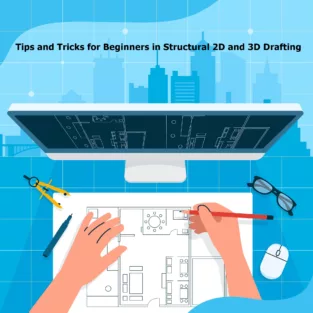
Structural 2D and 3D drafting are essential components of the engineering and construction industries. These techniques allow for the precise visualization, planning, and execution of various structural projects. For beginners venturing into this field, understanding the fundamentals and mastering essential tips and tricks can significantly enhance your efficiency and accuracy. Here’s a comprehensive guide to help you get started.

Understanding the Basics

Before diving into tips and tricks, it’s crucial to grasp the basics of structural 2D and 3D drafting.

  1. Structural 2D Drafting: This involves creating flat representations of structures, such as floor plans, elevations, and sections. It’s essential for detailing and documenting construction projects.
  2. Structural 3D Drafting: This technique provides a three-dimensional representation of structures, allowing for better visualization and analysis. It’s particularly useful for complex projects and steel structure drawings.

Essential Tips for Structural 2D Drafting

1. Master the Tools

  • Familiarize with CAD Software: Get comfortable with popular CAD software like AutoCAD, Revit, or MicroStation. Understanding the interface, commands, and shortcuts can save time and reduce errors.
  • Use Layers Effectively: Organize your drawings by using layers for different elements (e.g., walls, beams, annotations). This makes editing easier and enhances clarity.

2. Precision and Accuracy

  • Snap and Grid Settings: Utilize snap and grid settings to ensure precise placement of elements. This is crucial for maintaining accuracy in your drawings.
  • Dimensioning: Always double-check dimensions and annotations. Accurate dimensioning is vital for shop drawings and ensuring that the design can be built correctly.

3. Standardization

  • Adopt Industry Standards: Follow industry standards and best practices for drafting. This ensures consistency and makes your drawings easily understandable by other professionals.
  • Templates and Blocks: Create or use standard templates and blocks for repetitive elements. This not only saves time but also maintains consistency across your drawings.

Essential Tips for Structural 3D Drafting

1. Start with a Solid Foundation

  • Understand the Project Requirements: Before starting any 3D model, thoroughly understand the project requirements and specifications. This helps in creating accurate and relevant models.
  • Plan Your Model: Break down the project into manageable parts and plan your modeling approach. This prevents confusion and ensures a systematic workflow.

2. Leverage Technology

  • Use BIM Software: Building Information Modeling (BIM) software like Revit or Tekla Structures is invaluable for 3D drafting. These tools enhance collaboration and provide detailed information about the structural components.
  • Automation Tools: Utilize automation tools and scripts to streamline repetitive tasks. This can significantly boost productivity and reduce manual errors.

3. Visualization and Analysis

  • Rendering: Use rendering tools to create realistic visualizations of your models. This helps in identifying potential issues and presenting the design to stakeholders.
  • Clash Detection: Conduct clash detection to identify and resolve conflicts between different structural elements. This is especially important for steel structure drawings to ensure seamless integration.

Tips for Both 2D and 3D Drafting

1. Continuous Learning

  • Stay Updated: The field of structural drafting is constantly evolving with new technologies and practices. Stay updated through online courses, webinars, and industry publications.
  • Learn from Others: Join professional forums and communities. Engaging with other professionals can provide valuable insights and tips.

2. Attention to Detail

  • Review and Revise: Always review your work for errors and inconsistencies. Regular revisions ensure that your drawings are accurate and up to date.
  • Document Everything: Maintain detailed documentation of your work processes and decisions. This is helpful for future reference and ensures transparency.

3. Collaboration and Communication

  • Work with Teams: Structural drafting often involves collaboration with other engineers, architects, and contractors. Effective communication and teamwork are crucial for successful project execution.
  • Use Collaboration Tools: Utilize collaboration tools like BIM 360 or Navisworks to share and manage your models. These tools facilitate real-time collaboration and project management.

Conclusion

Structural 2D and 3D drafting are critical skills for any aspiring engineer or draftsman. By mastering the tools, adhering to industry standards, and continuously learning, you can enhance your drafting skills and contribute effectively to any structural project. Whether you’re working on shop drawings or steel structure drawings, these tips and tricks will help you achieve precision and efficiency in your work. Embrace the technology, stay detail-oriented, and always be open to learning and collaboration.

By following these guidelines, beginners can build a strong foundation in structural drafting and set themselves up for a successful career in this dynamic field.

What is 2D vs 3D drawings in construction?u003cbru003e

In construction, 2D and 3D drawings serve distinct but complementary purposes, each contributing to different stages of the project lifecycle. Understanding the differences between these types of drawings is essential for effective planning, design, and execution of construction projects.u003cbru003eu003cbru003eu003cstrongu003e2D Drawingsu003c/strongu003eu003cbru003eu003cstrongu003eDefinitionu003c/strongu003e: 2D drawings are flat, two-dimensional representations of a structure. They provide detailed views and specifications of the various components of a building or construction project.u003cbru003eu003cbru003eu003cstrongu003eTypes of 2D Drawingsu003c/strongu003e:u003cbru003eu003cstrongu003ePlansu003c/strongu003e: Horizontal views of a structure, typically showing the layout of a floor or site.u003cbru003eu003cstrongu003eElevationsu003c/strongu003e: Vertical views of the exterior or interior faces of a structure.u003cbru003eu003cstrongu003eSectionsu003c/strongu003e: Cutaway views that show internal details along a specific plane.u003cbru003eu003cstrongu003eDetailsu003c/strongu003e: Enlarged views of specific parts of the design, providing intricate details about construction elements.u003cbru003eu003cbru003eu003cstrongu003ePurposeu003c/strongu003e:u003cbru003eu003cstrongu003eDocumentationu003c/strongu003e: Provides precise measurements, dimensions, and notes necessary for construction.u003cbru003eu003cstrongu003eCommunicationu003c/strongu003e: Serves as a common language among architects, engineers, contractors, and other stakeholders.u003cbru003eu003cstrongu003eRegulation Complianceu003c/strongu003e: Ensures that the design meets local building codes and regulations.u003cbru003eu003cbru003eu003cstrongu003eAdvantagesu003c/strongu003e:u003cbru003eu003cstrongu003eSimplicityu003c/strongu003e: Easier to create and interpret for basic designs and straightforward projects.u003cbru003eu003cstrongu003eStandardizationu003c/strongu003e: Widely used and understood in the industry with standardized symbols and notations.u003cbru003eu003cbru003eu003cstrongu003e3D Drawingsu003c/strongu003eu003cbru003eu003cstrongu003eDefinitionu003c/strongu003e: 3D drawings are three-dimensional representations of a structure, providing a more realistic and comprehensive view of the project. They are often created using Building Information Modeling (BIM) software.u003cbru003eu003cbru003eu003cstrongu003eTypes of 3D Drawingsu003c/strongu003e:u003cbru003eu003cstrongu003eModelsu003c/strongu003e: Full three-dimensional representations of the entire structure.u003cbru003eu003cstrongu003eRenderingsu003c/strongu003e: Photorealistic images of the model, often used for presentations and visualizations.u003cbru003eu003cstrongu003eWalkthroughsu003c/strongu003e: Animated sequences that simulate walking through the structure, providing an immersive experience.u003cbru003eu003cbru003eu003cstrongu003ePurposeu003c/strongu003e:u003cbru003eu003cstrongu003eVisualizationu003c/strongu003e: Helps stakeholders understand the spatial relationships and aesthetics of the project.u003cbru003eu003cstrongu003eClash Detectionu003c/strongu003e: Identifies conflicts between different building systems (e.g., structural, mechanical, electrical) before construction begins.u003cbru003eu003cstrongu003eCoordinationu003c/strongu003e: Facilitates collaboration among various disciplines by integrating all aspects of the design into a single model.u003cbru003eu003cbru003eu003cstrongu003eAdvantagesu003c/strongu003e:u003cbru003eu003cstrongu003eEnhanced Understandingu003c/strongu003e: Provides a clear and detailed visualization, making it easier to understand complex designs.u003cbru003eu003cstrongu003eImproved Accuracyu003c/strongu003e: Reduces errors and omissions by allowing for comprehensive reviews and modifications.u003cbru003eu003cstrongu003eEfficiencyu003c/strongu003e: Speeds up the design process by enabling simultaneous updates and real-time collaboration.

How to make 2D drawing from 3D?

Creating a 2D drawing from a 3D model is a common task in CAD software. Here’s a step-by-step guide to help you through the process:u003cbru003eStep-by-Step Guideu003cbru003e1. u003cstrongu003ePrepare Your 3D Modelu003c/strongu003eu003cbru003eEnsure your 3D model is complete and error-free.u003cbru003eCheck for any issues with geometry, such as holes or overlaps.u003cbru003e2. u003cstrongu003eOpen Your CAD Softwareu003c/strongu003eu003cbru003eUse CAD software that supports both 3D modeling and 2D drawing, such as AutoCAD, SolidWorks, or Fusion 360.u003cbru003e3. u003cstrongu003eSet Up Your Workspaceu003c/strongu003eu003cbru003eOpen a new drawing file or start a new 2D drawing project within your CAD software.u003cbru003e4. u003cstrongu003eOrient the 3D Modelu003c/strongu003eu003cbru003eRotate and position your 3D model to the desired views (e.g., top, front, side, isometric).u003cbru003eYou can create different views for different parts of your 2D drawing.u003cbru003e5. u003cstrongu003eCreate the 2D Viewsu003c/strongu003eu003cbru003eUse the ‘Base View’ or ‘Standard View’ tool in your CAD software to generate 2D views from the 3D model.u003cbru003eTypically, you can select from standard views like top, front, right side, and isometric.


JH

James Hartley

Senior Mechanical Engineer · BEng (Mechanical), UQ · Member, Engineers Australia · ASTCAD, Brisbane

James has 14 years of hands-on experience delivering CAD design, structural drafting, and engineering documentation across Australia’s mining, oil & gas, and manufacturing sectors. He specialises in SolidWorks, Autodesk Inventor, and AutoCAD for complex multi-discipline projects.

More articles by James Hartley →
Civil Engineering

CAD is an essential tool in civil engineering, enabling professionals to create detailed and precise drawings and models of infrastructure projects. For beginners, mastering CAD can be a daunting task. However, by optimizing CAD performance, new users can enhance their efficiency and productivity. Here are some practical tips for beginners in civil engineering to get the most out of CAD Civil Works.

Tips for Beginners in Civil Engineering

1. Choose the Right Software

There are various CAD software options available, each with its unique features and capabilities. For civil engineering, popular choices include AutoCAD Civil 3D, Bentley MicroStation, and SolidWorks. Select a program that best fits your project requirements and budget. Ensure that your software is up to date, as newer versions often include performance improvements and new features.

2. Invest in Adequate Hardware

CAD software can be demanding on your computer’s resources. To avoid performance bottlenecks, invest in a high-performance computer with a fast processor, sufficient RAM (at least 16 GB), and a high-quality graphics card. SSDs (Solid State Drives) are also recommended for faster data access and retrieval. Regularly update your hardware drivers to ensure compatibility and optimal performance.

3. Customize Your Workspace

Most CAD software allows users to customize their workspace. Tailor the interface to your needs by organizing toolbars, menus, and command shortcuts. This customization can significantly reduce the time spent navigating the software and improve your workflow efficiency. Additionally, create templates for frequently used settings to save time on repetitive tasks.

4. Master Keyboard Shortcuts

Keyboard shortcuts are a great way to speed up your work in CAD. Familiarize yourself with the most commonly used shortcuts for commands like copy, paste, move, and rotate. Learning these shortcuts will help you execute commands quickly without having to navigate through menus, thus streamlining your design process.

5. Utilize Layers Effectively

Layers are a powerful feature in CAD that allows you to organize different elements of your design. Use layers to separate different components, such as roads, utilities, and structures. This organization makes it easier to manage complex drawings and make adjustments without affecting unrelated parts of your design. Proper layer management also aids in clearer communication with team members and clients.

6. Optimize File Management

Large CAD files can slow down your software and lead to longer load times. Keep your files organized by using a logical naming convention and directory structure. Regularly clean up your files by removing unnecessary elements and purging unused data. Consider using external references (Xrefs) to manage large projects, as this can help keep your main file size manageable.

7. Leverage CAD Standards and Templates

Adopting industry standards and using templates can ensure consistency and improve efficiency. Templates provide a predefined setup that includes layers, dimension styles, and other settings, reducing the need to recreate these elements for each project. Familiarize yourself with relevant CAD standards in civil engineering to ensure your designs meet industry requirements.

8. Take Advantage of Online Resources

There are numerous online resources available for learning CAD, including tutorials, forums, and webinars. Websites like YouTube, Autodesk University, and CAD forums offer a wealth of knowledge from experienced users. Don’t hesitate to seek help and learn from the community, as this can provide valuable insights and tips for optimizing your CAD performance.

9. Regularly Save and Backup Your Work

CAD software can be prone to crashes, especially when handling large files. To avoid losing your work, save your progress frequently and create regular backups. Use version control to keep track of changes and revert to previous versions if needed. Consider using cloud storage solutions for additional security and easy access to your files from different locations.

10. Stay Updated with Software Updates and Patches

Software developers regularly release updates and patches to fix bugs, improve performance, and add new features. Ensure that your CAD software is always up to date to benefit from these improvements. Enable automatic updates if available, or regularly check the software developer’s website for the latest releases.

Conclusion

Optimizing CAD performance is crucial for beginners in civil engineering to enhance their productivity and produce high-quality designs. By choosing the right software, investing in adequate hardware, customizing your workspace, and leveraging online resources, you can significantly improve your CAD skills. Implement these tips and watch as your efficiency and confidence in using CAD Civil Works grow, paving the way for successful projects and a promising career in civil engineering.


By following these guidelines, beginners can optimize their CAD performance and streamline their workflow, ultimately leading to more efficient and effective civil engineering projects.

Is civil engineering easy to study?

The difficulty of studying civil engineering can vary greatly depending on several factors, including your background, interests, and aptitude in related subjects such as mathematics, physics, and technical drawing. Here are some considerations:u003cbru003eu003cbru003e1. u003cstrongu003eMathematics and Physicsu003c/strongu003eu003cbru003eu003cstrongu003eMathematicsu003c/strongu003e: Civil engineering involves a lot of math, including calculus, algebra, and geometry. A strong foundation in these areas is crucial.u003cbru003eu003cstrongu003ePhysicsu003c/strongu003e: Understanding the principles of physics, especially mechanics and material science, is essential for analyzing structures and systems.u003cbru003eu003cbru003e2. u003cstrongu003eTechnical Skillsu003c/strongu003eu003cbru003eu003cstrongu003eComputer-Aided Design (CAD)u003c/strongu003e: Proficiency in CAD software is necessary for creating detailed engineering drawings.u003cbru003eu003cstrongu003eProgrammingu003c/strongu003e: Some aspects of civil engineering may require knowledge of programming and simulation software.u003cbru003eu003cbru003e3. u003cstrongu003eProblem-Solving and Critical Thinkingu003c/strongu003eu003cbru003eu003cstrongu003eProblem-Solvingu003c/strongu003e: Civil engineers often need to solve complex problems and design solutions that are both efficient and sustainable.u003cbru003eu003cstrongu003eCritical Thinkingu003c/strongu003e: Evaluating different solutions and understanding their implications is a key part of the field.u003cbru003eu003cbru003e4. u003cstrongu003eCoursework and Projectsu003c/strongu003eu003cbru003eu003cstrongu003eCourse Loadu003c/strongu003e: The coursework can be heavy and demanding, with subjects ranging from fluid mechanics to structural analysis.u003cbru003eu003cstrongu003eProjectsu003c/strongu003e: Practical projects and internships are a significant part of the curriculum, providing hands-on experience but also adding to the workload.

What do civil engineers do on?u003cbru003e

Civil engineers are involved in a wide range of activities related to the design, construction, and maintenance of infrastructure. Here are some key tasks and responsibilities:u003cbru003eu003cbru003e1. u003cstrongu003eDesign and Planningu003c/strongu003eu003cbru003eu003cstrongu003eStructural Designu003c/strongu003e: Designing structures such as buildings, bridges, dams, and tunnels, ensuring they are safe, stable, and sustainable.u003cbru003eu003cstrongu003eSite Planningu003c/strongu003e: Planning the layout of infrastructure projects, including roads, railways, and airports, taking into account environmental and regulatory considerations.u003cbru003eu003cstrongu003eFeasibility Studiesu003c/strongu003e: Conducting studies to assess the viability of projects, including cost estimates, risk analysis, and environmental impact assessments.u003cbru003eu003cbru003e2. u003cstrongu003eConstruction Managementu003c/strongu003eu003cbru003eu003cstrongu003eProject Managementu003c/strongu003e: Overseeing construction projects from start to finish, ensuring they are completed on time, within budget, and to the required standards.u003cbru003eu003cstrongu003eQuality Controlu003c/strongu003e: Ensuring materials and workmanship meet specified standards and codes.u003cbru003eu003cstrongu003eCoordinationu003c/strongu003e: Working with contractors, architects, and other engineers to coordinate construction activities.u003cbru003eu003cbru003e3. u003cstrongu003eInfrastructure Maintenanceu003c/strongu003eu003cbru003eu003cstrongu003eInspection and Maintenanceu003c/strongu003e: Inspecting existing structures to identify and address issues such as wear and tear, structural weaknesses, and compliance with current regulations.u003cbru003eu003cstrongu003eRehabilitationu003c/strongu003e: Planning and overseeing the repair and renovation of aging infrastructure.u003cbru003eu003cbru003e4. u003cstrongu003eEnvironmental Engineeringu003c/strongu003eu003cbru003eu003cstrongu003eWater Resources Managementu003c/strongu003e: Designing and managing systems for water supply, drainage, and wastewater treatment.u003cbru003eu003cstrongu003eEnvironmental Protectionu003c/strongu003e: Developing solutions to minimize the environmental impact of construction projects, including erosion control, pollution prevention, and habitat conservation.u003cbru003eu003cbru003e5. u003cstrongu003eTransportation Engineeringu003c/strongu003eu003cbru003eu003cstrongu003eTransportation Systemsu003c/strongu003e: Designing and managing transportation systems, including highways, rail networks, and public transit systems.u003cbru003eu003cstrongu003eTraffic Analysisu003c/strongu003e: Analyzing traffic patterns and implementing measures to improve traffic flow and safety.


JH

James Hartley

Senior Mechanical Engineer · BEng (Mechanical), UQ · Member, Engineers Australia · ASTCAD, Brisbane

James has 14 years of hands-on experience delivering CAD design, structural drafting, and engineering documentation across Australia’s mining, oil & gas, and manufacturing sectors. He specialises in SolidWorks, Autodesk Inventor, and AutoCAD for complex multi-discipline projects.

More articles by James Hartley →
2D Mechanical CAD Drafting

In the realm of mechanical engineering, precision is paramount. This precision often begins with detailed 2D mechanical CAD drafting. Whether you are a novice designer or an experienced engineer, mastering 2D CAD drafting can significantly impact the quality of your projects. This tutorial will walk you through expert tips for enhancing your 2D mechanical CAD drafting skills.

Understanding the Basics – 2D Mechanical CAD Drafting

Before delving into advanced tips, it’s essential to have a solid grasp of the basics of 2D mechanical CAD drafting. Familiarize yourself with the fundamental tools and features of your CAD software, such as AutoCAD, SolidWorks, or DraftSight. Understand how to create basic shapes, lines, and dimensions. Mastery of these basics will provide a strong foundation for more complex drafting tasks.

Tip 1: Use Layers Effectively

One of the most powerful features in CAD software is the use of layers. Layers allow you to organize different elements of your drawing systematically. For instance, you can have separate layers for dimensions, annotations, centerlines, and construction lines. This organization makes it easier to manage your drawing and quickly make changes without affecting other elements. Ensure each layer is clearly labeled and color-coded for easy identification.

Tip 2: Leverage Object Snaps and Grids

Accuracy is critical in 2D mechanical CAD drafting. Object snaps (OSNAP) and grids are indispensable tools that help ensure your elements are precisely placed. Object snaps allow you to snap to exact points on objects, such as endpoints, midpoints, and centers. Grids provide a visual reference that helps in aligning objects. Combining these tools can significantly enhance your drawing precision.

Tip 3: Utilize Templates and Standards

Creating templates for recurring projects can save you considerable time and ensure consistency across your drawings. These templates should include standard layers, dimension styles, text styles, and title blocks. Additionally, adhering to industry standards, such as ISO, ANSI, or your company’s internal standards, ensures that your drawings are universally understood and accepted. Standardization also improves collaboration among team members.

Tip 4: Master Dimensioning Techniques

Proper dimensioning is crucial in mechanical drafting. Incorrect or unclear dimensions can lead to manufacturing errors and increased costs. Follow these best practices for dimensioning:

  • Use consistent units: Ensure all dimensions use the same unit of measurement.
  • Avoid redundancy: Only dimension critical features to avoid clutter.
  • Place dimensions logically: Position dimensions outside the view, and avoid crossing lines whenever possible.
  • Use tolerances: Specify tolerances where necessary to indicate allowable variations.

Tip 5: Annotate Clearly

Annotations provide additional information about your drawing that is not conveyed through geometry alone. Clear and concise annotations, including notes, labels, and symbols, can prevent misunderstandings. Use a consistent font and size for text, and ensure annotations are legible and unambiguous. Employ leaders to connect notes directly to the relevant parts of the drawing without crossing other lines.

Tip 6: Efficiently Use Blocks and Symbols

Blocks and symbols are reusable drawing components that can save you time and ensure uniformity. Common mechanical components, such as bolts, nuts, and bearings, can be created as blocks. This not only speeds up the drafting process but also helps maintain consistency. Ensure your blocks are well-organized in a library for easy access.

Tip 7: Check and Review Your Work

Always review your drawings thoroughly before finalizing them. Check for common errors such as missing dimensions, misaligned elements, and inconsistent annotations. Use the audit and purge functions in your CAD software to clean up your drawing by removing unused elements. Peer reviews can also be beneficial; a fresh set of eyes might catch mistakes you overlooked.

Tip 8: Stay Updated with Software Features

CAD software is continuously evolving, with new features and improvements being added regularly. Staying updated with the latest versions and features can significantly enhance your productivity. Participate in training sessions, webinars, and online forums to keep your skills sharp and learn about new tools that can streamline your drafting process.

Tip 9: Optimize File Management

Effective file management is crucial, especially when working on large projects or collaborating with a team. Use a consistent naming convention for your files and organize them into appropriate folders. Regularly back up your files to prevent data loss. Utilize version control to keep track of changes and revisions, ensuring that you can revert to previous versions if needed.

Conclusion

Mastering 2D mechanical CAD drafting requires a combination of technical knowledge, practice, and attention to detail. By incorporating these expert tips into your workflow, you can enhance your drafting skills, improve the accuracy and quality of your drawings, and ultimately contribute to more successful engineering projects. Remember, precision in drafting translates to precision in manufacturing, making your role as a drafter crucial to the overall success of any mechanical engineering endeavor.

What is a 2D mechanical drawing?

A 2D mechanical drawing is a technical illustration that represents the dimensions, geometry, and specifications of mechanical components or assemblies using two-dimensional views. These drawings are crucial for communicating detailed information about the design, manufacturing, and assembly of mechanical parts. Here are some key aspects of 2D mechanical drawings:u003cbru003eu003cbru003eu003cstrongu003eViewsu003c/strongu003e: Typically include various views of the object, such as front, top, side, and sectional views, to fully describe the geometry and features of the part.u003cbru003eu003cstrongu003eDimensionsu003c/strongu003e: Clearly specified dimensions and tolerances to indicate the size and allowable variations of the part’s features.u003cbru003eu003cstrongu003eAnnotationsu003c/strongu003e: Notes, labels, and symbols to provide additional information like material specifications, surface finish, and manufacturing instructions.u003cbru003eu003cstrongu003eScaleu003c/strongu003e: The drawings are usually drawn to scale, with the scale indicated on the drawing to ensure accurate interpretation.u003cbru003eu003cstrongu003eTitle Blocku003c/strongu003e: Contains essential information such as the part name, drawing number, revision history, the scale of the drawing, and the drafter’s name.u003cbru003eu003cstrongu003eStandard Conventionsu003c/strongu003e: Adherence to standardized conventions and symbols as per industry norms (e.g., ANSI, ISO) to ensure clarity and uniformity.

How do you draw 2D in CAD?

Drawing 2D in CAD (Computer-Aided Design) involves creating two-dimensional representations of objects and spaces. Here’s a general guide on how to draw 2D in CAD software like AutoCAD:u003cbru003eu003cbru003eGetting Startedu003cbru003eu003cstrongu003eOpen Your CAD Softwareu003c/strongu003e: Launch your CAD application (e.g., AutoCAD, DraftSight, BricsCAD).u003cbru003eu003cstrongu003eStart a New Drawingu003c/strongu003e: Select the option to create a new drawing. You can usually do this from the u0022Fileu0022 menu or a u0022Newu0022 button on the toolbar.u003cbru003eBasic Tools and Commandsu003cbru003eu003cstrongu003eLine Toolu003c/strongu003e:u003cbru003eCommand: u003ccodeu003eLINEu003c/codeu003e or u003ccodeu003eLu003c/codeu003eu003cbru003eUsage: Click to specify the start point and end point of the line. You can continue clicking for additional connected lines or press Enter to finish.u003cbru003eu003cstrongu003eRectangle Toolu003c/strongu003e:u003cbru003eCommand: u003ccodeu003eRECTANGLEu003c/codeu003e or u003ccodeu003eRECu003c/codeu003eu003cbru003eUsage: Click to specify one corner, then click again to specify the opposite corner.u003cbru003eu003cstrongu003eCircle Toolu003c/strongu003e:u003cbru003eCommand: u003ccodeu003eCIRCLEu003c/codeu003e or u003ccodeu003eCu003c/codeu003eu003cbru003eUsage: Click to specify the center, then drag out to specify the radius.u003cbru003eu003cstrongu003eArc Toolu003c/strongu003e:u003cbru003eCommand: u003ccodeu003eARCu003c/codeu003e or u003ccodeu003eAu003c/codeu003eu003cbru003eUsage: Specify the start point, end point, and a point on the arc to define its shape.u003cbru003eu003cstrongu003ePolyline Toolu003c/strongu003e:u003cbru003eCommand: u003ccodeu003ePLINEu003c/codeu003e or u003ccodeu003ePLu003c/codeu003eu003cbru003eUsage: Click to specify each vertex. Press Enter to close the polyline.


JH

James Hartley

Senior Mechanical Engineer · BEng (Mechanical), UQ · Member, Engineers Australia · ASTCAD, Brisbane

James has 14 years of hands-on experience delivering CAD design, structural drafting, and engineering documentation across Australia’s mining, oil & gas, and manufacturing sectors. He specialises in SolidWorks, Autodesk Inventor, and AutoCAD for complex multi-discipline projects.

More articles by James Hartley →
Structural Drawing

Reading structural drawings is a crucial skill for architects, engineers, and construction professionals. These drawings provide detailed information about the structural elements of a building. Here’s a step-by-step guide on how to read them:

Step 1: Understand the Basics

  1. Title Block:
    • Location: Usually found at the bottom right corner.
    • Contents: Project name, drawing title, date, scale, drawing number, and designer’s name.
  2. Legend:
    • Explains symbols and abbreviations used in the drawing.
  3. Scale:
    • Indicates the ratio of the drawing’s dimensions to the actual dimensions of the structure.

Step 2: Identify Structural Elements

  1. Foundations:
    • Look for footings, pile caps, and foundation walls. They are often represented with heavy lines.
  2. Columns:
    • Vertical elements that transfer loads to the foundation. Typically labeled with a grid number and section mark.
  3. Beams:
    • Horizontal elements that support floors and roofs. They are usually shown in plan and section views.
  4. Slabs:
    • Horizontal flat surfaces (floors, roofs). Look for thickness and reinforcement details.
  5. Walls:
    • Load-bearing or non-load-bearing. Identified with type, material, and reinforcement if applicable.

Step 3: Examine Different Views

  1. Plan Views:
    • Top-down view showing the layout of the structural elements on each floor. Look for grid lines and key dimensions.
  2. Elevation Views:
    • Side views that show the height and exterior appearance of the structure. Useful for understanding vertical dimensions.
  3. Section Views:
    • Cut-through views that reveal the interior construction details of walls, floors, and other elements.

Step 4: Read Structural Notes and Specifications

  1. General Notes:
    • Provide additional information about materials, construction methods, and other specifications.
  2. Detail Drawings:
    • Enlarged views of specific areas to show intricate details like connections, reinforcements, and joints.

Step 5: Interpret Symbols and Notations

  1. Grid Lines:
    • Used to locate elements within the structure. Usually marked with letters (horizontal) and numbers (vertical).
  2. Reinforcement Details:
    • Indicated with symbols and notations showing the type, size, and spacing of rebar.
  3. Section Marks and Elevation Marks:
    • Show where sections and elevations are taken. Usually depicted with arrows and numbers.

Step 6: Cross-Reference with Other Drawings

  1. Architectural Drawings:
    • Check for consistency with structural plans, especially in areas like walls and openings.
  2. Mechanical and Electrical Drawings:
    • Ensure coordination to avoid conflicts between structural elements and MEP systems.

Step 7: Review Revisions and Updates

  1. Revision Clouds:
    • Highlight changes made to the drawings. Look for revision dates and descriptions.
  2. Updated Notes:
    • Ensure all changes are reflected in your interpretation and planning.

Step 8: Use the Drawing for Construction

  1. Prepare Work Plans:
    • Use the drawing to create detailed work plans and schedules.
  2. Communicate with Team:
    • Ensure all team members understand the drawings and any revisions.

Conclusion

Reading structural drawings involves understanding basic elements, interpreting symbols and notations, and cross-referencing with other construction documents. Practice and familiarity with standard symbols and conventions will improve your proficiency in reading these essential documents.

What is the difference between architectural and structural drawings?

Architectural and structural drawings serve distinct purposes in the construction and design of buildings, though they are closely related and often used together. Here are the main differences between them:u003cbru003eu003cbru003eu003cstrongu003eArchitectural Drawingsu003c/strongu003eu003cbru003eu003cstrongu003ePurposeu003c/strongu003e:u003cbru003eFocus on the overall design and aesthetic of the building.u003cbru003eProvide a detailed representation of the building’s layout, including floor plans, elevations, and sections.u003cbru003eu003cbru003eu003cstrongu003eContentu003c/strongu003e:u003cbru003eFloor plans, elevations, and sections showing the spatial arrangement and relationships between different parts of the building.u003cbru003eDetails about materials, finishes, fixtures, and other architectural elements.u003cbru003eInformation about doors, windows, walls, and interior features.u003cbru003eLandscaping and site plans, showing the building’s context within its surroundings.u003cbru003eu003cbru003eu003cstrongu003eAudienceu003c/strongu003e:u003cbru003ePrimarily intended for architects, designers, clients, and regulatory bodies to understand the design and ensure it meets aesthetic, functional, and regulatory requirements.u003cbru003eStructural Drawingsu003cbru003eu003cbru003eu003cstrongu003ePurposeu003c/strongu003e:u003cbru003eFocus on the stability, strength, and structural integrity of the building.u003cbru003eProvide detailed specifications for the construction of the building’s structural components.u003cbru003eu003cbru003eu003cstrongu003eContentu003c/strongu003e:u003cbru003eDetailed plans for foundations, beams, columns, floors, and roofs.u003cbru003eInformation about materials and sizes of structural elements (e.g., types of steel, concrete strength).u003cbru003eLoad-bearing calculations, reinforcements, and connection details.u003cbru003eDetails on how various structural elements should be constructed and assembled.u003cbru003eu003cbru003eu003cstrongu003eAudienceu003c/strongu003e:u003cbru003ePrimarily intended for structural engineers, construction managers, and contractors to ensure the building is safe, meets structural codes, and can withstand loads and forces (e.g., weight, wind, seismic activity)

How to design a structural drawing?

Designing a structural drawing involves several steps that ensure the stability, safety, and functionality of a structure. Here’s a detailed guide on how to design a structural drawing:u003cbru003eu003cbru003e1. u003cstrongu003eUnderstanding Project Requirementsu003c/strongu003eu003cbru003eu003cstrongu003eProject Scopeu003c/strongu003e: Define the type and scope of the project (residential, commercial, industrial).u003cbru003eu003cstrongu003eCodes and Standardsu003c/strongu003e: Familiarize yourself with local building codes, standards, and regulations.u003cbru003eu003cstrongu003eClient Requirementsu003c/strongu003e: Gather specific requirements and preferences from the client.u003cbru003eu003cbru003e2. u003cstrongu003ePreliminary Designu003c/strongu003eu003cbru003eu003cstrongu003eSite Analysisu003c/strongu003e: Conduct a thorough site analysis including soil testing, topography, and environmental impact.u003cbru003eu003cstrongu003eConceptual Designu003c/strongu003e: Develop a conceptual design including sketches and basic layout plans.u003cbru003eu003cbru003e3. u003cstrongu003eStructural Analysisu003c/strongu003eu003cbru003eu003cstrongu003eLoad Calculationsu003c/strongu003e: Calculate all potential loads (dead loads, live loads, wind loads, seismic loads).u003cbru003eu003cstrongu003eMaterial Selectionu003c/strongu003e: Choose appropriate materials based on the loads and design requirements (concrete, steel, wood).u003cbru003eu003cstrongu003eStructural Modelingu003c/strongu003e: Create a structural model using software (e.g., AutoCAD, Revit, STAAD.Pro).u003cbru003eu003cbru003e4. u003cstrongu003eDetailed Designu003c/strongu003eu003cbru003eu003cstrongu003eFoundation Designu003c/strongu003e: Design the foundation considering soil conditions and load distribution.u003cbru003eu003cstrongu003eFrame Designu003c/strongu003e: Design the structural frame including beams, columns, slabs, and trusses.u003cbru003eu003cstrongu003eConnectionsu003c/strongu003e: Design the connections between structural elements (welds, bolts, rivets).u003cbru003eu003cstrongu003eReinforcement Detailsu003c/strongu003e: Provide detailed reinforcement details for concrete structures.u003cbru003eu003cbru003e5. u003cstrongu003eDrafting the Structural Drawingu003c/strongu003eu003cbru003eu003cstrongu003eSoftware Toolsu003c/strongu003e: Use CAD software (e.g., AutoCAD, Revit) for drafting.u003cbru003eu003cstrongu003eDrawing Layoutu003c/strongu003e: Organize drawings with proper layout, scaling, and dimensions.u003cbru003eu003cstrongu003ePlan Viewsu003c/strongu003e: Include plan views for each level of the structure.u003cbru003eu003cstrongu003eElevation and Section Viewsu003c/strongu003e: Provide elevation and section views to show vertical relationships and cross-sections.u003cbru003eu003cstrongu003eDetails and Notesu003c/strongu003e: Include detailed drawings for complex areas and notes for clarity.u003cbru003eu003cstrongu003eTitle Blocku003c/strongu003e: Add a title block wit


JH

James Hartley

Senior Mechanical Engineer · BEng (Mechanical), UQ · Member, Engineers Australia · ASTCAD, Brisbane

James has 14 years of hands-on experience delivering CAD design, structural drafting, and engineering documentation across Australia’s mining, oil & gas, and manufacturing sectors. He specialises in SolidWorks, Autodesk Inventor, and AutoCAD for complex multi-discipline projects.

More articles by James Hartley →
Mechanical Drafting

Understanding mechanical drafting is essential for anyone entering the field of engineering, manufacturing, or any profession involving the design and production of mechanical components. Mechanical drafts, or blueprints, serve as the universal language for engineers and machinists, conveying detailed information about the dimensions, materials, and assembly of parts. This guide will walk you through the basics of reading mechanical drawings, from understanding the different types of views to interpreting symbols and notations.

Introduction to Mechanical Drafting

Mechanical drafting, often referred to as technical drawing or engineering drawing, is a precise and detailed method of conveying information about mechanical components. These drawings are used in various industries to ensure that parts and assemblies are manufactured accurately. The primary goal of mechanical drafting is to communicate design intent clearly and unambiguously.

Types of Views in Mechanical Drafting

Mechanical drawings typically include several types of views to represent different aspects of the object. Understanding these views is crucial for interpreting the drawings correctly:

  1. Orthographic Views: These are the most common type of views in mechanical drafting. They include front, top, and side views of the object. Orthographic views provide a 2D representation of the 3D object, allowing you to see the exact dimensions and relationships between different parts.
  2. Isometric Views: These are 3D representations of the object, providing a more realistic view of the part or assembly. Isometric views help in visualizing how the object looks in three dimensions but are less precise for detailed measurements compared to orthographic views.
  3. Section Views: These views show the interior features of an object by cutting through it. Section views are essential for understanding complex parts with internal features that are not visible in standard orthographic views.
  4. Detail Views: These are enlarged views of specific areas of the object to show small or intricate features clearly.

Understanding Lines and Symbols

Mechanical drafts use various lines and symbols to convey specific information:

  1. Line Types:
    • Visible Lines: Solid lines representing the edges and outlines of the object.
    • Hidden Lines: Dashed lines indicating features that are not visible in the current view.
    • Center Lines: Alternating long and short dashed lines used to represent the center of holes, cylinders, and other symmetrical objects.
    • Dimension Lines: Lines terminated with arrowheads, indicating the dimensions of the object.
  2. Symbols:
    • Diameter (⌀): Indicates the diameter of a circular feature.
    • Radius (R): Indicates the radius of a curved feature.
    • Counterbore (⌴) and Countersink (⌵): Indicate specific types of holes.
    • Surface Finish: Symbols indicating the required surface roughness of a feature.

Reading Dimensions and Tolerances

Dimensions specify the size and location of features on the part. Tolerances indicate the allowable variations in these dimensions, ensuring that parts fit together correctly even with minor deviations. Here’s how to read them:

  1. Dimensioning: Dimensions are usually given in millimeters or inches. They can be found between dimension lines with arrows pointing to the features being measured.
  2. Tolerances: Represented by a plus-minus value (e.g., ±0.1mm) next to the dimension, specifying the allowable range of deviation. Some drawings use geometric dimensioning and tolerancing (GD&T) symbols for more complex tolerances.

Title Blocks and Revision History

The title block, typically found in the bottom right corner of the drawing, contains important information such as:

  1. Part Name and Number: The unique identifier and name of the part.
  2. Scale: The ratio of the drawn size to the actual size.
  3. Material: Specifies the material to be used for the part.
  4. Drawing Number: A unique number for the drawing, useful for reference and tracking.
  5. Revision History: Indicates changes made to the drawing, ensuring that the latest version is used.

Practice and Application

To become proficient in reading mechanical drafts, practice is essential. Start with simple drawings and gradually work your way up to more complex ones. Pay attention to the details and cross-reference different views to get a complete understanding of the part.

Conclusion

Reading mechanical drafting is a fundamental skill for anyone involved in the design and manufacturing of mechanical components. By familiarizing yourself with the types of views, lines, symbols, dimensions, and the title block, you will be well on your way to interpreting these detailed documents accurately. With practice, you’ll gain confidence and precision in understanding and using mechanical drafts, paving the way for success in your technical career.

How to read mechanical design drawings?

Reading mechanical design drawings involves understanding various standardized symbols, conventions, and elements that convey detailed information about a mechanical component or system. Here’s a step-by-step guide to help you read these drawings effectively:u003cbru003eu003cbru003eu003cstrongu003e1. Understand the Title Blocku003c/strongu003eu003cbru003eu003cstrongu003eTitle Block:u003c/strongu003e This section contains essential information such as the drawing title, part number, material, scale, tolerances, date, and the name of the drafter and checker.u003cbru003eu003cstrongu003eRevision History:u003c/strongu003e Indicates any changes made to the drawing after its initial release.u003cbru003eu003cbru003eu003cstrongu003e2. Study the Drawing Viewsu003c/strongu003eu003cbru003eMechanical drawings typically use multiple views to represent the object from different angles.u003cbru003eu003cstrongu003eOrthographic Views:u003c/strongu003e Usually include the front, top, and side views. Each view is a 2D representation of the object as seen from one direction.u003cbru003eu003cstrongu003eIsometric View:u003c/strongu003e A 3D representation that shows the object from a corner, helping to visualize its overall shape.u003cbru003eu003cbru003eu003cstrongu003e3. Identify Symbols and Notationsu003c/strongu003eu003cbru003eu003cstrongu003eDimensions:u003c/strongu003e Indicated by lines with arrowheads and numerical values showing the size of the features.u003cbru003eu003cstrongu003eTolerances:u003c/strongu003e Specifies the allowable variation in dimensions, often shown as a plus/minus value.u003cbru003eu003cstrongu003eSurface Finish:u003c/strongu003e Depicted by specific symbols that indicate the quality of the surface finish required.u003cbru003eu003cstrongu003eGeometric Dimensioning and Tolerancing (GDu0026amp;T):u003c/strongu003e A system that uses symbols to define the form, orientation, location, and runout of features.u003cbru003eu003cbru003eu003cstrongu003e4. Review Section Views and Detailsu003c/strongu003eu003cbru003eu003cstrongu003eSection Views:u003c/strongu003e Used to show internal features of a part that are not visible from the outside. This involves u0022cuttingu0022 through the part and displaying the cross-section.u003cbru003eu003cstrongu003eDetail Views:u003c/strongu003e Enlarged views of small or complex features to provide clarity.u003cbru003eu003cbru003eu003cstrongu003e5. Interpret Assembly Drawingsu003c/strongu003eu003cbru003eu003cstrongu003eBill of Materials (BOM):u003c/strongu003e Lists all components needed to assemble the final product, including part numbers and quantities.u003cbru003eu003cstrongu003eExploded Views:u003c/strongu003e Show how parts fit together by illustrating them slightly apart.u003cbru003eu003cbru003eu003cstrongu003e6. Understand the Drawing Scaleu003c/strongu003eu003cbru003eu003cstrongu003eScale:u003c/strongu003e Indicates the ratio of the drawing size to the actual size. For example, a scale of 1:2 means the drawing is half the size of the actual part.u003cbru003eu003cbru003eu003cstrongu003e7. Recognize Common Mechanical Drawing Symbolsu003c/strongu003eu003cbru003eu003cstrongu003eCenterlines:u003c/strongu003e Indicated by alternating long and short dashes, showing the centers of holes, cylinders, and other symmetric features.u003cbru003eu003cstrongu003eHidden Lines:u003c/strongu003e Dashed lines that represent features not visible in the current view.u003cbru003eu003cstrongu003eLeader Lines:u003c/strongu003e Thin lines that connect notes, dimensions, or symbols to the relevant feature.u003cbru003eu003cbru003eu003cstrongu003e8. Familiarize Yourself with Notes and Calloutsu003c/strongu003eu003cbru003eu003cstrongu003eGeneral Notes:u003c/strongu003e Provide additional information relevant to the entire drawing.u003cbru003eu003cstrongu003eCallouts:u003c/strongu003e Specific instructions or details related to a particular feature, often accompanied by a leader line.u003cbru003eu003cbru003eu003cstrongu003e9. Practice with Examplesu003c/strongu003eu003cbru003eReviewing and analyzing real mechanical drawings will help reinforce your understanding. Look for examples online or in textbooks to practice interpreting various elements.

How to read technical drawings for beginners?

Reading technical drawings can be challenging for beginners, but with some basic knowledge and practice, you can get a good grasp of it. Here are some steps and tips to help you get started:u003cbru003eu003cbru003eu003cstrongu003e1. Understand the Types of Technical Drawingsu003cbru003eOrthographic Projections:u003c/strongu003e These include front, top, and side views of an object.u003cbru003eu003cstrongu003eIsometric Drawings:u003c/strongu003e These show a 3D view of the object.u003cbru003eu003cstrongu003eSectional Drawings:u003c/strongu003e These provide a view of the interior of an object by cutting through it.u003cbru003eu003cstrongu003eDetail Drawings:u003c/strongu003e These offer an enlarged view of a part of the object.u003cbru003eu003cbru003eu003cstrongu003e2. Learn the Common Symbols and Conventionsu003c/strongu003eu003cbru003eu003cstrongu003eLines: Solid lines:u003c/strongu003e Represent visible edges and boundaries.u003cbru003eu003cstrongu003eDashed lines:u003c/strongu003e Indicate hidden features or edges.u003cbru003eu003cstrongu003eChain lines:u003c/strongu003e Used for centerlines or to denote paths of movement.u003cbru003eu003cstrongu003eDimensions:u003c/strongu003e Numbers that specify the size of the object or distance between features.u003cbru003eu003cstrongu003eArrows:u003c/strongu003e Indicate direction and endpoints for dimensions or forces.u003cbru003eu003cstrongu003eSymbols:u003c/strongu003e Various standard symbols represent materials, finishes, and other specifications.u003cbru003eu003cbru003eu003cstrongu003e3. Get Familiar with the Title Blocku003c/strongu003eu003cbru003eThe title block contains essential information about the drawing, such as:u003cbru003eu003cstrongu003eDrawing titleu003c/strongu003eu003cbru003eu003cstrongu003eDrawing numberu003c/strongu003eu003cbru003eu003cstrongu003eScaleu003c/strongu003eu003cbru003eu003cstrongu003eDateu003c/strongu003eu003cbru003eu003cstrongu003eAuthor or drafter’s nameu003c/strongu003eu003cbru003eu003cstrongu003eCompany nameu003c/strongu003eu003cbru003eu003cbru003eu003cstrongu003e4. Understand the Scaleu003c/strongu003eu003cbru003eTechnical drawings are often not the same size as the actual object. The scale indicates the ratio of the drawing size to the actual size (e.g., 1:2 means the drawing is half the size of the real object).u003cbru003eu003cbru003eu003cstrongu003e5. Interpreting Viewsu003c/strongu003eu003cbru003eu003cstrongu003eOrthographic Views:u003c/strongu003e Learn to read and correlate the different views (front, top, side).u003cbru003eu003cstrongu003eIsometric Views:u003c/strongu003e Understand how to visualize the 3D shape from these drawings.u003cbru003eu003cstrongu003eSectional Views:u003c/strongu003e Recognize what part of the object is being cut and viewed internally.u003cbru003eu003cbru003eu003cstrongu003e6. Reading Dimensions and Tolerancesu003c/strongu003eu003cbru003eu003cstrongu003eDimensions:u003c/strongu003e Look at the numbers and arrows to understand the size and placement of features.u003cbru003eu003cstrongu003eTolerances:u003c/strongu003e These specify the allowable variations in dimensions, crucial for manufacturing.u003cbru003eu003cbru003eu003cstrongu003e7. Practice with Simple Drawingsu003c/strongu003eu003cbru003eStart with simple objects and their drawings to build your confidence. Gradually move to more complex drawings as you get comfortable.


JH

James Hartley

Senior Mechanical Engineer · BEng (Mechanical), UQ · Member, Engineers Australia · ASTCAD, Brisbane

James has 14 years of hands-on experience delivering CAD design, structural drafting, and engineering documentation across Australia’s mining, oil & gas, and manufacturing sectors. He specialises in SolidWorks, Autodesk Inventor, and AutoCAD for complex multi-discipline projects.

More articles by James Hartley →
CAD Drafting

In the world of design and engineering, Computer-Aided Design (CAD) has become an indispensable tool. Whether you’re an architect designing buildings, an engineer conceptualizing machinery, or a product designer crafting consumer goods, CAD drafting lays the foundation for bringing ideas to life with precision and efficiency. However, mastering CAD drafting requires more than just familiarity with software; it demands a thorough understanding of its fundamental principles and techniques. In this guide, we’ll delve into the step-by-step process of mastering CAD drafting, empowering you to create intricate designs with confidence.

A Step-by-Step Guide to CAD Drafting

Understanding CAD Fundamentals

Before diving into CAD software, it’s crucial to grasp the underlying concepts that govern the drafting process. CAD operates on the principles of geometry, precision, and scalability. Familiarize yourself with basic geometric shapes, dimensions, and measurement units. Understanding concepts like layers, drawing scales, and coordinate systems will lay a solid foundation for your CAD journey.

Choosing the Right Software

CAD software comes in various forms, each tailored to different industries and design requirements. Research and select the software that best suits your needs and budget. Popular options include AutoCAD, SolidWorks, and Fusion 360. Take advantage of free trials and tutorials to explore different software interfaces and functionalities before committing to one.

Getting Started with Basic Tools

Once you’ve chosen your CAD software, acquaint yourself with its basic tools and interface. Learn how to navigate the workspace, access drawing tools, and manipulate objects. Mastering functions like drawing lines, circles, arcs, and rectangles forms the backbone of CAD drafting. Practice creating and modifying simple shapes until you’re comfortable with the software’s basic operations.

Understanding Drawing Constraints

CAD drafting relies heavily on precise measurements and constraints to ensure accuracy and consistency in designs. Familiarize yourself with drawing constraints such as dimensions, angles, and relationships between objects. Learn how to apply constraints to geometry to maintain design integrity and facilitate modifications.

Exploring Advanced Techniques

As you gain proficiency in basic CAD operations, explore advanced techniques to enhance your drafting skills. Learn how to create 3D models, apply textures and materials, and generate realistic renderings. Experiment with parametric design, which allows you to create dynamic models that can be easily modified and adapted to different scenarios.

Practicing and Refining Your Skills

Like any craft, mastering CAD drafting requires practice and perseverance. Dedicate time to regular practice sessions, tackling increasingly complex design challenges. Take advantage of online tutorials, forums, and communities to seek guidance, exchange ideas, and learn from experienced professionals. Don’t be afraid to experiment and push the boundaries of your creativity.

Collaborating and Receiving Feedback

CAD drafting often involves collaboration with colleagues, clients, and stakeholders. Learn how to effectively communicate your design intent through annotated drawings, sketches, and presentations. Solicit feedback from peers and mentors to identify areas for improvement and refine your drafting skills further.

Staying Updated with Industry Trends

The field of CAD is constantly evolving, with new software updates, tools, and techniques emerging regularly. Stay abreast of industry trends and technological advancements by attending workshops, conferences, and webinars. Continuously expand your knowledge and skill set to remain competitive in the ever-changing landscape of CAD drafting.

Conclusion

Mastering CAD drafting is a journey that requires dedication, patience, and a thirst for knowledge. By understanding the fundamentals, exploring advanced techniques, and practicing regularly, you can elevate your drafting skills to new heights. Embrace challenges, seek inspiration from fellow designers, and never stop learning. With perseverance and passion, you’ll soon find yourself creating intricate designs with confidence and precision.

What is CAD in drafting?

CAD stands for Computer-Aided Design. It’s a technology that uses computer software to create, modify, analyze, or optimize designs for various purposes, including architectural and engineering drafting. CAD software replaces traditional drafting methods by providing tools for precise drawing, dimensioning, and annotation, along with features for 3D modeling and visualization. CAD has revolutionized the design process by improving accuracy, efficiency, and flexibility in creating technical drawings and models.

Is CAD drafting a good career?

CAD drafting can be a rewarding career for individuals who enjoy design, technical work, and working with computer software. Here are some factors to consider when evaluating whether CAD drafting is a good career choice for you:u003cbru003eu003cbru003eu003cstrongu003eJob Stabilityu003c/strongu003e: CAD drafting skills are in demand across various industries, including architecture, engineering, manufacturing, construction, and product design. As long as these industries continue to exist, there will be a need for CAD drafters.u003cbru003eu003cstrongu003eTechnological Advancementu003c/strongu003e: The CAD software landscape is constantly evolving with new tools and features. As a CAD drafter, you’ll have the opportunity to stay up-to-date with the latest technology and expand your skillset.u003cbru003eu003cstrongu003eVariety of Industriesu003c/strongu003e: CAD drafters can work in a wide range of industries, allowing for versatility and the opportunity to specialize in areas such as architecture, mechanical engineering, civil engineering, interior design, etc.u003cbru003eu003cstrongu003eCreativity and Problem-Solvingu003c/strongu003e: While CAD drafting involves technical skills, it also requires creativity and problem-solving abilities to produce accurate and visually appealing designs.u003cbru003eu003cstrongu003eCareer Progressionu003c/strongu003e: With experience and additional training, CAD drafters can advance to roles such as CAD manager, design engineer, or project manager.u003cbru003eu003cstrongu003eRemote Work Opportunitiesu003c/strongu003e: With the advancement of technology, many CAD drafting jobs can be done remotely, offering flexibility in work location.


JH

James Hartley

Senior Mechanical Engineer · BEng (Mechanical), UQ · Member, Engineers Australia · ASTCAD, Brisbane

James has 14 years of hands-on experience delivering CAD design, structural drafting, and engineering documentation across Australia’s mining, oil & gas, and manufacturing sectors. He specialises in SolidWorks, Autodesk Inventor, and AutoCAD for complex multi-discipline projects.

More articles by James Hartley →
Piping Design

In the intricate world of engineering, precision and innovation are paramount. Astcad stands at the forefront, offering top-tier Piping Design and Drafting Services to propel your projects to new heights of success. With a blend of expertise, cutting-edge technology, and a commitment to excellence, Astcad delivers solutions tailored to your unique needs.

Piping Design and Drafting Services

Understanding Piping Design Services: Piping design is the lifeline of various industries, ensuring the seamless flow of fluids and gases within intricate systems. Astcad’s Piping Design Services encompass the entire lifecycle of a project, from conceptualization to execution. Our team of experienced engineers meticulously plans and designs piping systems that adhere to industry standards and regulations while optimizing efficiency and cost-effectiveness.

Key Components of Astcad Piping Design Services:

  1. Comprehensive Analysis: Before diving into the design phase, we conduct a thorough analysis of your project requirements, considering factors such as fluid dynamics, pressure, temperature, and environmental conditions. This meticulous approach ensures that our designs are not only functional but also robust and reliable.
  2. Innovative Design Solutions: Leveraging the latest software tools and technologies, our skilled designers craft innovative piping solutions that meet the most complex challenges. Whether it’s designing intricate networks for industrial plants or routing piping systems in commercial buildings, Astcad delivers designs that exceed expectations.
  3. Optimization and Efficiency: Efficiency is the cornerstone of our design philosophy. Through careful optimization and simulation, we strive to minimize material usage, reduce energy consumption, and enhance overall system performance. This not only translates to cost savings for our clients but also contributes to a more sustainable future.

Piping Drafting Services: Drafting is the blueprint of every successful project, providing a visual roadmap for implementation. Astcad’s Piping Drafting Services transform conceptual designs into detailed technical drawings that serve as the foundation for construction and fabrication.

  1. Precision Drafting: Our draftsmen are experts in their craft, proficient in industry-standard drafting software and techniques. From isometric drawings to piping plans and elevations, we ensure that every detail is accurately represented, facilitating smooth project execution.
  2. Collaborative Approach: We believe in close collaboration with our clients throughout the drafting process. Your feedback and insights are invaluable to us, allowing us to tailor our drafts to your specific requirements and preferences.
  3. Quality Assurance: Quality is non-negotiable at Astcad. Before finalizing any drawing, our team conducts rigorous quality checks to ensure compliance with relevant codes, standards, and specifications. This meticulous attention to detail minimizes errors and ensures the highest level of accuracy.

What is the difference between a piping engineer and a piping designer?

A piping engineer and a piping designer play distinct yet complementary roles in the field of piping design and engineering. Here’s a breakdown of the key differences between the two:u003cbru003eu003cbru003eu003cstrongu003eResponsibilitiesu003c/strongu003e:u003cbru003eu003cstrongu003ePiping Engineeru003c/strongu003e: A piping engineer is primarily responsible for the overall design, analysis, and engineering of piping systems. This includes determining system requirements, selecting appropriate materials, sizing pipes, calculating pressure drops, and ensuring compliance with relevant codes and standards. Piping engineers focus on the technical aspects of piping system design and often work on conceptualizing and planning the layout of piping networks.u003cbru003eu003cstrongu003ePiping Designeru003c/strongu003e: On the other hand, a piping designer focuses on translating the engineering specifications provided by the piping engineer into detailed technical drawings or blueprints. Piping designers create isometric drawings, piping plans, and other visual representations that serve as the basis for construction and fabrication. They work closely with engineers to ensure that the design meets all requirements and specifications.u003cbru003eu003cbru003eu003cstrongu003eSkill Setu003c/strongu003e:u003cbru003eu003cstrongu003ePiping Engineeru003c/strongu003e: Piping engineers typically possess a strong background in mechanical engineering or a related field. They have in-depth knowledge of fluid dynamics, thermodynamics, structural analysis, and piping design principles. They also need proficiency in engineering software tools for analysis and simulation.u003cbru003eu003cstrongu003ePiping Designeru003c/strongu003e: Piping designers are skilled in drafting and CAD (Computer-Aided Design) software. They have a keen eye for detail and a solid understanding of engineering drawings and symbols. While they may not require the same level of technical expertise as piping engineers, they must have a thorough understanding of piping design principles and industry standards.u003cbru003eu003cbru003eu003cstrongu003eDecision-Making Authorityu003c/strongu003e:u003cbru003eu003cstrongu003ePiping Engineeru003c/strongu003e: Piping engineers are responsible for making critical design decisions based on engineering principles, project requirements, and regulatory guidelines. They have the authority to approve design changes, specify materials, and ensure the overall integrity and functionality of the piping system.u003cbru003eu003cstrongu003ePiping Designeru003c/strongu003e: Piping designers work under the guidance of piping engineers and typically do not have the same level of decision-making authority. Their role is to execute the design vision established by the engineering team and to produce accurate drawings that reflect the engineering specifications.

What is piping design?

Piping design is a crucial aspect of engineering that involves the planning, layout, and detailed specification of piping systems used to convey fluids (liquids and gases) from one location to another within industrial plants, commercial buildings, and other facilities. These systems can range from simple plumbing in a residential building to complex networks in industrial plants such as refineries, chemical plants, power plants, and offshore oil rigs.u003cbru003eu003cbru003eu003cstrongu003ePiping design encompasses several key elements:u003c/strongu003eu003cbru003eu003cstrongu003eSystem Layout:u003c/strongu003e Determining the optimal routing of pipes to connect various components such as tanks, vessels, pumps, valves, heat exchangers, and other equipment while considering factors like space constraints, safety, accessibility, and operational efficiency.u003cbru003eu003cstrongu003ePipe Sizing:u003c/strongu003e Calculating the appropriate diameter and wall thickness of pipes based on the flow rate, pressure, temperature, fluid properties, and other design criteria to ensure adequate performance and structural integrity.u003cbru003eu003cstrongu003eMaterial Selection:u003c/strongu003e Choosing suitable materials for pipes and fittings based on factors like the type of fluid being transported, operating conditions (temperature, pressure, corrosion, etc.), cost, and compatibility with other system components.u003cbru003eu003cstrongu003eStress Analysis:u003c/strongu003e Assessing the mechanical stresses and loads on the piping system under various operating conditions to ensure that it can withstand thermal expansion, pressure fluctuations, vibrations, and other forces without failure.u003cbru003eu003cstrongu003eSupport and Restraint Design:u003c/strongu003e Designing supports, hangers, and restraints to securely anchor and support the piping system, preventing excessive movement, sagging, or buckling while allowing for thermal expansion and contraction.u003cbru003eu003cstrongu003eSafety and Regulatory Compliance:u003c/strongu003e Ensuring that the piping design meets relevant industry codes, standards, and regulations governing aspects such as pressure containment, materials, welding procedures, inspection, and testing to ensure safety, reliability, and compliance with legal requirements.


JH

James Hartley

Senior Mechanical Engineer · BEng (Mechanical), UQ · Member, Engineers Australia · ASTCAD, Brisbane

James has 14 years of hands-on experience delivering CAD design, structural drafting, and engineering documentation across Australia’s mining, oil & gas, and manufacturing sectors. He specialises in SolidWorks, Autodesk Inventor, and AutoCAD for complex multi-discipline projects.

More articles by James Hartley →
Mastering Sheet Metal

Mastering Sheet Metal Drawing

In engineering design, sheet metal plays a crucial role in numerous industries, from automotive to aerospace and everything in between. As technology evolves and demands grow, the need for precise and efficient sheet metal design services becomes increasingly vital. In this comprehensive guide, we delve into the intricacies of sheet metal design services, exploring techniques, trends, and best practices that are shaping the field today.

Understanding Sheet Metal Design Services

Sheet metal design services encompass the process of creating detailed plans and specifications for the fabrication of sheet metal components. From initial concept to final production, engineers utilize CAD drafting software to design parts that meet specific functionality, durability, and manufacturability requirements.

The Role of CAD Drafting in Sheet Metal Design

Computer-aided design (CAD) software revolutionized the field of engineering, offering unprecedented precision and efficiency in design processes. For sheet metal design services, CAD drafting plays a central role in visualizing concepts, creating precise geometries, and simulating manufacturing processes.

Key Considerations in Sheet Metal Design

  1. Material Selection: Choosing the right material is fundamental in sheet metal design. Factors such as strength-to-weight ratio, corrosion resistance, and cost must be carefully evaluated to ensure optimal performance and longevity of the final product.
  2. Geometry Optimization: Designing sheet metal parts involves optimizing geometries to minimize material waste, reduce production time, and enhance structural integrity. Techniques like nesting and parametric modelling help achieve these objectives efficiently.
  3. Manufacturability: Designers must consider manufacturability throughout the design process to streamline fabrication and assembly. Design features such as bend radii, hole sizes, and tolerances are critical in ensuring compatibility with manufacturing processes such as bending, punching, and welding.
  4. Assembly Integration: Sheet metal components often form part of larger assemblies. Designers must consider how individual parts fit together seamlessly, facilitating efficient assembly and minimizing potential issues during production.
  5. Cost Optimization: Balancing performance requirements with cost considerations is essential in sheet metal design. By optimizing designs for material usage and manufacturing processes, engineers can minimize production costs without compromising quality.

Current Trends in Sheet Metal Design Services

  1. Advanced Simulation Techniques: With the advancement of simulation software, engineers can accurately predict how sheet metal components will behave under various conditions, allowing for optimization of designs before physical prototyping.
  2. Additive Manufacturing: Additive manufacturing, or 3D printing, is increasingly being integrated into sheet metal design services. This technology enables the fabrication of complex geometries with reduced material waste, opening up new possibilities in design innovation.
  3. Integration of IoT and Industry 4.0: The integration of Internet of Things (IoT) devices and Industry 4.0 principles is transforming sheet metal manufacturing processes. Real-time data collection and analysis optimize production efficiency and quality control.
  4. Sustainable Practices: Environmental sustainability is a growing concern in the engineering industry. Sheet metal design services are embracing sustainable practices such as material recycling, energy-efficient manufacturing processes, and design optimization for longevity and recyclability.

Conclusion

In conclusion, sheet metal design services are integral to a wide range of industries, providing essential components for countless applications. By leveraging CAD drafting technology, adhering to best practices, and staying abreast of current trends, engineers can deliver innovative and cost-effective solutions that meet the evolving needs of the market. Whether it’s automotive chassis, aerospace structures, or consumer electronics, mastering the art of sheet metal design is key to driving progress and innovation in the engineering field.

What are the design considerations for sheet metal?

Designing with sheet metal involves several key considerations to ensure manufacturability, structural integrity, and cost-effectiveness. Here are some important factors to keep in mind:u003cbru003eu003cbru003eu003cstrongu003eMaterial Selectionu003c/strongu003e: Choose the appropriate material based on factors such as strength, corrosion resistance, formability, and cost. Common materials for sheet metal fabrication include steel, aluminum, stainless steel, and copper.u003cbru003eu003cstrongu003eThicknessu003c/strongu003e: Select the appropriate thickness of the sheet metal based on structural requirements, formability, and cost. Thicker sheets offer greater strength but may be more difficult to form and costlier.u003cbru003eu003cstrongu003eGeometryu003c/strongu003e: Design parts with simple geometric shapes to minimize fabrication complexity and cost. Avoid sharp bends and complex features that may require specialized tooling or increase manufacturing time.u003cbru003eu003cstrongu003eBend Allowanceu003c/strongu003e: Account for the bend allowance, which is the amount of material consumed during bending. Calculating the bend allowance accurately is crucial for achieving the desired dimensions and tolerances in the final part.u003cbru003eu003cstrongu003eTolerancesu003c/strongu003e: Specify tolerances carefully to ensure dimensional accuracy and fit with mating components. Consider the capabilities of the manufacturing process and the requirements of the assembly when setting tolerances.u003cbru003eu003cstrongu003eToolingu003c/strongu003e: Design for manufacturability by considering the capabilities of the available tooling and machinery. Minimize the need for custom tooling or secondary operations to reduce costs and lead times.u003cbru003eu003cstrongu003eFeaturesu003c/strongu003e: Incorporate features such as flanges, ribs, and stiffening beads to enhance structural rigidity and performance. Design features for ease of assembly and compatibility with other components.u003cbru003eu003cstrongu003eClearancesu003c/strongu003e: Provide adequate clearances for assembly, fastening, and movement of parts. Consider factors such as material thickness, tolerances, and surface finish when determining clearances.u003cbru003eu003cstrongu003eSurface Finishu003c/strongu003e: Specify the desired surface finish for aesthetic and functional purposes. Common surface finishes for sheet metal parts include painting, powder coating, plating, and anodizing.u003cbru003eu003cstrongu003ePrototyping and Testingu003c/strongu003e: Prototype designs to verify manufacturability, fit, and performance before full-scale production. Testing prototypes can help identify and address any issues early in the design process.

Which software is best for sheet metal design?

Several software options are commonly used for sheet metal design, each offering its own set of features and capabilities. Some of the top choices include:u003cbru003eu003cbru003eu003cstrongu003eSolidWorksu003c/strongu003e: SolidWorks is a popular CAD software known for its robust sheet metal design capabilities. It offers specialized tools for creating sheet metal parts, including features for defining bends, flanges, and forming tools.u003cbru003eu003cstrongu003eAutodesk Inventoru003c/strongu003e: Autodesk Inventor is another CAD software widely used for sheet metal design. It provides tools for generating flat patterns, creating bends, and adding features such as flanges and reliefs.u003cbru003eu003cstrongu003eCATIAu003c/strongu003e: CATIA is a comprehensive CAD/CAM/CAE software suite used in various industries, including aerospace and automotive. It offers advanced sheet metal design capabilities, allowing users to create complex parts and assemblies.u003cbru003eu003cstrongu003eSiemens NXu003c/strongu003e: Siemens NX, formerly known as Unigraphics NX, is a powerful CAD/CAM/CAE software solution with extensive capabilities for sheet metal design. It provides tools for creating accurate flat patterns, managing bend allowances, and simulating manufacturing processes.u003cbru003eu003cstrongu003eAutodesk Fusion 360u003c/strongu003e: Fusion 360 is a cloud-based CAD/CAM software that includes sheet metal design functionality. It offers parametric modeling tools for creating sheet metal parts, along with features for generating flat patterns and nesting layouts.u003cbru003eu003cstrongu003eSOLIDWORKS CAMu003c/strongu003e: SOLIDWORKS CAM is an integrated CAM solution for SOLIDWORKS that includes features specifically tailored for sheet metal fabrication. It provides tools for generating toolpaths, simulating machining operations, and optimizing manufacturing processes.u003cbru003eu003cstrongu003eOnshapeu003c/strongu003e: Onshape is a cloud-based CAD platform that offers sheet metal design capabilities. It enables collaboration and real-time access to designs from any device with an internet connection.


JH

James Hartley

Senior Mechanical Engineer · BEng (Mechanical), UQ · Member, Engineers Australia · ASTCAD, Brisbane

James has 14 years of hands-on experience delivering CAD design, structural drafting, and engineering documentation across Australia’s mining, oil & gas, and manufacturing sectors. He specialises in SolidWorks, Autodesk Inventor, and AutoCAD for complex multi-discipline projects.

More articles by James Hartley →
Piping Drafting and Design Services

Achieve Optimal Piping Systems with Professional Design and Drafting Services

Planning and executing complex piping systems for industrial facilities requires expertise and precision. This is where partnering with a reputable piping drafting and design service becomes crucial. These specialists offer a comprehensive range of services to ensure your project runs smoothly, efficiently, and within budget.

Enhancing Efficiency with 3D Modeling and Layout

Modern piping drafting and design services leverage advanced 3D modeling software. This technology allows for the creation of a virtual representation of your entire piping system, including pipes, valves, fittings, and supports. 3D modeling facilitates:

  • Collision Detection: Identify and address potential clashes between pipes and other equipment early in the design phase, saving time and money during construction. Imagine trying to navigate a maze of pipes in a confined space! 3D modeling eliminates this headache by revealing any potential clashes upfront, allowing for adjustments to be made before construction begins.
  • Enhanced Visualization: Improve communication and collaboration by providing a clear visual representation of the piping layout for all stakeholders involved. A 3D model allows everyone involved in the project, from engineers to construction workers, to see exactly how the piping system will fit together. This fosters better communication and reduces the risk of misunderstandings.
  • Optimized Pipe Routing: Design efficient piping layouts that minimize material usage and installation complexity. 3D modeling allows piping designers to experiment with different layouts and select the most efficient option. This can lead to significant cost savings on materials and labor during construction.

Precision Engineering for Optimal Performance

Piping design and drafting services go beyond just layout. Skilled piping engineers can perform:

  • Pipe Sizing Calculations: Ensure pipes are appropriately sized to handle the required flow rate and pressure. Incorrectly sized pipes can lead to a number of problems, including pressure drops, leaks, and even system failure. Piping engineers use specialized software and calculations to ensure the pipes in your system are the right size for the job.
  • Pipe Stress Analysis: Analyze the stresses placed on pipes due to pressure, temperature, and weight to guarantee system integrity and safety. Pipes are subjected to various stresses during operation. Piping stress analysis helps engineers identify areas where these stresses may be too high, allowing them to take steps to mitigate the risk of pipe failure. This ensures the safety and longevity of your piping system.
  • Pipe Support Design: Design and specify the optimal placement and type of pipe supports to prevent excessive vibration and ensure proper functionality. Pipes need to be adequately supported to prevent them from sagging, vibrating, or breaking. Piping engineers consider factors such as pipe size, weight, and the fluid being carried to design the appropriate support system.

Dedicated Project Management for Seamless Execution

A key benefit of partnering with a professional piping drafting and design service is the expertise of a dedicated project manager. This individual acts as your central point of contact, managing communication, ensuring deadlines are met, and addressing any concerns you may have throughout the project. Having a dedicated project manager ensures that your project stays on track and that you are kept informed of any progress or issues. They can also help to resolve any challenges that may arise during the design or construction process.

Delivering Cost-Effective Solutions

By employing efficient design practices and clash detection through 3D modeling, professional piping drafting and design services can help you optimize material usage and minimize construction costs. Additionally, accurate pipe stress analysis ensures efficient system operation, reducing long-term maintenance requirements. Investing in upfront design expertise can save you significant money in the long run by preventing costly mistakes during construction and reducing the need for future maintenance.

Comprehensive Documentation for Streamlined Construction

Piping drafting and design services provide all the necessary documentation for successful construction, including:

  • 3D Piping Models: Facilitate clear communication and collaboration with construction teams. 3D models provide a clear visual reference for construction workers, making it easier for them to understand the layout and installation requirements of the piping system.
  • Isometric Drawings: Detailed drawings that provide precise dimensional information for each pipe segment. Isometric drawings are crucial for fabricating and installing the piping system accurately. They show the exact lengths, angles, and connections of each pipe segment.
  • Bills of Materials: A comprehensive list of all required piping components, ensuring accurate material procurement. Bills of materials ensure that you have all the necessary pipes, valves, fittings, and other components on hand before construction begins. This helps to avoid delays and keeps the project on schedule.

Experience the Advantages of Streamlining Piping Drafting and Design Services

Investing in professional piping drafting and design services is an investment in the success of your project.

What is the difference between a piping engineer and a piping designer

A piping engineer and a piping designer are both professionals involved in the field of piping systems, but they have distinct roles and responsibilities:u003cbru003eu003cbru003eu003cstrongu003ePiping Engineeru003c/strongu003e:u003cbru003eA piping engineer is typically involved in the conceptualization, design, analysis, and engineering of piping systems within a larger project.u003cbru003eThey are responsible for determining the layout of piping systems, selecting appropriate materials, sizing pipes, valves, and other components, and ensuring that the system meets safety, regulatory, and performance requirements.u003cbru003ePiping engineers often work closely with other engineering disciplines, such as mechanical, civil, and structural engineers, to integrate piping systems into larger projects.u003cbru003eThey may also be involved in tasks such as stress analysis, fluid flow analysis, and risk assessment related to piping systems.u003cbru003eu003cbru003eu003cstrongu003ePiping Designeru003c/strongu003e:u003cbru003eA piping designer is primarily focused on creating detailed technical drawings and plans based on the specifications provided by piping engineers.u003cbru003eThey use computer-aided design (CAD) software to develop detailed piping layouts, isometric drawings, and fabrication drawings that are used for construction and installation.u003cbru003ePiping designers need to understand piping design principles, codes, and standards, as well as how to interpret engineering drawings and specifications.u003cbru003eThey work closely with piping engineers to ensure that the designs meet the engineering requirements and specifications.

What is a piping design?

Piping design is the process of creating detailed plans, layouts, and specifications for piping systems within various industrial, commercial, and residential applications. These systems are used to transport fluids (liquids, gases, or slurries) from one location to another within a facility or between different facilities. Piping design encompasses several key aspects:u003cbru003eu003cbru003eu003cstrongu003eSystem Layoutu003c/strongu003e: Determining the optimal routing and arrangement of pipes, fittings, valves, and other components to meet functional requirements, space constraints, and safety considerations.u003cbru003eu003cstrongu003eMaterial Selectionu003c/strongu003e: Choosing appropriate materials for pipes, fittings, and other components based on factors such as fluid properties, temperature, pressure, corrosion resistance, and cost-effectiveness.u003cbru003eu003cstrongu003eSizing and Specificationu003c/strongu003e: Calculating the sizes and capacities of pipes, valves, pumps, and other equipment to ensure that the system can handle the anticipated flow rates, pressures, and operating conditions.u003cbru003eu003cstrongu003eCodes and Standardsu003c/strongu003e: Ensuring compliance with relevant industry codes, standards, regulations, and best practices governing the design, construction, and operation of piping systems (e.g., ASME B31.1, ASME B31.3, API, ASTM).u003cbru003eu003cstrongu003eStress Analysisu003c/strongu003e: Performing stress analysis and simulation to assess the structural integrity of piping systems under various operating conditions and to prevent failures due to excessive stresses, vibrations, or thermal expansion.


JH

James Hartley

Senior Mechanical Engineer · BEng (Mechanical), UQ · Member, Engineers Australia · ASTCAD, Brisbane

James has 14 years of hands-on experience delivering CAD design, structural drafting, and engineering documentation across Australia’s mining, oil & gas, and manufacturing sectors. He specialises in SolidWorks, Autodesk Inventor, and AutoCAD for complex multi-discipline projects.

More articles by James Hartley →
Get a free quote — 1800 287 223