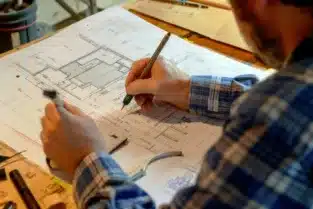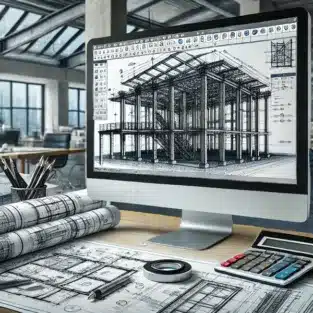
Structural CAD Drafting

In today’s fast-paced construction industry, precision and efficiency are crucial for staying ahead of the competition. Structural CAD drafting has revolutionized the way construction projects are designed, planned, and executed. By leveraging the capabilities of modern software, structural CAD drafting can significantly boost the accuracy, speed, and cost-efficiency of your construction work. Here’s how it works and why it’s a game-changer for civil and structural projects.

Structural CAD Drafting and Design

1. Enhanced Accuracy and Detail

One of the primary benefits of structural CAD drafting is its ability to deliver highly accurate and detailed drawings. Traditional manual drafting methods are prone to human error, which can lead to costly mistakes during construction. With CAD drafting, every dimension, angle, and component is precisely measured and drawn, ensuring the structural integrity of your designs.
For instance, CAD tools allow you to create 2D and 3D models that incorporate accurate details such as load-bearing capacities, material specifications, and reinforcement placement. This precision reduces errors during construction, saving time and resources.

2. Streamlined Collaboration

Civil and structural projects often involve multiple stakeholders, including architects, engineers, contractors, and clients. Structural CAD drafting facilitates seamless collaboration by providing a centralized platform for design sharing and feedback.
Modern CAD tools enable real-time updates and revisions, ensuring all stakeholders are on the same page. This not only minimizes misunderstandings but also helps in resolving design conflicts early in the project lifecycle.

3. Time-Saving Automation

Time is a critical factor in construction projects, and delays can lead to increased costs and strained relationships with clients. CAD drafting software automates repetitive tasks, such as scaling, dimensioning, and layering, significantly speeding up the design process.
With automated features, you can quickly generate multiple design iterations, adapt to changing requirements, and finalize plans faster than with traditional methods. This efficiency translates directly to reduced project timelines.

4. Cost-Effectiveness

Reducing waste and optimizing resource allocation are key to controlling costs in construction. By providing precise drawings and material estimates, civil CAD drafting helps minimize material wastage and prevents over-ordering.
Additionally, early error detection through detailed CAD models avoids costly on-site modifications. These savings can have a significant impact on your overall project budget, making CAD drafting a cost-effective choice for construction firms.

5. Improved Design Flexibility

Construction projects often require adjustments to meet client needs or comply with local regulations. CAD drafting provides unparalleled flexibility in design modifications.
With just a few clicks, you can alter dimensions, test different design options, or incorporate new elements without starting from scratch. This adaptability ensures that your project can evolve without compromising on quality or deadlines.

6. 3D Visualization and Simulation

One of the standout features of modern structural CAD drafting is the ability to create 3D visualizations and perform simulations. These tools allow you to see how your structure will look and perform in real-world conditions.
3D models help identify potential design flaws, assess structural stability, and predict performance under various loads and stresses. This proactive approach to problem-solving enhances the overall quality of your construction work.

7. Compliance with Industry Standards

Ensuring compliance with building codes and safety standards is a critical aspect of construction projects. CAD drafting software incorporates libraries of pre-set standards, making it easier to adhere to regulations.
This ensures that your designs meet local and international requirements, reducing the risk of legal issues or project delays due to non-compliance.

8. Seamless Integration with Other Technologies

The integration of structural CAD drafting with other technologies, such as Building Information Modeling (BIM) and Geographic Information Systems (GIS), further enhances its utility.
By combining CAD with BIM, for example, you can create comprehensive models that include not only structural elements but also plumbing, electrical, and HVAC systems. This holistic approach ensures better coordination and reduces conflicts during construction.

9. Better Communication with Clients

CAD drafting enhances communication with clients by providing clear, visual representations of project designs. Whether through detailed 2D drawings or immersive 3D models, clients can easily understand the scope and design of the project.
This clarity helps build trust, facilitates quicker approvals, and ensures that the final structure aligns with the client’s vision.

Conclusion

Incorporating structural CAD drafting into your construction workflow is no longer an option but a necessity in today’s competitive market. From improving accuracy and collaboration to reducing costs and enhancing design flexibility, CAD drafting is a transformative tool that can significantly boost the efficiency and success of your construction projects.

By investing in civil CAD drafting services, you equip your team with the precision, speed, and adaptability needed to meet the demands of modern construction. Embrace this technology to stay ahead in the industry and deliver exceptional results for your clients.

For expert structural CAD drafting services tailored to your specific project needs, contact ASTCAD today and experience the difference!

Why are CAD drawings so popular for construction drawings?

In the construction industry, precision, efficiency, and collaboration are crucial factors that determine the success of a project. u003cstrongu003eCAD (Computer-Aided Design)u003c/strongu003e drawings have become the standard for construction drawings due to their many advantages over traditional hand-drawn designs. Here are the key reasons why u003cstrongu003eCAD drawingsu003c/strongu003e are so popular in construction:u003cbru003eu003cbru003e1. u003cstrongu003eEnhanced Accuracy and Precisionu003c/strongu003eu003cbru003eOne of the biggest advantages of u003cstrongu003eCAD drawingsu003c/strongu003e is their ability to provide a high level of accuracy. Unlike hand-drawn designs, where human errors can easily occur, CAD software ensures precise measurements, alignment, and scaling. CAD drawings are created using mathematical algorithms, which means that every line, angle, and dimension is accurate to the smallest detail. This level of precision is critical in construction, where even minor mistakes can lead to costly delays or structural issues.u003cbru003eu003cbru003e2. u003cstrongu003eEase of Modifications and Revisionsu003c/strongu003eu003cbru003eConstruction projects often undergo changes during the design or building phases due to new requirements, unforeseen challenges, or client feedback. With CAD drawings, making revisions is easy and quick. Unlike traditional hand-drawn designs, where changes can be time-consuming and messy, CAD software allows users to modify or update designs with just a few clicks. This flexibility speeds up the process of refining construction drawings and reduces the risk of errors introduced during revisions.u003cbru003eu003cbru003e3. u003cstrongu003eTime Efficiencyu003c/strongu003eu003cbru003eu003cstrongu003eCAD drawingsu003c/strongu003e significantly reduce the amount of time needed to create and finalize construction plans. Features like automated dimensioning, pre-built templates, and tools for layering streamline the drafting process. Additionally, CAD drawings allow for faster modifications, eliminating the need to start over from scratch each time a change is made. This efficiency ultimately leads to shorter project timelines and cost savings.u003cbru003eu003cbru003e4. u003cstrongu003e3D Visualizationu003c/strongu003eu003cbru003eWhile traditional construction drawings are typically flat, 2D representations, u003cstrongu003eCAD softwareu003c/strongu003e enables the creation of 3D models. These 3D visualizations provide a better understanding of the design by showing how the structure will look in real life. They also help to identify potential design flaws early on, improving the quality of the project. Clients and stakeholders can visualize the final outcome before construction begins, which aids in decision-making and approval processes.

How does AutoCAD help in modern building construction?

AutoCAD, one of the most widely used computer-aided design (CAD) software, plays a crucial role in modern building construction. It has transformed the way architects, engineers, and construction professionals design, plan, and execute building projects. From initial drafts to final construction drawings, AutoCAD provides a suite of powerful tools that enhance accuracy, collaboration, and efficiency. Here’s how AutoCAD helps in modern building construction:u003cbru003eu003cbru003e1. u003cstrongu003ePrecision and Accuracy in Designu003c/strongu003eu003cbru003eOne of the key benefits of AutoCAD in building construction is its ability to create highly accurate and precise drawings. In construction, even the smallest mistakes can lead to costly errors, delays, or structural issues. AutoCAD eliminates this risk by allowing users to create exact dimensions and measurements. Every line, angle, and curve is drawn with pixel-perfect precision, ensuring that the design reflects the intended specifications without error.u003cbru003eu003cbru003eAutoCAD’s ability to integrate with other tools, like 3D modeling and rendering, further enhances design accuracy by providing a clear visual representation of how the building will look and function in real life.u003cbru003eu003cbru003e2. u003cstrongu003e3D Visualization and Modelingu003c/strongu003eu003cbru003eIn modern building construction, u003cstrongu003e3D modelingu003c/strongu003e has become essential for both the design and communication of architectural ideas. AutoCAD allows users to create detailed 3D models of buildings, which helps designers and clients visualize the final product before construction begins. With AutoCAD’s 3D capabilities, it’s easier to identify design flaws, structural issues, and spatial limitations early in the planning phase.u003cbru003eu003cbru003eMoreover, these 3D models can simulate how different materials, lighting, and other elements will interact in the real world. This enables the project team to make necessary adjustments before construction begins, saving time and reducing the risk of costly modifications later.u003cbru003eu003cbru003e3. u003cstrongu003eEfficient Collaboration Across Teamsu003c/strongu003eu003cbru003eModern construction projects often involve multiple professionals, including architects, engineers, contractors, and designers. AutoCAD facilitates collaboration by allowing all stakeholders to work on a single, shared digital platform. u003cstrongu003eCloud-based AutoCADu003c/strongu003e tools like AutoCAD 360 allow team members to access and work on drawings remotely, updating designs in real-time.u003cbru003eu003cbru003eThis collaborative environment ensures that everyone is on the same page and that changes are quickly communicated and implemented. As a result, potential conflicts between different systems (such as electrical and plumbing) are identified early, reducing miscommunication and rework.u003cbru003eu003cbru003e4. u003cstrongu003eStreamlined Revisions and Updatesu003c/strongu003eu003cbru003eIn the fast-paced world of construction, changes to designs are inevitable. Whether due to client feedback, regulatory requirements, or unforeseen issues, it’s essential to revise construction plans quickly and efficiently. With AutoCAD, revisions are straightforward. Instead of starting from scratch, designers can simply modify existing drawings or models.u003cbru003eu003cbru003eAutoCAD’s version control tools keep track of changes, making it easy to manage multiple iterations of a design. This ensures that the most current and accurate plans are always used on-site, minimizing mistakes caused by outdated information.
JH

James Hartley

Senior Mechanical Engineer · BEng (Mechanical), UQ · Member, Engineers Australia · ASTCAD, Brisbane

James has 14 years of hands-on experience delivering CAD design, structural drafting, and engineering documentation across Australia’s mining, oil & gas, and manufacturing sectors. He specialises in SolidWorks, Autodesk Inventor, and AutoCAD for complex multi-discipline projects.

More articles by James Hartley →
Structural Steel Detailing

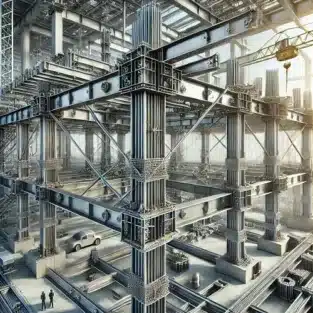
Structural steel detailing is an essential aspect of modern construction, offering precision and clarity that ensures a smooth transition from design to execution. With complex construction projects requiring detailed planning and coordination, structural steel detailing acts as a bridge between the architect’s vision and the on-ground execution. Let’s delve into how structural steel detailing enhances efficiency and accuracy in construction projects.

What is Structural Steel Detailing?

Structural steel detailing is a specialized discipline that involves the creation of detailed drawings and plans for the fabrication and erection of steel frameworks. These detailed blueprints include specifications such as dimensions, material grades, welding details, and connection methods. They provide a comprehensive guide for fabricators and contractors to assemble steel structures accurately.

The detailing process relies on advanced tools like CAD (Computer-Aided Design) software and BIM (Building Information Modeling) technology to produce precise 2D and 3D drawings. This ensures that all project stakeholders, including engineers, architects, and fabricators, are on the same page.

Key Ways Structural Steel Detailing Streamlines Construction Projects

1. Enhanced Precision in Design and Fabrication

One of the primary benefits of structural steel detailing is the accuracy it offers. Every detail, from the size of a bolt to the type of weld, is meticulously planned. This eliminates ambiguities, reduces errors, and ensures that components fit seamlessly during assembly.

For example, precise detailing minimizes the chances of rework or material wastage, saving both time and resources. Fabricators can rely on these detailed drawings to create components that meet exact specifications.

2. Improved Communication Among Stakeholders

Structural steel detailing serves as a common language for architects, engineers, contractors, and fabricators. The detailed drawings and plans ensure that everyone involved in the project understands the design intent and execution strategy.

This improved communication reduces the risk of misunderstandings and delays. When all stakeholders work from the same detailed plan, the construction process becomes smoother and more efficient.

3. Faster Project Turnaround

Time is a critical factor in construction projects. Structural steel detailing accelerates project timelines by ensuring that the fabrication and erection processes are well-organized. Fabricators can begin their work with confidence, knowing that the detailed drawings provide a clear roadmap.

Moreover, the use of advanced software in detailing allows for quick adjustments and updates to designs, keeping the project on track even when unexpected changes occur.

4. Enhanced Safety and Compliance

Structural steel detailing ensures that all components meet safety and compliance standards. Detailing professionals take into account load requirements, stress points, and material capabilities to design structures that are both safe and durable.

This level of attention to detail helps prevent structural failures and ensures compliance with local building codes and industry standards. By prioritizing safety during the detailing phase, the risks associated with construction projects are significantly reduced.

5. Cost Efficiency Through Reduced Errors

Errors in construction can lead to costly delays and rework. Structural steel detailing minimizes these risks by providing a detailed and accurate representation of the project. The early identification of potential issues, such as clashes or design inconsistencies, ensures they can be resolved before construction begins.

Additionally, precise material specifications and quantities help in accurate procurement, reducing wastage and unnecessary expenses. This cost-saving aspect is particularly valuable in large-scale construction projects.

6. Seamless Integration with Modern Technologies

Structural steel detailing integrates seamlessly with modern construction technologies like BIM and prefabrication. By creating 3D models, detailers can simulate the assembly process, identify clashes, and optimize the design for efficiency.

This technology-driven approach allows for prefabricated steel components to be delivered to the site ready for assembly, further reducing construction timelines and costs.

Applications of Structural Steel Detailing in Construction Projects

Structural steel detailing is used in a variety of construction projects, including:

  • High-Rise Buildings: Ensures the stability and strength of complex steel frameworks.
  • Bridges: Provides precise details for large-scale, load-bearing structures.
  • Industrial Facilities: Supports the design of heavy-duty frameworks for machinery and equipment.
  • Commercial Complexes: Facilitates aesthetically pleasing yet structurally sound designs.

Why Choose Professional Structural Steel Detailing Services?

Partnering with professional structural steel detailing services ensures access to skilled experts who understand the nuances of the process. These professionals utilize cutting-edge software to deliver high-quality, accurate drawings that streamline every phase of construction.

At ASTCAD, we specialize in providing top-notch structural steel detailing services tailored to meet the unique requirements of your projects. From complex industrial structures to intricate architectural designs, our team is equipped to handle it all with precision and efficiency.

Conclusion

Structural steel detailing is an indispensable tool in modern construction, ensuring precision, efficiency, and safety. By streamlining communication, reducing errors, and accelerating timelines, it helps construction professionals deliver projects on time and within budget.

If you’re looking to optimize your construction process, investing in professional structural steel detailing services is a step in the right direction. Contact ASTCAD today to learn more about how we can assist with your next project!


JH

James Hartley

Senior Mechanical Engineer · BEng (Mechanical), UQ · Member, Engineers Australia · ASTCAD, Brisbane

James has 14 years of hands-on experience delivering CAD design, structural drafting, and engineering documentation across Australia’s mining, oil & gas, and manufacturing sectors. He specialises in SolidWorks, Autodesk Inventor, and AutoCAD for complex multi-discipline projects.

More articles by James Hartley →
3d printing

Introduction 3D Printing

  • Briefly introduce 3D printing and its transformative impact on industries like automotive, aerospace, healthcare, and product design.
  • Highlight that selecting the right material is crucial for achieving desired project results, durability, and functionality.

1. Understanding the Importance of Material Selection in 3D Printing

  • Explain how different materials affect the strength, flexibility, durability, and aesthetics of printed parts.
  • Note that choosing the wrong material can lead to poor performance, costly mistakes, and delays.

2. Key Factors to Consider When Choosing a 3D Printing Material

  • Purpose of the Print: Describe how the intended function of the part (prototype vs. end-use) influences material choice.
  • Mechanical Properties: Explain why properties like tensile strength, flexibility, and impact resistance matter.
  • Environmental Conditions: Consider factors like temperature tolerance, UV exposure, and moisture sensitivity.
  • Aesthetic Requirements: Discuss how color, texture, and finish impact the visual appeal of the printed object.
  • Budget Constraints: Emphasize balancing cost-effectiveness with material quality.

3. Overview of Common 3D Printing Materials

  • PLA (Polylactic Acid): Explain its popularity for prototyping and low-cost applications.
  • ABS (Acrylonitrile Butadiene Styrene): Mention its strength, impact resistance, and suitability for functional parts.
  • PETG (Polyethylene Terephthalate Glycol): Describe its balance of strength, durability, and ease of use.
  • Nylon (Polyamide): Known for flexibility and strength, ideal for functional parts and wear-resistant applications.
  • Resins: Ideal for detailed models and smooth finishes, often used in dental and jewelry applications.
  • Metal: Used for high-strength, industrial parts; great for aerospace and automotive sectors.

4. Choosing a Material Based on Application Type

  • Prototyping: Suggest PLA, PETG, or resin for prototypes that require aesthetic accuracy without excessive durability.
  • Functional Parts: Recommend ABS, Nylon, or metal for parts that need to withstand stress and impact.
  • Medical or Food-Safe Applications: Discuss biocompatible or food-safe materials like certain FDA-approved resins.

5. Sustainable and Eco-Friendly 3D Printing Materials

  • Introduce eco-conscious options like biodegradable PLA or recycled PETG.
  • Briefly discuss the rise of sustainable materials to meet environmental standards in 3D printing.

6. Tips for Testing and Evaluating Materials

  • Encourage initial testing with small prints to assess a material’s properties.
  • Mention the importance of post-processing techniques for improving material durability and aesthetics.

Conclusion

  • Reinforce that choosing the right 3D printing material directly impacts the success and longevity of the project.
  • Recommend consulting with 3D printing professionals for complex or high-stakes projects to ensure optimal material selection.

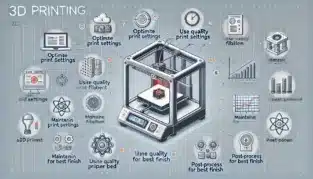
How to get perfect 3D prints every time?

How to Get Perfect 3D Prints Every Timeu003cbru003eu003cstrongu003e1. Choose the Right Material for Your Projectu003c/strongu003eu003cbru003eDifferent materials, like PLA, ABS, PETG, and nylon, have unique properties and require specific settings.u003cbru003eChoose a material based on your project’s needs (e.g., PLA for easy printing, ABS for durability, nylon for flexibility).u003cbru003eu003cstrongu003e2. Fine-Tune Your Printer Settingsu003c/strongu003eu003cbru003eu003cstrongu003eLayer Heightu003c/strongu003e: For high-detail prints, use a smaller layer height (e.g., 0.1mm), while larger prints can use a thicker layer (e.g., 0.2mm).u003cbru003eu003cstrongu003ePrint Speedu003c/strongu003e: Slow down the print speed for complex geometries or high-quality finishes. Commonly, 40-60mm/s is ideal for most prints.u003cbru003eu003cstrongu003eNozzle Temperatureu003c/strongu003e: Ensure you’re using the correct temperature for the material. Printing too hot or too cold affects layer adhesion and finish.u003cbru003eu003cstrongu003eBed Temperatureu003c/strongu003e: Proper bed temperature minimizes warping, especially with materials like ABS or PETG.u003cbru003eu003cstrongu003e3. Ensure Bed Leveling and Adhesionu003c/strongu003eu003cbru003eu003cstrongu003eLevel the Bedu003c/strongu003e: Regularly calibrate and level your print bed, especially if you move the printer or change filaments.u003cbru003eu003cstrongu003eAdhesion Aidsu003c/strongu003e: Use aids like glue sticks, painter’s tape, or print surfaces like PEI to improve first-layer adhesion and reduce warping.u003cbru003eu003cstrongu003e4. Control the Environmentu003c/strongu003eu003cbru003eu003cstrongu003eStable Temperatureu003c/strongu003e: Print in a controlled, draft-free room. Cold drafts or rapid temperature changes can cause warping and adhesion issues.u003cbru003eu003cstrongu003eHumidity Controlu003c/strongu003e: Store filaments in airtight containers with desiccant. Moisture in filament causes popping sounds, bubbles, and weak prints.u003cbru003eu003cstrongu003e5. Use Proper Supports and Overhangsu003c/strongu003eu003cbru003eu003cstrongu003eOverhangs and Supportsu003c/strongu003e: Add supports for overhangs over 45 degrees to prevent sagging. Use slicer settings to create detachable supports that don’t affect surface quality.u003cbru003eu003cstrongu003eBridgesu003c/strongu003e: For prints with gaps (bridges), adjust speed, cooling, and infill settings to improve bridging quality without supports.u003cbru003eu003cstrongu003e6. Regularly Maintain Your Printeru003c/strongu003eu003cbru003eu003cstrongu003eNozzle Cleaningu003c/strongu003e: Clean the nozzle periodically to prevent clogs and ensure smooth filament flow. Replace worn nozzles for consistent performance.u003cbru003eu003cstrongu003eCheck Belts and Screwsu003c/strongu003e: Tighten loose belts and screws to prevent layer shifting and inaccurate dimensions.u003cbru003eu003cstrongu003eLubricate Moving Partsu003c/strongu003e: Regular lubrication of moving parts helps the printer operate smoothly and extends its lifespan.

How do I get the best out of my 3D printer?

1. Understand Your Printer’s Capabilities and Limitationsu003cbru003eu003cstrongu003eKnow Your Printeru003c/strongu003e: Familiarize yourself with your printer’s specifications, such as maximum print volume, nozzle diameter, layer resolution, and compatible materials.u003cbru003eu003cstrongu003eMaterial Compatibilityu003c/strongu003e: Ensure your printer can handle various filaments like PLA, ABS, PETG, or flexible materials. Experiment with different materials to find what works best for specific applications.u003cbru003e2. Keep Your Printer Clean and Well-Maintainedu003cbru003eu003cstrongu003eRegular Cleaningu003c/strongu003e: Clean the build plate, nozzle, and extruder regularly. Residue can affect adhesion and print quality.u003cbru003eu003cstrongu003eNozzle Careu003c/strongu003e: Clear any clogs and replace the nozzle periodically, especially if printing with abrasive filaments like carbon fiber or glow-in-the-dark filaments.u003cbru003eu003cstrongu003eLubricate Moving Partsu003c/strongu003e: Apply appropriate lubrication to rails, bearings, and threaded rods to keep movement smooth and accurate.u003cbru003e3. Calibrate Your Printer Frequentlyu003cbru003eu003cstrongu003eBed Levelingu003c/strongu003e: Keep the bed level for optimal first-layer adhesion. Use manual leveling or auto-leveling features, depending on your printer.u003cbru003eu003cstrongu003eExtruder Calibrationu003c/strongu003e: Calibrate the extruder to ensure accurate filament flow, which prevents issues like under- or over-extrusion.u003cbru003eu003cstrongu003eE-Steps Calibrationu003c/strongu003e: Adjust E-steps to fine-tune filament extrusion for precise, high-quality prints.u003cbru003e4. Optimize Print Settings in Your Slicer Softwareu003cbru003eu003cstrongu003eLayer Heightu003c/strongu003e: Use lower layer heights (e.g., 0.1mm) for high-detail prints, and higher ones (e.g., 0.2mm) for faster but less detailed prints.u003cbru003eu003cstrongu003ePrint Speedu003c/strongu003e: Slower speeds (30-50mm/s) generally yield better detail, while higher speeds (60-80mm/s) can be used for prototypes or low-detail parts.u003cbru003eu003cstrongu003eRetraction Settingsu003c/strongu003e: Correct retraction settings minimize stringing. Adjust retraction length and speed based on the material type.u003cbru003eu003cstrongu003eInfill Densityu003c/strongu003e: Match the infill density with the part’s intended use. Higher infill gives strength, while lower infill saves material and time.u003cbru003eu003cstrongu003eCooling Settingsu003c/strongu003e: Use appropriate cooling for each material—PLA benefits from high cooling, while ABS requires less to prevent warping.u003cbru003e5. Ensure Proper Filament Storage and Handlingu003cbru003eu003cstrongu003eStore Filament Correctlyu003c/strongu003e: Moisture affects filament quality, especially for hygroscopic filaments like Nylon and PETG. Store filaments in airtight containers with desiccant.u003cbru003eu003cstrongu003eDry Filament as Neededu003c/strongu003e: Use a filament dryer if you notice signs of moisture (popping sounds, steam, or uneven extrusion).


JH

James Hartley

Senior Mechanical Engineer · BEng (Mechanical), UQ · Member, Engineers Australia · ASTCAD, Brisbane

James has 14 years of hands-on experience delivering CAD design, structural drafting, and engineering documentation across Australia’s mining, oil & gas, and manufacturing sectors. He specialises in SolidWorks, Autodesk Inventor, and AutoCAD for complex multi-discipline projects.

More articles by James Hartley →
Civil Engineering Drawings

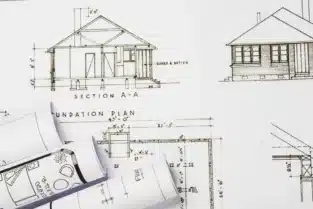
Effective communication is the foundation of a successful civil engineering project. One of the most critical tools for conveying design intent, project scope, and technical details to clients is through civil engineering drawings. These drawings serve as a universal language that clients, contractors, and engineers can understand, even if they don’t have a technical background. Improving how you use civil engineering drawings to communicate with clients can greatly enhance the clarity, efficiency, and outcome of your projects.

Civil Engineering Drawings

In this blog, we will explore practical ways to use civil engineering drawings to improve communication and ensure that your clients are fully informed at every stage of the project.

1. Simplify Complex Information for Client Understanding

Clients often lack the technical expertise that engineers possess, so simplifying complex civil engineering drawings without losing essential information is crucial. By using clear labeling, easy-to-read legends, and straightforward annotations, you can help your clients understand the drawings without feeling overwhelmed by jargon or overly detailed technical information.

Best Practices:

  • Use simple and intuitive symbols for key features.
  • Provide a legend or glossary to explain any necessary technical terms.
  • Highlight the most important elements of the design, such as load-bearing structures or critical utilities, so that clients can easily identify them.

2. Incorporate Visual Aids and 3D Models

While traditional 2D civil engineering drawings are important, adding visual aids like 3D models can significantly improve client understanding. Clients often have a hard time interpreting flat drawings, especially when it comes to imagining how a design will look in reality. By supplementing your 2D plans with 3D models, you can offer a more immersive and intuitive way for clients to visualize the final project.

How It Helps:

  • 3D models provide a real-world perspective of the project.
  • Clients can see how different elements fit together in a tangible way.
  • You can walk clients through different design phases or areas of the project virtually, offering better insights and engagement.

3. Ensure Clarity in Revisions and Updates

Civil engineering projects often require changes during the design phase, which means revisions to the drawings. Ensuring clear communication with clients during these updates is essential to avoid misunderstandings. Keeping your drawings well-organized and documenting all revisions ensures that the client remains up to date with any changes that occur throughout the project.

Tips for Clear Communication in Revisions:

  • Use a version control system to track updates and ensure the client is looking at the most current set of drawings.
  • Clearly mark revisions in a different color or with revision clouds, so the client can easily spot the changes.
  • Accompany revised drawings with a brief summary or explanation of the changes, ensuring the client understands the impact on the project.

4. Use Consistent Drawing Standards

Standardizing your civil engineering drawings helps establish a consistent way of communicating across different projects and with various clients. When your clients become familiar with your drawing style and format, they will have an easier time navigating and understanding future projects. This consistency also reduces confusion and ensures that no vital details are overlooked.

Elements to Standardize:

  • Line weights and styles
  • Text fonts and sizes
  • Title blocks and annotations
  • Layers for different types of information (structural, electrical, mechanical)

Establishing and adhering to these standards in all your projects increases professionalism and reduces the chances of miscommunication.

5. Focus on Accurate and Detailed Annotations

Annotations are a key component of civil engineering drawings, offering clients additional explanations of specific design features. Ensuring your drawings have detailed, accurate annotations can make the difference between a client understanding the project and missing out on crucial details.

Best Practices for Annotations:

  • Use concise but informative text to describe important design elements.
  • Avoid over-explaining; stick to what the client needs to know, such as key measurements, materials, and construction techniques.
  • Place annotations close to the elements they refer to, to avoid confusion or misinterpretation.

6. Provide Digital Access to Civil Engineering Drawings

In the digital age, clients appreciate the ability to access project drawings from anywhere, at any time. Offering a civil engineering drawings service that includes digital delivery ensures that your clients can review project designs at their convenience. Additionally, digital drawings allow for easy updates and sharing, making collaboration smoother.

Digital Solutions to Consider:

  • Use cloud-based platforms for sharing drawings, ensuring clients always have access to the latest versions.
  • Provide high-resolution PDFs or CAD files that clients can review and zoom into for detail.
  • Allow clients to leave comments or feedback directly on digital drawings, improving the flow of communication and reducing delays.

7. Schedule Regular Review Meetings

No matter how clear the civil engineering drawings are, face-to-face or virtual meetings are still invaluable for reinforcing communication. Regular review meetings with clients help clarify any points of confusion and ensure that they are aligned with the project’s direction. It also gives you the opportunity to walk clients through the drawings in real-time, providing immediate clarification for any questions or concerns they may have.

Meeting Best Practices:

  • Schedule review sessions after major design milestones.
  • Encourage clients to ask questions during these meetings and clarify any uncertainties they have about the drawings.
  • Use this time to explain any complex aspects of the design that might not be obvious from the drawings alone.

8. Tailor the Drawing Presentation to Your Audience

Clients differ in their technical understanding and involvement in the project. Some clients may prefer high-level overviews, while others may want more detailed information. Tailoring your civil engineering drawings service to meet the needs and preferences of each client ensures better communication and satisfaction.

Steps for Tailoring Your Drawings:

  • Identify the technical level of your client and adjust your communication style accordingly.
  • Provide simplified or summary drawings alongside detailed ones, depending on client preference.
  • Offer to explain certain technical aspects in more detail if a client seems unsure.

Conclusion

Improving communication with clients using civil engineering drawings requires careful consideration of how these drawings are presented and understood. By simplifying complex information, incorporating 3D models, ensuring clarity in revisions, maintaining drawing standards, and tailoring your presentation to the client, you can enhance client communication and project success. Offering a robust civil engineering drawings service that caters to these needs will set your firm apart as a client-focused, reliable partner in engineering design.

What is AutoCAD for civil engineering?

AutoCAD is a widely used software application that plays a vital role in civil engineering. It is primarily used for computer-aided design (CAD) and drafting, allowing civil engineers to create, modify, analyze, and optimize detailed technical drawings and designs for infrastructure and construction projects. AutoCAD’s versatility makes it a cornerstone for the planning and design of roads, bridges, buildings, water systems, and other civil engineering projects.u003cbru003eu003cbru003eu003cstrongu003eKey Uses of AutoCAD in Civil Engineering:u003c/strongu003eu003cbru003eu003cbru003eu003cstrongu003eDrafting and Drawing Creationu003c/strongu003e: AutoCAD is used to develop 2D and 3D drawings of civil engineering structures. Engineers can create plans, sections, elevations, and detailed layouts with high precision, helping communicate complex project information effectively.u003cbru003eu003cstrongu003e3D Modellingu003c/strongu003e: AutoCAD supports 3D modeling, which enables civil engineers to visualize how the final project will look. This is especially useful for large-scale projects like highways, tunnels, and urban infrastructure.u003cbru003eu003cstrongu003eSite Planning and Designu003c/strongu003e: For tasks like terrain modeling, site planning, and grading, AutoCAD provides engineers with tools to design roads, plot land areas, and analyze topography to ensure accurate and efficient site layouts.u003cbru003eu003cstrongu003eSurveying and Mappingu003c/strongu003e: AutoCAD integrates with surveying equipment, allowing civil engineers to import real-world data such as GPS coordinates, topographical data, and elevation points. This helps in creating accurate site maps and layout plans.

Do civil engineers draw plans?

Yes, civil engineers do draw plans, but this task is often carried out in collaboration with drafting technicians or CAD (computer-aided design) specialists. Civil engineers are responsible for the design and planning of infrastructure projects like roads, bridges, buildings, and water systems. To communicate their design ideas and ensure the proper execution of projects, they create detailed u003cstrongu003ecivil engineering drawingsu003c/strongu003e or u003cstrongu003eplansu003c/strongu003e.u003cbru003eTypes of Plans Civil Engineers Create:u003cbru003eu003cstrongu003eSite Plansu003c/strongu003e: These drawings show the overall layout of a project site, including property boundaries, building locations, access roads, utilities, and landscaping. Site plans are essential for coordinating the placement of all physical components of a project.u003cbru003eu003cstrongu003eStructural Plansu003c/strongu003e: Civil engineers create structural drawings that detail the design of load-bearing elements like beams, columns, and foundations. These plans ensure that buildings, bridges, and other structures can safely withstand the loads they will face.u003cbru003eu003cstrongu003eGrading and Drainage Plansu003c/strongu003e: For land development and roadway projects, engineers design grading plans that show how the ground should be sloped for proper drainage. They also create drainage plans that include water flow management through pipes, culverts, and storm drains.u003cbru003eu003cstrongu003eUtility Plansu003c/strongu003e: These show the layout of essential utilities, including water supply, sewage systems, electrical lines, and telecommunications infrastructure. Civil engineers ensure that utilities are safely and efficiently routed throughout the project area.


JH

James Hartley

Senior Mechanical Engineer · BEng (Mechanical), UQ · Member, Engineers Australia · ASTCAD, Brisbane

James has 14 years of hands-on experience delivering CAD design, structural drafting, and engineering documentation across Australia’s mining, oil & gas, and manufacturing sectors. He specialises in SolidWorks, Autodesk Inventor, and AutoCAD for complex multi-discipline projects.

More articles by James Hartley →
Electrical CAD Drafting

Electrical CAD Drafting is a critical component of modern electrical design projects, offering precise layouts and streamlined workflows. However, even with the most advanced tools, troubleshooting issues can arise, potentially derailing project timelines. Whether you’re managing large-scale projects or working on intricate designs, understanding how to troubleshoot effectively can enhance both efficiency and the final output. In this blog, we’ll cover key tips to streamline troubleshooting for Electrical CAD Drafting and ensure better project management.

Electrical CAD Drafting

1. Understand the Scope of Electrical CAD Design

Before diving into troubleshooting specific issues, it’s crucial to have a clear understanding of the project’s scope. Electrical CAD Drafting involves intricate designs, layouts, and schematics for electrical systems. Miscommunication or misunderstanding during the initial project phase can lead to errors later in the drafting process. By clearly defining the project’s needs and ensuring that the design requirements align with the client’s expectations, you’ll minimize confusion and potential setbacks.

Using Electrical CAD Drafting software that supports real-time collaboration can help streamline communication, reducing the risk of misunderstanding between engineers, drafters, and project managers.

2. Regularly Update Electrical CAD Drafting Files

One of the most common issues in Electrical CAD Drafting is working with outdated files. Even small changes to a design, if not updated in the master file, can cause confusion and errors. It’s vital to ensure that your team consistently updates CAD files with the latest revisions, particularly when collaborating across teams or with external clients. Many Electrical CAD Drafting Service providers implement strict version control practices to avoid discrepancies and ensure that everyone works from the most current designs.

Make it a habit to double-check file versions before starting any troubleshooting process, as outdated files often lead to issues that may have already been addressed in more recent revisions.

3. Use Layering to Troubleshoot Electrical CAD Designs

Layering is a fundamental feature in Electrical CAD Design software, allowing drafters to organize different elements of a project. Mismanagement of layers can lead to drafting confusion, such as mixing high-voltage and low-voltage circuits or misplacing wiring details. Proper use of layers allows you to isolate specific parts of the design when troubleshooting, making it easier to locate errors.

Establish a consistent layering structure at the beginning of each project. This structure should be maintained throughout the project lifecycle. If your CAD software allows for layer filters, use them to further simplify the troubleshooting process.

4. Implement Design Rule Checks (DRC) Early

Most Electrical CAD Drafting tools come with built-in design rule checkers (DRC). These can automatically flag issues such as spacing violations, incorrect component placements, and electrical errors. Integrating DRCs into your drafting process early on can help you catch problems before they escalate, saving both time and resources. Electrical CAD Drafting Services that implement DRC checks early in the design process often face fewer delays during project execution.

Use automated tools to perform frequent DRC checks, especially after significant design changes. This ensures the design remains compliant with industry standards and project specifications.

5. Optimize Component Libraries in Electrical CAD Drafting

Having a well-organized component library is essential for Electrical CAD Drafting. Outdated or incorrect components can lead to errors during project execution, and manually searching for updated components wastes valuable time. By maintaining an optimized library of commonly used electrical symbols, connectors, and parts, you’ll simplify the drafting process and reduce the likelihood of errors.

Regularly audit your component library to ensure it remains up-to-date and reflects the latest industry standards. Electrical CAD Design teams should also have shared access to this library to avoid inconsistencies across different parts of the project.

6. Troubleshoot Power and Signal Integrity Issues

One of the key aspects of Electrical CAD Drafting is ensuring that power and signal integrity are maintained throughout the design. Voltage drops, improper grounding, and signal interference are common issues that can derail a project. When troubleshooting, pay particular attention to wire sizing, grounding schemes, and the placement of signal-carrying components.

Tools that simulate electrical systems can be incredibly helpful in identifying these problems before construction begins. By simulating real-world performance, you can ensure that your Electrical CAD Design meets the necessary power and signal integrity requirements.

7. Document Changes and Maintain a Troubleshooting Log

Good documentation is essential for effective project management. When troubleshooting Electrical CAD Drafting issues, keep detailed records of the problems encountered and the steps taken to resolve them. This not only helps in managing the current project but also provides valuable insights for future projects.

A troubleshooting log allows team members to easily track the history of design changes and see which solutions were applied. Electrical CAD Drafting Service providers who maintain thorough records tend to experience fewer recurring issues, as they can refer back to these logs when similar problems arise.

8. Conduct Regular Design Reviews with Stakeholders

Even the most experienced Electrical CAD Drafting teams can overlook critical design flaws. Conducting regular design reviews with stakeholders can help catch potential issues before they become significant problems. These reviews should involve both technical experts and clients to ensure that the Electrical CAD Design aligns with the project’s goals.

During these reviews, stakeholders can offer feedback that might bring new perspectives to the table, helping to identify issues that may not have been apparent during the drafting phase.

9. Leverage Cloud-Based Electrical CAD Drafting Software

Cloud-based Electrical CAD Drafting software offers a host of benefits, including better version control, real-time collaboration, and easy access to files from any location. These features can significantly streamline troubleshooting and project management, especially for teams working remotely or across different locations.

With cloud-based solutions, you can monitor project progress in real-time and ensure that any issues are addressed as soon as they arise, keeping your Electrical CAD Drafting Service running smoothly.

Conclusion

Effective troubleshooting is essential for the success of Electrical CAD Drafting projects. By following these best practices—understanding project scope, using design rule checks, optimizing component libraries, and leveraging modern cloud-based tools—you can manage projects more efficiently while minimizing errors. Adopting a proactive approach to Electrical CAD Design will not only improve your team’s productivity but also lead to better project outcomes.

What is electrical CAD drawing?

u003cstrongu003eElectrical CAD Drawingu003c/strongu003e refers to the creation of technical drawings and schematics used for designing electrical systems. These drawings are produced using u003cstrongu003eComputer-Aided Design (CAD)u003c/strongu003e software, which allows engineers, electricians, and drafters to design, modify, and optimize electrical systems with precision and efficiency. Electrical CAD drawings include diagrams of wiring, circuits, power distribution, lighting layouts, control systems, and other electrical components.u003cbru003eu003cbru003eu003cstrongu003eKey Components of Electrical CAD Drawings:u003c/strongu003eu003cbru003eu003cstrongu003eWiring Diagramsu003c/strongu003e: Visual representation of electrical circuits, showing how wires connect components like switches, outlets, and lighting fixtures.u003cbru003eu003cstrongu003eSingle-Line Diagramsu003c/strongu003e: Simplified diagrams that outline the flow of electrical power in a system, showing the connection between equipment with a single line.u003cbru003eu003cstrongu003eSchematic Diagramsu003c/strongu003e: Detailed drawings that represent the internal arrangement of circuits and components.u003cbru003eu003cstrongu003ePanel Layoutsu003c/strongu003e: Depicts the physical placement of components such as circuit breakers, fuses, and switches within an electrical panel.u003cbru003eu003cstrongu003eControl Systemsu003c/strongu003e: Diagrams illustrating how electrical components interact within automation or control systems.u003cbru003eu003cbru003eu003cstrongu003eBenefits of Electrical CAD Drawing:u003c/strongu003eu003cbru003eu003cstrongu003ePrecision and Accuracyu003c/strongu003e: Ensures detailed, accurate layouts for complex systems.u003cbru003eu003cstrongu003eTime Efficiencyu003c/strongu003e: Streamlines the design process with tools for editing, copying, and organizing elements.u003cbru003eu003cstrongu003eError Reductionu003c/strongu003e: Automated error-checking and design rule compliance features minimize human mistakes.u003cbru003eu003cstrongu003eScalabilityu003c/strongu003e: Allows easy scaling of designs, from small residential setups to large industrial electrical systems.u003cbru003eu003cstrongu003eCollaborationu003c/strongu003e: Facilitates better communication among team members with shareable digital drawings.

Do electrical engineers do CAD?

Yes, u003cstrongu003eelectrical engineers often use CAD (Computer-Aided Design)u003c/strongu003e software in their work, particularly for designing and developing electrical systems, layouts, and schematics. While CAD is more commonly associated with fields like architecture and mechanical engineering, it is also crucial in electrical engineering for a variety of tasks.u003cbru003eu003cbru003eu003cstrongu003eCommon Uses of CAD for Electrical Engineers:u003c/strongu003eu003cbru003eu003cstrongu003eElectrical System Designu003c/strongu003e: Electrical engineers use CAD to design circuits, wiring diagrams, power distribution systems, and electrical panels for buildings, industrial facilities, and machinery.u003cbru003eu003cstrongu003eSchematic Diagramsu003c/strongu003e: They create detailed circuit schematics that show how electrical components are connected and how electrical current flows through the system.u003cbru003eu003cstrongu003ePCB (Printed Circuit Board) Designu003c/strongu003e: Electrical engineers often use CAD software specific to electronics, like u003cstrongu003eECADu003c/strongu003e (Electrical CAD), to design printed circuit boards (PCBs) for electronic devices and equipment.u003cbru003eu003cstrongu003eControl System Layoutsu003c/strongu003e: For designing automation systems and industrial control panels, engineers use CAD tools to model and layout control components.u003cbru003eu003cstrongu003eSimulation and Testingu003c/strongu003e: Some CAD tools allow engineers to simulate electrical performance, testing for potential issues like short circuits, power loss, or signal interference before implementation.u003cbru003eu003cbru003eu003cstrongu003eCAD Software Used by Electrical Engineers:u003c/strongu003eu003cbru003eu003cstrongu003eAutoCAD Electricalu003c/strongu003e: A version of AutoCAD tailored for electrical design, offering libraries of electrical symbols and tools for creating wiring diagrams.u003cbru003eu003cstrongu003eSolidWorks Electricalu003c/strongu003e: A tool for designing complex electrical systems, integrating both 2D schematics and 3D representations.u003cbru003eu003cstrongu003eEagleu003c/strongu003e: Widely used for PCB design.u003cbru003eu003cstrongu003eOrCADu003c/strongu003e: Popular for creating electronic circuits and schematics.u003cbru003eu003cstrongu003eETAPu003c/strongu003e: For power systems modeling and analysis.u003cbru003eu003cbru003eu003cstrongu003eBenefits of Using CAD for Electrical Engineers:u003c/strongu003eu003cbru003eu003cstrongu003eImproved Accuracyu003c/strongu003e: CAD tools reduce human error, allowing precise design of electrical systems.u003cbru003eu003cstrongu003eTime-Savingu003c/strongu003e: Automates repetitive tasks like generating schematics or wiring diagrams.u003cbru003eu003cstrongu003eBetter Collaborationu003c/strongu003e: CAD files can be shared easily with teams, including other engineers, clients, and contractors.u003cbru003eu003cstrongu003eEnhanced Visualizationu003c/strongu003e: Electrical engineers can visualize both 2D and 3D models of their systems, making it easier to identify design issues early.


JH

James Hartley

Senior Mechanical Engineer · BEng (Mechanical), UQ · Member, Engineers Australia · ASTCAD, Brisbane

James has 14 years of hands-on experience delivering CAD design, structural drafting, and engineering documentation across Australia’s mining, oil & gas, and manufacturing sectors. He specialises in SolidWorks, Autodesk Inventor, and AutoCAD for complex multi-discipline projects.

More articles by James Hartley →
Steel Structure Rehabilitation

Steel structures are widely used across various industries due to their durability, strength, and flexibility. However, like all materials, steel can deteriorate over time due to factors such as environmental exposure, corrosion, and structural stress. The rehabilitation of steel structures is crucial for extending their lifespan, ensuring safety, and maintaining optimal performance. In this guide, we will explore the key aspects of steel structure rehabilitation, including common challenges, solutions, and the role of retrofitting and rehabilitation services.

Understanding Steel Structure Rehabilitation Deterioration

Steel structures face numerous challenges during their operational life, including corrosion, fatigue, material deformation, and damage from external factors like earthquakes or extreme weather conditions. Without timely intervention, these issues can compromise the integrity and safety of the structure.

Key Causes of Deterioration:

  • Corrosion: Steel is highly susceptible to corrosion, especially in environments with high humidity, salt exposure, or pollutants. Over time, corrosion weakens the steel components.
  • Fatigue: Repeated stress from loads, vibrations, and temperature fluctuations can cause fatigue in steel structures, leading to cracks and failures.
  • Accidental Damage: Impact forces from machinery, vehicles, or even natural disasters can deform or damage steel elements, necessitating rehabilitation of steel structures.

The Importance of Steel Structure Rehabilitation

The rehabilitation of steel structures service plays a crucial role in ensuring the continued performance and safety of existing steel infrastructure. Rehabilitation not only repairs the damage but also reinforces the structure, allowing it to perform optimally under current and future loads. This is particularly important in sectors such as construction, manufacturing, and transportation, where structural integrity is critical.

Methods of Rehabilitation

There are several methods used in the rehabilitation of steel structures, each designed to address specific problems. These methods include:

1. Retrofitting

Retrofitting involves upgrading an existing structure to improve its performance. This process is often used to enhance the load-bearing capacity or to bring structures up to current building codes. Retrofitting and rehabilitation services are especially vital in older structures that were designed with outdated standards.

Common Retrofitting Techniques:

  • Adding steel braces or beams to reinforce existing structures.
  • Installing dampers or shock absorbers to mitigate the impact of vibrations or seismic activity.
  • Strengthening connections between steel components to enhance overall structural integrity.

2. Corrosion Control

Corrosion is one of the primary causes of steel degradation. Proper corrosion control methods are necessary to extend the lifespan of the steel structure. These can include:

  • Surface Treatments: Applying protective coatings like paint, galvanization, or epoxy to shield the steel from moisture and pollutants.
  • Cathodic Protection: A technique that uses electrical currents to prevent corrosion in steel elements submerged in water or exposed to corrosive environments.

3. Replacement of Damaged Components

In cases where steel components are severely damaged, they may need to be replaced. This involves removing the compromised section and installing new steel components. Modern design and drafting services play a crucial role in ensuring precise replacement, making sure the new elements fit perfectly within the existing structure.

The Role of Design and Drafting Services in Rehabilitation

Before starting any rehabilitation project, a comprehensive analysis and design phase is critical. Design and drafting services provide the detailed drawings, specifications, and structural analysis required to successfully execute a rehabilitation project. Accurate design plans ensure that the rehabilitation process addresses the underlying issues and prevents future structural problems.

Key aspects of design and drafting for rehabilitation projects include:

  • Load Analysis: Ensuring that the rehabilitated structure can handle current and future loads, including any increases due to retrofitting.
  • 3D Modelling: Advanced 3D CAD modelling helps visualize the rehabilitation process and identify potential design challenges.
  • Detailed Drafting: Precise technical drawings ensure accurate implementation during the rehabilitation phase, minimizing delays and cost overruns.

Benefits of Professional Rehabilitation Services

Hiring professional rehabilitation of steel structures services offers numerous benefits, including:

  • Enhanced Durability: Proper rehabilitation ensures that the structure remains robust and functional for many more years.
  • Cost Savings: Addressing structural issues early can prevent expensive future repairs or complete replacements.
  • Compliance with Standards: Retrofitting ensures that older structures meet modern safety codes and regulations.
  • Increased Safety: Strengthening structural integrity reduces the risk of accidents and ensures a safe working environment.

Conclusion

The rehabilitation of steel structures is an essential process to maintain the longevity and safety of steel-based infrastructure. By addressing deterioration through techniques like retrofitting and rehabilitation services, corrosion control, and component replacement, professionals can extend the life of these structures and keep them performing optimally. Furthermore, the role of design and drafting services is pivotal in ensuring that the rehabilitation is precise, efficient, and cost-effective.

Whether dealing with corrosion, fatigue, or accidental damage, investing in proper rehabilitation techniques can save time, reduce costs, and ensure the safety of steel structures in any industry.

For more information or to explore our rehabilitation of steel structures service, contact our expert team today and ensure your steel structures remain in top condition for years to come.

what is rehabilitation of structures

Rehabilitation of structures refers to the process of restoring, repairing, or upgrading an existing structure to improve its functionality, safety, and longevity. It involves addressing structural issues caused by deterioration, damage, or outdated design standards, and aims to extend the useful life of the structure while ensuring it meets current codes and regulations.u003cbru003eu003cbru003eKey Aspects of Structural Rehabilitation:u003cbru003eu003cbru003eu003cstrongu003eRepairing Damageu003c/strongu003e: Fixing areas weakened by corrosion, cracks, or other forms of deterioration.u003cbru003eu003cstrongu003eStrengthening the Structureu003c/strongu003e: Reinforcing elements to support increased loads or enhance resistance to forces like earthquakes or wind.u003cbru003eu003cstrongu003eRetrofittingu003c/strongu003e: Upgrading a structure to improve performance or bring it in line with modern safety and building codes.u003cbru003eu003cstrongu003eCorrosion Controlu003c/strongu003e: Implementing protective measures to prevent further degradation, particularly in steel or concrete structures.u003cbru003eu003cstrongu003eReplacing Componentsu003c/strongu003e: Removing and replacing damaged parts of a structure when repairs are insufficient.

Why is Rehabilitation Necessary?

u003cstrongu003eSafetyu003c/strongu003e: Ensures that structures remain safe for use and resistant to potential hazards.u003cbru003eu003cstrongu003eCost-Efficiencyu003c/strongu003e: Rehabilitation can be a more cost-effective solution compared to demolishing and rebuilding.u003cbru003eu003cstrongu003ePreservationu003c/strongu003e: Maintains the historical or functional value of a building or infrastructure.u003cbru003eu003cstrongu003eEnvironmental Impactu003c/strongu003e: Reduces waste and energy consumption by reusing existing structures rather than constructing new ones.


JH

James Hartley

Senior Mechanical Engineer · BEng (Mechanical), UQ · Member, Engineers Australia · ASTCAD, Brisbane

James has 14 years of hands-on experience delivering CAD design, structural drafting, and engineering documentation across Australia’s mining, oil & gas, and manufacturing sectors. He specialises in SolidWorks, Autodesk Inventor, and AutoCAD for complex multi-discipline projects.

More articles by James Hartley →
3D Mechanical Animations

Incorporating CAD data into 3D mechanical animations is a powerful way to visualize complex mechanical designs, improve communication between teams, and create compelling presentations for clients. The process combines detailed CAD models with dynamic 3D animations to simulate real-world operations, enhance product development, and streamline design processes. If you’re working with CAD files and want to bring them to life through animations, here are some essential tips and tricks to ensure smooth integration.

3D Mechanical Animations

Understanding the Role of 3D Mechanical Animations

3D mechanical animations are crucial in illustrating how mechanical systems work. They allow engineers, designers, and stakeholders to see the movement, function, and interaction of components in real-time. These animations can showcase the assembly process, simulate operational conditions, and highlight potential design flaws before manufacturing. Using CAD data for these animations ensures that the model is based on precise, real-world measurements and specifications.

However, transitioning from CAD to animation requires specific knowledge and expertise. Without proper handling, CAD data may lose its accuracy or fail to convey the intended mechanical function. Below are some tips and tricks to help you achieve seamless integration of CAD data into 3D mechanical animations.

1. Choose the Right CAD Format

Before you begin animating, ensure your CAD data is in a format that is compatible with the animation software you’re using. Many animation tools, like Blender, Autodesk Maya, or Cinema 4D, accept formats like IGES, STEP, and STL. These formats preserve the integrity of your 3D models, ensuring that details, measurements, and design elements remain intact during the conversion process.

  • Tip: Export the CAD model in a neutral format like STEP, which ensures a smoother transfer of geometry without compromising the details.

2. Optimize CAD Models for Animation

CAD models are often highly detailed, containing information not necessary for animation, such as excessive internal components or manufacturing details. To avoid overwhelming the animation software and slowing down the rendering process, simplify and clean up the model. Remove unnecessary parts, such as hidden geometries or bolts and fasteners, which won’t be visible in the animation.

  • Tip: Use decimation or retopology tools to reduce the poly count of your CAD model while retaining the necessary details for animation. This will also speed up rendering times.

3. Segment the Model for Better Control

When animating mechanical systems, it’s essential to have control over each part’s movement. Segment the CAD model into separate components so that you can animate them independently. For example, in an engine animation, separate the pistons, crankshaft, and connecting rods to simulate their individual movements.

  • Trick: Group related parts that move together as a single object for more straightforward animation control. This technique reduces the complexity of managing dozens of parts individually while ensuring accuracy in movement.

4. Apply Rigging for Realistic Movement

Once your CAD model is optimized and segmented, it’s time to apply rigging. Rigging is the process of creating a skeletal structure for the model, enabling it to move in a realistic manner. For mechanical animations, this often involves setting constraints on parts to ensure they move within defined limits, such as rotational or linear motion.

  • Tip: Use inverse kinematics (IK) for mechanical systems with connected components, such as robotic arms or linkages. IK ensures that movement at one end of the system correctly influences the entire chain of components.

5. Use Physics Simulations for Realistic Interactions

For highly accurate mechanical animations, integrating physics simulations can bring an extra layer of realism. Physics engines in animation software can simulate gravity, friction, and collisions, which are essential when animating complex mechanical systems. This feature is particularly useful in demonstrating how a product will perform under different conditions or showcasing interactions between parts.

  • Trick: Adjust physics properties such as mass, material, and friction to simulate real-world behavior. This can significantly enhance the credibility of your animation, especially in scenarios where interaction between components is critical.

6. Leverage Keyframes for Smooth Animation

Keyframing is an essential technique in animation that involves setting specific points of movement at certain frames. By establishing keyframes at critical points in your animation, you can control the timing and pace of how the mechanical parts move. This ensures smooth transitions and accurate depictions of how the system works.

  • Tip: For mechanical systems, focus on using keyframes at moments of key mechanical transitions, such as when a valve opens or a piston reaches the top dead center. This allows for precise control over the operation sequence.

7. Add Textures and Materials for Realism

CAD data often lacks the visual aesthetics required for realistic animations. Applying textures and materials to your CAD model enhances its visual appeal and simulates how the mechanical parts will look in real life. Materials like metal, plastic, and rubber can be applied to different parts to differentiate components and give the viewer a clear understanding of the product’s composition.

  • Trick: Use procedural textures that are easy to adjust and apply across multiple parts. This ensures consistency in material appearance, even as you make changes to the model.

8. Ensure Proper Lighting and Rendering

Lighting plays a crucial role in the final appearance of your animation. It highlights the model’s details, materials, and overall movement. When animating mechanical systems, proper lighting can draw attention to specific components or actions. After setting up the lighting, ensure that your rendering settings are optimized to capture all the intricate details of your CAD model.

  • Tip: Use ambient occlusion and shadow rendering techniques to add depth and realism to your animation. These effects create natural-looking shadows that enhance the 3D appearance of your mechanical model.

9. Test and Refine the Animation

Before finalizing your animation, test it thoroughly to ensure that all parts move as expected and that the mechanical interactions are accurate. Watch the animation from multiple angles and fine-tune the keyframes, rigging, and physics properties as needed.

  • Tip: Break the animation into shorter segments for easier testing. This allows you to isolate and address any issues more efficiently.

Conclusion

Incorporating CAD data into 3D mechanical animations requires careful preparation and attention to detail. By optimizing your models, applying rigging, leveraging physics simulations, and testing thoroughly, you can create animations that not only look stunning but also convey accurate mechanical functionality. These tips and tricks will help you deliver high-quality animations that are both visually compelling and technically precise, ensuring that your 3D mechanical animations stand out.

For more information on how we can help you bring your mechanical designs to life, contact our 3D Mechanical Animations Service team at ASTCAD.


JH

James Hartley

Senior Mechanical Engineer · BEng (Mechanical), UQ · Member, Engineers Australia · ASTCAD, Brisbane

James has 14 years of hands-on experience delivering CAD design, structural drafting, and engineering documentation across Australia’s mining, oil & gas, and manufacturing sectors. He specialises in SolidWorks, Autodesk Inventor, and AutoCAD for complex multi-discipline projects.

More articles by James Hartley →
Product engineering and development

In today’s fast-paced market, the balance between innovation and feasibility is crucial in product engineering and development. Companies are constantly challenged to innovate while ensuring their designs are practical, cost-effective, and aligned with market demands. This balance is key to delivering successful products that meet customer expectations without overextending resources. Here are some tricks to effectively balance innovation and feasibility in product engineering and development.

1. Incorporate User-Centric Design

Start with the end-user in mind. Understand their needs, preferences, and pain points through research, surveys, and focus groups. By prioritizing user-centric design, product engineering and development services can create innovative solutions that are practical and desirable. This approach reduces the risk of developing features that are novel but irrelevant to the target audience.

2. Leverage Agile Methodologies

Agile methodologies allow for iterative development, which is essential in balancing innovation and feasibility. By breaking the product development process into smaller, manageable sprints, teams can innovate within each phase while continuously testing feasibility. This approach enables quick adjustments and ensures that the final product is both cutting-edge and practical.

3. Employ Cross-Disciplinary Collaboration

Effective product engineering and development often require input from various disciplines, including engineering, design, marketing, and finance. By fostering cross-disciplinary collaboration, teams can merge creative ideas with practical considerations. This collaboration ensures that innovative concepts are evaluated from multiple perspectives, leading to feasible and market-ready products.

4. Utilize Prototyping and Simulation Tools

Prototyping and simulation tools are invaluable in the product engineering and development process. These tools allow teams to test innovative ideas in a virtual environment before committing to full-scale production. By identifying potential issues early, companies can make informed decisions about the feasibility of new features, reducing the risk of costly redesigns later in the process.

5. Focus on Scalability

When developing innovative products, consider scalability from the outset. A product might be innovative and feasible in small quantities, but can it be efficiently produced at scale? Focusing on scalability ensures that the innovation can be practically implemented and sustained as demand grows, making the product more viable in the long term.

6. Conduct Feasibility Studies Early

Before diving deep into product engineering and development, conduct thorough feasibility studies. These studies should assess technical, financial, and market feasibility. By identifying potential roadblocks early, teams can refine their innovative ideas to align with practical constraints, ensuring a smoother development process.

7. Prioritize Modular Design

Modular design allows for flexibility and adaptability in product development. By creating products with interchangeable components, companies can experiment with innovative ideas without overhauling the entire design. This approach also makes it easier to update or improve the product in response to changing market demands, maintaining a balance between innovation and feasibility.

8. Implement a Strong Feedback Loop

Establishing a strong feedback loop is essential in the product engineering and development process. Regularly gather input from stakeholders, including customers, suppliers, and internal teams. This feedback helps refine innovative concepts and ensures they remain feasible throughout the development cycle. Continuous improvement based on feedback leads to a product that is both innovative and practical.

9. Consider Cost-Benefit Analysis

Innovation often comes with increased costs. However, it’s crucial to perform a cost-benefit analysis to determine if the potential benefits of an innovative feature outweigh the additional expenses. This analysis helps in making informed decisions about which innovative ideas are worth pursuing and which might need to be scaled back to maintain feasibility.

10. Maintain Flexibility in Project Management

Flexibility in project management allows teams to pivot when necessary. In product engineering and development, unexpected challenges can arise that threaten feasibility. By maintaining a flexible approach, teams can adapt their strategies, incorporating innovative solutions while staying within practical limits.

Conclusion

Balancing innovation and feasibility is a delicate but essential aspect of product engineering and development. By incorporating user-centric design, leveraging agile methodologies, and fostering cross-disciplinary collaboration, companies can create products that are not only innovative but also feasible and market-ready. Employing these tricks ensures that innovation drives success rather than becoming a stumbling block.

Integrating these strategies into your product engineering and development service can set your company apart in a competitive market, delivering products that resonate with customers and stand the test of time.


JH

James Hartley

Senior Mechanical Engineer · BEng (Mechanical), UQ · Member, Engineers Australia · ASTCAD, Brisbane

James has 14 years of hands-on experience delivering CAD design, structural drafting, and engineering documentation across Australia’s mining, oil & gas, and manufacturing sectors. He specialises in SolidWorks, Autodesk Inventor, and AutoCAD for complex multi-discipline projects.

More articles by James Hartley →
Sheet Metal Design

Sheet metal design is a fundamental aspect of various engineering and manufacturing processes. For beginners, one of the most crucial steps in sheet metal design is understanding material selection. Choosing the right material impacts not only the functionality and durability of the final product but also the efficiency and cost of the manufacturing process. In this guide, we will explore the basics of material selection in sheet metal design and offer insights to help you make informed decisions for your projects.

What is Sheet Metal Design?

Sheet metal design involves creating detailed plans and specifications for products made from thin, flat pieces of metal. These designs are used in a variety of industries, including automotive, aerospace, electronics, and construction. The process typically involves cutting, bending, and assembling metal sheets to create components or structures. A successful sheet metal design balances aesthetics, functionality, and manufacturability.

Why Material Selection Matters

Material selection is a critical factor in sheet metal design because it influences several key aspects of the final product:

  1. Mechanical Properties: Different metals have varying strengths, ductility, and hardness. Selecting a material with appropriate mechanical properties ensures that the final product can withstand the required loads and stresses.
  2. Cost: Material costs can vary significantly. Choosing a material that meets the design requirements while staying within budget is essential for cost-effective production.
  3. Manufacturability: The ease with which a material can be processed affects the efficiency of the manufacturing process. Some materials are easier to cut, bend, and weld than others.
  4. Corrosion Resistance: Depending on the environment in which the final product will be used, selecting a material with suitable corrosion resistance is vital to ensure longevity and performance.
  5. Aesthetic Considerations: For products where appearance is important, material selection can affect the surface finish and overall look of the finished item.

Common Materials Used in Sheet Metal Design

Several materials are commonly used in sheet metal design, each with its unique properties and applications:

  1. Aluminum: Known for its lightweight and corrosion-resistant properties, aluminum is widely used in automotive and aerospace applications. It is also easy to machine and has good thermal and electrical conductivity.
  2. Steel: Steel is favored for its high strength and durability. It is available in various grades, including carbon steel, alloy steel, and stainless steel. Carbon steel is commonly used for structural components, while stainless steel is preferred for applications requiring corrosion resistance.
  3. Copper: Copper offers excellent electrical and thermal conductivity, making it suitable for electrical and electronic applications. It also has good corrosion resistance and is often used in plumbing and roofing.
  4. Brass: Brass is a copper-zinc alloy known for its machinability and aesthetic appeal. It is often used in decorative applications and components requiring good wear resistance.
  5. Titanium: Titanium is prized for its strength-to-weight ratio and corrosion resistance. It is used in high-performance applications such as aerospace and medical devices.

Factors to Consider in Material Selection

When selecting materials for sheet metal design, consider the following factors:

  1. Design Requirements: Determine the mechanical and environmental requirements of the final product. This includes factors like load-bearing capacity, exposure to chemicals or moisture, and temperature extremes.
  2. Fabrication Methods: Different materials respond differently to various fabrication methods, such as laser cutting, stamping, and welding. Ensure that the chosen material is compatible with the manufacturing processes you plan to use.
  3. Cost: Balance material costs with performance requirements. Sometimes, a more expensive material may offer long-term savings through enhanced durability or reduced maintenance.
  4. Availability: Ensure that the selected material is readily available and that suppliers can provide it in the required quantities and dimensions.
  5. Regulatory Requirements: In some industries, specific materials must meet regulatory standards or certifications. Verify that your material choice complies with relevant regulations.

Tips for Beginners

  1. Consult with Experts: If you’re new to sheet metal design, consulting with material experts or experienced engineers can provide valuable insights and help you make informed decisions.
  2. Perform Testing: Conduct tests or simulations to evaluate how different materials perform under real-world conditions. This can help validate your material selection and avoid potential issues.
  3. Stay Updated: Material technology is constantly evolving. Stay informed about new materials and advancements that could benefit your designs.
  4. Consider Sustainability: Evaluate the environmental impact of your material choices. Sustainable materials and processes can contribute to greener manufacturing practices.

Conclusion

Understanding material selection in sheet metal design is crucial for creating high-quality, cost-effective, and functional products. By considering factors such as mechanical properties, cost, maneuverability, and environmental conditions, you can make informed decisions that enhance your designs. Whether you are working on automotive components, electronic housings, or architectural elements, the right material choice will play a significant role in the success of your project.

For more insights and expert guidance on sheet metal design, consider exploring our sheet metal design services. Our team of professionals is here to help you achieve the best results for your projects.


JH

James Hartley

Senior Mechanical Engineer · BEng (Mechanical), UQ · Member, Engineers Australia · ASTCAD, Brisbane

James has 14 years of hands-on experience delivering CAD design, structural drafting, and engineering documentation across Australia’s mining, oil & gas, and manufacturing sectors. He specialises in SolidWorks, Autodesk Inventor, and AutoCAD for complex multi-discipline projects.

More articles by James Hartley →
3D part modelling

In the rapidly evolving world of design and engineering, 3D part modelling stands out as a crucial skill for creating detailed and precise components. Whether you’re new to the field or seeking to refine your skills, mastering 3D part modelling can open up a plethora of opportunities. This guide offers valuable tips and tricks for beginners to help you get started with 3D part modelling, particularly if you’re considering leveraging 3D part modelling services.

3D Part Modelling Service

Understanding 3D Part Modelling

Before diving into tips and tricks, it’s essential to understand what 3D part modelling entails. At its core, 3D part modelling is the process of creating a digital representation of a physical component using specialized software. This digital model can be used for simulations, visualizations, or as a basis for manufacturing processes like 3D printing.

Tip 1: Start with the Basics

As a beginner, it’s crucial to build a strong foundation. Familiarize yourself with basic 3D modelling concepts such as vertices, edges, and faces. These are the building blocks of any 3D model. Understanding how to manipulate these elements will allow you to create more complex shapes and designs.

Recommended Software: Consider starting with user-friendly software like Tinkercad or Fusion 360. These platforms offer intuitive interfaces and extensive tutorials that can ease you into the world of 3D modelling.

Tip 2: Utilize Online Resources and Tutorials

The internet is a treasure trove of tutorials, courses, and forums dedicated to 3D part modelling. Websites like YouTube, Coursera, and Udemy offer step-by-step guides tailored to various skill levels. Engaging with these resources will accelerate your learning curve and introduce you to advanced techniques and industry practices.

Pro Tip: Join online communities or forums related to 3D part modelling. Platforms such as Reddit’s r/3Dmodeling or dedicated Discord servers can provide support, feedback, and inspiration from fellow modellers.

Tip 3: Practice Regularly

Like any skill, proficiency in 3D part modelling comes with practice. Set aside time each week to work on different projects. Start with simple models and gradually increase complexity as your confidence grows. Practicing regularly will help you become more comfortable with the tools and techniques used in 3D modelling.

Challenge Yourself: Try to replicate existing objects or create custom designs based on real-world components. This approach helps you understand practical applications and refine your modelling skills.

Tip 4: Learn the Importance of Precision

In 3D part modelling, precision is key. Pay attention to dimensions, tolerances, and geometric accuracy. Many software tools offer features to help you measure and align parts accurately. Developing a habit of checking your work ensures that the final model meets the required specifications and functions as intended.

Helpful Feature: Most 3D modelling software includes a measurement tool or grid system. Utilize these tools to maintain precision throughout your design process.

Tip 5: Explore Advanced Techniques Gradually

Once you’re comfortable with the basics, start exploring more advanced techniques. Learn about parametric modelling, where dimensions and constraints define the shape, or delve into surface modelling for more complex geometries. Gradually incorporating these techniques will enhance your ability to create sophisticated and functional 3D models.

Resource Recommendation: Books or online courses focused on advanced 3D modelling techniques can provide deeper insights and practical examples.

Tip 6: Understand File Formats and Compatibility

Different 3D part modelling services and applications use various file formats. Familiarize yourself with common formats like STL, OBJ, and STEP. Understanding these formats is essential for ensuring compatibility between your models and the services or software you’re using.

Best Practice: Always check the requirements of the 3D part modelling service you plan to use. Ensuring that your file format aligns with their specifications can prevent potential issues during the modelling or manufacturing process.

Tip 7: Collaborate and Seek Feedback

Collaboration is a valuable aspect of 3D part modelling. Share your work with peers or mentors to receive constructive feedback. Participating in collaborative projects or seeking advice from more experienced modellers can provide new perspectives and improve your skills.

Networking Tip: Attend local or online 3D modelling meetups and workshops to connect with others in the field. Networking can lead to valuable learning experiences and professional opportunities.

Conclusion

Mastering 3D part modelling requires patience, practice, and a willingness to learn. By starting with the basics, utilizing available resources, and practicing regularly, you can build a solid foundation. Exploring advanced techniques, understanding file formats, and seeking feedback will further enhance your skills.

If you’re considering using professional 3D part modelling services, applying these tips will ensure that you can communicate your needs effectively and collaborate efficiently with service providers. With dedication and perseverance, you’ll find yourself adept at creating precise and impressive 3D models that can bring your ideas to life. Happy modelling!


JH

James Hartley

Senior Mechanical Engineer · BEng (Mechanical), UQ · Member, Engineers Australia · ASTCAD, Brisbane

James has 14 years of hands-on experience delivering CAD design, structural drafting, and engineering documentation across Australia’s mining, oil & gas, and manufacturing sectors. He specialises in SolidWorks, Autodesk Inventor, and AutoCAD for complex multi-discipline projects.

More articles by James Hartley →
Get a free quote — 1800 287 223