
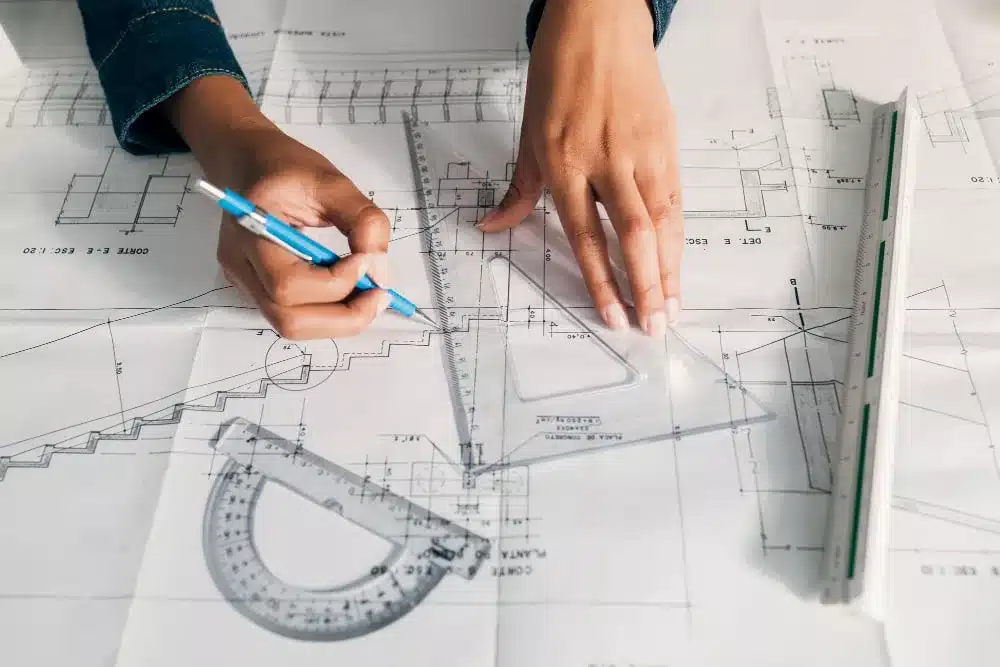
Knowing how to read structural drawings is an essential skill for structural engineers, architects, site managers, and construction professionals across Australia. These drawings — prepared to AS/NZS 1100 (Technical Drawing Standard) — contain all the information needed to construct a building’s structural frame safely and to specification.
This guide walks you through every element of a structural drawing set, from the title block and legend through to reinforcement schedules and cross-referencing with architectural and MEP drawings.
How to Read Structural Drawings: The Basics
Structural drawings are engineering documents that define the load-bearing elements of a structure — foundations, columns, beams, slabs, walls, and connections. Unlike architectural drawings (which show what a building looks like), structural drawings show how it stands up. In Australia, structural drawings must comply with:
- AS/NZS 1100 — Technical drawing conventions
- AS 3600 — Concrete structures
- AS 4100 — Steel structures
- AS 1170 — Structural loading (dead, live, wind, seismic)
- National Construction Code (NCC)
Step 1: Start with the Title Block
Always begin at the title block — usually in the bottom-right corner of each sheet. It contains:
- Project name and address
- Drawing title and number (e.g. “S-101 Foundation Plan”)
- Scale (e.g. 1:100, 1:50)
- Revision number and date
- Engineer’s name and stamp — required for NCC-regulated work
- Drawing date and issue status (IFC, IFT, IFA)
Check the revision status first — always work from the latest “Issued for Construction” (IFC) revision.
Step 2: Read the Legend and General Notes
Before reading any geometry, review the legend and general notes sheet (usually sheet S-001). These define:
- Abbreviations (e.g. RHS = Rectangular Hollow Section, SHS = Square Hollow Section, CHS = Circular Hollow Section, UB = Universal Beam, UC = Universal Column)
- Material grades (e.g. Grade 300 steel, 32 MPa concrete, N12 rebar)
- Cover requirements for concrete reinforcement
- Weld symbols (per AS/NZS 2980)
- Bolt grades and connection standards
Step 3: Identify the Drawing Type
A structural drawing set includes several drawing types — each shows something different:
| Drawing Type | What It Shows | Common Scale |
|---|---|---|
| Foundation Plan | Footing locations, pile caps, slab-on-ground | 1:100 or 1:200 |
| Floor Framing Plan | Beam and slab layout at each level | 1:100 |
| Roof Framing Plan | Roof beams, rafters, purlins, bracing | 1:100 |
| Elevation | Side view — heights, bracing, cladding rails | 1:100 or 1:50 |
| Section | Cut-through view of structural assembly | 1:50 or 1:20 |
| Detail | Enlarged view of connections, reinforcement, joints | 1:10 or 1:5 |
| Reinforcement Schedule | Bar marks, sizes, lengths, bending shapes | N/A (tabular) |
Step 4: Identify Structural Elements
- Foundations — Strip footings, pad footings, raft slabs, or piles. Shown with heavy lines and hatching.
- Columns — Vertical load-carrying elements. On plan views, shown as solid squares or circles with a grid reference (e.g. C1, C2).
- Beams — Horizontal elements. Shown as dashed lines on floor plans above, with section marks calling up beam schedule entries (e.g. B1 = 310UB46.2).
- Slabs — Shown with thickness, top/bottom reinforcement, and drop panels where applicable.
- Walls — Structural (load-bearing) walls shown in solid fill; non-structural shown with lighter lines.
- Bracing — Diagonal elements (steel flats, RHS, rods) shown with crossing lines on elevations.
Step 5: Read Grid Lines and Dimensions
Grid lines organise all structural elements. In Australia, grids follow AS/NZS 1100 conventions:
- Letters (A, B, C…) for one axis (usually north-south)
- Numbers (1, 2, 3…) for the other axis (usually east-west)
- Grid intersections locate every column (e.g. column at B3)
- Grid dimensions run between grid lines — these are structural centres, not finished face dimensions
Step 6: Read Reinforcement Details (Concrete Structures)
Reinforcement is specified using bar marks and a reinforcement schedule. In Australia (AS 3600):
- N bars = deformed (ribbed) bars — standard structural reinforcement
- R bars = plain round bars — ties, fitments
- L bars = low ductility (less common in primary structure)
- Bar notation: N16 @ 200 B1 = 16mm deformed bar at 200mm centres, bottom layer, first direction
- Cover is specified separately — typically 20–65mm depending on exposure class
The reinforcement schedule lists every bar mark with its shape code (per AS 3600 Appendix D), diameter, length, and quantity.
Step 7: Read Steel Connection Details
Steel connection details show how members join. Look for:
- Weld symbols — fillet welds (triangle), full penetration welds, plug welds. Weld size specified on symbol.
- Bolt groups — number of bolts, grade (e.g. Grade 8.8), diameter (M20, M24), and bolt pattern
- End plates and cleats — plate thickness, grade (e.g. 250, 350)
- Galvanising note — required for external or corrosive environments
Step 8: Cross-Reference with Other Drawing Sets
Structural drawings never stand alone. Always cross-reference:
- Architectural drawings — wall positions, openings, setouts. Structural elements must fit within architectural envelope.
- Civil drawings — site levels, stormwater, retaining structures
- MEP/Services drawings — penetrations through slabs and beams, structural reinforcement around openings
- Geotechnical report — foundation bearing capacity, settlement, ground type (AS 1726)
Step 9: Check Revisions
Revisions are shown with revision clouds or triangle revision markers. The revision table in the title block records every change. Before using any drawing on site:
- Check you have the current revision (compare revision number and date)
- Read all revision notes — even small changes to concrete cover or bar spacing matter
- Confirm the issue status is IFC (Issued for Construction), not IFT (Issued for Tender) or IFA (Issued for Approval)
Common Structural Drawing Symbols (AS/NZS 1100)
| Symbol | Meaning |
|---|---|
| ▲ with number | Section mark — points to where the section is cut |
| Circle with arrow | Elevation mark — direction of view |
| Dashed line | Hidden element (below slab, below ground) |
| Centre line (CL or ℄) | Structural centreline |
| Diagonal cross hatch | Concrete fill or structural concrete element |
| Grid bubble (circle with letter/number) | Grid line reference |
| Revision cloud + triangle | Revised area with revision letter |
What is the difference between architectural and structural drawings?
Architectural drawings focus on the design, aesthetics, and spatial layout of a building — what it looks like. Structural drawings focus on the load-bearing system — how the building stands up. In Australia, structural drawings are prepared by a registered structural engineer to AS/NZS 1100 and referenced standards (AS 3600, AS 4100, AS 1170), while architectural drawings are prepared by a registered architect. Both sets must coordinate: structural elements (columns, walls, beams) must fit within the architectural design.
What Australian standard covers structural drawing conventions?
AS/NZS 1100 — Technical Drawing is the primary standard governing structural drawing conventions in Australia. It covers drawing layout, line types, symbols, dimensioning, and annotation conventions. Reinforcement detailing follows AS 3600 Appendix D. Steel connection detailing follows AS 4100. Engineers and drafters preparing structural drawings in Australia must comply with these standards and the National Construction Code.
What does N16@200 mean on a structural drawing?
N16@200 means 16mm diameter deformed (N-grade) reinforcing bar placed at 200mm centres. In AS 3600 notation, ‘N’ indicates deformed high-strength bar (fy = 500 MPa), ’16’ is the bar diameter in millimetres, and ‘@200’ means the bars are spaced 200mm apart. You’ll also see a suffix like B1 (bottom, first direction) or T2 (top, second direction) to indicate bar layer and orientation within the slab or beam.
How do I find the current revision of a structural drawing?
Check the title block — usually in the bottom-right corner of each sheet. The revision table lists every revision with a letter (A, B, C…), date, description, and engineer’s initials. Always confirm the issue status: IFC (Issued for Construction) is the only status suitable for construction work. IFT (Issued for Tender) and IFA (Issued for Approval) drawings are not for construction use. On digital sets, check the metadata and compare with the document register from your project manager.
Need professionally prepared structural drawings for your Australian project? ASTCAD’s structural drafting team produces AS/NZS 1100-compliant drawings for commercial, industrial, and residential structures across Australia. Get a free quote today.
Related Services
Our team delivers accurate, standards-compliant drawings across all disciplines — fast turnaround, no obligation.