1800 287 223 · [email protected]
AI in Drafting

As the architecture, engineering, and construction (AEC) industries continue to evolve, the role of AI in drafting has become increasingly important. In 2025, artificial intelligence is no longer a futuristic concept—it’s a practical, everyday tool for CAD professionals aiming to streamline workflows, reduce errors, and enhance creativity.

What is AI in Drafting?

AI in drafting refers to the use of artificial intelligence technologies to automate, optimise, and assist with various tasks in computer-aided design (CAD) drafting. This includes intelligent drawing suggestions, automated layer management, real-time error detection, and generative design capabilities.

Why AI Matters for CAD Professionals in 2025

1. Increased Efficiency

AI-powered tools automate repetitive tasks like dimensioning, annotations, symbol placement, and file conversions, freeing up valuable time for designers to focus on creativity.

2. Fewer Errors

AI in drafting detects inconsistencies, design clashes, and structural errors in real-time, helping drafters avoid rework and reduce project costs.

3. Intelligent Recommendations

AI understands design intent and offers smart suggestions based on context, historical data, and industry best practices, significantly improving design accuracy and productivity.

4. Seamless Collaboration

AI-integrated drafting platforms include cloud-based solutions enabling multiple team members to collaborate in real-time with AI-supported version control and change tracking.

5. Adaptive Learning

Modern AI systems learn from the user’s behaviour and improve over time. As the software adapts to the drafter’s style and preferences, workflows become smoother and more intuitive.

Key AI Tools Used in CAD Drafting Today

  • Autodesk’s AI Assistant: Intelligent drawing recommendations and automated complex tasks.
  • BricsCAD’s BIM AI Tools: Detect and repair broken geometry, automate tagging.
  • SolidWorks AI Drafting Assistant: Generative design options and error detection.
  • Chatbot Integration: AI chatbots assist with command prompts directly within the CAD interface.

How to Start Integrating AI in Your Drafting Workflow

  1. Upgrade Your Software: Use the latest AI-enabled CAD platforms such as AutoCAD, Revit, or BricsCAD.
  2. Take Online Courses: Platforms like Coursera, Udemy, and Autodesk Learning Hub offer updated AI drafting courses.
  3. Use AI Plugins: Install AI-based plugins tailored to your specific drafting needs.
  4. Practice with AI Features: Try automated drawing tools, clash detection, and layout optimisation.
  5. Collaborate with AI Experts: Join forums where professionals share insights about using AI in drafting.

The Future of AI in Drafting

Predictive modelling, real-time collaboration with augmented reality, and deeper integration with BIM systems will become standard. Drafters will spend less time on technical details and more on design strategy and creativity.

Embracing AI today prepares CAD professionals to stay relevant, efficient, and competitive in the ever-changing design landscape.

AI in drafting is not just a trend—it’s the future of CAD design and a vital tool for professionals in 2025 and beyond. Talk to ASTCAD about integrating AI into your drafting workflow today.


JH

James Hartley

Senior Mechanical Engineer · BEng (Mechanical), UQ · Member, Engineers Australia · ASTCAD, Brisbane

James has 14 years of hands-on experience delivering CAD design, structural drafting, and engineering documentation across Australia’s mining, oil & gas, and manufacturing sectors. He specialises in SolidWorks, Autodesk Inventor, and AutoCAD for complex multi-discipline projects.

More articles by James Hartley →


Mechanical Design

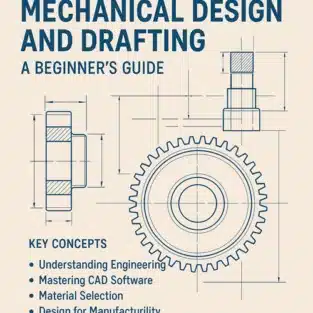
Mechanical design and drafting form the backbone of modern engineering. From the smallest machine components to large-scale industrial equipment, everything begins with a detailed design. If you’re new to the field, diving into mechanical design and drafting might seem overwhelming. But don’t worry—this beginner’s guide will simplify the process and help you build a strong foundation.

What is Mechanical Design and Drafting?

Mechanical design is the process of creating drawings and specifications for mechanical systems and components. It involves understanding how machines function, selecting suitable materials, and optimising the design for performance and cost.

Mechanical drafting, on the other hand, is the act of translating these design ideas into technical drawings using CAD (Computer-Aided Design) tools. These drawings include precise dimensions, tolerances, materials, and assembly instructions.

Together, mechanical design and drafting ensure that a product can be built accurately, efficiently, and safely.


Key Concepts for Beginners

1. Understanding Engineering Drawings

Engineering drawings are the universal language of engineers. They include multiple views (top, front, side), detailed dimensions, and annotations to communicate how a part or assembly should be built.

Familiarize yourself with:

  • Orthographic projection
  • Isometric views
  • Sectional views
  • Tolerances and GD&T (Geometric Dimensioning and Tolerancing)

2. Mastering CAD Software

CAD software is essential for drafting and designing. Popular tools include:

  • AutoCAD
  • SolidWorks
  • CATIA
  • Fusion 360
  • Siemens NX

Start with 2D drafting before transitioning into 3D modelling. Many software providers offer free student versions, which are perfect for beginners.

3. Material Selection

Understanding material properties is crucial in mechanical design. Factors like strength, weight, corrosion resistance, and cost influence material choices. Common materials include:

  • Steel
  • Aluminium
  • Brass
  • Plastics (ABS, Nylon, etc.)

4. Design for Manufacturability (DFM)

A good design isn’t just functional—it’s also easy and cost-effective to manufacture. DFM principles help avoid over-engineering and reduce production costs. Consider:

  • Minimising part complexity
  • Standardising components
  • Reducing the number of parts in an assembly

5. Working with Tolerances

Every manufactured part has some variation. Tolerances define the allowable limits. For instance, a shaft may be designed to be 20mm ± 0.02mm in diameter. Understanding tolerances is essential to ensure parts fit and function correctly.


Tips for Getting Started

  • Start Simple: Begin with basic projects like brackets, bushings, or gears to understand shapes and features.
  • Practice Regularly: Like any skill, drafting improves with practice. Try to replicate existing parts to sharpen your understanding.
  • Learn from Others: Study professional drawings, join online communities, and watch tutorials.
  • Understand Industry Standards: Familiarize yourself with ANSI, ISO, and other relevant drafting standards.

Common Mistakes to Avoid

  1. Skipping the Planning Phase: Always sketch and plan your design before jumping into CAD.
  2. Neglecting Tolerances: Ignoring tolerances can lead to assembly failures.
  3. Overcomplicating Designs: Keep your designs simple and functional.
  4. Not Backing Up Files: Always save and back up your design files to avoid data loss.
  5. Ignoring Manufacturing Constraints: Design with the end process (machining, 3D printing, etc.) in mind.

Tools and Resources

  • Books: “Technical Drawing with Engineering Graphics” by Frederick Giesecke, and “Machine Design” by Khurmi & Gupta.
  • Courses: Free CAD tutorials on platforms like Coursera, Udemy, and YouTube.
  • Communities: Reddit’s r/engineering, GrabCAD, and Autodesk forums.

Mechanical design and drafting are essential skills in today’s engineering and manufacturing industries. By starting with the basics and gradually building your knowledge and portfolio, you’ll be well on your way to a rewarding career in design. Whether you’re aiming to become a product designer, mechanical engineer, or CAD technician, this foundational knowledge is your first step to success.

What is the difference between 2D drafting and 3D modeling?

2D drafting creates flat technical drawings showing top, front, and side views, which is ideal for construction documentation and manufacturing specifications commonly used across Australian building codes. 3D modeling builds complete digital objects in three dimensions, letting you visualize designs better and run simulations before production. We recommend starting with 2D for traditional drawings, then progressing to 3D when you need to present designs to clients or test fit and function.

Is coding required for mechanical design?

No, coding isn’t required for mechanical design with ASTCAD. Our software uses intuitive graphical tools that Australian engineers and drafters rely on daily for creating precise technical drawings and 3D models. However, if you’re interested in automating repetitive tasks or running simulations, basic programming knowledge in Python can be beneficial. Most users successfully complete projects without any coding experience at all.

How long does it take to learn mechanical drafting?

With consistent practice, you can grasp basic 2D drafting in a few weeks, though mastering our software’s Australian-specific features like compliance with AS/NZS standards may take a little longer. 3D modeling and advanced mechanical concepts typically require a few months of dedicated learning. We recommend our structured tutorials and practical projects to accelerate your progress, and many of our Australian clients find they’re productive within their first month.

Can I learn mechanical drafting online?

Yes, absolutely! We offer online mechanical drafting courses and resources designed specifically for Australian standards and practices. Our beginner-friendly tutorials cover everything from AutoCAD basics to AS/NZS compliance requirements, so you can learn at your own pace from anywhere in Australia. Many of our clients have successfully transitioned to professional roles using our online training platform combined with practical exercises.

Do I need a degree to become a mechanical designer?

While a degree helps, many successful designers come from diploma or certification backgrounds. What matters most is your skill, portfolio, and understanding of design principles.


JH

James Hartley

Senior Mechanical Engineer · BEng (Mechanical), UQ · Member, Engineers Australia · ASTCAD, Brisbane

James has 14 years of hands-on experience delivering CAD design, structural drafting, and engineering documentation across Australia’s mining, oil & gas, and manufacturing sectors. He specialises in SolidWorks, Autodesk Inventor, and AutoCAD for complex multi-discipline projects.

More articles by James Hartley →

Electrical Drafting

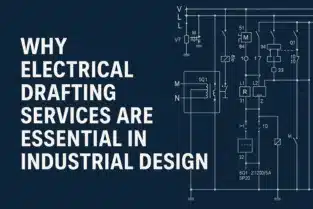
In the fast-paced world of industrial design, the role of electrical drafting services has become more vital than ever. As industries continue to integrate advanced technologies into their manufacturing and operations, the need for accurate, efficient, and standards-compliant electrical designs is growing rapidly. Electrical drafting plays a key role in ensuring that industrial systems are functional, safe, and scalable from the planning stage to final execution.

In this blog, we will explore why electrical drafting services are a fundamental component of industrial design, and how they help engineers, manufacturers, and project managers maintain high standards in every stage of development.

What Are Electrical Drafting Services?

Electrical drafting services involve the creation of detailed technical drawings and documentation for electrical systems. These drawings include wiring diagrams, circuit layouts, panel schedules, conduit layouts, and power distribution systems. They are created using CAD (Computer-Aided Design) software and follow industry standards such as IEC, NEC, or ANSI.

Professionals in this field transform basic design concepts into accurate digital blueprints that electricians, engineers, and construction teams rely on for implementation.

The Role of Electrical Drafting in Industrial Design

1. Accurate Representation of Electrical Systems

Industrial design often involves large-scale electrical systems with complex interconnections between machines, control systems, and power sources. Electrical drafting services provide precise diagrams that detail every component, wire, and connection. This level of accuracy minimises guesswork and ensures smooth execution during installation.

2. Compliance with Industry Standards

Industrial electrical systems must comply with strict safety and regulatory standards. Drafting professionals understand national and international codes and incorporate them into their designs. Whether it’s the National Electrical Code (NEC) in the United States or the International Electrotechnical Commission (IEC) standards globally, compliance is ensured through professional drafting.

3. Improved Project Planning and Communication

Electrical drafting documents serve as a universal language between designers, engineers, contractors, and clients. These clear and standardised drawings enhance collaboration and reduce misunderstandings during planning, installation, and maintenance.

4. Time and Cost Efficiency

By utilising electrical drafting services, companies can save time and reduce costs. Well-drafted electrical plans prevent errors during construction, avoid material wastage, and reduce downtime during maintenance. Early detection of design flaws through drafting can prevent costly rework later in the project.

5. Integration with Mechanical and Structural Systems

In industrial design, electrical systems do not function in isolation. They must be integrated with mechanical and structural components. Electrical drafting services ensure that power supply, grounding, and control systems are correctly coordinated with other disciplines to avoid conflicts during installation.

6. Support for Automation and Smart Technologies

Modern industrial environments are increasingly automated. From programmable logic controllers (PLCs) to IoT-enabled sensors, electrical systems must be compatible with digital technologies. Electrical drafting helps visualise these integrations clearly, allowing for seamless implementation of smart systems.

Industries That Benefit from Electrical Drafting Services

Several industrial sectors rely heavily on electrical drafting services, including:

  • Manufacturing Plants – For power distribution, automation, and control panels.
  • Oil and Gas Facilities – For hazardous area electrical systems and instrumentation.
  • Construction and Infrastructure – For electrical layouts in industrial buildings.
  • Water Treatment Plants – For control systems and power management.
  • Energy and Renewable Sectors – For solar, wind, and electrical substation designs.

Key Deliverables in Electrical Drafting Services

A comprehensive electrical drafting package typically includes:

  • Single-line diagrams
  • Wiring diagrams and schematics
  • Power distribution layouts
  • Panel schedules
  • Lighting and outlet plans
  • Grounding and earthing plans
  • Conduit and cable tray layouts
  • Bill of materials (BOM)

These documents are crucial for installation, inspection, and future maintenance.

The Rise of CAD and BIM in Electrical Drafting

Today’s electrical drafting services rely heavily on advanced tools like AutoCAD Electrical, Revit MEP, and SolidWorks Electrical. These tools allow for 2D and 3D representations of systems, clash detection with other services, and integration with Building Information Modelling (BIM).

By using these technologies, electrical drafters can create intelligent, data-rich drawings that improve accuracy and adaptability in evolving project environments.

Why Outsourcing Electrical Drafting Services Makes Sense

Many industries choose to outsource their drafting needs to specialised providers. Here’s why:

  • Access to skilled professionals without the cost of full-time staff.
  • Quick turnaround time for urgent projects.
  • Cost-effective solutions that reduce overhead.
  • Scalability for handling both small and large-scale projects.

Outsourcing ensures that companies focus on core activities while drafting experts handle technical documentation with precision.

Conclusion

Electrical drafting services are not just technical documentation—they are the backbone of safe, compliant, and efficient industrial design. From concept to execution, electrical drafts bring clarity, accuracy, and standardisation to every project. With the complexity of modern industrial systems, having professionally created electrical drawings is no longer optional—it is essential.

Whether you’re setting up a new manufacturing plant, automating an existing facility, or planning a major infrastructure upgrade, investing in reliable electrical drafting services can dramatically enhance project outcomes.

What are electrical drafting services?

Electrical drafting services involve creating detailed technical drawings and schematics for electrical systems, including power distribution layouts, lighting plans, wiring diagrams, and panel schedules. At ASTCAD, we specialise in producing accurate electrical drawings that comply with Australian Standards and building codes, ensuring your industrial projects meet all regulatory requirements. Our experienced drafters work closely with engineers and contractors to deliver comprehensive documentation that streamlines implementation and reduces on-site errors.

Why are electrical drafting services important in industrial projects?

In industrial design, precision is critical. Electrical drafting ensures accuracy, safety, compliance with electrical codes, and efficient use of resources. These services support the coordination between engineers, contractors, and manufacturers to avoid costly errors and rework.

What industries benefit most from electrical drafting services?

Industries such as manufacturing, oil and gas, automotive, aerospace, pharmaceuticals, and construction heavily rely on electrical drafting to design safe and effective electrical systems for plants, factories, and production facilities.

How do electrical drafting services contribute to safety?

Electrical drafting services are essential for safety as they provide precise blueprints that ensure proper installation and maintenance of electrical systems, minimizing risks of faults, overloads, and fire hazards. Our detailed documentation guarantees correct insulation, grounding, and circuit protection according to Australian Standards, while helping you comply with relevant electrical codes and regulations. We create clear, comprehensive drawings that guide installation teams and streamline inspections, ultimately protecting your personnel and assets.

What types of drawings are included in electrical drafting services?

Our electrical drafting services encompass a comprehensive range of drawings essential for industrial projects. We provide power and lighting layouts, cable and wiring diagrams, single-line and multi-line schematics, control panel layouts, and detailed load schedules compliant with Australian Standards. Our team also creates panel board specifications and circuit documentation tailored to meet local electrical codes and regulations, ensuring your designs are ready for construction and compliance.

How does electrical drafting improve project efficiency?

At ASTCAD, we know that precise electrical drafting significantly boosts project efficiency by ensuring clear communication across all stakeholders. Our detailed drawings help identify potential conflicts early, preventing costly rework during construction. By adhering to Australian standards like AS/NZS 3000, we accelerate the approval process with local authorities and reduce project delays. This proactive approach ultimately saves time and money while ensuring your industrial design meets all regulatory requirements.

Can electrical drafting help with regulatory compliance?

Yes. Electrical drafting services ensure designs follow local and international standards such as NEC, IEC, or IEEE. This compliance is crucial for securing permits and passing inspections in industrial setups.

Is CAD software used in electrical drafting?

Absolutely. At ASTCAD, we utilise industry-leading CAD software including AutoCAD Electrical and Revit to create precise, compliant electrical drawings for Australian industrial projects. Modern CAD tools allow us to design circuits, schematics, and panel layouts with accuracy while ensuring compliance with AS/NZS standards. Our digital approach enables seamless integration between electrical and mechanical designs, reducing errors and accelerating project timelines. These platforms also facilitate easy revisions and comprehensive documentation that meets Australian building codes and client specifications.

What’s the difference between electrical drafting and electrical design?

Electrical design involves the engineering decisions like load calculations, equipment selection, and system planning, while electrical drafting translates those decisions into detailed, compliant drawings ready for construction and installation. At ASTCAD, we create precise technical drawings that meet Australian Standards and building codes, ensuring your designs are accurately documented for contractors and maintenance teams. Our drafting services bridge the gap between your engineering concepts and real-world implementation on site.

Why outsource electrical drafting services?

Outsourcing electrical drafting to ASTCAD gives your industrial firm access to our skilled Australian drafters who understand local standards, regulations, and compliance requirements. We deliver faster turnarounds using cutting-edge CAD software while you focus on core operations, reducing overhead costs and ensuring code-compliant electrical documentation that meets Australian engineering specifications.

What is electrical drafting and why is it important in industrial design?

Electrical drafting is the process of creating precise technical drawings and documentation for electrical systems. In industrial design, electrical drafting ensures that all electrical layouts, components, and systems are correctly designed and documented. It helps in visualizing the project before implementation, saving time, cost, and preventing errors during construction.

How does electrical drafting contribute to industrial efficiency?

Electrical drafting improves efficiency by clearly detailing component placement and system interconnections, minimizing installation confusion and maintenance delays. Our Australian CAD services ensure compliance with AS/NZS standards while streamlining collaboration between engineers, architects, and technicians. This precision reduces costly rework and downtime in industrial environments, ultimately delivering faster project completion and safer installations for your facility.

3. What are the main components of electrical drafting in industrial design?

In industrial settings, electrical drafting includes:
Electrical layouts and wiring diagrams
Lighting plans
Power distribution layouts
Control systems schematics
Panel board schedules
Load analysis and circuiting plans
These components help engineers ensure the electrical infrastructure aligns with industrial needs and safety regulations.


JH

James Hartley

Senior Mechanical Engineer · BEng (Mechanical), UQ · Member, Engineers Australia · ASTCAD, Brisbane

James has 14 years of hands-on experience delivering CAD design, structural drafting, and engineering documentation across Australia’s mining, oil & gas, and manufacturing sectors. He specialises in SolidWorks, Autodesk Inventor, and AutoCAD for complex multi-discipline projects.

More articles by James Hartley →
HVAC Service

Choosing the right HVAC service provider is essential for maintaining a comfortable and energy-efficient home or workplace. With so many companies in the market, finding a reliable and professional provider can be overwhelming. This step-by-step guide will walk you through everything you need to know to make an informed decision when selecting an HVAC service provider.

Step 1: Understand Your HVAC Needs

Before you start searching for an HVAC service provider, you need to understand what type of service you require. Are you looking for:

  • Routine maintenance?
  • Emergency repair?
  • Installation of a new HVAC system?
  • Energy efficiency consultation?

Understanding your specific needs will help you narrow down your choices and ensure the provider you select specialises in the service you require.

Step 2: Research Local HVAC Service Providers

Start your search by looking for HVAC service providers in your area. Use online platforms like Google, Yelp, or Angi (formerly Angie’s List) to find customer reviews and ratings. Ask friends, family, or neighbours for recommendations. Look for companies that:

  • Have consistently high ratings
  • Are well-established in your area
  • Offer the services you need

Check whether the company has a professional website with detailed information about their offerings.

Step 3: Verify Licensing and Certification

An essential step in choosing the right HVAC service provider is verifying their credentials. Make sure the provider has:

  • Valid state licenses
  • Insurance (liability and worker’s compensation)
  • Certifications like NATE (North American Technician Excellence)

These credentials ensure the technicians are qualified and that you are protected in case of accidents or poor workmanship.

Step 4: Check Experience and Expertise

Experience matters when it comes to HVAC systems. Look for companies that have been in business for several years and have experience with your type of system. Ask if they:

  • Have experience with residential, commercial, or industrial systems
  • Handle your brand or model of HVAC equipment
  • Keep their technicians trained on the latest technology and standards

Experienced professionals are more likely to identify issues quickly and provide long-term solutions.

Step 5: Compare Quotes and Services

Request quotes from at least 3 HVAC service providers. Make sure each quote includes:

  • Labour and material costs
  • Warranties on parts and labour
  • Timeframe for completion
  • Details of services offered

Be cautious of quotes that are significantly lower than others. It may indicate a lack of experience, hidden fees, or subpar materials.

Step 6: Evaluate Customer Service

Good customer service is a sign of a reputable HVAC provider. Pay attention to how they treat you during initial communications. Are they:

  • Responsive to calls or emails?
  • Willing to answer your questions?
  • Transparent about pricing and services?

A company that values its customers will be upfront, helpful, and polite.

Step 7: Check Warranties and Maintenance Plans

Quality HVAC services should come with warranties on parts and labour. Ask about:

  • Manufacturer warranties on equipment
  • Service guarantees
  • Maintenance plans or service agreements

A maintenance plan can save you money in the long run by providing regular system checkups and priority service during emergencies.

Step 8: Review Contracts Before Signing

Before agreeing to any HVAC service, read the contract carefully. Look for:

  • Scope of work
  • Payment terms
  • Warranties and guarantees
  • Cancellation policy

Make sure everything discussed is documented. Never rely on verbal agreements alone.

What should I look for in a good HVAC service provider?

Look for licensed, insured, and certified providers with a solid reputation, good reviews, and experience in the services you need.

Is it necessary to get multiple quotes?

Yes, absolutely. We recommend obtaining at least three quotes from different HVAC service providers to compare pricing, service scope, and warranty offerings. This helps you understand the market rate in your area and identify any hidden fees or unusual charges. When reviewing quotes, ensure they include detailed specifications that meet Australian building codes and standards relevant to your project. Our experience in drafting HVAC systems shows that transparent pricing and comprehensive documentation from the outset prevent costly misunderstandings later.

Should I choose the cheapest HVAC service provider?

Not always. While competitive pricing is important, the cheapest option may indicate inexperienced technicians or substandard workmanship. We recommend evaluating providers based on qualifications, experience with Australian building codes, and warranty offerings alongside cost. Look for engineers and drafters certified by professional bodies like Engineers Australia to ensure compliance with local standards and regulations. True value comes from reliable service, quality designs, and long-term reliability rather than upfront savings.

How often should I schedule HVAC maintenance?

We recommend scheduling HVAC maintenance twice yearly—ideally before summer for cooling systems and before winter for heating systems. For Australian climates, this ensures your systems handle extreme temperature variations effectively. Regular maintenance helps identify potential issues early, improving efficiency and extending equipment lifespan. Our drafting team can also help document your HVAC specifications and maintenance schedules for compliance and future reference.

What is a service agreement, and is it worth it?

A service agreement includes routine maintenance and priority service for emergencies. It’s worth it for long-term savings and peace of mind.


JH

James Hartley

Senior Mechanical Engineer · BEng (Mechanical), UQ · Member, Engineers Australia · ASTCAD, Brisbane

James has 14 years of hands-on experience delivering CAD design, structural drafting, and engineering documentation across Australia’s mining, oil & gas, and manufacturing sectors. He specialises in SolidWorks, Autodesk Inventor, and AutoCAD for complex multi-discipline projects.

More articles by James Hartley →
CAD Drafting Services

In today’s fast-paced industrial world, CAD Drafting Services play a crucial role in streamlining mechanical design and drafting projects. With the evolution of technology, traditional drafting methods have been replaced by Mechanical CAD Drafting (CAD), offering precision, efficiency, and flexibility. Whether you are designing complex machinery or small mechanical components, leveraging CAD Drafting Services can significantly enhance your project’s outcome.

1. What is CAD Drafting?

CAD (Mechanical CAD Drafting) drafting involves the use of specialised software to create precise mechanical drawings and designs. It eliminates human errors associated with manual drafting and improves the overall accuracy and efficiency of Mechanical Design and Drafting Projects.

2. Advantages of CAD Drafting Services

1. Improved Accuracy and Precision

One of the primary benefits of using CAD Drafting Services is the unmatched accuracy it offers. Unlike hand-drawn sketches, CAD software allows engineers to create detailed and exact mechanical designs with minimal errors.

2. Enhanced Productivity and Efficiency

By automating repetitive tasks, CAD software saves time and effort. Engineers can quickly make modifications, update designs, and optimise drawings without starting from scratch. This results in a significant boost in productivity for Mechanical Design and Drafting Projects.

3. Better Visualisation and 3D Modelling

CAD drafting enables engineers to visualise designs in both 2D and 3D. This helps in understanding how different mechanical components fit together, identifying potential issues before production, and making necessary adjustments.

4. Cost Savings

Using CAD Drafting Services reduces material wastage and minimises costly design errors. Additionally, improved efficiency leads to lower labour costs, making CAD an economically viable solution for mechanical projects.

5. Faster Design Modifications

Mechanical projects often require modifications and adjustments. With CAD, changes can be implemented quickly without disrupting the entire design, allowing for a smoother workflow.

6. Standardisation and Compliance

CAD software ensures that all designs adhere to industry standards and regulations. This is essential in mechanical engineering, where compliance with safety and quality norms is crucial.

7. Easy Collaboration and File Sharing

In mechanical projects, collaboration among multiple teams is essential. CAD software allows seamless file sharing, making it easier for teams to work together, review designs, and implement necessary changes efficiently.

3. Applications of CAD Drafting in Mechanical Projects

1. Machine Component Design

CAD drafting is used extensively in designing mechanical parts, ensuring precise measurements and specifications for efficient manufacturing.

2. Product Development and Prototyping

With CAD, engineers can develop prototypes digitally before moving to production, reducing time and costs in product development.

3. Manufacturing Process Optimisation

By using CAD drafting, manufacturers can optimise production workflows, improve efficiency, and reduce errors during fabrication and assembly.

4. HVAC and Piping Systems

CAD drafting is widely used in designing heating, ventilation, and air conditioning (HVAC) systems, as well as complex piping layouts in industrial setups.

4. Choosing the Right CAD Drafting Service Provider

1. Experience and Expertise

Look for a service provider with extensive experience in Mechanical Design and Drafting Projects to ensure high-quality results.

2. Software Proficiency

Ensure the provider uses industry-standard CAD software like AutoCAD, SolidWorks, or CATIA for reliable and efficient drafting.

3. Customisation and Flexibility

A good CAD drafting service should offer customisation options to meet the specific needs of your mechanical project.

4. Cost-Effectiveness

Compare pricing and service offerings to choose a provider that offers the best value for your investment.

Conclusion

The adoption of CAD Drafting Services in Mechanical Design and Drafting Projects is a game-changer in the engineering industry. With benefits such as improved accuracy, cost savings, enhanced productivity, and better collaboration, CAD drafting is indispensable for mechanical projects. Whether you’re designing small machine parts or large industrial systems, CAD ensures efficiency, precision, and compliance with industry standards.

What industries benefit from CAD drafting services?

Industries such as automotive, aerospace, manufacturing, HVAC, and construction benefit significantly from our CAD drafting services. In Australia, we support mining and resources sectors, infrastructure projects, and renewable energy developments where precision drafting is critical. Our expertise helps businesses meet Australian Standards, reduce design errors, and accelerate project timelines across all these sectors.

What software is commonly used for CAD drafting in mechanical projects?

Popular CAD software for mechanical projects includes AutoCAD, SolidWorks, CATIA, PTC Creo, and Inventor. At ASTCAD, we specialise in these industry-standard tools to deliver precision drafting that meets Australian engineering standards and compliance requirements. Our team stays current with the latest software versions to ensure your mechanical designs are optimised for Australian manufacturing and construction specifications.

How does CAD improve mechanical design efficiency?

CAD dramatically improves mechanical design efficiency by automating repetitive drafting tasks and enabling our engineers to generate accurate technical drawings in a fraction of the time traditional methods require. Our CAD systems allow for quick modifications and real-time collaboration, reducing costly errors before manufacturing begins. Enhanced 3D visualization helps Australian manufacturers understand complex components clearly, streamlining the entire design-to-production process and ultimately saving time and money on your projects.

Can CAD drafting be outsourced?

Yes, many companies outsource CAD Drafting Services to specialized firms to save time, reduce costs, and access expert design capabilities.

How does CAD help in prototyping?

CAD enables digital prototyping, allowing our engineers to test and refine designs before actual manufacturing, reducing costs and development time. We use advanced simulation tools to identify potential issues early, which is particularly valuable for Australian manufacturers working within tight project timelines. Our CAD prototyping services help you avoid costly physical iterations and accelerate your path to production, ensuring your mechanical projects meet both quality standards and budget requirements.


JH

James Hartley

Senior Mechanical Engineer · BEng (Mechanical), UQ · Member, Engineers Australia · ASTCAD, Brisbane

James has 14 years of hands-on experience delivering CAD design, structural drafting, and engineering documentation across Australia’s mining, oil & gas, and manufacturing sectors. He specialises in SolidWorks, Autodesk Inventor, and AutoCAD for complex multi-discipline projects.

More articles by James Hartley →

Oil & Gas Drafting and Design

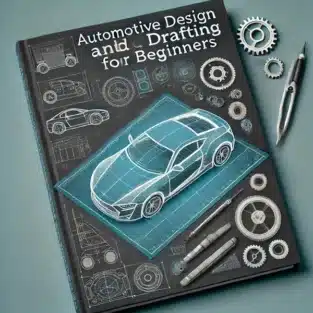
The automotive industry thrives on innovation, precision, and creativity. Whether you’re an aspiring automotive engineer or a design enthusiast, understanding the fundamentals of automotive design and drafting is essential. This guide provides a comprehensive introduction to get you started with Automotive Design Tutorial and Automotive Drafting Tutorial methods, ensuring a smooth learning curve for beginners.

What is Automotive Design and Drafting?

Automotive design focuses on creating the aesthetic and functional elements of vehicles, while drafting involves producing detailed technical drawings and plans to bring designs to life. Together, they form the backbone of vehicle development, ensuring every component meets industry standards.

Key Elements of Automotive Design

  1. Sketching and Conceptualization
    Begin with freehand sketches to visualise ideas. Tools like Adobe Illustrator or AutoCAD are excellent for refining initial concepts.
  2. 3D Modelling
    Utilise software like SolidWorks or CATIA to create precise 3D models. These models help visualise the vehicle’s structure and appearance in detail.
  3. Aerodynamics
    Design for reduced air resistance by considering shapes, curves, and angles that enhance fuel efficiency and performance.
  4. Materials and Sustainability
    Choose lightweight yet durable materials, such as aluminium and carbon fibre, for better performance and environmental impact.

Automotive Drafting Basics

  1. Technical Drawings
    Learn to create detailed blueprints for vehicle parts, including dimensions, tolerances, and specifications.
  2. Standards and Regulations
    Familiarize yourself with ISO and ASME standards to ensure compliance with industry requirements.
  3. Drafting Software
    Popular options include AutoCAD, Siemens NX, and Creo for creating 2D and 3D drafts.
  4. Assembly Diagrams
    Drafting isn’t complete without clear assembly diagrams showcasing how individual parts come together to form a functional vehicle.

Steps to Get Started with Automotive Design and Drafting

  1. Learn the Tools
    Start with beginner-friendly software like Fusion 360 or SketchUp before progressing to advanced tools.
  2. Understand Vehicle Anatomy
    Study the basics of engines, chassis, suspension systems, and more.
  3. Practice Regularly
    Create designs for simple components like wheels or chassis to hone your skills.
  4. Seek Feedback
    Share your designs with experienced professionals or online communities for constructive criticism.

Benefits of Learning Automotive Design and Drafting

  • Enhances creativity and problem-solving skills.
  • Opens career opportunities in the automotive and engineering industries.
  • Provides a deeper understanding of vehicle manufacturing processes.

Tools and Resources for Beginners

  • Software: AutoCAD, SolidWorks, Blender.
  • Courses: Online platforms like Coursera and Udemy offer specialised courses in automotive design and drafting.
  • Books: Automotive Design Techniques by Julian Edgar and similar titles.

1. What is the best software for beginners in automotive design?

AutoCAD and Fusion 360 are excellent choices for beginners due to their user-friendly interfaces and robust features. At ASTCAD, we recommend starting with whichever aligns with your workflow, as both comply with Australian engineering standards and integrate seamlessly with local design practices. We’ve found that many Australian automotive designers prefer AutoCAD for 2D drafting work, while Fusion 360 excels for 3D modelling and prototyping. Our team can guide you through initial setup to ensure your software meets AS/NZS compliance requirements.

2. How long does it take to learn automotive drafting?

Learning the basics of automotive drafting typically takes 3–6 months with consistent practice, though this varies depending on your dedication. Advanced proficiency usually requires 1–2 additional years of hands-on experience. At ASTCAD, we’ve found that Australian designers benefit from understanding local manufacturing standards and AS/NZS compliance requirements, which can accelerate your learning timeline. We recommend combining formal training with practical projects to build real-world skills faster.

3. Is a degree necessary to become an automotive designer?

While a degree in engineering or design is beneficial, many professionals succeed through self-learning and online resources. At ASTCAD, we’ve worked with talented designers who built their skills through hands-on practice and industry-specific training. In Australia, technical certificates and vocational qualifications can complement practical experience, and our team recommends combining CAD software mastery with mentorship to develop your automotive drafting expertise effectively.

4. What is the difference between 2D drafting and 3D modeling?

2D drafting creates flat, two-dimensional drawings useful for technical specifications and manufacturing blueprints, while 3D modeling visualizes components in three dimensions for better spatial understanding. At ASTCAD, we use both approaches depending on your project needs. 3D modeling offers superior detail and accuracy for complex automotive designs, helping identify potential issues before production. 2D drafting remains essential for compliance with Australian engineering standards and manufacturing documentation. We recommend 3D modeling for design development and 2D for final technical drawings and approvals.

5. Can I pursue automotive design as a hobby?

Absolutely! Many enthusiasts explore automotive design and drafting as a creative hobby, and we at ASTCAD support this passion. You can design custom vehicles, modifications, or concept cars using accessible CAD software without needing formal qualifications. Our team has created beginner-friendly resources that follow Australian drafting standards, helping hobbyists learn industry practices at their own pace. Whether you’re sketching ideas or creating detailed technical drawings, we encourage creative exploration through proper CAD techniques and Australian engineering conventions.


JH

James Hartley

Senior Mechanical Engineer · BEng (Mechanical), UQ · Member, Engineers Australia · ASTCAD, Brisbane

James has 14 years of hands-on experience delivering CAD design, structural drafting, and engineering documentation across Australia’s mining, oil & gas, and manufacturing sectors. He specialises in SolidWorks, Autodesk Inventor, and AutoCAD for complex multi-discipline projects.

More articles by James Hartley →

CAD Drafting Firm

When it comes to architectural or engineering projects, selecting the right CAD drafting firm is crucial. Whether you need detailed designs, precise layouts, or technical drawings, the right CAD drafting service can make all the difference. This guide will walk you through the essential steps to ensure you choose the perfect partner for your needs.

What Is a CAD Drafting Firm?

A CAD drafting firm specialises in creating accurate, high-quality computer-aided designs (CAD) for a variety of industries, including construction, engineering, and manufacturing. These firms offer a wide range of CAD drafting services, including 2D drafting, 3D modelling, and rendering. Partnering with a reliable CAD drafting company ensures precision, efficiency, and adherence to project requirements.

Why Is Choosing the Right CAD Drafting Firm Important?

The success of your project often depends on the quality of the drafting services you receive. A professional CAD drafting company can help you:

  • Save time and resources by providing accurate designs.
  • Avoid costly errors with detailed and precise drafts.
  • Enhance project efficiency through expert collaboration.
  • Meet tight deadlines with quick turnaround times.

Step-by-Step Guide to Choosing the Best CAD Drafting Firm

1. Define Your Project Requirements

Before you begin your search, outline the scope of your project. Consider factors such as:

  • Type of CAD drafting service you need (e.g., 2D drafting, 3D modelling).
  • Project timeline and deadlines.
  • Budget constraints.
  • Industry-specific requirements (e.g., construction or mechanical engineering).

Having a clear understanding of your needs will help you narrow down your options.

2. Research Potential Firms

Start by creating a list of CAD drafting firms that specialise in your industry. Look for:

  • Online reviews and testimonials.
  • Portfolios showcasing past projects.
  • Industry certifications and accreditations.

A reputable CAD drafting company will have a proven track record of delivering quality services.

3. Evaluate Expertise and Technology

The capabilities of a CAD drafting firm largely depend on the expertise of its team and the technology they use. Ask the following questions:

  • What software does the firm use (e.g., AutoCAD, SolidWorks)?
  • Does the team have experience in your specific industry?
  • Are they familiar with the latest CAD technologies and trends?

4. Check Communication and Support

Effective communication is essential for a successful partnership. Ensure the firm:

  • Provides clear and timely updates.
  • Has a dedicated point of contact for your project.
  • Offers excellent customer support.

5. Compare Costs and Deliverables

While cost is a significant factor, it shouldn’t be the only consideration. Compare:

  • Pricing structures (hourly vs. project-based).
  • Deliverables included in the quote.
  • Additional services, such as revisions and consultations.

Choose a CAD drafting company that offers the best value for your investment.

6. Request Samples and References

Ask potential firms to provide samples of their work or references from past clients. This will give you an idea of their quality and reliability. Look for:

  • Attention to detail in their drafts.
  • Consistency in meeting project requirements.
  • Positive feedback from previous clients.

7. Start with a Small Project

If you’re unsure about committing to a firm, start with a smaller project. This allows you to:

  • Assess their performance.
  • Test their communication and collaboration skills.
  • Determine if they meet your expectations.

Conclusion

Selecting the right CAD drafting firm can significantly impact the success of your project. By defining your requirements, researching options, and evaluating expertise, you can make an informed decision. Remember, the ideal CAD drafting company will offer high-quality services, clear communication, and value for your investment.

Whether you’re a beginner or an experienced professional, following these steps will ensure you find the perfect partner for your CAD drafting needs.

Q1: What industries benefit from CAD drafting services?

A: CAD drafting services are invaluable across construction, engineering, manufacturing, architecture, and interior design. Here at ASTCAD, we serve Australian businesses in these sectors by creating precise technical drawings that comply with local building codes and standards. Whether you’re developing residential projects, commercial structures, or industrial designs, our CAD expertise helps streamline your planning and approval processes with drawings that meet Australian regulatory requirements.

Q2: How much does a CAD drafting service typically cost?

A: Costs vary depending on your project’s complexity, whether it requires compliance with Australian Building Standards, and the firm’s local expertise. At ASTCAD, we provide transparent, detailed quotes tailored to your specific needs. We recommend requesting quotes from multiple Australian firms to compare pricing and ensure you’re getting quality drafting services that meet local regulations and your budget requirements.

Q3: How do I know if a CAD drafting company is reliable?

A: At ASTCAD, we recommend checking for relevant certifications like those from Engineers Australia or the Institute of Public Works Engineering Australasia, reading client testimonials, and reviewing completed projects similar to your needs. We’re proud of our track record delivering quality CAD drafting services across Australian industries, and we’re happy to provide references and detailed portfolios upon request.

Q4: Can CAD drafting firms handle revisions?

At ASTCAD, we absolutely handle revisions as part of our standard service. We understand that designs often evolve through the drafting process, so we include multiple revision rounds in our packages to ensure your drawings meet Australian building codes and engineering standards. Before we begin your project, we’ll discuss our revision policy and turnaround times so there are no surprises. We’re committed to getting your CAD drawings right.


JH

James Hartley

Senior Mechanical Engineer · BEng (Mechanical), UQ · Member, Engineers Australia · ASTCAD, Brisbane

James has 14 years of hands-on experience delivering CAD design, structural drafting, and engineering documentation across Australia’s mining, oil & gas, and manufacturing sectors. He specialises in SolidWorks, Autodesk Inventor, and AutoCAD for complex multi-discipline projects.

More articles by James Hartley →
AutoCAD Drafter

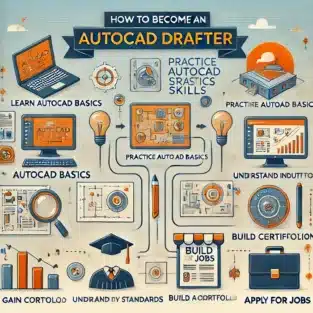
In today’s digitally-driven world, the demand for skilled AutoCAD drafters continues to grow. Whether you’re interested in architecture, engineering, or design, a career as an AutoCAD drafter offers a pathway to exciting opportunities. Here’s a step-by-step guide to help you become an AutoCAD drafter and excel in this rewarding field.

AutoCAD Drafter in Easy Steps

Step 1: Understand the Role of an AutoCAD Drafter

Before diving into the journey, it’s essential to grasp the responsibilities of an AutoCAD drafter. AutoCAD drafters use computer-aided design (CAD) software to create detailed technical drawings and blueprints. These documents guide the construction of buildings, machinery, and other structures. The role requires precision, creativity, and a strong understanding of technical concepts.

Step 2: Obtain the Right Education

To start your journey, pursue a relevant educational background:

  • High School Diploma: Focus on subjects like mathematics, computer science, and drafting.
  • Associate’s Degree: Many aspiring drafters enroll in programs that specialise in drafting, CAD technology, or engineering.
  • Certifications: Consider industry-recognised certifications in AutoCAD drafting to boost your employability. Popular programs include Autodesk Certified User (ACU) or Autodesk Certified Professional (ACP).

Step 3: Learn AutoCAD Software

Mastery of AutoCAD is critical to becoming a successful drafter. Here’s how to gain expertise:

  • Enroll in Training Courses: Sign up for AutoCAD drafter training programs offered by online platforms or local institutions.
  • Practice Regularly: Use tutorials, exercises, and projects to sharpen your skills.
  • Stay Updated: AutoCAD software evolves constantly, so ensure you’re familiar with the latest versions and features.

Step 4: Develop Essential Skills

An AutoCAD drafter needs a blend of technical and soft skills. Focus on:

  • Attention to Detail: Precision is key to creating accurate and functional designs.
  • Mathematics and Geometry: A solid understanding of these subjects is essential for drafting calculations.
  • Problem-Solving: Be prepared to troubleshoot design challenges.
  • Communication: Collaborate effectively with engineers, architects, and clients.

Step 5: Gain Practical Experience

Experience is invaluable in the drafting industry. Build your portfolio by:

  • Internships: Work with established firms to gain hands-on experience.
  • Freelancing: Offer AutoCAD drafter services to small businesses or startups.
  • Personal Projects: Create sample drafts to showcase your skills to potential employers.

Step 6: Network with Industry Professionals

Networking can open doors to job opportunities and mentorship:

  • Join Professional Organisations: Groups like the American Design Drafting Association (ADDA) can connect you with industry experts.
  • Attend Workshops and Seminars: Participate in events to stay informed and meet professionals.
  • Leverage Social Media: Use platforms like LinkedIn to connect with professionals in the AutoCAD drafter field.

Step 7: Secure an AutoCAD Drafter Job

Once you’ve honed your skills and built a portfolio, you’re ready to start job hunting:

  • Create a Resume: Highlight your education, certifications, and experience.
  • Apply Strategically: Look for positions that align with your expertise and interests.
  • Prepare for Interviews: Be ready to discuss your skills and showcase your drafts.

Step 8: Continue Learning and Growing

The drafting field is ever-evolving, so staying ahead is vital:

  • Advanced Certifications: Pursue advanced AutoCAD drafter training or certifications in specialised areas.
  • Learn Related Software: Expand your skill set with tools like Revit, SolidWorks, or SketchUp.
  • Seek Feedback: Regularly review your work and improve based on constructive criticism.

Why Become an AutoCAD Drafter?

An AutoCAD drafter job offers numerous benefits, including:

  • Diverse Career Opportunities: Work in industries like construction, manufacturing, and interior design.
  • Competitive Salary: Skilled drafters are in high demand and command attractive salaries.
  • Creative Fulfillment: Combine technical expertise with artistic creativity.

Final Thoughts

Becoming an AutoCAD drafter is a fulfilling journey that combines technical proficiency with creative problem-solving. By following these steps and leveraging AutoCAD drafter services and training opportunities, you’ll set yourself on the path to a successful career in this dynamic field. Start today and transform your passion for design into a thriving profession.

How do I start drafting in AutoCAD?

To start drafting in AutoCAD, follow these simple steps:

Install AutoCAD Software
Download and install AutoCAD from Autodesk’s official website. Use the free trial version or subscribe based on your needs.

Familiarize Yourself with the Interface
Launch the program and explore its user interface. Focus on the Ribbon (tools), Command Line, Drawing Area, and Status Bar.

Set Up Your Workspace
Customize the workspace to suit your drafting needs. Choose a workspace type, such as Drafting & Annotation or 3D Modeling.

Create a New Drawing
Click on File > New to start a new drawing. Choose a template that fits your project requirements (e.g., Metric or Imperial).

Learn Basic Commands
Practice essential commands like:LINE: Draw straight lines.
CIRCLE: Draw circles.
RECTANGLE: Create rectangles.
TRIM: Cut unwanted parts of your design.
ZOOM and PAN: Navigate your drawing.
Set Drawing Units and Limits
Define the units (metric or imperial) and set drawing limits to match the project’s scale and scope.

How do I learn AutoCAD drafting?

To learn AutoCAD drafting effectively, follow these steps:

1. Understand AutoCAD and Its Applications
Research what AutoCAD drafting involves and its applications in industries like architecture, engineering, and manufacturing.

2. Get the Software
Download and install AutoCAD from Autodesk’s official site. Start with a free trial or student version to explore its features.

3. Take Online Courses
Enroll in AutoCAD training programs from platforms like Coursera, Udemy, or LinkedIn Learning. Look for courses tailored to beginners and industry-specific needs.

4. Start with the Basics
Learn fundamental commands (e.g., LINE, CIRCLE, TRIM, and DIMENSION). Practice creating basic 2D shapes and combining them into meaningful designs.

5. Practice Regularly
Dedicate time to practice. Follow tutorials, replicate sample projects, and solve exercises to build your drafting skills.


CS

Claire Sutton

Architectural CAD Specialist & Technical Writer · BArch (Hons), QUT · ASTCAD, Brisbane

Claire has 10 years of experience in Revit BIM modelling, architectural documentation, and CAD conversion projects across Southeast Queensland and NSW. She has delivered NCC-compliant documentation for residential, commercial, and industrial facilities.

More articles by Claire Sutton →
AutoCAD Conversion

AutoCAD conversion is essential for companies across various industries, providing a seamless way to transition between file types, improve accuracy, and enhance collaboration on complex projects. In this blog, we’ll cover the key aspects of AutoCAD conversion, its importance, common conversion types, and tips for optimising the process.

Why AutoCAD Conversion Matters

AutoCAD conversion is the process of transforming design data into compatible formats, ensuring that all stakeholders—engineers, architects, and designers—can access and use the information effectively. Converting files into AutoCAD-compatible formats is essential in maintaining the accuracy and integrity of design data. Whether it’s legacy data or newer file formats, AutoCAD conversion enables organisations to work with historical records, share files with collaborators, and meet project requirements seamlessly.

Common Types of AutoCAD Conversions

  1. PDF to AutoCAD
    Converting PDFs to AutoCAD is among the most common needs in architecture and engineering. While PDFs provide a snapshot of design documents, converting them into DWG or DXF files allows for editing and modification in AutoCAD. This is especially useful for updating designs, creating as-built drawings, or making revisions.
  2. Image to AutoCAD
    This process involves converting images (JPEG, PNG, TIFF) into vector-based AutoCAD files. Image conversion is valuable when working with scanned blueprints or hand-drawn sketches that need digital precision. Using tools such as raster-to-vector conversion software can make this process faster and more accurate.
  3. 2D to 3D Conversion
    Many industries are moving toward 3D modelling to create highly detailed and accurate designs. Converting 2D AutoCAD drawings into 3D models provides a more comprehensive view of projects, improving analysis, visualisation, and accuracy in construction, manufacturing, and design.
  4. Revit to AutoCAD
    Revit is commonly used for BIM (Building Information Modelling) projects, but there may be situations where a Revit file needs to be converted to AutoCAD for use by team members who work within an AutoCAD environment. This conversion allows for easier cross-platform collaboration.
  5. Point Cloud to AutoCAD
    In industries where laser scanning and 3D measurements are essential, point cloud data can be converted into AutoCAD formats. This is particularly beneficial for renovation projects or when precise site measurements are required.

Key Benefits of AutoCAD Conversion

  1. Enhanced Collaboration
    AutoCAD conversion ensures that data can be shared in a compatible format, enabling teams to collaborate effectively. Cross-disciplinary projects often involve stakeholders using different software platforms; converting files into AutoCAD-compatible formats ensures all team members have access to accurate information.
  2. Data Preservation
    Converting legacy data into AutoCAD formats allows businesses to maintain and preserve historical information, ensuring it’s available and usable in future projects. This is especially important for industries with regulatory requirements for archiving project data.
  3. Improved Accuracy and Consistency
    Manual re-drawing of designs from incompatible formats can lead to errors and inconsistencies. AutoCAD conversion minimises this risk, ensuring that designs are transferred accurately and efficiently without any loss of detail.
  4. Cost and Time Efficiency
    Automating conversion processes reduces the need for manual rework and accelerates project timelines. Instead of redrawing or creating designs from scratch, conversions allow for immediate use and further development, resulting in significant time and cost savings.

Tips for Successful AutoCAD Conversion

  1. Use Specialised Conversion Tools
    Numerous software tools are available to facilitate AutoCAD conversions. Using dedicated conversion software ensures higher accuracy and reduces the likelihood of errors. Tools such as AutoCAD itself, as well as third-party solutions, can efficiently handle various conversion formats, improving productivity and reliability.
  2. Check for File Compatibility
    Not all file types are directly compatible with AutoCAD. Before converting, verify the compatibility between the source and target file formats to ensure a smooth conversion. This may involve pre-processing or cleaning up files to ensure they translate accurately.
  3. Optimise and Clean Up Files Post-Conversion
    Once a file has been converted, it’s crucial to review and clean it up in AutoCAD. Conversion processes may introduce artifacts or misalignments; therefore, verifying dimensions, line work, and object integrity will ensure the converted file is usable and meets project standards.
  4. Work with an Experienced Conversion Partner
    If your company regularly handles large volumes of conversions or complex projects, consider partnering with an AutoCAD conversion service provider. Professionals with experience in CAD conversions bring expertise that can improve accuracy and efficiency, especially with challenging file types or large data sets.
  5. Document the Process
    Keeping a record of the conversion process, including any challenges or settings used, can be valuable for future conversions. This documentation helps standardise procedures, making the process more efficient and repeatable over time.

AutoCAD Conversion Services: Choosing the Right Provider

For companies looking to outsource AutoCAD conversions, selecting the right service provider is critical. Here are factors to consider:

  1. Experience and Expertise
    Look for providers with proven expertise in AutoCAD conversion and a history of delivering high-quality, accurate conversions. A knowledgeable team will be able to handle complex file formats and provide solutions that fit your project needs.
  2. Service Offerings and Capabilities
    Not all conversion services offer the same capabilities. Check if the provider can handle the types of conversions you need, such as 2D to 3D, image to AutoCAD, or point cloud conversions. It’s beneficial to work with a provider who offers a range of services and flexibility.
  3. Turnaround Time
    In fast-paced industries, turnaround time is crucial. Make sure your service provider can meet your project deadlines and offer quick yet accurate conversions.
  4. Quality Control
    Quality control processes are essential in ensuring that converted files meet industry standards and project requirements. A reputable provider should have quality assurance measures in place, such as double-checking files for accuracy and consistency.
  5. Data Security and Confidentiality
    With sensitive project data involved, ensure your service provider follows strict data security protocols. Ask about their data handling and storage policies to confirm they can safely manage your files.

Conclusion

AutoCAD conversion is more than just transforming files; it’s about enhancing collaboration, preserving data integrity, and improving project efficiency. With the right tools, processes, and partnerships, AutoCAD conversion can streamline workflows and ensure that design data is accessible to everyone who needs it. Whether you’re converting PDF files, transitioning 2D drawings into 3D models, or working with legacy data, understanding the fundamentals of AutoCAD conversion helps companies achieve greater accuracy, save time, and reduce costs.

By following best practices and considering professional AutoCAD conversion services, your organisation can maximise the benefits of seamless data compatibility across projects. In a world where design data is essential to project success, effective AutoCAD conversion is a powerful asset that keeps your team aligned and your projects on track.


CS

Claire Sutton

Architectural CAD Specialist & Technical Writer · BArch (Hons), QUT · ASTCAD, Brisbane

Claire has 10 years of experience in Revit BIM modelling, architectural documentation, and CAD conversion projects across Southeast Queensland and NSW. She has delivered NCC-compliant documentation for residential, commercial, and industrial facilities.

More articles by Claire Sutton →
3D printing

Introduction 3D Printing

  • Briefly introduce 3D printing and its transformative impact on industries like automotive, aerospace, healthcare, and product design.
  • Highlight that selecting the right material is crucial for achieving desired project results, durability, and functionality.

1. Understanding the Importance of Material Selection in 3D Printing

  • Explain how different materials affect the strength, flexibility, durability, and aesthetics of printed parts.
  • Note that choosing the wrong material can lead to poor performance, costly mistakes, and delays.

2. Key Factors to Consider When Choosing a 3D Printing Material

  • Purpose of the Print: Describe how the intended function of the part (prototype vs. end-use) influences material choice.
  • Mechanical Properties: Explain why properties like tensile strength, flexibility, and impact resistance matter.
  • Environmental Conditions: Consider factors like temperature tolerance, UV exposure, and moisture sensitivity.
  • Aesthetic Requirements: Discuss how colour, texture, and finish impact the visual appeal of the printed object.
  • Budget Constraints: Emphasise balancing cost-effectiveness with material quality.

3. Overview of Common 3D Printing Materials

  • PLA (Polylactic Acid): Explain its popularity for prototyping and low-cost applications.
  • ABS (Acrylonitrile Butadiene Styrene): Mention its strength, impact resistance, and suitability for functional parts.
  • PETG (Polyethylene Terephthalate Glycol): Describe its balance of strength, durability, and ease of use.
  • Nylon (Polyamide): Known for flexibility and strength, ideal for functional parts and wear-resistant applications.
  • Resins: Ideal for detailed models and smooth finishes, often used in dental and jewelry applications.
  • Metal: Used for high-strength, industrial parts; great for aerospace and automotive sectors.

4. Choosing a Material Based on Application Type

  • Prototyping: Suggest PLA, PETG, or resin for prototypes that require aesthetic accuracy without excessive durability.
  • Functional Parts: Recommend ABS, Nylon, or metal for parts that need to withstand stress and impact.
  • Medical or Food-Safe Applications: Discuss biocompatible or food-safe materials like certain FDA-approved resins.

5. Sustainable and Eco-Friendly 3D Printing Materials

  • Introduce eco-conscious options like biodegradable PLA or recycled PETG.
  • Briefly discuss the rise of sustainable materials to meet environmental standards in 3D printing.

6. Tips for Testing and Evaluating Materials

  • Encourage initial testing with small prints to assess a material’s properties.
  • Mention the importance of post-processing techniques for improving material durability and aesthetics.

Conclusion

  • Reinforce that choosing the right 3D printing material directly impacts the success and longevity of the project.
  • Recommend consulting with 3D printing professionals for complex or high-stakes projects to ensure optimal material selection.

How to get perfect 3D prints every time?

How to Get Perfect 3D Prints Every Time
1. Choose the Right Material for Your Project
Different materials, like PLA, ABS, PETG, and nylon, have unique properties and require specific settings.
Choose a material based on your project’s needs (e.g., PLA for easy printing, ABS for durability, nylon for flexibility).
2. Fine-Tune Your Printer Settings
Layer Height: For high-detail prints, use a smaller layer height (e.g., 0.1mm), while larger prints can use a thicker layer (e.g., 0.2mm).
Print Speed: Slow down the print speed for complex geometries or high-quality finishes. Commonly, 40-60mm/s is ideal for most prints.
Nozzle Temperature: Ensure you’re using the correct temperature for the material. Printing too hot or too cold affects layer adhesion and finish.
Bed Temperature: Proper bed temperature minimizes warping, especially with materials like ABS or PETG.
3. Ensure Bed Leveling and Adhesion
Level the Bed: Regularly calibrate and level your print bed, especially if you move the printer or change filaments.
Adhesion Aids: Use aids like glue sticks, painter’s tape, or print surfaces like PEI to improve first-layer adhesion and reduce warping.
4. Control the Environment
Stable Temperature: Print in a controlled, draft-free room. Cold drafts or rapid temperature changes can cause warping and adhesion issues.
Humidity Control: Store filaments in airtight containers with desiccant. Moisture in filament causes popping sounds, bubbles, and weak prints.
5. Use Proper Supports and Overhangs
Overhangs and Supports: Add supports for overhangs over 45 degrees to prevent sagging. Use slicer settings to create detachable supports that don’t affect surface quality.
Bridges: For prints with gaps (bridges), adjust speed, cooling, and infill settings to improve bridging quality without supports.
6. Regularly Maintain Your Printer
Nozzle Cleaning: Clean the nozzle periodically to prevent clogs and ensure smooth filament flow. Replace worn nozzles for consistent performance.
Check Belts and Screws: Tighten loose belts and screws to prevent layer shifting and inaccurate dimensions.
Lubricate Moving Parts: Regular lubrication of moving parts helps the printer operate smoothly and extends its lifespan.

How do I get the best out of my 3D printer?

1. Understand Your Printer’s Capabilities and Limitations
Know Your Printer: Familiarize yourself with your printer’s specifications, such as maximum print volume, nozzle diameter, layer resolution, and compatible materials.
Material Compatibility: Ensure your printer can handle various filaments like PLA, ABS, PETG, or flexible materials. Experiment with different materials to find what works best for specific applications.
2. Keep Your Printer Clean and Well-Maintained
Regular Cleaning: Clean the build plate, nozzle, and extruder regularly. Residue can affect adhesion and print quality.
Nozzle Care: Clear any clogs and replace the nozzle periodically, especially if printing with abrasive filaments like carbon fiber or glow-in-the-dark filaments.
Lubricate Moving Parts: Apply appropriate lubrication to rails, bearings, and threaded rods to keep movement smooth and accurate.
3. Calibrate Your Printer Frequently
Bed Leveling: Keep the bed level for optimal first-layer adhesion. Use manual leveling or auto-leveling features, depending on your printer.
Extruder Calibration: Calibrate the extruder to ensure accurate filament flow, which prevents issues like under- or over-extrusion.
E-Steps Calibration: Adjust E-steps to fine-tune filament extrusion for precise, high-quality prints.
4. Optimize Print Settings in Your Slicer Software
Layer Height: Use lower layer heights (e.g., 0.1mm) for high-detail prints, and higher ones (e.g., 0.2mm) for faster but less detailed prints.
Print Speed: Slower speeds (30-50mm/s) generally yield better detail, while higher speeds (60-80mm/s) can be used for prototypes or low-detail parts.
Retraction Settings: Correct retraction settings minimize stringing. Adjust retraction length and speed based on the material type.
Infill Density: Match the infill density with the part’s intended use. Higher infill gives strength, while lower infill saves material and time.
Cooling Settings: Use appropriate cooling for each material—PLA benefits from high cooling, while ABS requires less to prevent warping.
5. Ensure Proper Filament Storage and Handling
Store Filament Correctly: Moisture affects filament quality, especially for hygroscopic filaments like Nylon and PETG. Store filaments in airtight containers with desiccant.
Dry Filament as Needed: Use a filament dryer if you notice signs of moisture (popping sounds, steam, or uneven extrusion).


JH

James Hartley

Senior Mechanical Engineer · BEng (Mechanical), UQ · Member, Engineers Australia · ASTCAD, Brisbane

James has 14 years of hands-on experience delivering CAD design, structural drafting, and engineering documentation across Australia’s mining, oil & gas, and manufacturing sectors. He specialises in SolidWorks, Autodesk Inventor, and AutoCAD for complex multi-discipline projects.

More articles by James Hartley →

Get a free quote — 1800 287 223