
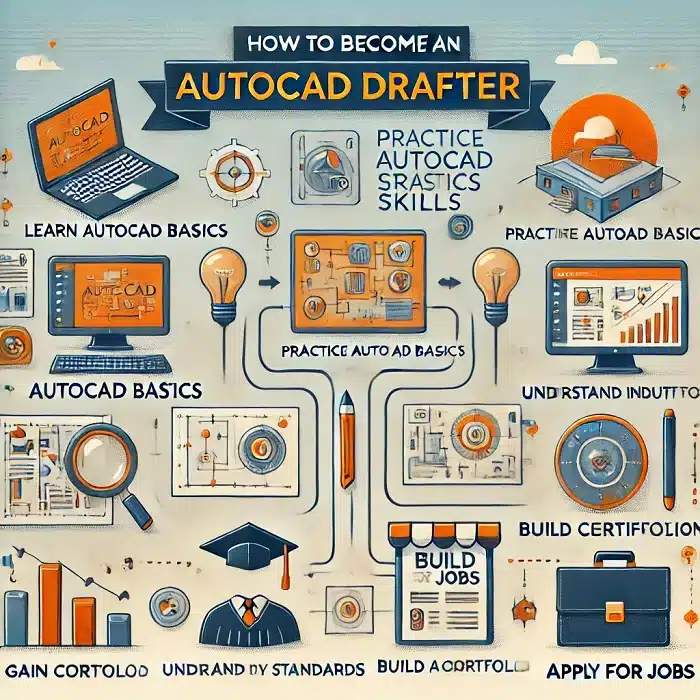
In today’s digitally-driven world, the demand for skilled AutoCAD drafters continues to grow. Whether you’re interested in architecture, engineering, or design, a career as an AutoCAD drafter offers a pathway to exciting opportunities. Here’s a step-by-step guide to help you become an AutoCAD drafter and excel in this rewarding field.
AutoCAD Drafter in Easy Steps
Step 1: Understand the Role of an AutoCAD Drafter
Before diving into the journey, it’s essential to grasp the responsibilities of an AutoCAD drafter. AutoCAD drafters use computer-aided design (CAD) software to create detailed technical drawings and blueprints. These documents guide the construction of buildings, machinery, and other structures. The role requires precision, creativity, and a strong understanding of technical concepts.
Step 2: Obtain the Right Education
To start your journey, pursue a relevant educational background:
- High School Diploma: Focus on subjects like mathematics, computer science, and drafting.
- Associate’s Degree: Many aspiring drafters enroll in programs that specialise in drafting, CAD technology, or engineering.
- Certifications: Consider industry-recognised certifications in AutoCAD drafting to boost your employability. Popular programs include Autodesk Certified User (ACU) or Autodesk Certified Professional (ACP).
Step 3: Learn AutoCAD Software
Mastery of AutoCAD is critical to becoming a successful drafter. Here’s how to gain expertise:
- Enroll in Training Courses: Sign up for AutoCAD drafter training programs offered by online platforms or local institutions.
- Practice Regularly: Use tutorials, exercises, and projects to sharpen your skills.
- Stay Updated: AutoCAD software evolves constantly, so ensure you’re familiar with the latest versions and features.
Step 4: Develop Essential Skills
An AutoCAD drafter needs a blend of technical and soft skills. Focus on:
- Attention to Detail: Precision is key to creating accurate and functional designs.
- Mathematics and Geometry: A solid understanding of these subjects is essential for drafting calculations.
- Problem-Solving: Be prepared to troubleshoot design challenges.
- Communication: Collaborate effectively with engineers, architects, and clients.
Step 5: Gain Practical Experience
Experience is invaluable in the drafting industry. Build your portfolio by:
- Internships: Work with established firms to gain hands-on experience.
- Freelancing: Offer AutoCAD drafter services to small businesses or startups.
- Personal Projects: Create sample drafts to showcase your skills to potential employers.
Step 6: Network with Industry Professionals
Networking can open doors to job opportunities and mentorship:
- Join Professional Organisations: Groups like the American Design Drafting Association (ADDA) can connect you with industry experts.
- Attend Workshops and Seminars: Participate in events to stay informed and meet professionals.
- Leverage Social Media: Use platforms like LinkedIn to connect with professionals in the AutoCAD drafter field.
Step 7: Secure an AutoCAD Drafter Job
Once you’ve honed your skills and built a portfolio, you’re ready to start job hunting:
- Create a Resume: Highlight your education, certifications, and experience.
- Apply Strategically: Look for positions that align with your expertise and interests.
- Prepare for Interviews: Be ready to discuss your skills and showcase your drafts.
Step 8: Continue Learning and Growing
The drafting field is ever-evolving, so staying ahead is vital:
- Advanced Certifications: Pursue advanced AutoCAD drafter training or certifications in specialised areas.
- Learn Related Software: Expand your skill set with tools like Revit, SolidWorks, or SketchUp.
- Seek Feedback: Regularly review your work and improve based on constructive criticism.
Why Become an AutoCAD Drafter?
An AutoCAD drafter job offers numerous benefits, including:
- Diverse Career Opportunities: Work in industries like construction, manufacturing, and interior design.
- Competitive Salary: Skilled drafters are in high demand and command attractive salaries.
- Creative Fulfillment: Combine technical expertise with artistic creativity.
Final Thoughts
Becoming an AutoCAD drafter is a fulfilling journey that combines technical proficiency with creative problem-solving. By following these steps and leveraging AutoCAD drafter services and training opportunities, you’ll set yourself on the path to a successful career in this dynamic field. Start today and transform your passion for design into a thriving profession.
How do I start drafting in AutoCAD?
To start drafting in AutoCAD, follow these simple steps:
Install AutoCAD Software
Download and install AutoCAD from Autodesk’s official website. Use the free trial version or subscribe based on your needs.
Familiarize Yourself with the Interface
Launch the program and explore its user interface. Focus on the Ribbon (tools), Command Line, Drawing Area, and Status Bar.
Set Up Your Workspace
Customize the workspace to suit your drafting needs. Choose a workspace type, such as Drafting & Annotation or 3D Modeling.
Create a New Drawing
Click on File > New to start a new drawing. Choose a template that fits your project requirements (e.g., Metric or Imperial).
Learn Basic Commands
Practice essential commands like:LINE: Draw straight lines.
CIRCLE: Draw circles.
RECTANGLE: Create rectangles.
TRIM: Cut unwanted parts of your design.
ZOOM and PAN: Navigate your drawing.
Set Drawing Units and Limits
Define the units (metric or imperial) and set drawing limits to match the project’s scale and scope.
How do I learn AutoCAD drafting?
To learn AutoCAD drafting effectively, follow these steps:
1. Understand AutoCAD and Its Applications
Research what AutoCAD drafting involves and its applications in industries like architecture, engineering, and manufacturing.
2. Get the Software
Download and install AutoCAD from Autodesk’s official site. Start with a free trial or student version to explore its features.
3. Take Online Courses
Enroll in AutoCAD training programs from platforms like Coursera, Udemy, or LinkedIn Learning. Look for courses tailored to beginners and industry-specific needs.
4. Start with the Basics
Learn fundamental commands (e.g., LINE, CIRCLE, TRIM, and DIMENSION). Practice creating basic 2D shapes and combining them into meaningful designs.
5. Practice Regularly
Dedicate time to practice. Follow tutorials, replicate sample projects, and solve exercises to build your drafting skills.
Our team delivers accurate, standards-compliant drawings across all disciplines — fast turnaround, no obligation.